

Arduino 上手教程
2. 设备开发 & 案例程序
3. M5Unified
4. M5GFX
5. 扩展模块
Unit
Module
Atomic
Tab5
IoT
Unit 4Relay Arduino 使用教程
1. 准备工作
- 环境配置: 参考 Arduino IDE 上手教程 完成 IDE 安装,并根据实际使用的开发板安装对应的板管理,与需要的驱动库。
- 使用到的驱动库:
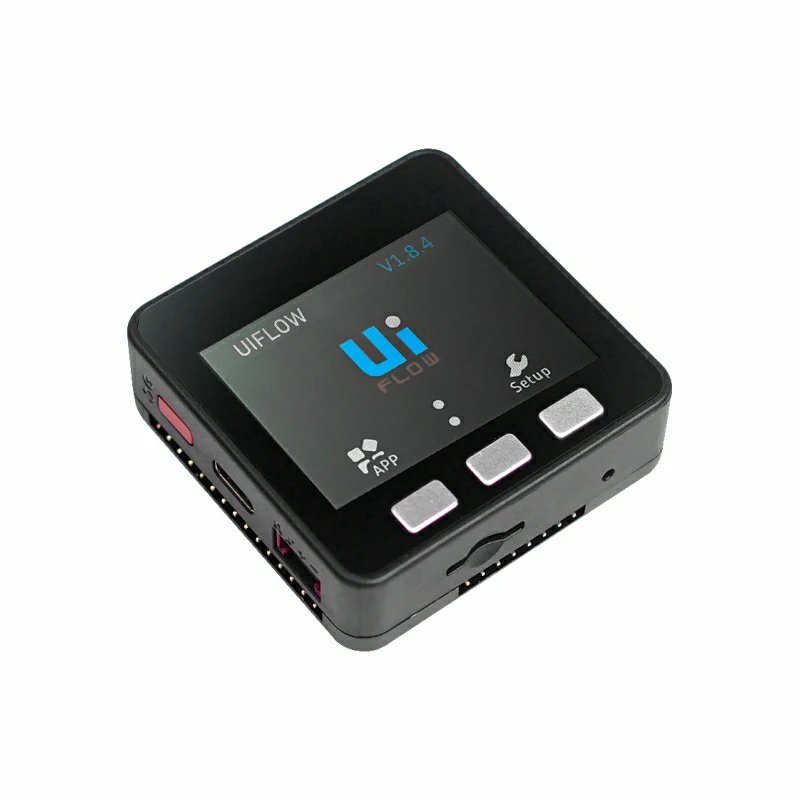
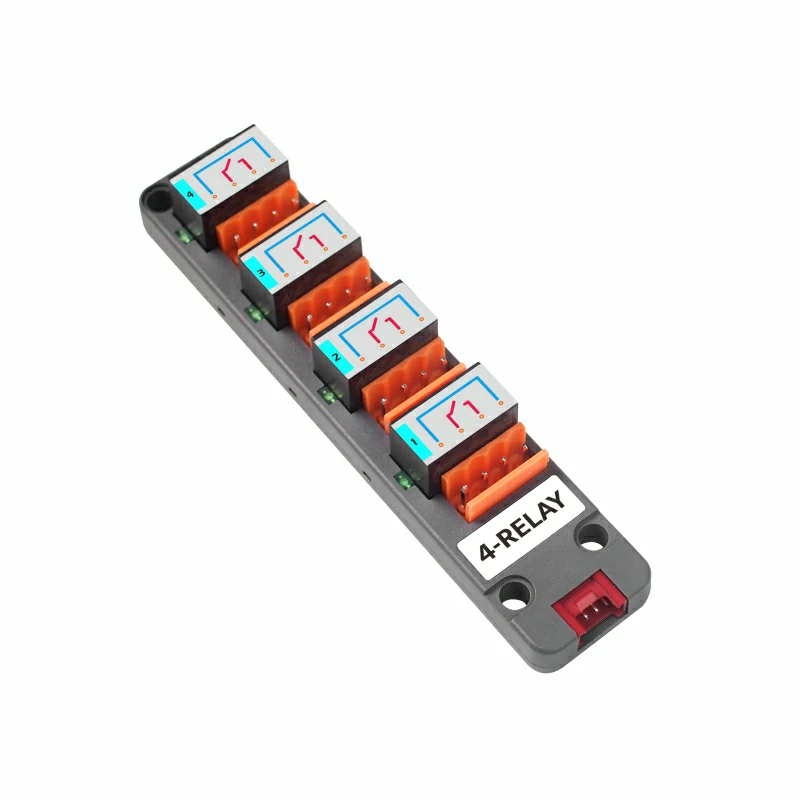
- 使用到的硬件产品:
2. 注意事项
引脚兼容性
由于每款主机的引脚配置不同,为了让用户更方便地使用,M5Stack 官方提供了引脚兼容性表,方便用户查看,请根据实际引脚连接情况修改案例程序。
3. 案例程序
- 本教程中使用的主控设备为 Basic V2.7 ,搭配 Unit 4Relay。本 Relay 模块采用 I2C 的方式通讯,根据实际的电路链接修改程序中的引脚定义,设备连接后对应的引脚为
G21(SDA),G22(SCL)。
注意
本模块只能在同步模式下控制继电器,如果在异步模式下对继电器进行控制将无效,只能控制 LED 指示灯。
cpp
1 2 3 4 5 6 7 8 9 10 11 12 13 14 15 16 17 18 19 20 21 22 23 24 25 26 27 28 29 30 31 32 33 34 35 36 37 38 39 40 41 42 43 44 45 46 47 48 49 50 51 52 53 54 55 56 57 58 59 60 61 62 63 64 65 66 67 68 69 70 71 72 73 74 75 76 77 78 79 80 81 82 83 84 85 86 87 88 89 90 91 92 93 94 95 96 97 98 99 100 101 102 103 104 105 106 107 108 109 110 111 112 113 114 115 116 117 118 119 120 121 122 123 124 125 126 127 128 129 130 131 132 133 134 135 136 137 138 139 140 141 142 143 144 145 146 147 148 149 150 151 152 153 154 155 156 157 158 159 160 161 162 163 164 165 166 167 168 169 170 171 172 173 174 175 176 177 178 179 180 181 182 183 184 185 186 187 188 189 190 191 192 193 194 195 196
#include <M5Unified.h>
#include "Unit_4RELAY.h"

UNIT_4RELAY relay;

namespace {
constexpr uint16_t COLOR_BG      = 0x1082;
constexpr uint16_t COLOR_SURFACE = 0x2104;
constexpr uint16_t COLOR_HEADER  = 0x0349;
constexpr uint16_t COLOR_BORDER  = 0x52AA;
constexpr uint16_t COLOR_MUTED   = 0xBDF7;
constexpr uint16_t COLOR_GREEN   = 0x2E8B;
constexpr uint16_t COLOR_RED     = 0xD249;
constexpr uint16_t COLOR_AMBER   = 0xFD20;

constexpr int16_t CHANNEL_Y      = 148;
constexpr int16_t CHANNEL_WIDTH  = 68;
constexpr int16_t CHANNEL_HEIGHT = 43;
constexpr int16_t CHANNEL_GAP    = 8;

uint8_t stepIndex = 0;
bool syncMode     = false;
bool allOn        = false;
bool relayState[4] = {false, false, false, false};
bool ledState[4]   = {false, false, false, false};

void drawModeStatus()
{
    M5.Display.fillRect(0, 38, 320, 36, COLOR_BG);
    M5.Display.setFont(&fonts::Font2);
    M5.Display.setTextDatum(textdatum_t::middle_left);
    M5.Display.setTextColor(COLOR_MUTED, COLOR_BG);
    M5.Display.drawString("MODE", 12, 56);
    M5.Display.drawString("CONTROL", 161, 56);

    const uint16_t modeColor = syncMode ? COLOR_GREEN : COLOR_AMBER;
    M5.Display.fillRoundRect(57, 44, 82, 25, 4, modeColor);
    M5.Display.fillRoundRect(231, 44, 77, 25, 4, COLOR_SURFACE);
    M5.Display.drawRoundRect(231, 44, 77, 25, 4, COLOR_BORDER);

    M5.Display.setTextDatum(textdatum_t::middle_center);
    M5.Display.setTextColor(TFT_BLACK, modeColor);
    M5.Display.drawString(syncMode ? "SYNC" : "ASYNC", 98, 56);
    M5.Display.setTextColor(TFT_WHITE, COLOR_SURFACE);
    M5.Display.drawString(syncMode ? "RELAY" : "LED", 269, 56);
}

void drawAction(const char *message)
{
    M5.Display.fillRoundRect(10, 81, 300, 38, 4, COLOR_SURFACE);
    M5.Display.drawRoundRect(10, 81, 300, 38, 4, COLOR_BORDER);
    M5.Display.setFont(&fonts::Font2);
    M5.Display.setTextDatum(textdatum_t::middle_left);
    M5.Display.setTextColor(COLOR_MUTED, COLOR_SURFACE);
    M5.Display.drawString("LAST ACTION", 20, 100);
    M5.Display.setTextColor(TFT_WHITE, COLOR_SURFACE);
    M5.Display.drawString(message, 119, 100);
}

void drawChannel(uint8_t channel)
{
    const bool isOn       = syncMode ? relayState[channel] : ledState[channel];
    const uint16_t color  = isOn ? COLOR_GREEN : COLOR_BORDER;
    const int16_t x       = 10 + channel * (CHANNEL_WIDTH + CHANNEL_GAP);
    char channelLabel[5]  = {};
    snprintf(channelLabel, sizeof(channelLabel), "CH%u",
             static_cast<unsigned>(channel + 1));

    M5.Display.fillRoundRect(x, CHANNEL_Y, CHANNEL_WIDTH, CHANNEL_HEIGHT, 4,
                             COLOR_SURFACE);
    M5.Display.drawRoundRect(x, CHANNEL_Y, CHANNEL_WIDTH, CHANNEL_HEIGHT, 4,
                             color);
    M5.Display.setTextDatum(textdatum_t::middle_center);
    M5.Display.setFont(&fonts::Font2);
    M5.Display.setTextColor(COLOR_MUTED, COLOR_SURFACE);
    M5.Display.drawString(channelLabel, x + CHANNEL_WIDTH / 2, CHANNEL_Y + 12);
    M5.Display.setTextColor(isOn ? COLOR_GREEN : TFT_WHITE, COLOR_SURFACE);
    M5.Display.drawString(isOn ? "ON" : "OFF", x + CHANNEL_WIDTH / 2,
                          CHANNEL_Y + 31);
}

void drawAllChannels()
{
    M5.Display.fillRect(0, 125, 320, 22, COLOR_BG);
    M5.Display.setFont(&fonts::Font2);
    M5.Display.setTextDatum(textdatum_t::middle_left);
    M5.Display.setTextColor(COLOR_MUTED, COLOR_BG);
    M5.Display.drawString(syncMode ? "RELAY STATUS" : "LED STATUS", 10, 136);

    for (uint8_t channel = 0; channel < 4; ++channel) {
        drawChannel(channel);
    }
}

void drawButtonHint(int16_t x, char button, const char *label, uint16_t color)
{
    char buttonLabel[2] = {button, '\0'};

    M5.Display.fillCircle(x, 220, 11, color);
    M5.Display.setFont(&fonts::Font2);
    M5.Display.setTextDatum(textdatum_t::middle_center);
    M5.Display.setTextColor(TFT_BLACK, color);
    M5.Display.drawString(buttonLabel, x, 220);
    M5.Display.setTextDatum(textdatum_t::middle_left);
    M5.Display.setTextColor(TFT_WHITE, COLOR_SURFACE);
    M5.Display.drawString(label, x + 16, 220);
}

void drawMainUi()
{
    M5.Display.fillScreen(COLOR_BG);
    M5.Display.fillRect(0, 0, 320, 34, COLOR_HEADER);
    M5.Display.setFont(&fonts::Font4);
    M5.Display.setTextDatum(textdatum_t::middle_center);
    M5.Display.setTextColor(TFT_WHITE, COLOR_HEADER);
    M5.Display.drawString("UNIT 4RELAY", 160, 17);

    drawModeStatus();
    drawAction("Ready");
    drawAllChannels();

    M5.Display.fillRect(0, 202, 320, 38, COLOR_SURFACE);
    M5.Display.drawFastHLine(0, 202, 320, COLOR_BORDER);
    drawButtonHint(15, 'A', "STEP", COLOR_GREEN);
    drawButtonHint(121, 'B', "MODE", COLOR_AMBER);
    drawButtonHint(229, 'C', "ALL", COLOR_RED);
}

void updateStateAfterAllWrite(bool state)
{
    // relayAll() and ledAll() overwrite the complete output register.
    for (uint8_t channel = 0; channel < 4; ++channel) {
        relayState[channel] = syncMode ? state : false;
        ledState[channel]   = syncMode ? false : state;
    }
}
}  // namespace

void setup()
{
    M5.begin();
    Serial.begin(115200);

    M5.Display.setRotation(1);
    relay.begin(&Wire, 21, 22);
    relay.Init(false);  // Start in asynchronous mode with all outputs off.
    drawMainUi();
}

void loop()
{
    M5.update();

    if (M5.BtnA.wasPressed()) {
        const uint8_t channel = stepIndex % 4;
        const bool state      = stepIndex < 4;
        char message[20]      = {};

        if (syncMode) {
            relay.relayWrite(channel, state);
            relayState[channel] = state;
        } else {
            relay.ledWrite(channel, state);
            ledState[channel] = state;
        }

        snprintf(message, sizeof(message), "%s %u  %s",
                 syncMode ? "Relay" : "LED",
                 static_cast<unsigned>(channel + 1),
                 state ? "ON" : "OFF");
        drawAction(message);
        drawChannel(channel);
        stepIndex = (stepIndex + 1) % 8;
    }

    if (M5.BtnB.wasPressed()) {
        syncMode = !syncMode;
        relay.switchMode(syncMode);
        drawModeStatus();
        drawAction(syncMode ? "Sync mode enabled" : "Async mode enabled");
        drawAllChannels();
    }

    if (M5.BtnC.wasPressed()) {
        allOn = !allOn;
        if (syncMode) {
            relay.relayAll(allOn);
        } else {
            relay.ledAll(allOn);
        }

        updateStateAfterAllWrite(allOn);
        drawAction(allOn ? "All channels ON" : "All channels OFF");
        drawAllChannels();
    }
}4. 编译上传
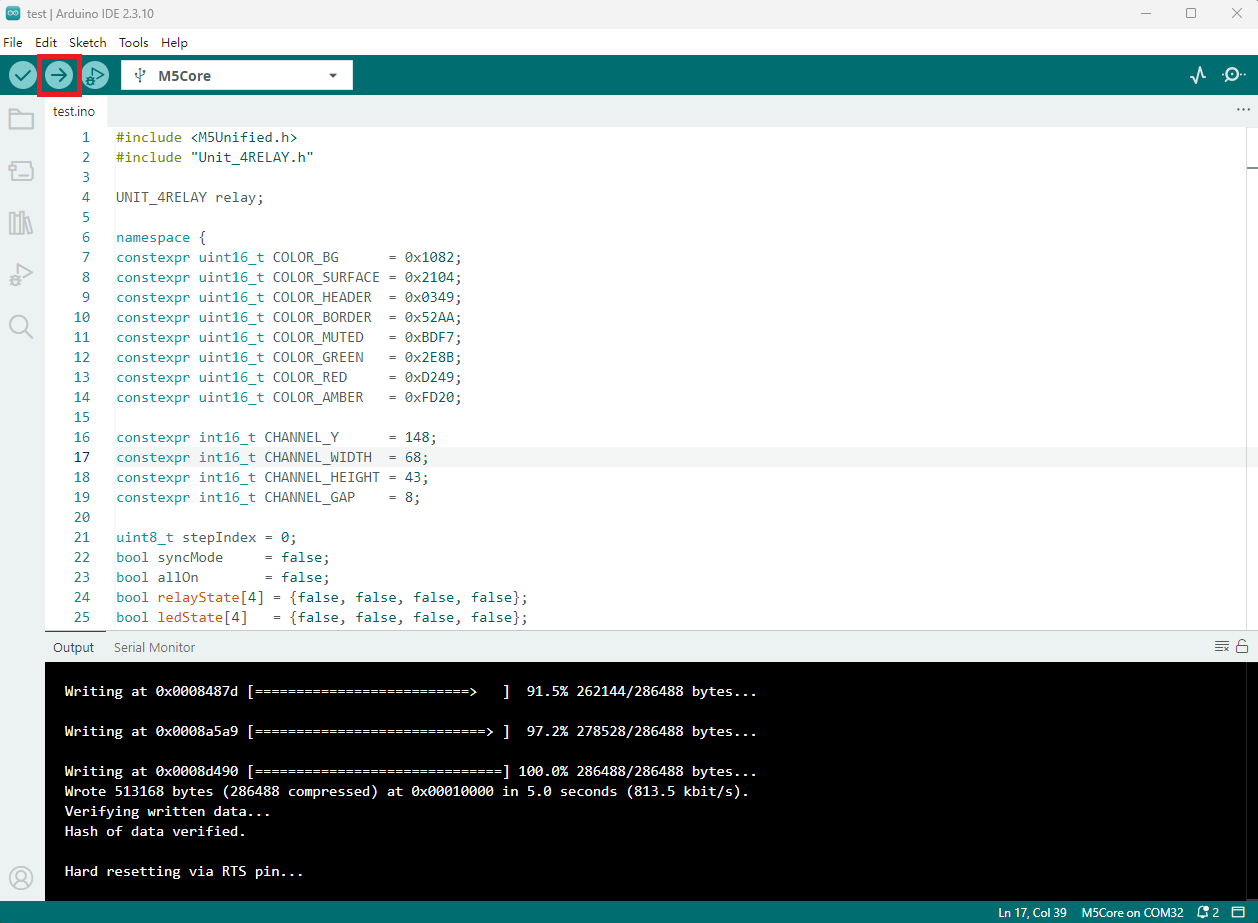
- 复制粘贴上述例程代码到项目代码区,选中设备端口(详情请参考 程序编译与烧录),点击 Arduino IDE 左上角编译上传按钮,等待程序完成编译并上传至设备。
5. 继电器控制
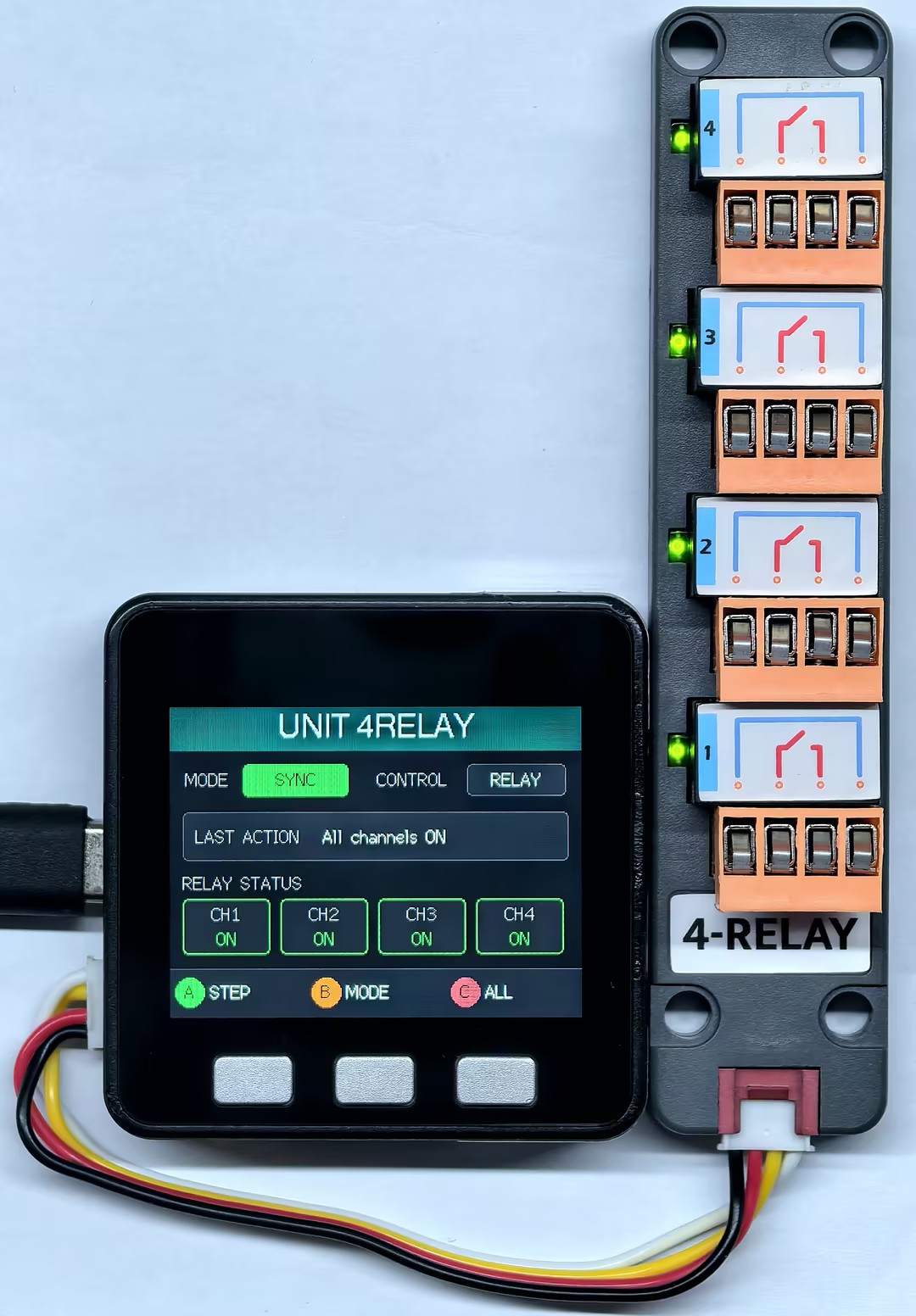
- 按键 A 可切换单个继电器控制模式,按键 B 可切换指示灯和继电器的同步 / 异步模式,按键 C 可全开 / 关继电器及 LED 指示灯。
Page Tools