

Arduino 上手教程
2. 设备开发 & 案例程序
3. M5Unified
4. M5GFX
5. 扩展模块
Unit
Module
Atomic
Tab5
IoT
Hat Thermal Arduino 使用教程
1. 准备工作
环境配置: 参考 Arduino IDE 上手教程完成 IDE 安装,并根据实际使用的开发板安装对应的板管理,与需要的驱动库。
使用到的驱动库:
使用到的硬件产品:
2. 注意事项
引脚兼容性
由于每款主机的引脚配置不同,使用前请参考产品文档中的引脚兼容表,并根据实际引脚连接情况修改案例程序。
3. 案例程序
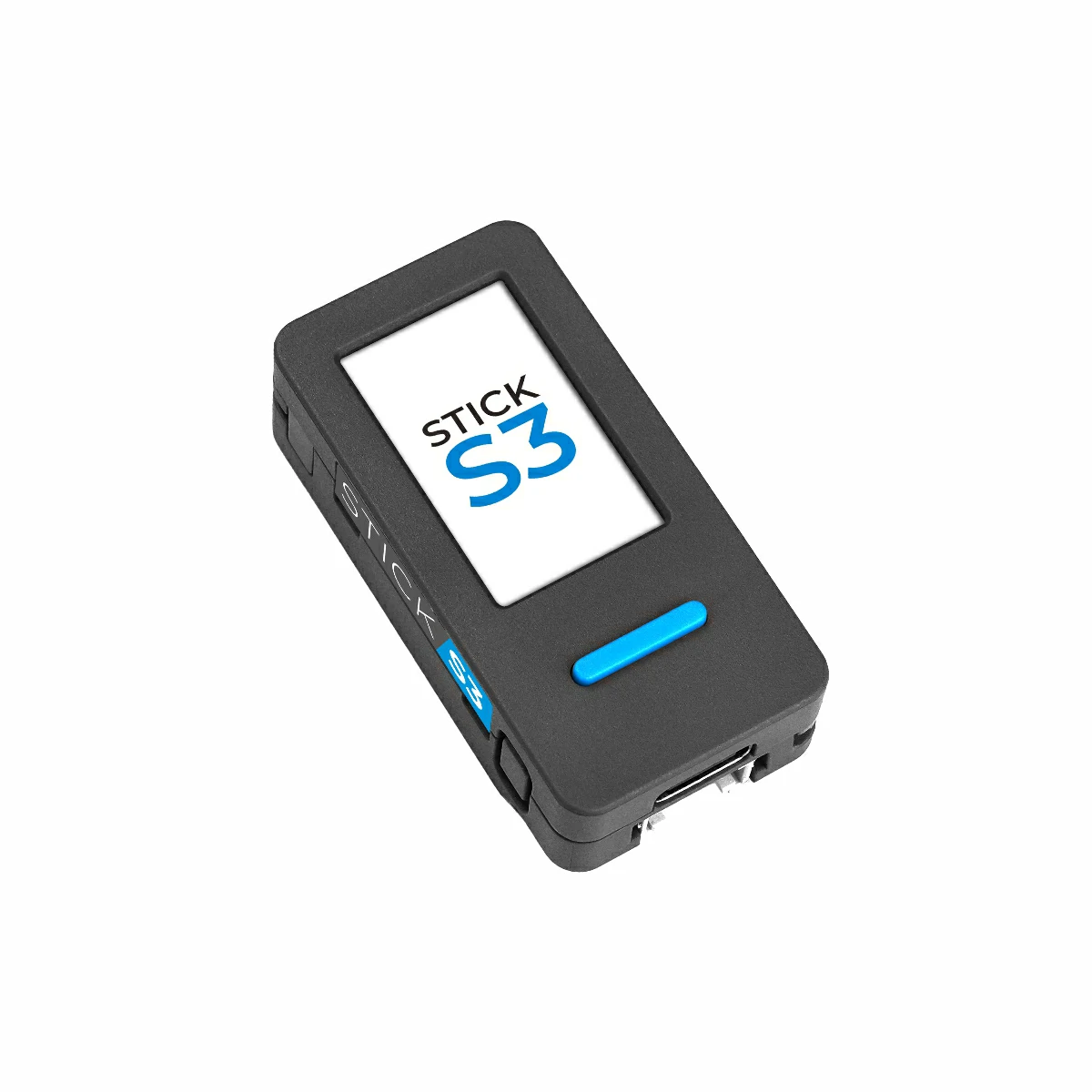
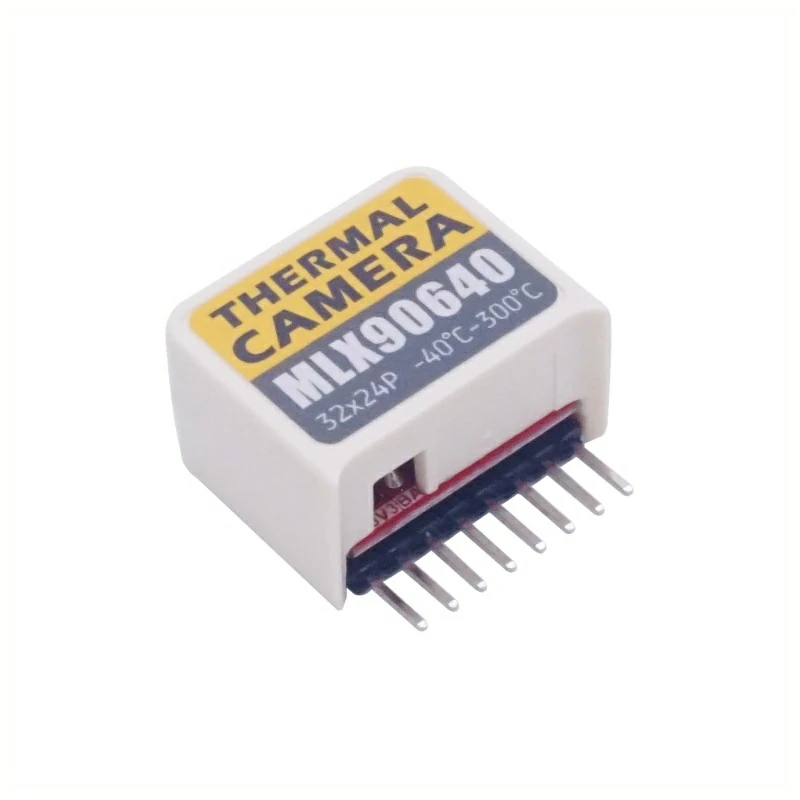
- 本教程中使用的主控设备为 StickS3,搭配 Hat Thermal 模块。本热成像模块采用 I2C 方式通讯,根据实际的电路连接修改程序中的引脚定义,设备堆叠后对应的 I2C IO 为
G0 (SCL),G8 (SDA)。
cpp
1 2 3 4 5 6 7 8 9 10 11 12 13 14 15 16 17 18 19 20 21 22 23 24 25 26 27 28 29 30 31 32 33 34 35 36 37 38 39 40 41 42 43 44 45 46 47 48 49 50 51 52 53 54 55 56 57 58 59 60 61 62 63 64 65 66 67 68 69 70 71 72 73 74 75 76 77 78 79 80 81 82 83 84 85 86 87 88 89 90 91 92 93 94 95 96 97 98 99 100 101 102 103 104 105 106 107 108 109 110 111 112 113 114 115 116 117 118 119 120 121 122 123 124 125 126 127 128 129 130 131 132 133 134 135 136 137 138 139 140 141 142 143 144 145 146 147 148 149 150 151 152 153 154 155 156 157 158 159 160 161 162 163 164 165 166 167 168 169 170 171 172 173 174 175 176 177 178 179 180 181 182 183 184 185 186 187 188 189 190 191 192 193 194 195 196 197 198 199 200 201 202 203 204 205 206 207 208 209 210 211 212 213 214 215 216 217 218 219 220 221 222
#include <Arduino.h>
#include <Wire.h>
#include <M5Unified.h>
#include <M5PM1.h>
#include <Adafruit_MLX90640.h>

M5PM1 pm1;

Adafruit_MLX90640 mlx;   // MLX90640 driver object
#define COLS 32          // MLX90640 horizontal resolution
#define ROWS 24          // MLX90640 vertical resolution

// After 5x interpolation resolution / 5 倍插值后的分辨率
#define COLS_5 (COLS * 5)
#define ROWS_5 (ROWS * 5)

#define pixelsArraySize (COLS * ROWS)

M5Canvas img(&M5.Lcd);   // Main thermal image sprite
M5Canvas msg(&M5.Lcd);   // Info display sprite

float reversePixels[pixelsArraySize]; // Raw data read from MLX90640 (sensor native order)
float pixels[pixelsArraySize];        // Horizontally flipped data for correct display
float pixels_5[COLS_5 * ROWS_5];      // 5x interpolated image buffer

// Convenient pixel access macros
#define get_pixels(x, y)   (pixels[(y)*COLS + (x)])
#define get_pixels_5(x, y) (pixels_5[(y)*COLS_5 + (x)])

float mintemp = 24;   // Lower bound of color mapping
float maxtemp = 35;   // Upper bound of color mapping
float min_v = 24;     // Actual minimum temperature in frame
float max_v = 35;     // Actual maximum temperature in frame

/*
 * camColors:
 * 256-level false color palette for thermal imaging
 * Color format: RGB565
 */
const uint16_t camColors[] = {
    0x480F,0x400F,0x400F,0x400F,0x4010,0x3810,0x3810,0x3810,0x3810,
    0x3010,0x3010,0x3010,0x2810,0x2810,0x2810,0x2810,0x2010,0x2010,
    0x2010,0x1810,0x1810,0x1811,0x1811,0x1011,0x1011,0x1011,0x0811,
    0x0811,0x0811,0x0011,0x0011,0x0011,0x0011,0x0011,0x0031,0x0031,
    0x0051,0x0072,0x0072,0x0092,0x00B2,0x00B2,0x00D2,0x00F2,0x00F2,
    0x0112,0x0132,0x0152,0x0152,0x0172,0x0192,0x0192,0x01B2,0x01D2,
    0x01F3,0x01F3,0x0213,0x0233,0x0253,0x0253,0x0273,0x0293,0x02B3,
    0x02D3,0x02D3,0x02F3,0x0313,0x0333,0x0333,0x0353,0x0373,0x0394,
    0x03B4,0x03D4,0x03D4,0x03F4,0x0414,0x0434,0x0454,0x0474,0x0474,
    0x0494,0x04B4,0x04D4,0x04F4,0x0514,0x0534,0x0534,0x0554,0x0554,
    0x0574,0x0574,0x0573,0x0573,0x0573,0x0572,0x0572,0x0572,0x0571,
    0x0591,0x0591,0x0590,0x0590,0x058F,0x058F,0x058F,0x058E,0x05AE,
    0x05AE,0x05AD,0x05AD,0x05AD,0x05AC,0x05AC,0x05AB,0x05CB,0x05CB,
    0x05CA,0x05CA,0x05CA,0x05C9,0x05C9,0x05C8,0x05E8,0x05E8,0x05E7,
    0x05E7,0x05E6,0x05E6,0x05E6,0x05E5,0x05E5,0x0604,0x0604,0x0604,
    0x0603,0x0603,0x0602,0x0602,0x0601,0x0621,0x0621,0x0620,0x0620,
    0x0620,0x0620,0x0E20,0x0E20,0x0E40,0x1640,0x1640,0x1E40,0x1E40,
    0x2640,0x2640,0x2E40,0x2E60,0x3660,0x3660,0x3E60,0x3E60,0x3E60,
    0x4660,0x4660,0x4E60,0x4E80,0x5680,0x5680,0x5E80,0x5E80,0x6680,
    0x6680,0x6E80,0x6EA0,0x76A0,0x76A0,0x7EA0,0x7EA0,0x86A0,0x86A0,
    0x8EA0,0x8EC0,0x96C0,0x96C0,0x9EC0,0x9EC0,0xA6C0,0xAEC0,0xAEC0,
    0xB6E0,0xB6E0,0xBEE0,0xBEE0,0xC6E0,0xC6E0,0xCEE0,0xCEE0,0xD6E0,
    0xD700,0xDF00,0xDEE0,0xDEC0,0xDEA0,0xDE80,0xDE80,0xE660,0xE640,
    0xE620,0xE600,0xE5E0,0xE5C0,0xE5A0,0xE580,0xE560,0xE540,0xE520,
    0xE500,0xE4E0,0xE4C0,0xE4A0,0xE480,0xE460,0xEC40,0xEC20,0xEC00,
    0xEBE0,0xEBC0,0xEBA0,0xEB80,0xEB60,0xEB40,0xEB20,0xEB00,0xEAE0,
    0xEAC0,0xEAA0,0xEA80,0xEA60,0xEA40,0xF220,0xF200,0xF1E0,0xF1C0,
    0xF1A0,0xF180,0xF160,0xF140,0xF100,0xF0E0,0xF0C0,0xF0A0,0xF080,
    0xF060,0xF040,0xF020,0xF800
};

/**
 * get_point()
 * Safely fetch pixel value with boundary protection
 */
float get_point(float *p, uint8_t rows, uint8_t cols, int16_t x, int16_t y) {
    if (x < 0) x = 0;
    if (x >= cols) x = cols - 1;
    if (y < 0) y = 0;
    if (y >= rows) y = rows - 1;
    return p[y * cols + x];
}

// Bilinear Interpolation: Maps 160x120 pixels back to 32x24 source
void interpolate() {
    for (int y = 0; y < ROWS_5; y++) {
        for (int x = 0; x < COLS_5; x++) {
            // Map dest coordinate (0..159) to source coordinate (0..31)
            float gx = x * (float)(COLS - 1) / (COLS_5 - 1);
            float gy = y * (float)(ROWS - 1) / (ROWS_5 - 1);

            int gxi = (int)gx;
            int gyi = (int)gy;

            // Clamp indices to prevent overflow
            int gxi_next = (gxi + 1) < COLS ? (gxi + 1) : gxi;
            int gyi_next = (gyi + 1) < ROWS ? (gyi + 1) : gyi;

            // Get source values
            float c00 = pixels[gyi * COLS + gxi];
            float c10 = pixels[gyi * COLS + gxi_next];
            float c01 = pixels[gyi_next * COLS + gxi];
            float c11 = pixels[gyi_next * COLS + gxi_next];

            // Calculate weights
            float tx = gx - gxi;
            float ty = gy - gyi;

            // Bilinear interpolation
            float val = (1 - tx) * (1 - ty) * c00 +
                        tx * (1 - ty) * c10 +
                        (1 - tx) * ty * c01 +
                        tx * ty * c11;

            pixels_5[y * COLS_5 + x] = val;
        }
    }
}

void drawpixels(float *p, uint8_t rows, uint8_t cols) {

    // Draw thermal image pixel-by-pixel
    for (int y = 0; y < rows; y++) {
        for (int x = 0; x < cols; x++) {
            float v = get_point(p, rows, cols, x, y);
            v = constrain(v, mintemp, maxtemp);

            // Map temperature to color index
            uint8_t idx = map(v, mintemp, maxtemp, 0, 255);
            img.drawPixel(x, y, camColors[idx]);
        }
    }

    // Draw center crosshair and temperature
    img.drawCircle(cols / 2, rows / 2, 5, TFT_WHITE);
    img.setCursor(cols / 2 + 6, rows / 2 - 10);
    img.setTextColor(TFT_WHITE);
    img.printf("%.2fC", get_point(p, rows, cols, cols / 2, rows / 2));

    img.pushSprite(0, 0);

    // Draw min/max info panel
    msg.fillScreen(TFT_BLACK);
    msg.setTextColor(TFT_YELLOW);

    msg.setCursor(10, 0);
    msg.print("min tmp");
    msg.setCursor(15, 15);
    msg.printf("%.2fC", min_v);

    msg.setCursor(10, 35);
    msg.print("max tmp");
    msg.setCursor(15, 50);
    msg.printf("%.2fC", max_v);

    msg.pushSprite(COLS_5 + 10, 10);
}

void setup() {

    M5.begin();
    Serial.begin(115200);

    auto sda = M5.getPin(m5::pin_name_t::in_i2c_sda);
    auto scl = M5.getPin(m5::pin_name_t::in_i2c_scl);
    Wire1.begin(sda, scl, 100000);
    pm1.begin(&Wire1, M5PM1_DEFAULT_ADDR, sda, scl);
    pm1.setDcdcEnable(true);  // Enable sensor power

    // External I2C for MLX90640
    Wire.begin(8, 0, 400000);

    if (!mlx.begin(MLX90640_I2CADDR_DEFAULT, &Wire)) {
        Serial.println("MLX90640 not found");
        while (1);
    }

    // MLX90640 configuration
    mlx.setMode(MLX90640_CHESS);
    mlx.setResolution(MLX90640_ADC_18BIT);
    mlx.setRefreshRate(MLX90640_16_HZ);

    M5.Lcd.setRotation(1);
    img.createSprite(COLS_5, ROWS_5);
    msg.createSprite(240 - COLS_5, ROWS_5 - 10);

    // Draw color bar
    M5.Lcd.fillScreen(TFT_BLACK);
    for (int icol = 0; icol <= 127; icol++) {
        M5.Lcd.drawRect(icol * 2, 127, 2, 12, camColors[icol * 2]);
    }
}

void loop() {

    M5.update();

    // Read thermal frame
    if (mlx.getFrame(reversePixels) != 0) return;

    // Horizontal flip
    for (int y = 0; y < ROWS; y++) {
        for (int x = 0; x < COLS; x++) {
            pixels[y * COLS + x] =
                reversePixels[y * COLS + (COLS - 1 - x)];
        }
    }

    // Find min/max temperature
    min_v = 1000;
    max_v = -1000;
    for (int i = 0; i < pixelsArraySize; i++) {
        min_v = min(min_v, pixels[i]);
        max_v = max(max_v, pixels[i]);
    }

    // 5x interpolation
    interpolate();

    // Render image
    drawpixels(pixels_5, ROWS_5, COLS_5);
}4. 热成像效果
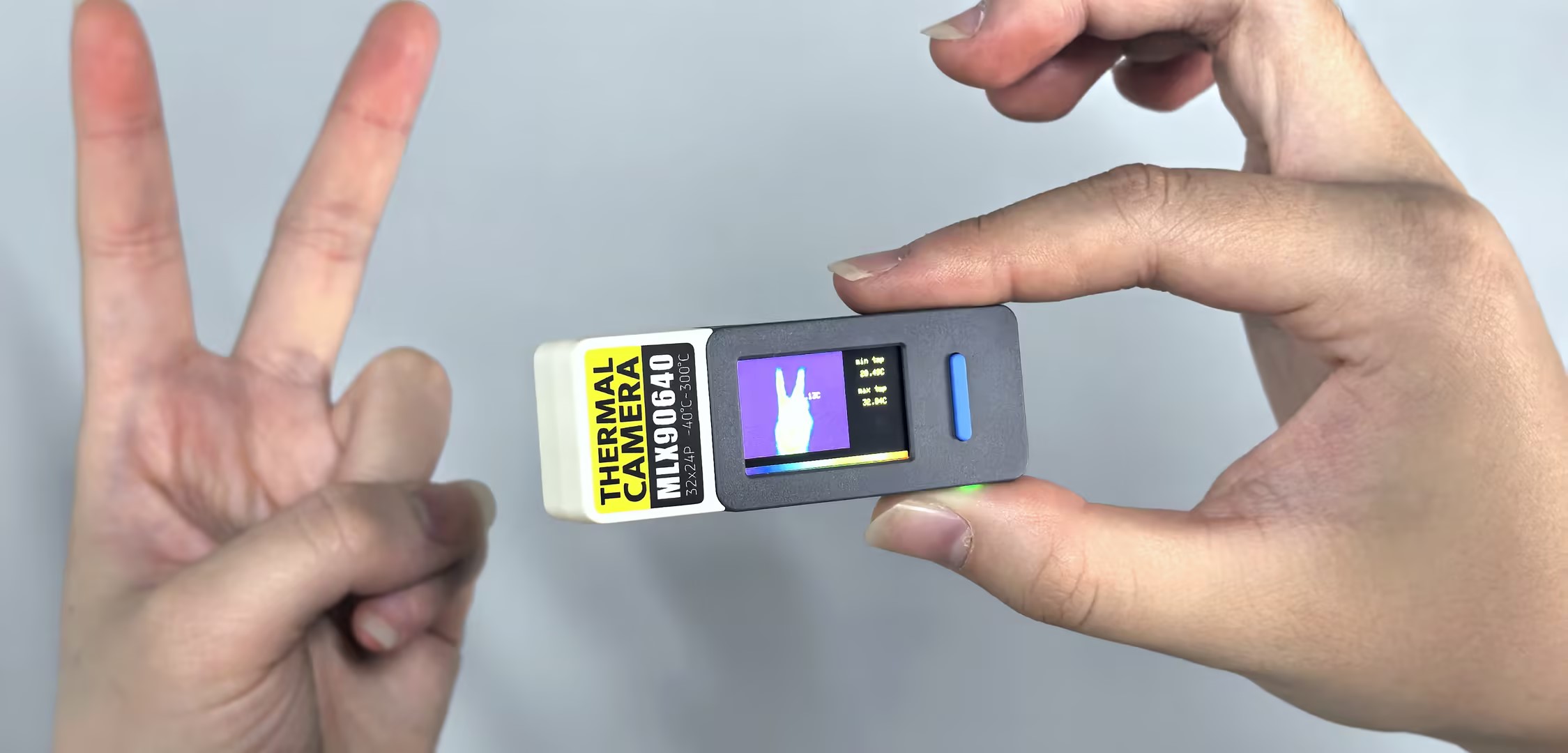
- 设备上电后,屏幕上会显示热成像画面,左侧为热成像图像,右侧为当前检测到的最高温度和最低温度。通过按下 BtnA 和 BtnB 可以调整热成像图像的温度范围,长按 BtnA 可以将温度范围重置为当前检测到的最高温度和最低温度的基础上各扩大 1 摄氏度。
Page Tools