

Arduino Quick Start
2. Devices & Examples
3. M5Unified
4. M5GFX
5. Extensions
Unit
Module
Atomic
Tab5
IoT
Accessories
PaperColor Mic
PaperColor Mic-related APIs and example code.
Example Code
Build Requirements
- M5Stack Board Manager version >= 3.2.7
- Board option = M5PaperColor
- M5Unified library version >= 0.2.15
- M5GFX library version >= 0.2.21
cpp
1 2 3 4 5 6 7 8 9 10 11 12 13 14 15 16 17 18 19 20 21 22 23 24 25 26 27 28 29 30 31 32 33 34 35 36 37 38 39 40 41 42 43 44 45 46 47 48 49 50 51 52 53 54 55 56 57 58 59 60 61 62 63 64 65 66 67 68 69 70 71 72 73 74 75 76 77 78 79 80 81 82 83 84 85 86 87 88 89 90 91 92 93 94 95 96 97 98 99 100 101 102 103 104 105 106 107 108 109 110 111
#include <M5Unified.h>

static constexpr const size_t record_number     = 256;
static constexpr const size_t record_length     = 200;
static constexpr const size_t record_size       = record_number * record_length;
static constexpr const size_t record_samplerate = 16000;

static int16_t *rec_data;
static size_t rec_record_idx  = 0;
static size_t draw_record_idx = 0;
static bool is_recording      = false;
static bool auto_playback     = false;

M5Canvas canvas(&M5.Display);

void drawUI()
{
    const int w = M5.Display.width();
    const int h = M5.Display.height();

    canvas.fillSprite(TFT_WHITE);
    canvas.setTextDatum(top_center);

    // Title
    canvas.setFont(&fonts::FreeSansBold18pt7b);
    canvas.setTextColor(TFT_BLACK);
    canvas.drawString("AUDIO RECORDER", w / 2, 14);

    // Instructions
    canvas.setFont(&fonts::FreeSansBold18pt7b);
    canvas.setTextSize(1);

    canvas.setTextColor(TFT_RED);
    canvas.drawString("Press Button A", w / 2, h / 2 - 50);

    canvas.setTextColor(TFT_BLUE);
    canvas.drawString("to Record", w / 2, h / 2);

    canvas.setTextColor(TFT_GREEN);
    canvas.drawString("Release to Playback", w / 2, h / 2 + 50);

    canvas.pushSprite(0, 0);
}

void setup()
{
    auto cfg = M5.config();
    M5.begin(cfg);
    M5.Display.setEpdMode(epd_mode_t::epd_quality);

    if (M5.Display.width() > M5.Display.height()) {
        M5.Display.setRotation(M5.Display.getRotation() ^ 1);
    }

    canvas.createSprite(M5.Display.width(), M5.Display.height());
    drawUI();

    // Allocate recording buffer
    rec_data = (int16_t *)heap_caps_malloc(record_size * sizeof(int16_t), MALLOC_CAP_8BIT);
    memset(rec_data, 0, record_size * sizeof(int16_t));

    M5.Speaker.setVolume(255);
    M5.Speaker.end();
    M5.Mic.begin();
}

void loop()
{
    M5.update();

    if (M5.BtnA.wasPressed() && M5.Mic.isEnabled()) {
        is_recording   = true;
        rec_record_idx = 0;
        memset(rec_data, 0, record_size * sizeof(int16_t));
    }

    // If recording
    if (is_recording && M5.Mic.isEnabled()) {
        auto data = &rec_data[rec_record_idx * record_length];
        if (M5.Mic.record(data, record_length, record_samplerate)) {
            if (++rec_record_idx >= record_number) {
                rec_record_idx = 0;
            }
        }

        if (M5.BtnA.wasReleased()) {
            is_recording  = false;
            auto_playback = true;

            while (M5.Mic.isRecording()) {
                M5.delay(1);
            }
            M5.Mic.end();
            M5.Speaker.begin();
        }
    }

    if (auto_playback && M5.Speaker.isEnabled()) {
        M5.Speaker.playRaw(rec_data, record_size, record_samplerate, false, 1, 0);
        do {
            M5.delay(1);
            M5.update();
        } while (M5.Speaker.isPlaying());

        M5.Speaker.end();
        M5.Mic.begin();
        auto_playback = false;
    }

    M5.delay(1);
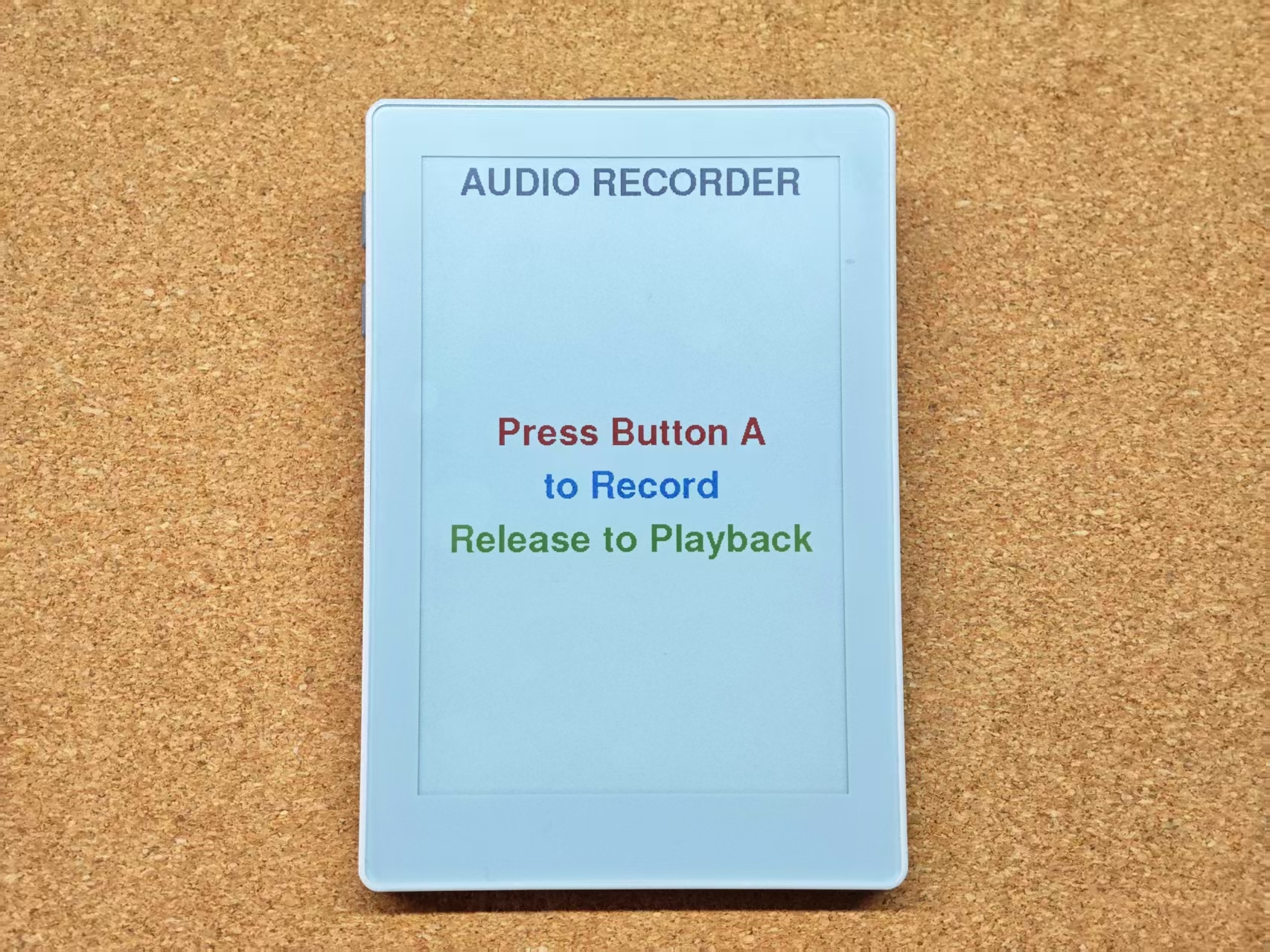
}Example description: Press button A to start recording via the microphone, and release the button to stop. Playback begins automatically as soon as recording stops.
API
The PaperColor Mic section uses Mic_Class and Speaker_Class from the M5Unified library. For additional related APIs, refer to the documentation below:
Page Tools