

Arduino Quick Start
2. Devices & Examples
3. M5Unified
4. M5GFX
5. Extensions
Unit
Module
Atomic
Tab5
IoT
Accessories
PaperColor Arduino Program Compilation & Upload
1. Prerequisites
- Arduino IDE Installation: Refer to the Arduino IDE Installation Guide to complete the IDE setup.
- Board Manager Installation: Refer to the Basic Environment Setup Guide to install the M5Stack board manager and select the board
M5PaperColor.
- Board Manager Installation: Refer to the Basic Environment Setup Guide to install the M5Stack board manager and select the board
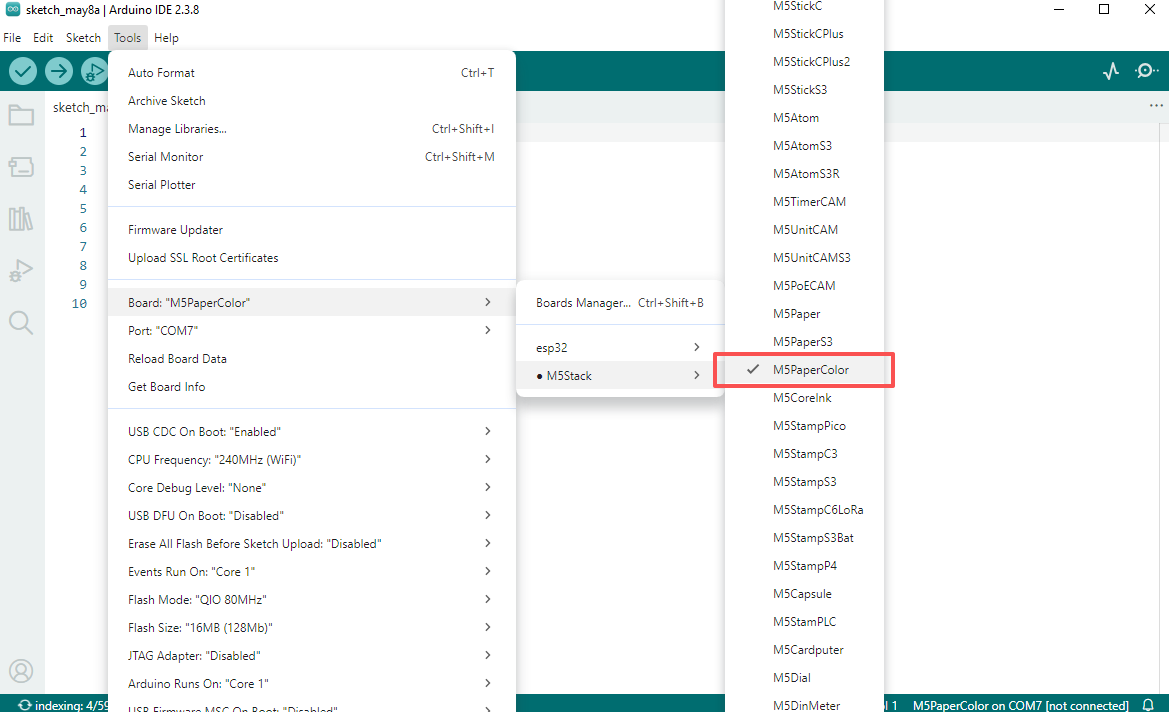
- Library Installation: Refer to the Library Manager Installation Guide to install the
M5UnifiedandM5GFXdriver libraries, and follow the prompts to install all required dependencies.
- Library Installation: Refer to the Library Manager Installation Guide to install the
2. Port Selection
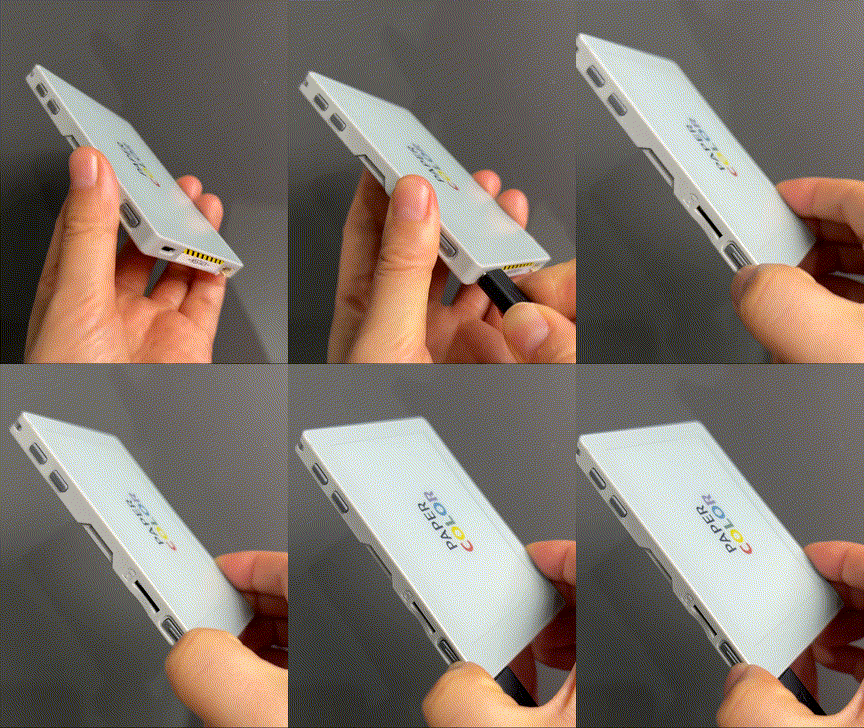
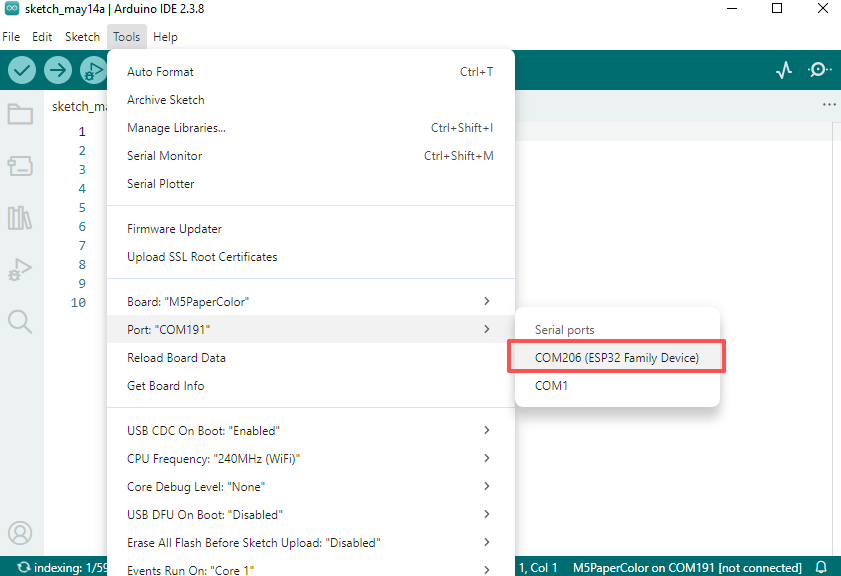
Connect the device to your computer via a USB-C cable, then press and hold the side power button until the device enters download mode. You can then select the appropriate board and port in the Arduino IDE.
3. Compilation & Flashing
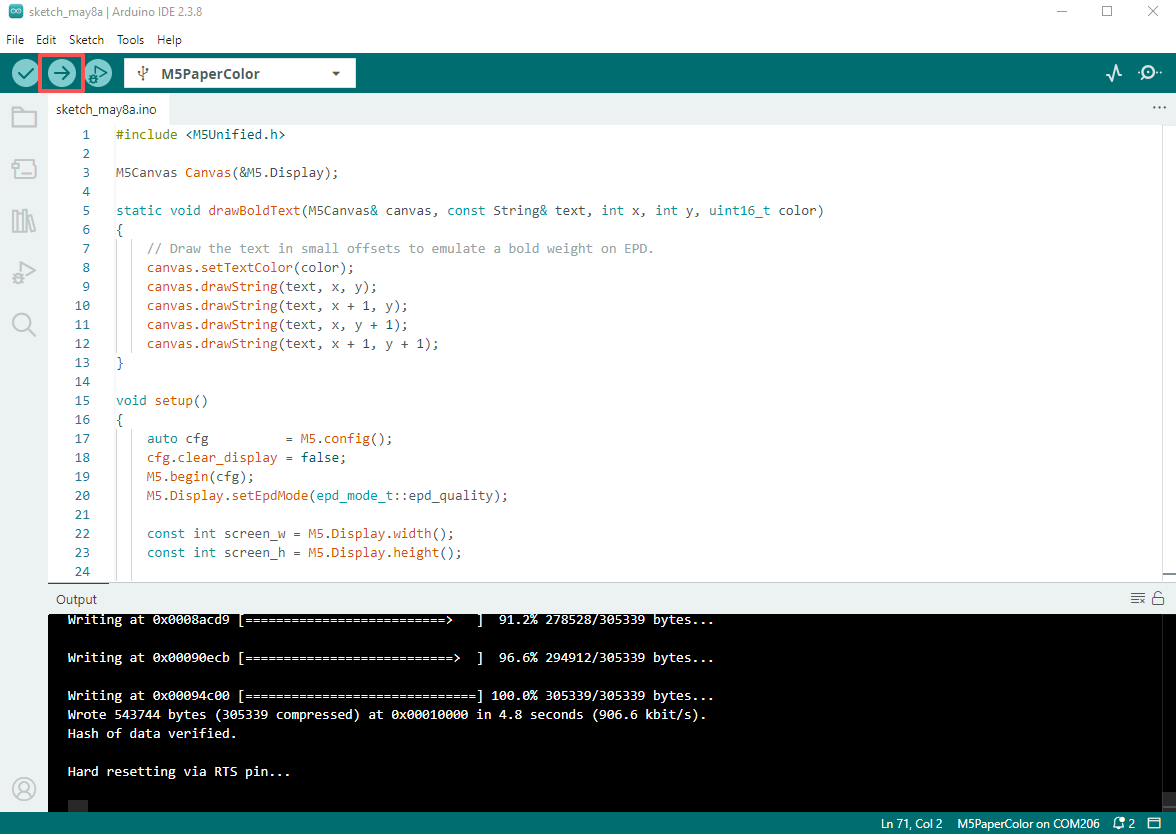
Copy the example code below into the Arduino IDE and click the Upload button. The sketch will be compiled and uploaded to the PaperColor.
cpp
1 2 3 4 5 6 7 8 9 10 11 12 13 14 15 16 17 18 19 20 21 22 23 24 25 26 27 28 29 30 31 32 33 34 35 36 37 38 39 40 41 42 43 44 45 46 47 48 49 50 51 52 53 54 55 56 57 58 59 60 61 62 63 64 65 66 67 68 69 70 71
#include <M5Unified.h>

M5Canvas Canvas(&M5.Display);

static void drawBoldText(M5Canvas& canvas, const String& text, int x, int y, uint16_t color)
{
    // Draw the text in small offsets to emulate a bold weight on EPD.
    canvas.setTextColor(color);
    canvas.drawString(text, x, y);
    canvas.drawString(text, x + 1, y);
    canvas.drawString(text, x, y + 1);
    canvas.drawString(text, x + 1, y + 1);
}

void setup()
{
    auto cfg          = M5.config();
    cfg.clear_display = false;
    M5.begin(cfg);
    M5.Display.setEpdMode(epd_mode_t::epd_quality);

    const int screen_w = M5.Display.width();
    const int screen_h = M5.Display.height();

    Canvas.createSprite(screen_w, screen_h);
    Canvas.fillSprite(WHITE);

    const uint16_t band_colors[6] = {YELLOW, RED, GREEN, BLUE, BLACK, WHITE};
    const int band_h             = screen_h / 6;

    for (int i = 0; i < 6; ++i)
    {
        const int y = i * band_h;
        const int h = (i == 5) ? (screen_h - y) : band_h;
        Canvas.fillRect(0, y, screen_w, h, band_colors[i]);
    }

    const int white_band_y = 5 * band_h;
    const int white_band_h = screen_h - white_band_y;

    Canvas.setTextFont(4);
    Canvas.setTextSize(2);
    Canvas.setTextDatum(middle_left);
    Canvas.setTextColor(BLACK);

    const String text_paper = "PAPER";
    const String text_color = "COLOR";
    const int gap_w         = Canvas.textWidth("   ");
    const int total_w       = Canvas.textWidth(text_paper) + gap_w + Canvas.textWidth(text_color);
    const int start_x       = (screen_w - total_w) / 2;
    const int text_y        = white_band_y + (white_band_h / 2);

    drawBoldText(Canvas, text_paper, start_x, text_y, BLACK);

    int x = start_x + Canvas.textWidth(text_paper) + gap_w;
    const uint16_t color_text_colors[5] = {RED, YELLOW, GREEN, YELLOW, BLUE};
    for (int i = 0; i < text_color.length(); ++i)
    {
        const String ch = text_color.substring(i, i + 1);
        drawBoldText(Canvas, ch, x, text_y, color_text_colors[i]);
        x += Canvas.textWidth(ch);
    }

    Canvas.pushSprite(0, 0);
}

void loop()
{
    M5.update();
    delay(100);
}
Result:
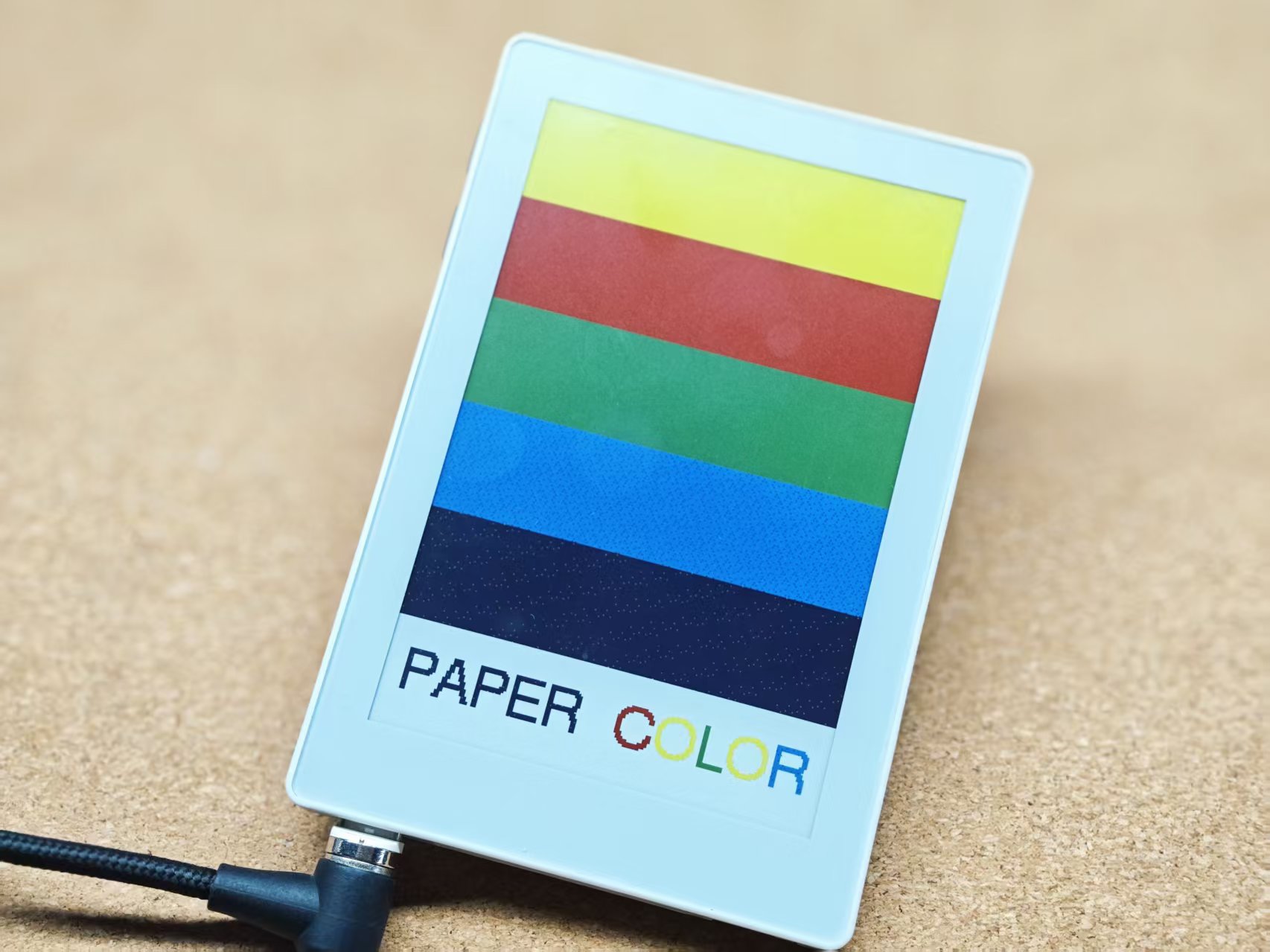
4. Related Resources
Page Tools