

Arduino Quick Start
2. Devices & Examples
3. M5Unified
4. M5GFX
5. Extensions
Unit
Module
Atomic
Tab5
IoT
Accessories
StopWatch Display
Description
StopWatch uses the M5GFX library as the display driver. Refer to the API and example below to implement simple display functions. For more API details, refer to the M5GFX documentation.
Example
Compilation Requirements
- M5Stack Board Manager Version >= 3.3.7
- Board Option = M5StopWatch
- M5Unified Library Version >= 0.2.15
- M5GFX Library Version >= 0.2.21
cpp
1 2 3 4 5 6 7 8 9 10 11 12 13 14 15 16 17 18 19 20 21 22 23 24 25 26 27 28
#include <M5Unified.h>

void draw_function(LovyanGFX* gfx) {
    int x      = rand() % gfx->width();
    int y      = rand() % gfx->height();
    int r      = (gfx->width() >> 4) + 2;
    uint16_t c = rand();
    gfx->fillRect(x - r, y - r, r * 2, r * 2, c);
}

void setup() {
    auto cfg = M5.config();
    M5.begin(cfg);
    int textsize = M5.Display.height() / 60;
    if (textsize == 0) {
        textsize = 1;
    }
    M5.Display.setTextSize(textsize);
}

void loop() {
    int x      = rand() % M5.Display.width();
    int y      = rand() % M5.Display.height();
    int r      = (M5.Display.width() >> 4) + 2;
    uint16_t c = rand();
    M5.Display.fillCircle(x, y, r, c);
    draw_function(&M5.Display);
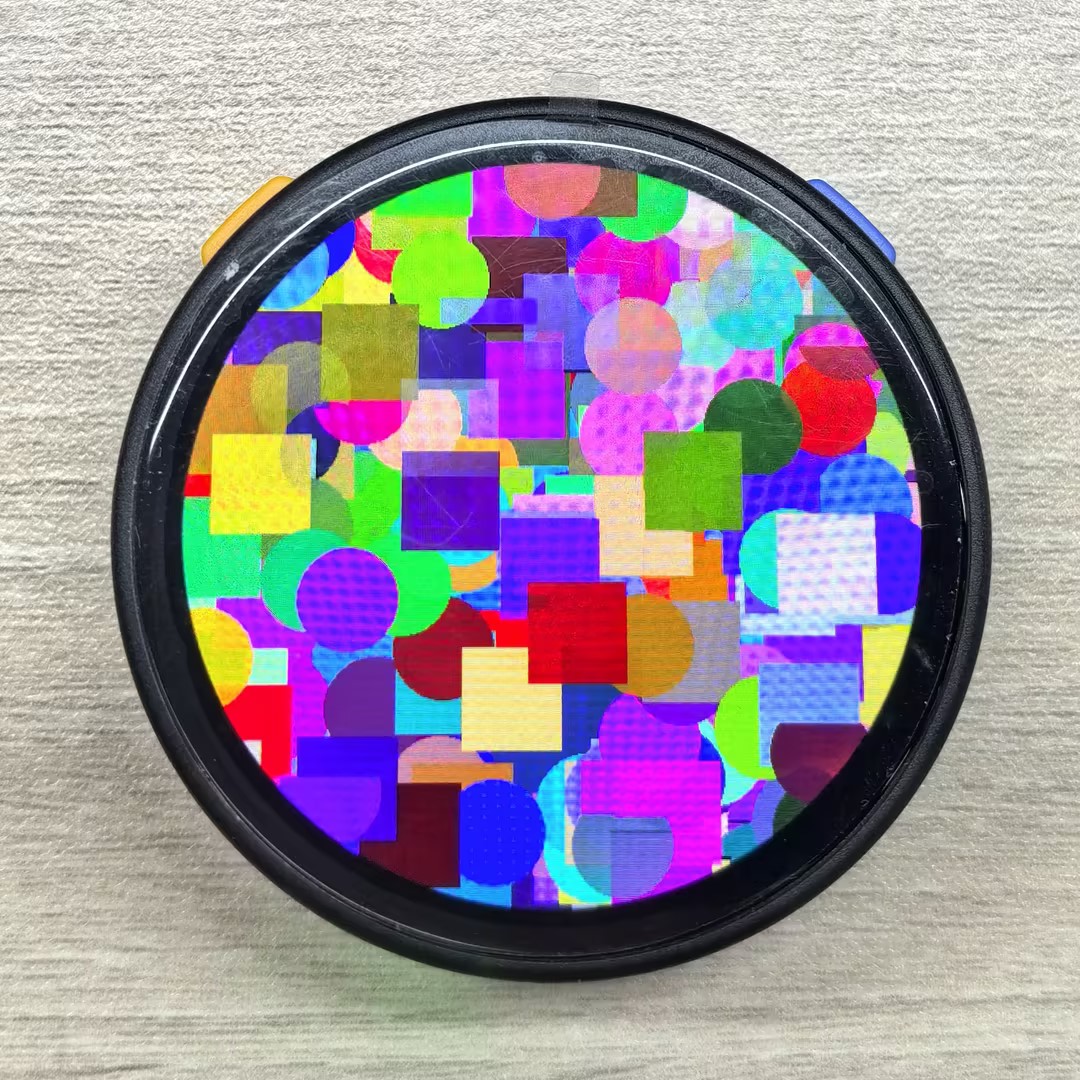
}The example effect is shown below. The program draws circles and rectangles of different colors at random positions on the screen:
Page Tools