

Arduino Quick Start
2. Devices & Examples
3. M5Unified
4. M5GFX
5. Extensions
Unit
Module
Atomic
Tab5
IoT
Accessories
StopWatch Mic
StopWatch Mic related APIs and sample programs.
Compilation Requirements
- M5Stack Board Manager Version >= 3.3.7
- Board Option = M5StopWatch
- M5Unified Library Version >= 0.2.15
- M5GFX Library Version >= 0.2.21
cpp
1 2 3 4 5 6 7 8 9 10 11 12 13 14 15 16 17 18 19 20 21 22 23 24 25 26 27 28 29 30 31 32 33 34 35 36 37 38 39 40 41 42 43 44 45 46 47 48 49 50 51 52 53 54 55 56 57 58 59 60 61 62 63 64 65 66 67 68 69 70 71 72 73 74 75 76 77 78 79 80 81 82 83 84 85 86 87 88 89 90 91 92 93 94 95 96 97 98 99 100 101 102 103 104 105 106 107 108 109 110 111
#include "M5Unified.h"

static constexpr const size_t record_number     = 256;
static constexpr const size_t record_length     = 256;
static constexpr const size_t record_size       = record_number * record_length;
static constexpr const size_t record_samplerate = 18000;
static size_t rec_record_idx  = 2;
static size_t draw_record_idx = 0;
static int16_t *rec_data;
static int32_t w;

static bool indicator_visible = true;
static uint32_t indicator_timer = 0;
static constexpr uint32_t indicator_interval = 500;//ms
static uint16_t indicator_color = RED;

static void updateIndicator(void) {
    uint32_t now = millis();
    if (now - indicator_timer >= indicator_interval) {
        indicator_timer = now;
        indicator_visible = !indicator_visible;
    }
    if (indicator_visible) {
        M5.Lcd.fillCircle(165, 48, 12, indicator_color);
    } else {
        M5.Lcd.fillCircle(165, 48, 12, BLACK);
    }
}

void setup(void) {
    M5.begin();
    M5.Lcd.setTextDatum(middle_center);
    M5.Lcd.setTextColor(WHITE);
    M5.Lcd.setFont(&fonts::FreeMonoBold18pt7b);
    w = M5.Lcd.width();
    rec_data = (typeof(rec_data))heap_caps_malloc(record_size *sizeof(int16_t), MALLOC_CAP_8BIT);
    memset(rec_data, 0, record_size * sizeof(int16_t));
    M5.Speaker.setVolume(200);
    // Since the microphone and speaker cannot be used at the same time,
    // turn off the speaker here.
    M5.Speaker.end();
    M5.Mic.begin();
    indicator_color = RED;
    updateIndicator();
    M5.Lcd.drawString("REC", w / 2, 50);
    M5.Lcd.drawString("Touch to play record", w / 2, 200);
}

void loop(void) {
    M5.update();
    if (M5.Mic.isEnabled()) {
        static constexpr int shift = 6;
        auto data = &rec_data[rec_record_idx * record_length];
        updateIndicator();
        if (M5.Mic.record(data, record_length, record_samplerate)) {
            data = &rec_data[draw_record_idx * record_length];
            M5.Lcd.display();
            updateIndicator();
            M5.Lcd.drawString("REC", w / 2, 50);
            M5.Lcd.drawString("Touch to play record", w / 2, 200);
            if (++draw_record_idx >= record_number) {
                draw_record_idx = 0;
            }
            if (++rec_record_idx >= record_number) {
                rec_record_idx = 0;
            }
        }
    }
    if (M5.Touch.getDetail(0).wasClicked()) {
        if (M5.Speaker.isEnabled()) {
            while (M5.Mic.isRecording()) {
                delay(1);
            }
            M5.Lcd.clear();
            indicator_color = GREEN;
            indicator_visible = true;
            indicator_timer = millis();
            updateIndicator();
            M5.Lcd.drawString("PLAY", w / 2, 50);
            // Since the microphone and speaker cannot be used at the same time,
            // turn off the microphone here.
            M5.Mic.end();
            M5.Speaker.begin();
            int start_pos = rec_record_idx * record_length;
            if (start_pos < record_size) {
                M5.Speaker.playRaw(&rec_data[start_pos],
                                       record_size - start_pos,
                                       record_samplerate, false, 1, 0);
            }
            if (start_pos > 0) {
                M5.Speaker.playRaw(rec_data, start_pos, record_samplerate,
                                       false, 1, 0);
            }
            do {
                delay(1);
                M5.update();
                updateIndicator();
            } while (M5.Speaker.isPlaying());
            // Since the microphone and speaker cannot be used at the same time,
            // turn off the speaker here.
            M5.Speaker.end();
            M5.Mic.begin();
            M5.Lcd.clear();
            indicator_color = RED;
            indicator_visible = true;
            indicator_timer = millis();
            updateIndicator();
            M5.Lcd.drawString("REC", w / 2, 50);
        }
    }
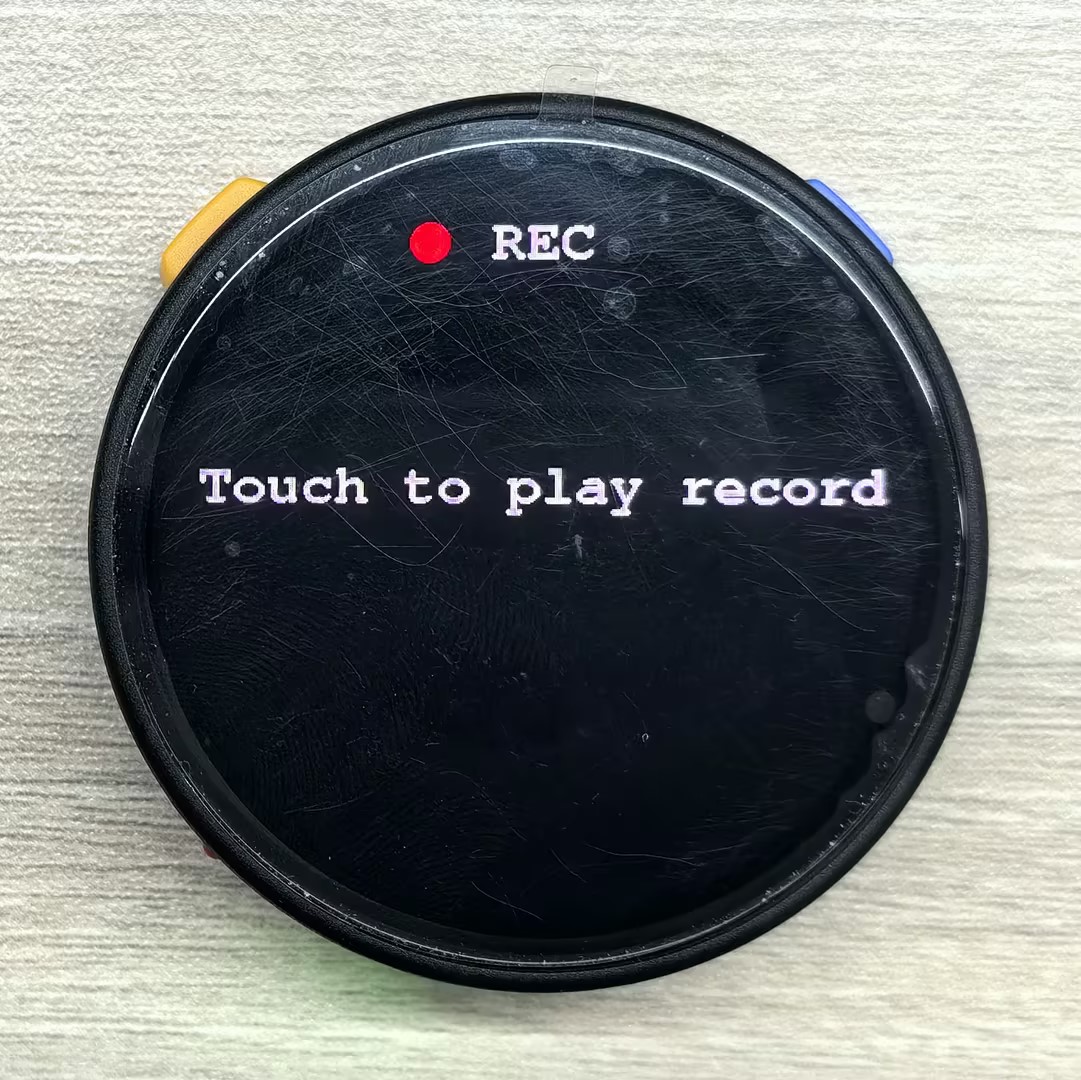
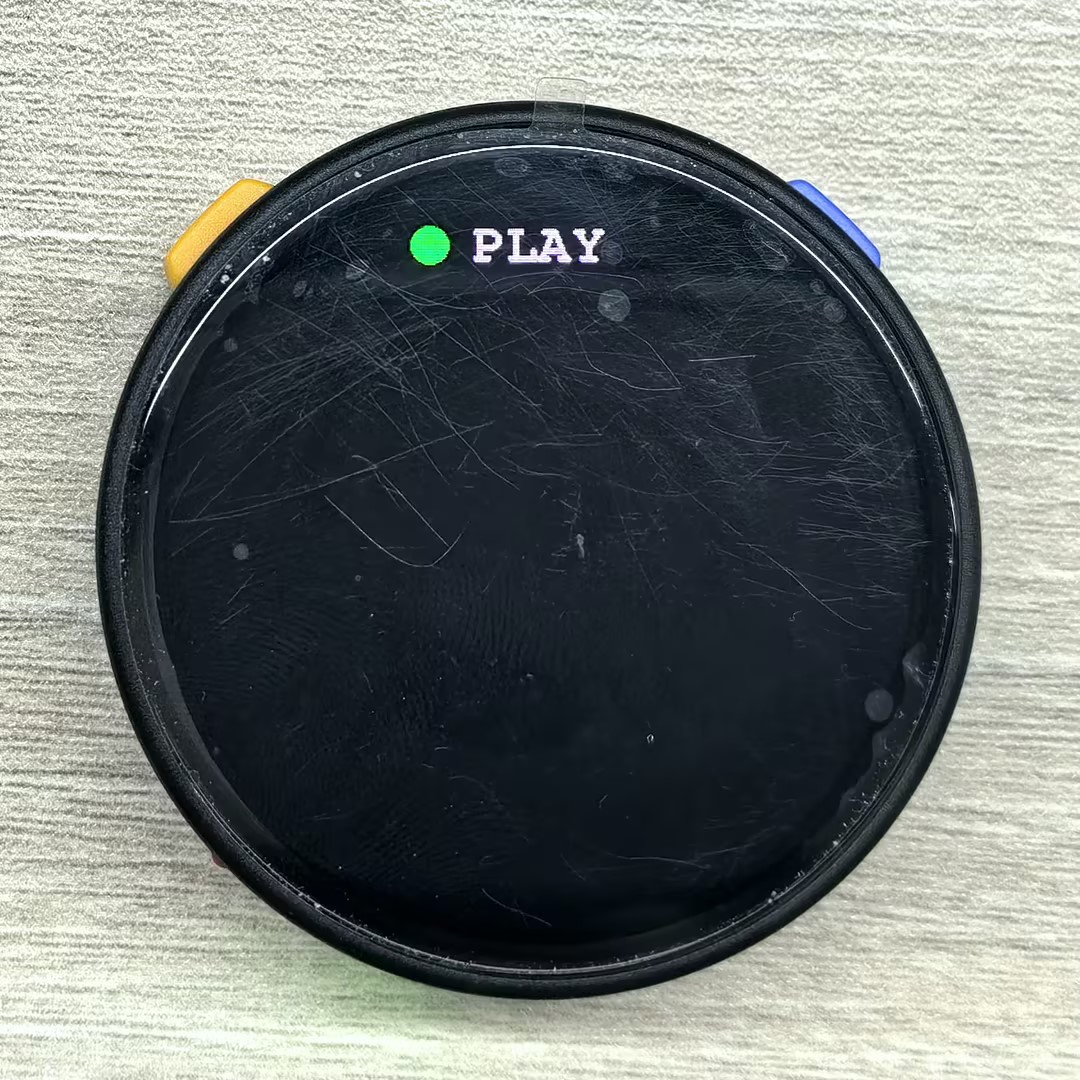
}This program displays the microphone recording status on the screen and plays back the recording when the screen is touched. After playback finishes, it automatically returns to recording mode.
API
The StopWatch Mic section uses the Mic_Class and Speaker_Class from the M5Unified library. For more related APIs, refer to the following documents:
Page Tools