

Arduino Quick Start
2. Devices & Examples
3. M5Unified
4. M5GFX
5. Extensions
Unit
Module
Atomic
Tab5
IoT
Accessories
PaperMono Battery Status
APIs and example programs for reading the PaperMono battery status.
Example Programs
Build Requirements
- M5Stack Board Manager version >= 3.3.9
- Board option =
M5PaperMono - M5Unified library version >= 0.2.20
- M5GFX library version >= 0.2.27
cpp
1 2 3 4 5 6 7 8 9 10 11 12 13 14 15 16 17 18 19 20 21 22 23 24 25 26 27 28 29 30 31 32 33 34 35 36 37 38 39 40 41 42 43 44 45 46 47 48 49 50 51 52 53 54 55 56 57 58 59
#include <M5Unified.h>

M5Canvas canvas(&M5.Display);

void drawBatteryStatus()
{
    const int w = M5.Display.width();
    const bool charging = M5.Power.isCharging() == m5::Power_Class::is_charging;
    const int level = M5.Power.getBatteryLevel();
    const int voltage = M5.Power.getBatteryVoltage();
    const int vbusVoltage = M5.Power.getVBUSVoltage();

    canvas.fillSprite(TFT_WHITE);
    canvas.setTextDatum(top_center);
    canvas.setFont(&fonts::FreeSansBold18pt7b);
    canvas.setTextColor(TFT_BLACK);
    canvas.drawString("PaperMono Battery Test", w / 2, 42);

    canvas.setFont(&fonts::FreeSansBold18pt7b);
    canvas.setTextColor(TFT_BLACK);
    canvas.drawString(charging ? "Charging: Yes" : "Charging: No", w / 2, 170);

    char text[40];
    snprintf(text, sizeof(text), "Battery: %d%%", level);
    canvas.drawString(text, w / 2, 270);
    snprintf(text, sizeof(text), "Voltage: %d mV", voltage);
    canvas.drawString(text, w / 2, 370);

    if (vbusVoltage >= 0) {
        snprintf(text, sizeof(text), "VBUS: %d mV", vbusVoltage);
    } else {
        snprintf(text, sizeof(text), "VBUS: N/A");
    }
    canvas.drawString(text, w / 2, 470);
    canvas.drawString("Refresh: 10 sec", w / 2, 590);
    canvas.pushSprite(0, 0);
}

void setup()
{
    auto cfg = M5.config();
    cfg.clear_display = false;
    M5.begin(cfg);
    M5.Display.setEpdMode(epd_mode_t::epd_text);

    canvas.createSprite(M5.Display.width(), M5.Display.height());
    drawBatteryStatus();
}

void loop()
{
    M5.update();
    static uint32_t lastUpdate = 0;
    if (millis() - lastUpdate >= 10000) {
        lastUpdate = millis();
        drawBatteryStatus();
    }
    delay(20);
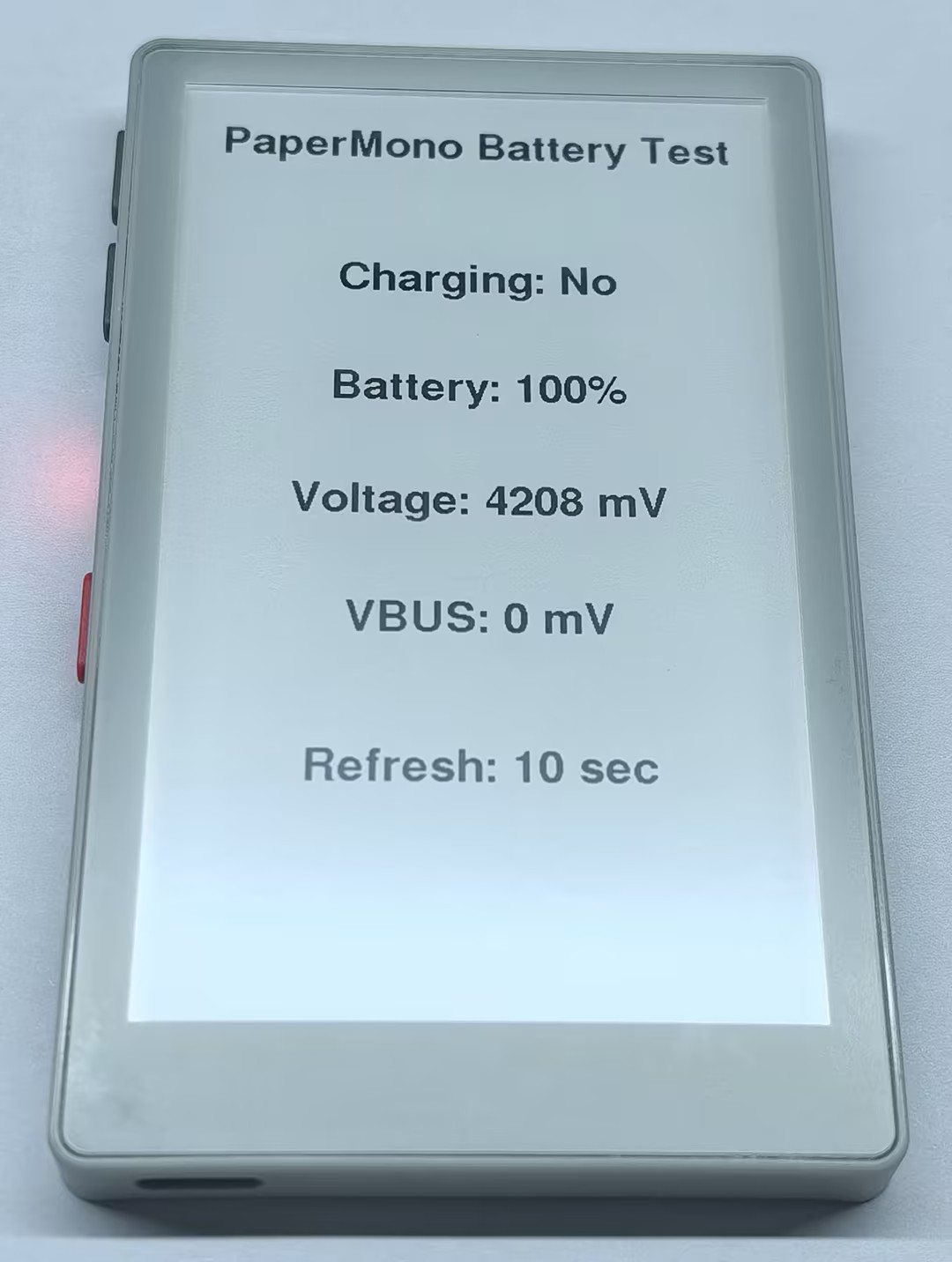
}The program displays the charging status, battery level, battery voltage, and VBUS input voltage, refreshing every 10 seconds.
API
The PaperMono battery status features use Power_Class from the M5Unified library. For more information, refer to the following documentation:
Page Tools