

Arduino Quick Start
2. Devices & Examples
3. M5Unified
4. M5GFX
5. Extensions
Unit
Module
Atomic
Tab5
IoT
Accessories
PaperMono IMU 6-Axis Motion Sensor
APIs and example programs for the PaperMono IMU.
Example Programs
Build Requirements
- M5Stack Board Manager version >= 3.3.9
- Board option =
M5PaperMono - M5Unified library version >= 0.2.20
- M5GFX library version >= 0.2.27
cpp
1 2 3 4 5 6 7 8 9 10 11 12 13 14 15 16 17 18 19 20 21 22 23 24 25 26 27 28 29 30 31 32 33 34 35 36 37 38 39 40 41 42 43 44 45 46 47 48
#include <M5Unified.h>

M5Canvas canvas(&M5.Display);

void drawImu(const m5::imu_data_t& data)
{
    const int w = M5.Display.width();
    const int leftX = w / 4;
    const int rightX = w * 3 / 4;

    canvas.fillSprite(TFT_WHITE);
    canvas.setTextDatum(middle_center);
    canvas.setFont(&fonts::FreeSansBold24pt7b);
    canvas.setTextColor(TFT_BLACK);
    canvas.drawString("PaperMono IMU Test", w / 2, 42);

    canvas.setFont(&fonts::FreeSansBold18pt7b);
    canvas.drawString("ACCELERATION", leftX, 112);
    canvas.drawString("GYROSCOPE", rightX, 112);

    canvas.drawString(String("X: ") + String(data.accel.x, 2), leftX, 182);
    canvas.drawString(String("Y: ") + String(data.accel.y, 2), leftX, 242);
    canvas.drawString(String("Z: ") + String(data.accel.z, 2), leftX, 302);
    canvas.drawString(String("X: ") + String(data.gyro.x, 2), rightX, 182);
    canvas.drawString(String("Y: ") + String(data.gyro.y, 2), rightX, 242);
    canvas.drawString(String("Z: ") + String(data.gyro.z, 2), rightX, 302);
    canvas.pushSprite(0, 0);
}

void setup()
{
    auto cfg = M5.config();
    cfg.clear_display = false;
    M5.begin(cfg);
    M5.Display.setRotation(1);
    M5.Display.setEpdMode(epd_mode_t::epd_text);

    canvas.createSprite(M5.Display.width(), M5.Display.height());
}

void loop()
{
    M5.update();
    M5.Imu.update();
    const auto data = M5.Imu.getImuData();
    drawImu(data);
    delay(1000);
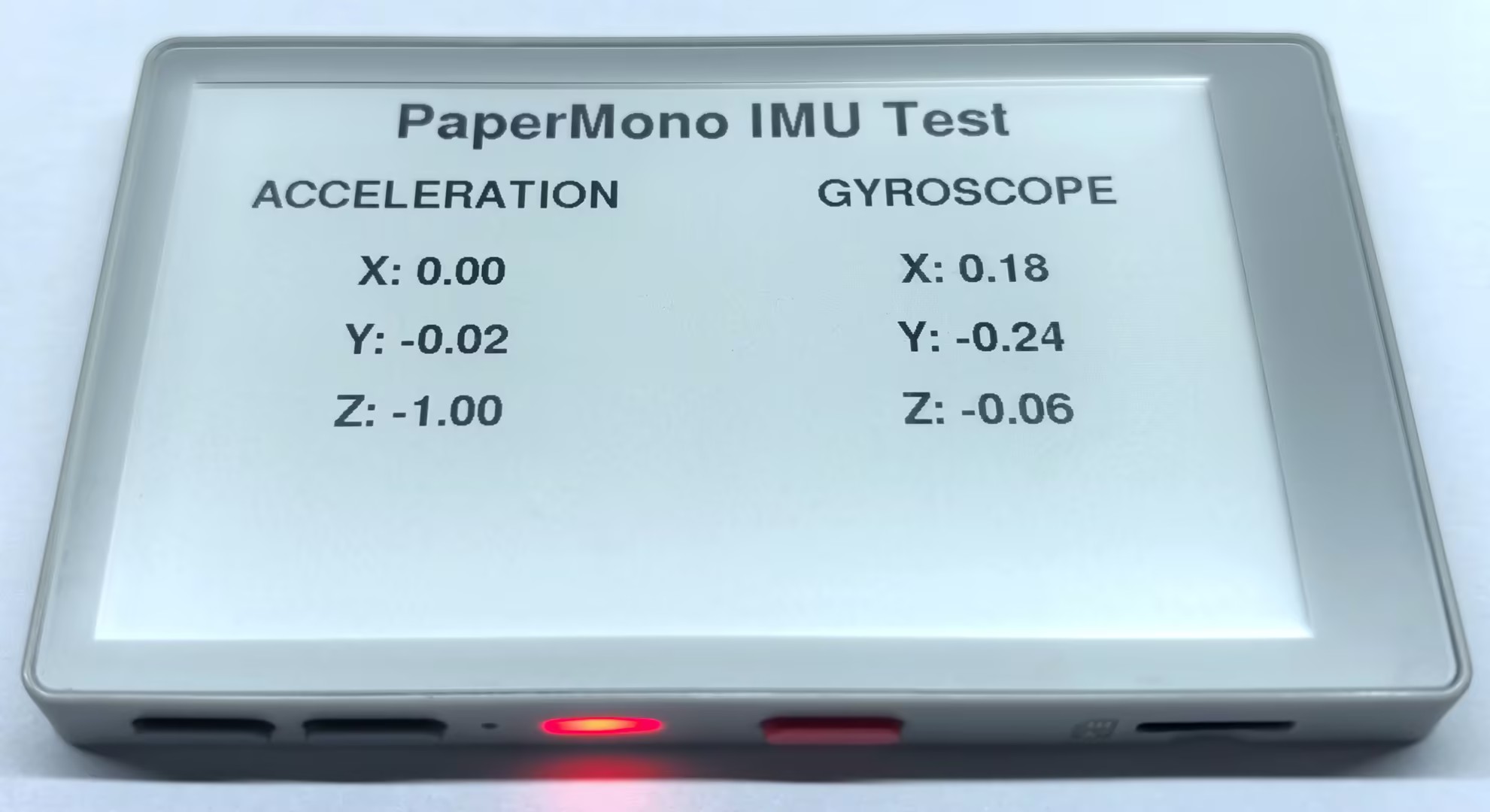
}The program rotates the screen by 90 degrees for landscape display and refreshes it once per second. Accelerometer and gyroscope data are arranged in the left and right columns, respectively.
API
The PaperMono IMU features use Imu_Class from the M5Unified library. For more information, refer to the following documentation:
Page Tools