Arduino Quick Start
2. Devices & Examples
3. M5Unified
4. M5GFX
5. Extensions
Unit
Module
Atomic
Tab5
IoT
Accessories
Stamp-C5 Arduino Program Compilation & Upload
1. Preparation
1. Arduino IDE installation: Refer to the Arduino IDE Installation Guide to install the IDE.
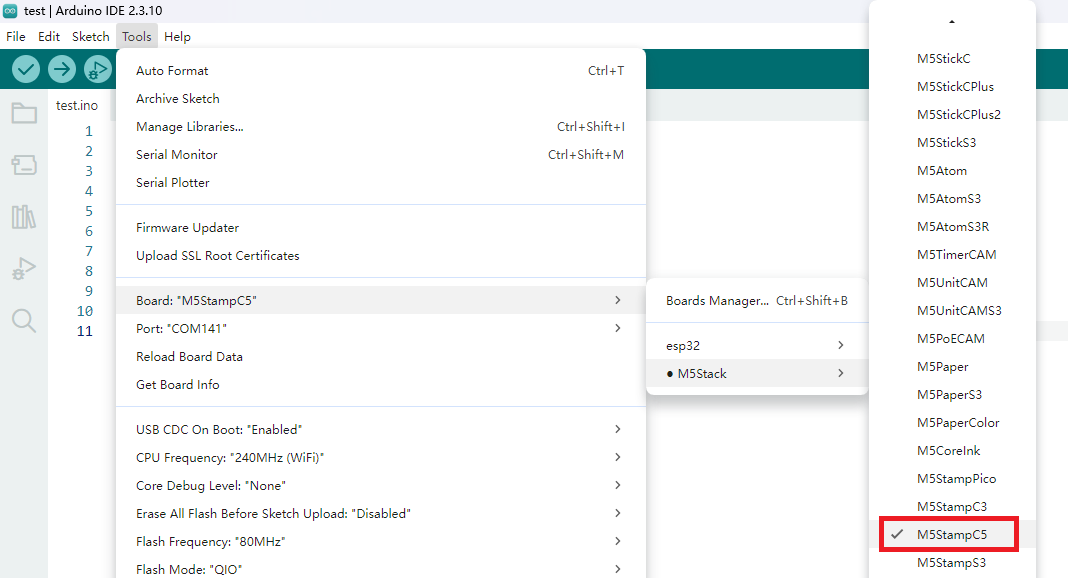
2. Board Manager installation: Refer to the Board Manager Installation Guide to install the M5Stack board package and select the
M5StampC5development board.
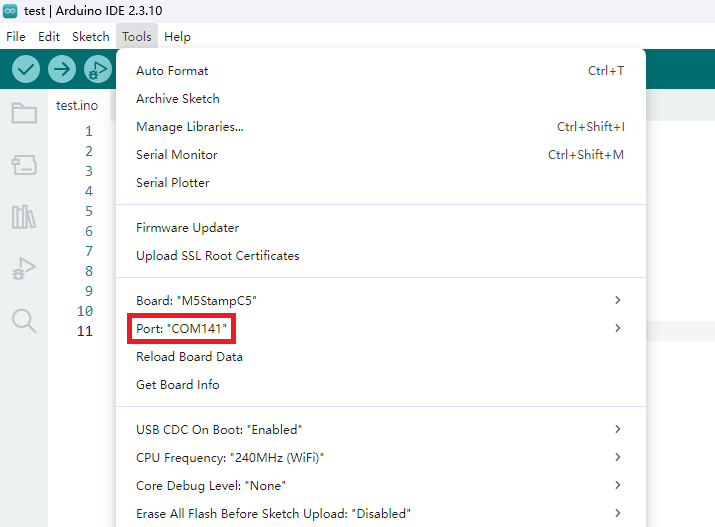
2. Port Selection
Connect Stamp-C5 to your computer with a USB cable, then select the corresponding device port in Arduino IDE. If the port is not displayed, check whether the USB cable supports data transfer and confirm that the system has recognized the USB CDC serial device.
3. Program Compilation & Upload
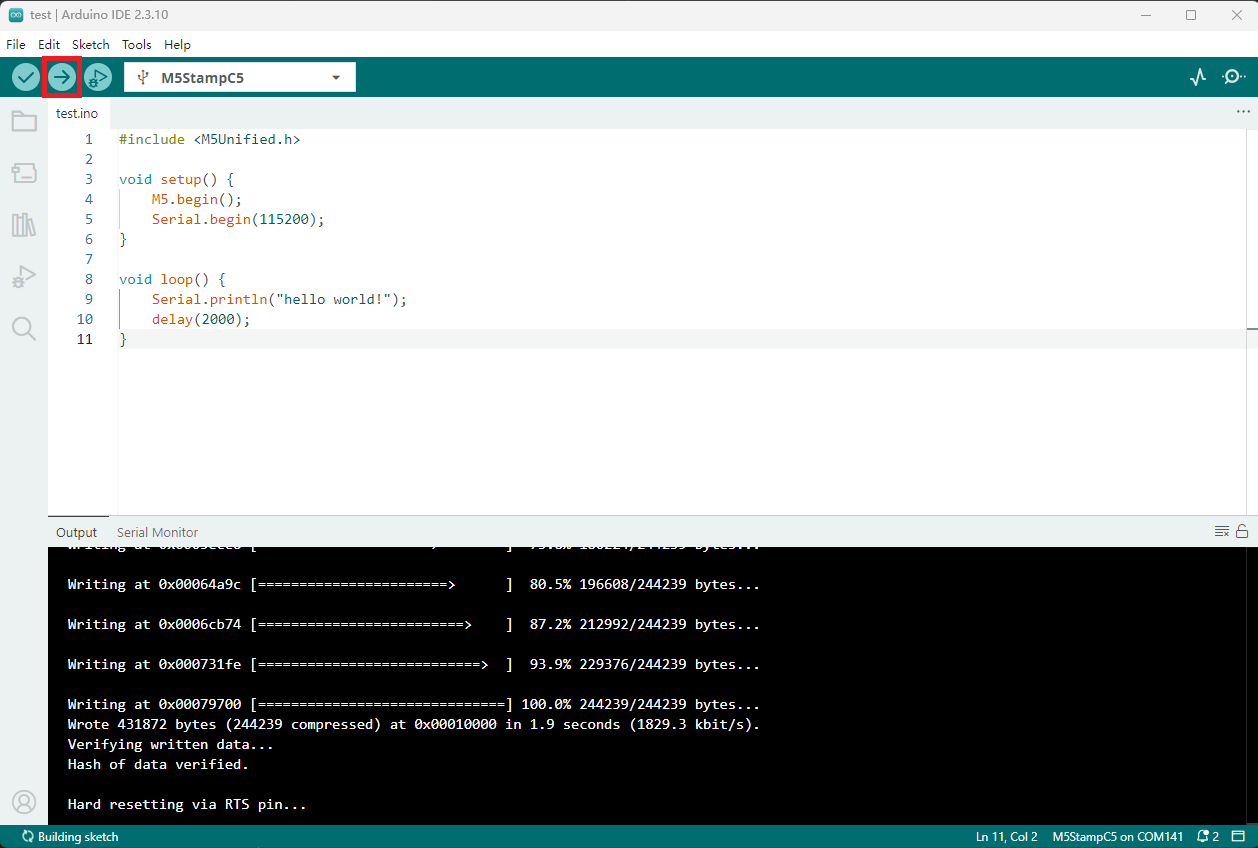
Enter the code below in the Arduino IDE workspace and click the upload button. The program will be compiled and uploaded automatically.
void setup() {
    Serial.begin(115200);
}

void loop() {
    Serial.println("hello world!");
    delay(2000);
}
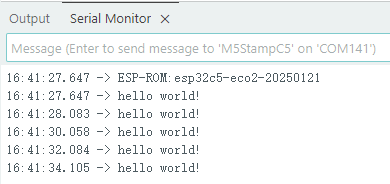
After a successful upload, open the serial monitor and set the baud rate to 115200. You should see the device print "hello world!" every 2 seconds.