

Arduino Quick Start
2. Devices & Examples
3. M5Unified
4. M5GFX
5. Extensions
Unit
Module
Atomic
Tab5
IoT
Accessories
Unit Synth Arduino Tutorial
1. Preparations
- Environment Setup: Refer to the Arduino IDE Getting Started Guide to complete IDE installation, and install the corresponding board manager and required driver libraries for the development board used.
- Required Driver Libraries:
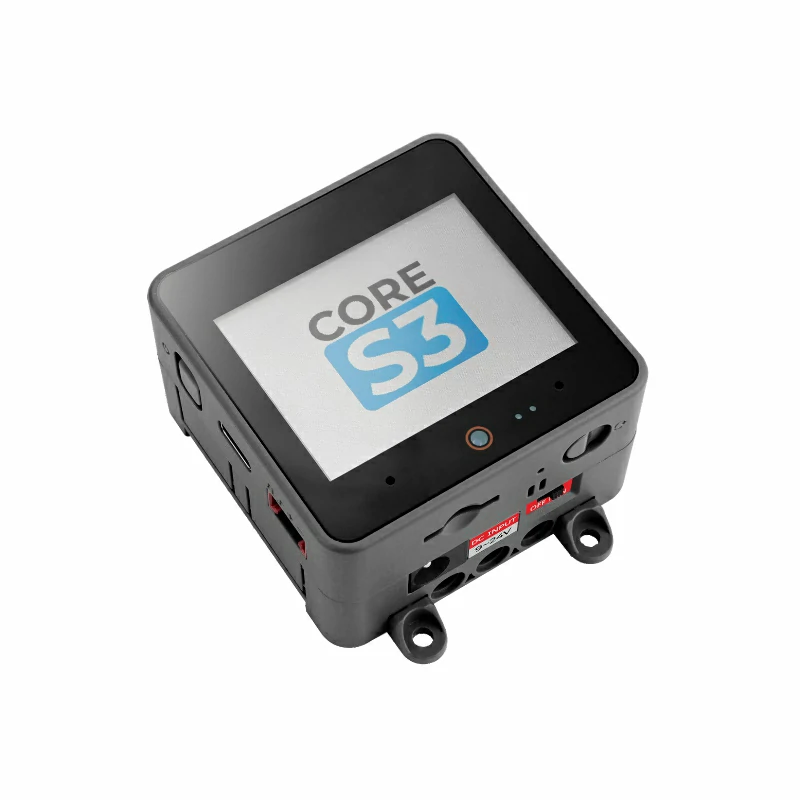
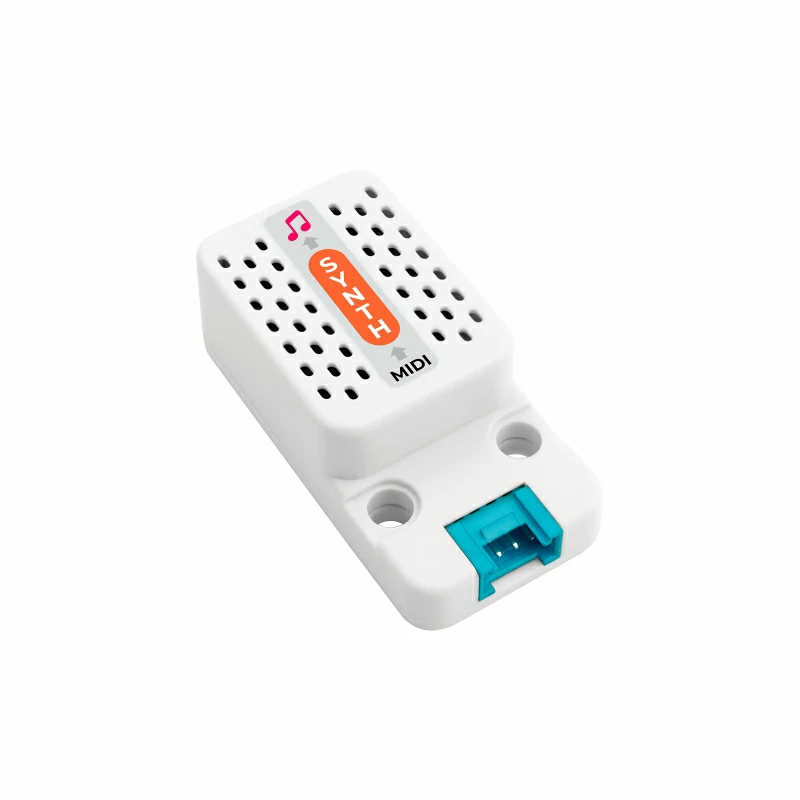
- Required Hardware Products:
2. Notes
Pin Compatibility
Since pin configurations vary across host devices, M5Stack provides a pin compatibility table for reference. Modify the example program according to your actual pin connections.
3. Example Program
- This tutorial uses a CoreS3 as the main controller with a Unit Synth. Unit Synth communicates over UART at a baud rate of
31250; its corresponding pins after connection areG18 (RX)andG17 (TX).
cpp
1 2 3 4 5 6 7 8 9 10 11 12 13 14 15 16 17 18 19 20 21 22 23 24 25 26 27 28 29 30 31 32 33 34 35 36 37 38 39 40 41 42 43 44 45 46 47 48 49 50 51 52 53 54 55 56 57 58 59 60 61 62 63 64 65 66 67 68 69 70 71 72 73 74 75 76 77 78 79 80 81 82 83 84 85 86 87 88 89 90 91 92 93 94 95 96 97 98 99 100 101 102 103 104 105 106 107 108 109 110 111 112 113 114 115 116 117 118 119 120 121 122 123 124 125 126 127 128 129 130 131 132 133 134 135 136 137 138 139 140 141 142 143 144 145 146 147 148 149 150 151 152 153 154 155 156 157 158 159 160 161 162 163 164 165 166 167 168 169 170 171 172 173 174 175 176 177 178 179 180 181 182 183 184 185 186 187 188 189 190 191 192 193 194 195 196 197 198 199 200 201 202 203 204 205 206 207 208 209 210 211 212 213 214 215 216 217 218 219 220 221 222
#include <M5Unified.h>
#include "M5UnitSynth.h"

M5UnitSynth synth;

static const uint8_t MELODY_CHANNEL = 0;
static const uint8_t DRUM_CHANNEL   = 9;

void showStatus(const char* stage, const char* detail = nullptr) {
    // Show the current demonstration stage on the display.
    M5.Display.fillScreen(TFT_BLACK);
    M5.Display.setTextColor(TFT_WHITE, TFT_BLACK);
    M5.Display.setTextSize(2);
    M5.Display.setCursor(8, 8);
    M5.Display.println("Unit Synth Test");
    M5.Display.drawFastHLine(8, 32, M5.Display.width() - 16, TFT_DARKGREY);
    M5.Display.setCursor(8, 48);
    M5.Display.setTextColor(TFT_CYAN, TFT_BLACK);
    M5.Display.println(stage);
    if (detail != nullptr) {
        M5.Display.setCursor(8, 82);
        M5.Display.setTextColor(TFT_WHITE, TFT_BLACK);
        M5.Display.println(detail);
    }
}

void playNote(uint8_t channel, uint8_t pitch, uint8_t velocity,
              uint16_t durationMs) {
    // Play one note, or wait for a rest.
    if (pitch == REST) {
        delay(durationMs);
        return;
    }

    synth.setNoteOn(channel, pitch, velocity);
    delay(durationMs);
    synth.setNoteOff(channel, pitch, 0);
}

void playScale() {
    // Play a rising major scale.
    const uint8_t scale[] = {NOTE_C4, NOTE_D4, NOTE_E4, NOTE_F4,
                             NOTE_G4, NOTE_A4, NOTE_B4, NOTE_C5};

    for (uint8_t i = 0; i < sizeof(scale); ++i) {
        playNote(MELODY_CHANNEL, scale[i], 100, 180);
    }
}

void playChord() {
    synth.setNoteOn(MELODY_CHANNEL, NOTE_C4, 90);
    synth.setNoteOn(MELODY_CHANNEL, NOTE_E4, 90);
    synth.setNoteOn(MELODY_CHANNEL, NOTE_G4, 90);
    delay(600);
    synth.setNoteOff(MELODY_CHANNEL, NOTE_C4, 0);
    synth.setNoteOff(MELODY_CHANNEL, NOTE_E4, 0);
    synth.setNoteOff(MELODY_CHANNEL, NOTE_G4, 0);
}

void playDrumPattern() {
    synth.setInstrument(0, DRUM_CHANNEL, SynthDrum);

    for (uint8_t beat = 0; beat < 8; ++beat) {
        synth.setNoteOn(DRUM_CHANNEL, 36, 120);  // Bass drum
        synth.setNoteOn(DRUM_CHANNEL, 42, 90);   // Closed hi-hat
        if ((beat & 0x03) == 2) {
            synth.setNoteOn(DRUM_CHANNEL, 38, 110);  // Snare
        }
        delay(180);
    }
    synth.setAllNotesOff(DRUM_CHANNEL);
}

void configureVoice() {
    synth.setInstrument(0, MELODY_CHANNEL, ElGrdPiano_3);
    synth.setVolume(MELODY_CHANNEL, 105);
    synth.setPan(MELODY_CHANNEL, 64);

    // Program and level are 0..127 values in the MIDI data bytes.
    synth.setReverb(MELODY_CHANNEL, 1, 55, 20);
    synth.setChorus(MELODY_CHANNEL, 1, 35, 18, 12);

    synth.setEqualizer(MELODY_CHANNEL,
                       64,  // low band
                       60,  // medium-low band
                       68,  // medium-high band
                       64,  // high band
                       45,  // low frequency
                       55,  // medium-low frequency
                       70,  // medium-high frequency
                       80); // high frequency

    // 64 is the documented neutral/default tuning value.
    synth.setTuning(MELODY_CHANNEL, 64, 64);
    synth.setVibrate(MELODY_CHANNEL, 45, 30, 10);
    synth.setTvf(MELODY_CHANNEL, 90, 35);
    synth.setEnvelope(MELODY_CHANNEL, 20, 75, 45);

    synth.setPitchBendRange(MELODY_CHANNEL, 2);
    synth.setMasterVolume(110);
}

void demonstrateVoiceShape() {
    // A sustained synth voice makes the filter, envelope and vibrato changes
    // easier to hear than a short piano note.
    synth.setInstrument(0, MELODY_CHANNEL, Lead2Sawtooth);
    synth.setVolume(MELODY_CHANNEL, 110);
    synth.setPan(MELODY_CHANNEL, 64);
    synth.setTvf(MELODY_CHANNEL, 48, 100);
    synth.setEnvelope(MELODY_CHANNEL, 70, 45, 90);
    synth.setVibrate(MELODY_CHANNEL, 80, 85, 8);

    playNote(MELODY_CHANNEL, NOTE_C4, 105, 850);
    playNote(MELODY_CHANNEL, NOTE_G4, 105, 850);

    // Open the filter and shorten the envelope for a second comparison.
    synth.setTvf(MELODY_CHANNEL, 115, 35);
    synth.setEnvelope(MELODY_CHANNEL, 10, 85, 35);
    playNote(MELODY_CHANNEL, NOTE_C5, 105, 850);
}

void demonstrateEffects() {
    // Use a sustained chord so reverb and chorus tails remain audible.
    synth.setInstrument(0, MELODY_CHANNEL, StringEnsemble1);
    synth.setVolume(MELODY_CHANNEL, 115);
    synth.setReverb(MELODY_CHANNEL, 1, 110, 70);
    synth.setChorus(MELODY_CHANNEL, 1, 100, 70, 50);
    synth.setEqualizer(MELODY_CHANNEL, 95, 45, 75, 90, 35, 55, 80, 100);

    synth.setNoteOn(MELODY_CHANNEL, NOTE_C4, 95);
    synth.setNoteOn(MELODY_CHANNEL, NOTE_E4, 95);
    synth.setNoteOn(MELODY_CHANNEL, NOTE_G4, 95);
    delay(900);
    synth.setNoteOff(MELODY_CHANNEL, NOTE_C4, 0);
    synth.setNoteOff(MELODY_CHANNEL, NOTE_E4, 0);
    synth.setNoteOff(MELODY_CHANNEL, NOTE_G4, 0);
    delay(1200);  // Leave time for the effect tails.

    // Tuning is audible when compared with the neutral value.
    synth.setTuning(MELODY_CHANNEL, 64, 72);
    playNote(MELODY_CHANNEL, NOTE_A4, 105, 650);
    synth.setTuning(MELODY_CHANNEL, 64, 64);
}

void demonstratePitchBend() {
    synth.setNoteOn(MELODY_CHANNEL, NOTE_C4, 110);

    // setPitchBend() maps its input from 0..1023 to the MIDI 14-bit range.
    synth.setPitchBend(MELODY_CHANNEL, 0);
    delay(250);
    synth.setPitchBend(MELODY_CHANNEL, 512);
    delay(250);
    synth.setPitchBend(MELODY_CHANNEL, 1023);
    delay(250);
    synth.setPitchBend(MELODY_CHANNEL, 512);
    synth.setNoteOff(MELODY_CHANNEL, NOTE_C4, 0);
}

void demonstrateModWheel() {
    // Configure the modulation-wheel destinations and depths.
    synth.setModWheel(MELODY_CHANNEL,
                      20,  // pitch
                      30,  // TVF cutoff
                      40,  // amplitude
                      50,  // rate
                      25,  // pitch depth
                      35,  // TVF depth
                      45); // TVA depth
}

void setup() {
    // Initialize CoreS3 and the MIDI serial port.
    M5.begin();
    M5.Display.setTextWrap(true);
    showStatus("Starting", "MIDI 31250 baud");

    Serial.begin(115200);
    Serial.println("M5UnitSynth comprehensive example");

    // Change UART pins here if needed.
    synth.begin(&Serial2, UNIT_SYNTH_BAUD, 18, 17);
}

void loop() {
    // Repeat the complete feature demonstration.
    Serial.printf("\n--- M5UnitSynth demo cycle ---\n");

    showStatus("Reset", "Reapply voice settings");
    synth.reset();
    delay(100);
    configureVoice();
    demonstrateModWheel();

    showStatus("Scale + chord", "Channel 1");
    Serial.println("Scale and chord");
    playScale();
    playChord();

    showStatus("Pitch bend", "C4: low -> high");
    Serial.println("Pitch bend");
    demonstratePitchBend();

    showStatus("Voice shaping", "Filter/envelope/vibrato");
    Serial.println("Filter, envelope and vibrato");
    demonstrateVoiceShape();

    showStatus("Effects", "Reverb/chorus/EQ");
    Serial.println("Reverb, chorus, equalizer and tuning");
    demonstrateEffects();

    showStatus("Drums", "Channel 10");
    Serial.println("Drums");
    // Configure drums before sending drum notes.
    synth.setAllInstrumentDrums();
    playDrumPattern();

    synth.setAllNotesOff(MELODY_CHANNEL);
    synth.setAllNotesOff(DRUM_CHANNEL);

    showStatus("Complete", "Next cycle in 1.5 s");
    delay(1500);
}4. Compile and Upload
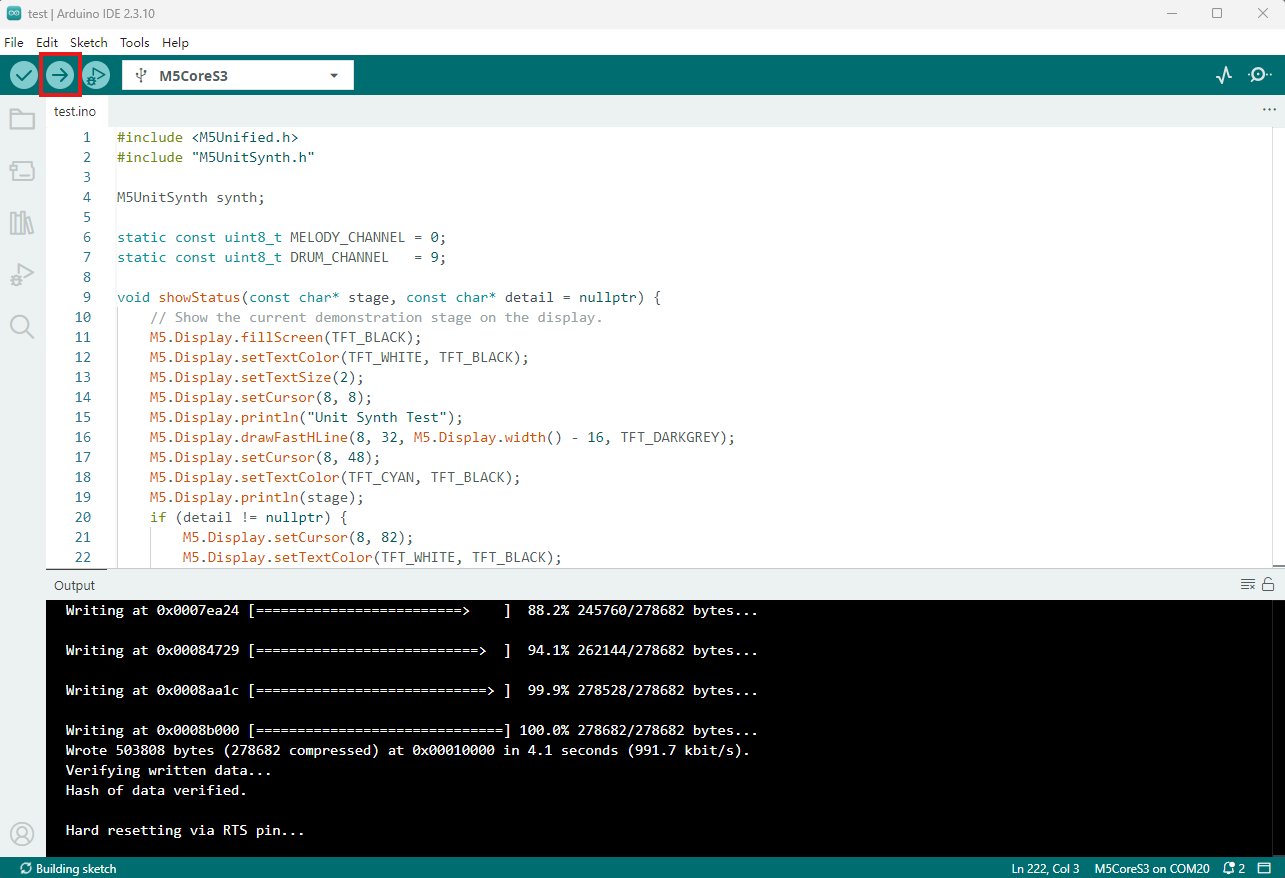
- Copy and paste the example code above into the project code area, select the device port (for details, refer to Compile and Upload), and click the compile and upload button in the upper-left corner of Arduino IDE. Wait for the program to compile and upload to the device.
5. MIDI Synthesizer Feature Demonstration
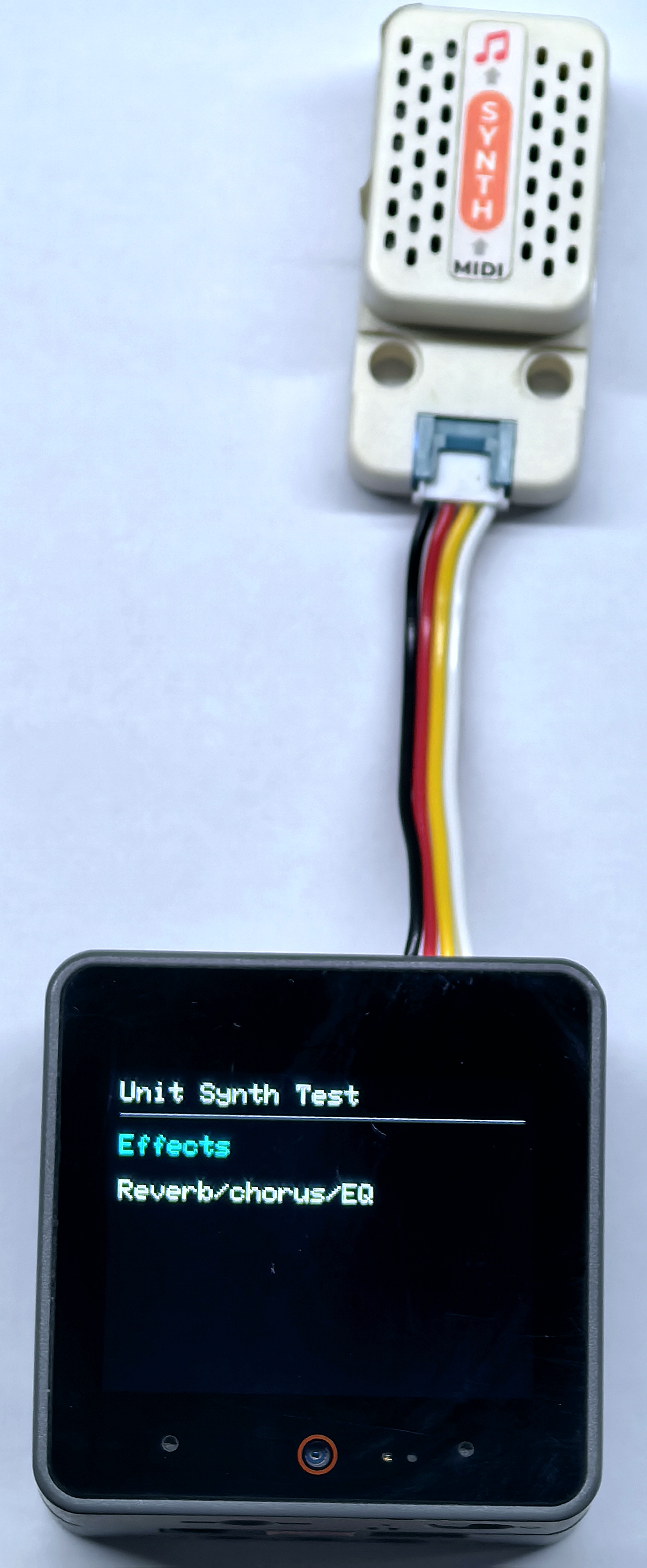
- After startup, the controller makes Unit Synth continuously play a major scale, a C major chord, pitch bend, filter / envelope / vibrato, reverb / chorus / equalizer, tuning, and drum effects.
Page Tools