

Arduino Quick Start
2. Devices & Examples
3. M5Unified
4. M5GFX
5. Extensions
Unit
Module
Atomic
Tab5
IoT
Accessories
PaperMono microSD Storage
APIs and example programs for PaperMono microSD storage.
Example Programs
Build Requirements
- M5Stack Board Manager version >= 3.3.9
- Board option =
M5PaperMono - M5Unified library version >= 0.2.20
- M5GFX library version >= 0.2.27
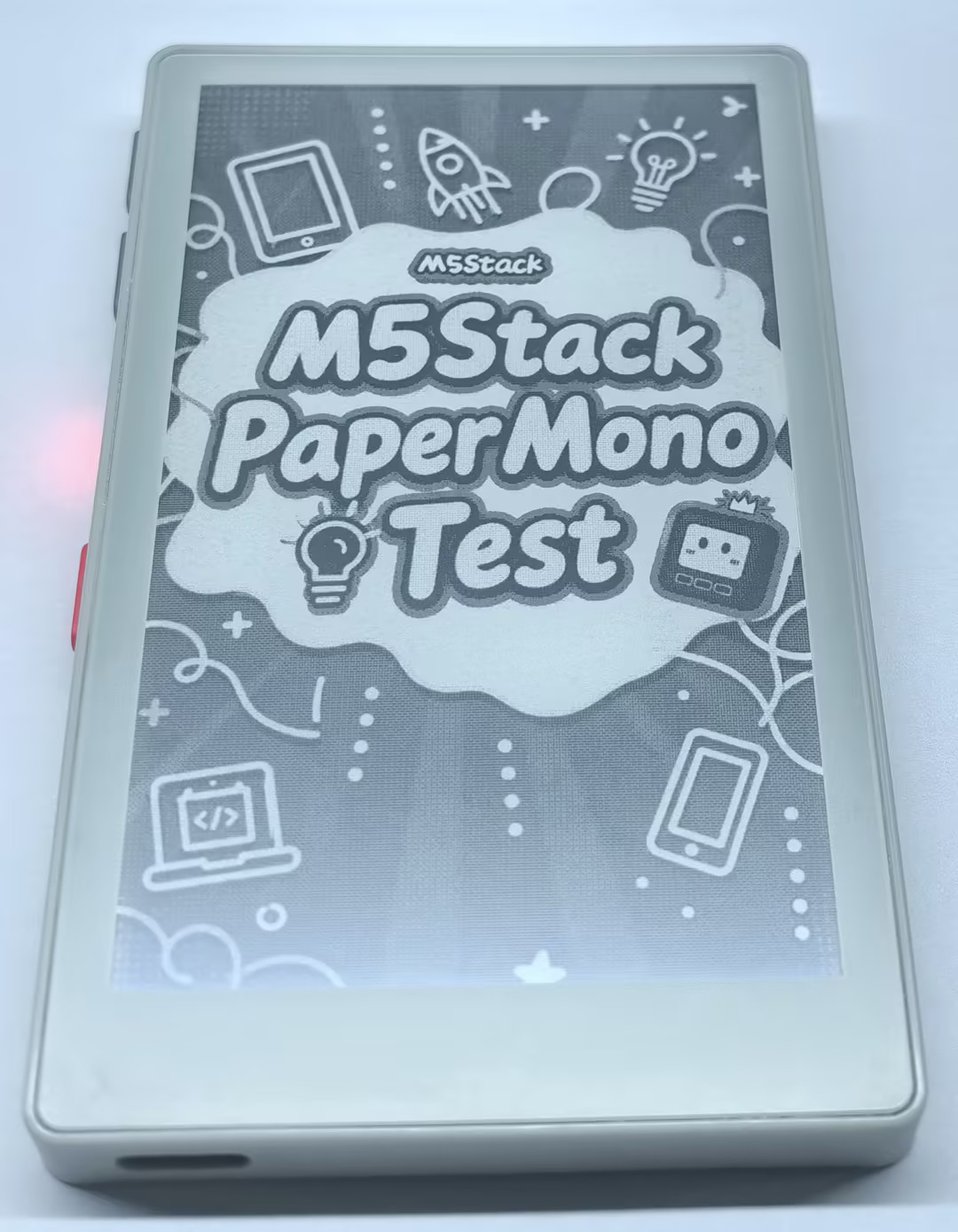
Prepare a microSD card and save the example image PaperMonoTest.jpg to it. Flash the following program to the device and insert the microSD card to refresh the display with the image.
cpp
1 2 3 4 5 6 7 8 9 10 11 12 13 14 15 16 17 18 19 20 21 22 23 24 25 26 27 28 29 30 31 32 33 34 35 36 37 38 39 40 41 42 43 44 45 46 47 48 49 50 51 52 53 54 55 56 57 58 59 60 61 62 63 64 65 66 67 68 69 70 71 72 73 74 75 76 77 78 79 80 81 82 83 84
#include <FS.h>
#include <SD_MMC.h>
#include <M5Unified.h>
#include <M5GFX.h>

M5Canvas canvas(&M5.Display);
static constexpr const char* IMAGE_PATH = "/PaperMonoTest.jpg";

void showStatus(const char* title, const char* detail)
{
    canvas.fillSprite(TFT_WHITE);
    canvas.setTextDatum(middle_center);
    canvas.setFont(&fonts::FreeSansBold18pt7b);
    canvas.setTextColor(TFT_BLACK);
    canvas.drawString(title, M5.Display.width() / 2, 170);
    canvas.setFont(&fonts::FreeSansBold12pt7b);
    canvas.drawString(detail, M5.Display.width() / 2, 300);
    canvas.pushSprite(0, 0);
}

void setup()
{
    auto cfg = M5.config();
    cfg.clear_display = false;
    M5.begin(cfg);
    M5.Display.setRotation(0);
    M5.Display.setEpdMode(epd_mode_t::epd_text);
    canvas.createSprite(M5.Display.width(), M5.Display.height());

    // M5IOE1 GPIO14 (index 13) controls the microSD power rail.
    auto& ioe1 = M5.getIOExpander(0);
    ioe1.setHighImpedance(13, false);
    ioe1.setDirection(13, true);
    ioe1.digitalWrite(13, true);
    delay(10);

    const int clk = M5.getPin(m5::pin_name_t::sd_mmc_clk);
    const int cmd = M5.getPin(m5::pin_name_t::sd_mmc_cmd);
    const int d0 = M5.getPin(m5::pin_name_t::sd_mmc_d0);
    const int d1 = M5.getPin(m5::pin_name_t::sd_mmc_d1);
    const int d2 = M5.getPin(m5::pin_name_t::sd_mmc_d2);
    const int d3 = M5.getPin(m5::pin_name_t::sd_mmc_d3);

    if (!SD_MMC.setPins(clk, cmd, d0, d1, d2, d3)) {
        showStatus("SD pin setup failed", "Check board selection");
        return;
    }
    if (!SD_MMC.begin("/sdcard", false)) {
        showStatus("SD mount failed", "Insert a formatted card");
        return;
    }

    if (!SD_MMC.exists(IMAGE_PATH)) {
        showStatus("JPG not found", IMAGE_PATH);
        return;
    }

    M5.Display.fillScreen(TFT_WHITE);
    if (!M5.Display.drawJpgFile(
            SD_MMC,
            IMAGE_PATH,
            0,
            0,
            M5.Display.width(),
            M5.Display.height(),
            0,
            0,
            0.0f,
            0.0f,
            datum_t::middle_center
        )) {
        showStatus("JPG load failed", IMAGE_PATH);
        return;
    }

    Serial.printf("Displayed: %s\n", IMAGE_PATH);
    Serial.printf("Card size: %llu MB\n", SD_MMC.cardSize() / (1024ULL * 1024ULL));
}

void loop()
{
    M5.update();
    delay(100);
}
API
The PaperMono microSD features use the standard Arduino SD library. For more information, refer to the following documentation:
Page Tools