

Arduino Quick Start
2. Devices & Examples
3. M5Unified
4. M5GFX
5. Extensions
Unit
Module
Atomic
Tab5
IoT
Accessories
Faces Calculator3 Arduino Tutorial
1. Preparation
- Environment Setup: Follow the Arduino IDE Getting Started Tutorial to install the IDE, then install the board manager package and driver libraries for the development board you are using.
- Required Driver Libraries:
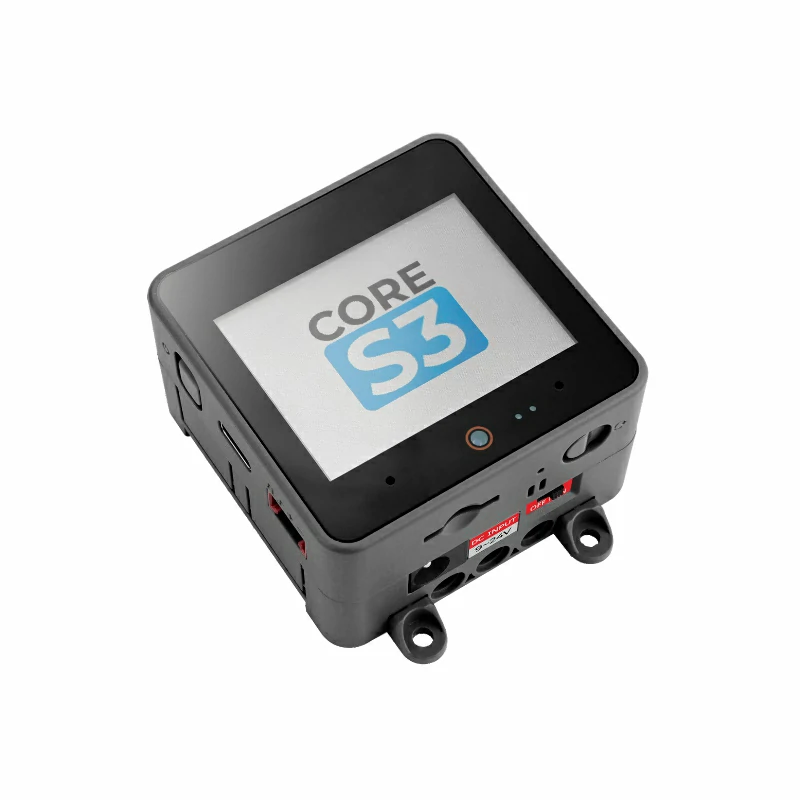
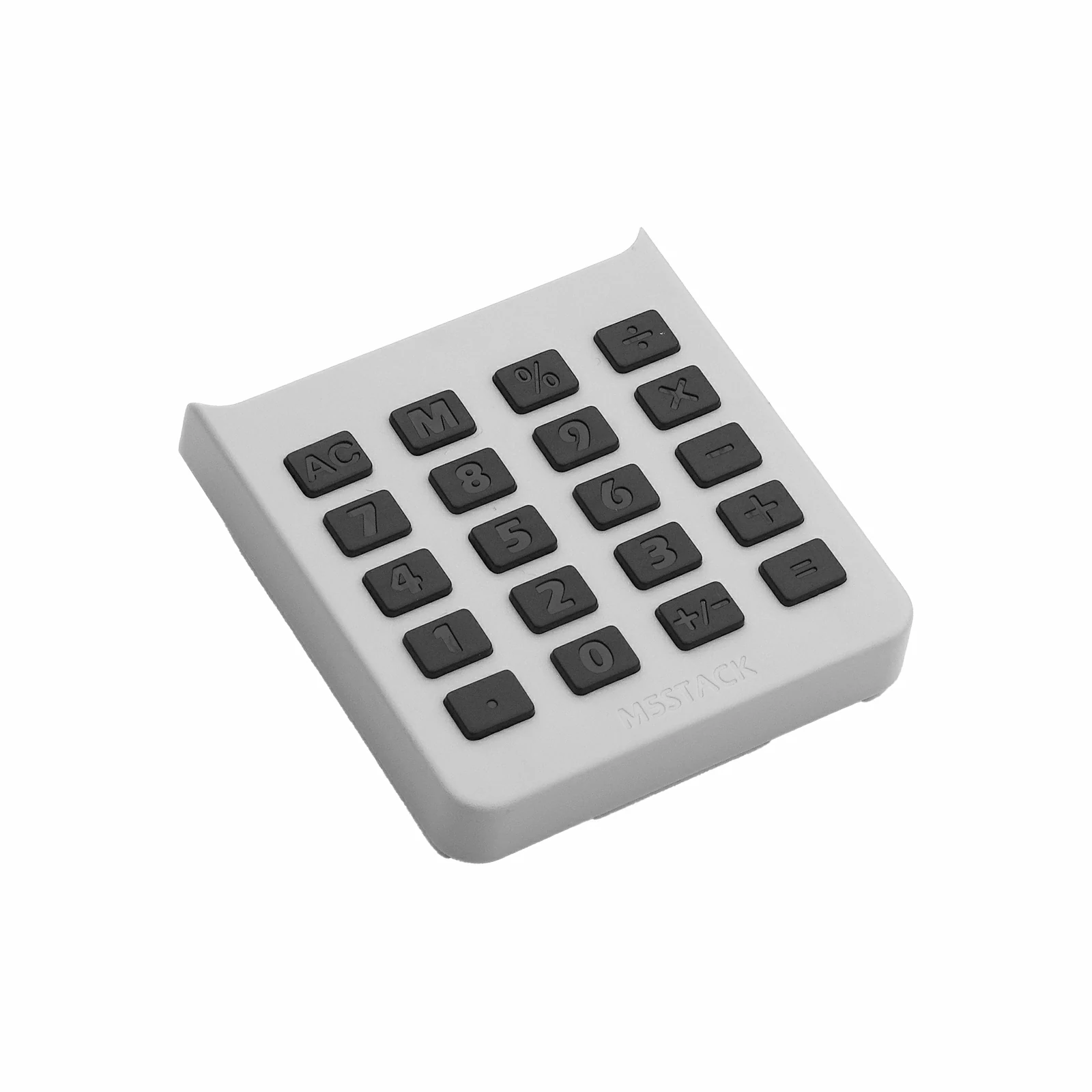
- Required Hardware:
2. Notes
Pin Compatibility
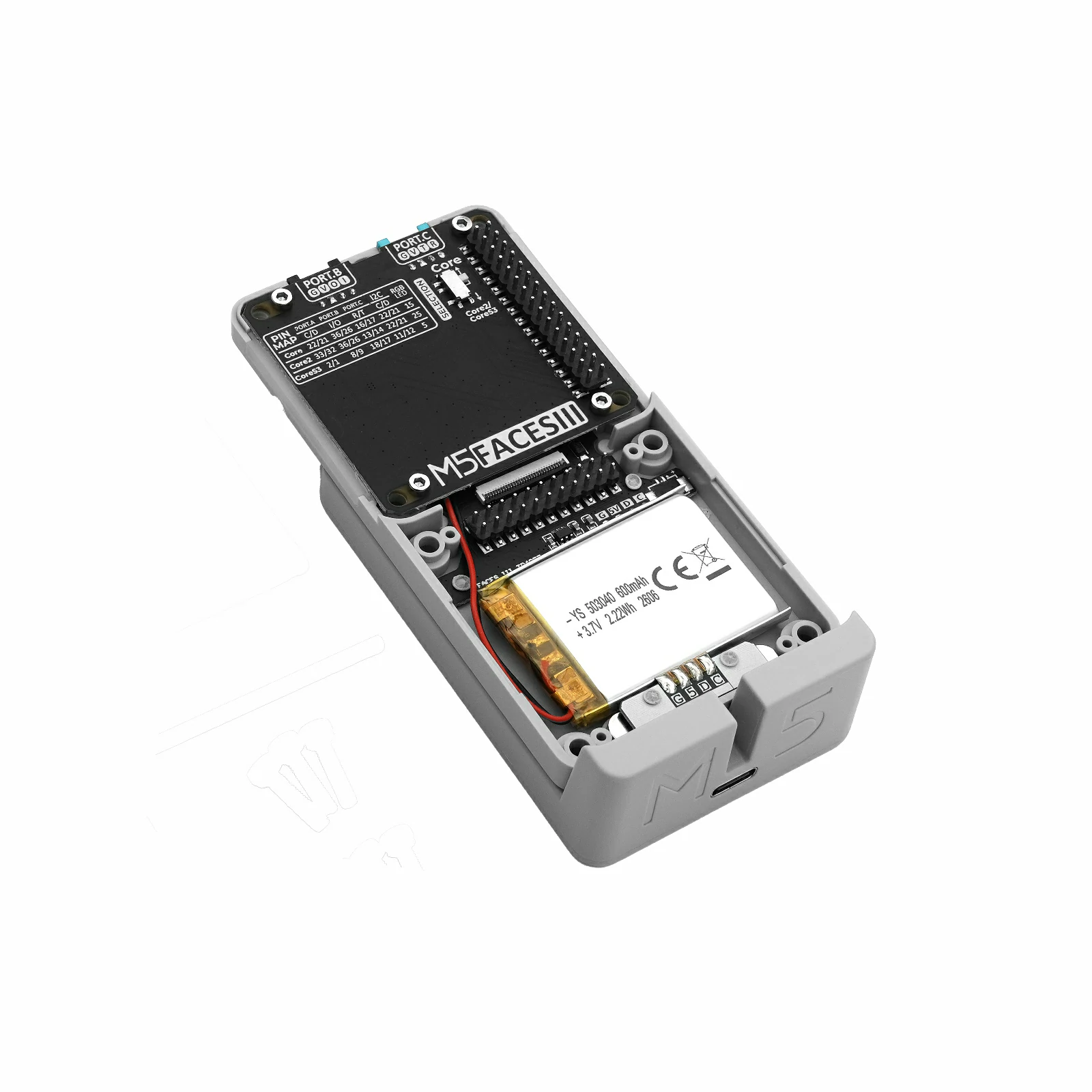
Faces Calculator3 connects to the host device through the Faces Bottom3 M5-Bus. M5-Bus pin definitions vary between host devices, so check the pin compatibility table below and update the example for your actual pin connections before use.
3. Example Program
- This tutorial uses a CoreS3 as the host device. Insert Faces Calculator3 into the panel connector on Faces Bottom3, then connect Faces Bottom3 to CoreS3 through M5-Bus. Faces Calculator3 communicates with the host over I2C; after connection, the I2C IO pins are
G12 (SDA)andG11 (SCL), and the interrupt pin isG10 (INT).
cpp
1 2 3 4 5 6 7 8 9 10 11 12 13 14 15 16 17 18 19 20 21 22 23 24 25 26 27 28 29 30 31 32 33 34 35 36 37 38 39 40 41 42 43 44 45 46 47 48 49 50 51 52 53 54 55 56 57 58 59 60 61 62 63 64 65 66 67 68 69 70 71 72 73 74 75 76 77 78 79 80 81 82 83 84 85 86 87 88 89 90 91 92 93 94 95 96 97 98 99 100 101 102 103 104 105 106 107 108 109 110 111 112 113 114 115 116 117 118 119 120 121 122 123 124 125 126 127 128 129 130 131 132 133 134 135 136 137 138 139 140 141 142 143 144 145 146 147 148 149 150 151 152 153 154 155 156 157 158 159 160 161 162 163 164 165 166 167 168 169 170 171 172 173 174 175 176 177 178 179 180 181 182 183 184 185 186 187 188 189 190 191 192 193 194 195 196 197 198 199 200 201 202 203 204 205 206 207 208 209 210 211 212 213 214 215 216 217 218 219 220 221 222 223 224 225 226 227 228 229 230 231 232 233 234 235 236 237 238 239 240 241 242 243 244 245 246 247 248 249 250 251 252 253 254 255 256 257 258 259 260 261
#include <Arduino.h>
#include <M5Faces.h>
#include <M5Unified.h>
#include <math.h>

namespace {

M5Faces_Calculator3 calculator;
String entry = "0";
String last_key;
double left_value = 0.0;
char pending_operator = 0;
bool has_left_value = false;
bool just_evaluated = false;
bool calc_error = false;
double memory_value = 0.0;
bool memory_valid = false;

String format_number(double value)
{
    if (!isfinite(value)) return "ERROR";

    String result(value, 6);
    while (result.indexOf('.') >= 0 && result.endsWith("0")) result.remove(result.length() - 1);
    if (result.endsWith(".")) result.remove(result.length() - 1);
    if (result == "-0") result = "0";
    return result;
}

bool apply_operation(double right_value)
{
    switch (pending_operator) {
        case '+':
            left_value += right_value;
            break;
        case '-':
            left_value -= right_value;
            break;
        case '*':
            left_value *= right_value;
            break;
        case '/':
            if (right_value == 0.0) return false;
            left_value /= right_value;
            break;
        default:
            left_value = right_value;
            break;
    }
    return isfinite(left_value);
}

void clear_calculator()
{
    entry            = "0";
    left_value       = 0.0;
    pending_operator = 0;
    has_left_value   = false;
    just_evaluated   = false;
    calc_error       = false;
    memory_value     = 0.0;
    memory_valid     = false;
}

void draw_key(int x, int y, int w, int h, const char* label, bool highlighted)
{
    const uint16_t fill = highlighted ? TFT_GREEN : TFT_DARKGREY;
    const uint16_t text = highlighted ? TFT_BLACK : TFT_WHITE;
    M5.Display.fillRoundRect(x, y, w, h, 5, fill);
    M5.Display.drawRoundRect(x, y, w, h, 5, TFT_WHITE);
    M5.Display.setTextColor(text, fill);
    M5.Display.drawString(label, x + w / 2, y + h / 2);
}

void redraw_calculator()
{
    M5.Display.fillScreen(TFT_BLACK);
    M5.Display.setTextDatum(middle_center);
    M5.Display.setTextColor(TFT_GREEN, TFT_BLACK);
    M5.Display.drawString("Faces Calculator3", M5.Display.width() / 2, 13);

    String display = calc_error ? "ERROR" : entry;
    if (!calc_error && has_left_value && pending_operator) {
        display = format_number(left_value) + String(pending_operator) + entry;
    }

    // Keep the display panel edges aligned with the four keypad columns.
    M5.Display.fillRoundRect(8, 23, 296, 40, 6, TFT_DARKGREY);
    M5.Display.drawRoundRect(8, 23, 296, 40, 6, TFT_WHITE);
    M5.Display.setTextColor(calc_error ? TFT_RED : TFT_WHITE, TFT_DARKGREY);
    M5.Display.setTextDatum(middle_right);
    M5.Display.drawString(display, 300, 43);

    static const char* labels[] = {
        "AC", "M", "%", "/",
        "7", "8", "9", "*",
        "4", "5", "6", "+",
        "1", "2", "3", "-",
        ".", "0", "+/-", "=",
    };
    M5.Display.setTextDatum(middle_center);
    for (int index = 0; index < 20; ++index) {
        const int column = index % 4;
        const int row    = index / 4;
        const int x      = 8 + column * 76;
        const int y      = 67 + row * 34;
        draw_key(x, y, 68, 30, labels[index], last_key == labels[index]);
    }
}

void handle_key(char value)
{
    if (calc_error) clear_calculator();

    if (value >= '0' && value <= '9') {
        if (just_evaluated || entry == "0") entry = "";
        if (entry.length() < 16) entry += value;
        if (entry.length() == 0) entry = "0";
        just_evaluated = false;
        last_key       = String(value);
        return;
    }

    if (value == '.') {
        if (just_evaluated) entry = "0";
        if (entry.indexOf('.') < 0 && entry.length() < 16) entry += ".";
        just_evaluated = false;
        last_key       = ".";
        return;
    }

    if (value == '\b') {
        clear_calculator();
        last_key = "AC";
        return;
    }

    // Calculator3's physical AC key is reported as ASCII 'A'.
    if (value == 'A') {
        clear_calculator();
        last_key = "AC";
        return;
    }

    // The single M key acts as store on first press and recall afterwards.
    if (value == 'M') {
        if (memory_valid) {
            entry         = format_number(memory_value);
            just_evaluated = true;
        } else {
            memory_value = entry.toDouble();
            memory_valid = true;
        }
        last_key = "M";
        return;
    }

    if (value == '%') {
        entry = format_number(entry.toDouble() / 100.0);
        last_key = "%";
        just_evaluated = true;
        return;
    }

    // Calculator3 reports the physical +/- key as ASCII backtick (0x60).
    if (value == '`') {
        if (entry.startsWith("-")) {
            entry.remove(0, 1);
        } else if (entry != "0") {
            entry = "-" + entry;
        }
        last_key = "+/-";
        just_evaluated = false;
        return;
    }

    if (value == '+' || value == '-' || value == '*' || value == '/') {
        const double current = entry.toDouble();
        if (!has_left_value) {
            left_value     = current;
            has_left_value = true;
        } else if (pending_operator && !apply_operation(current)) {
            calc_error = true;
            last_key   = String(value);
            return;
        }
        pending_operator = value;
        entry             = "0";
        just_evaluated    = false;
        last_key          = String(value);
        return;
    }

    if (value == '=' || value == '\n') {
        if (has_left_value && pending_operator) {
            if (!apply_operation(entry.toDouble())) {
                calc_error = true;
            } else {
                entry = format_number(left_value);
            }
            has_left_value   = false;
            pending_operator = 0;
            just_evaluated   = true;
        }
        last_key = "=";
    }
}

}  // namespace

void setup()
{
    Serial.begin(115200);

    auto config           = M5.config();
    config.fallback_board = m5::board_t::board_M5StackCoreS3;
    M5.begin(config);

    if (!M5.In_I2C.isEnabled()) {
        const int sda = M5.getPin(m5::pin_name_t::in_i2c_sda);
        const int scl = M5.getPin(m5::pin_name_t::in_i2c_scl);
        M5.In_I2C.begin(I2C_NUM_1, sda, scl);
    }

    M5.Display.setRotation(1);
    M5.Display.setFont(&fonts::FreeMonoBold12pt7b);
    M5.Display.setTextSize(1);
    M5.Display.setTextWrap(false);
    M5.Display.setTextScroll(false);
    redraw_calculator();

    if (calculator.begin(&M5.In_I2C) != M5FACES_OK) {
        Serial.println("Calculator3 init failed");
        M5.Display.setTextDatum(middle_center);
        M5.Display.setTextColor(TFT_RED, TFT_BLACK);
        M5.Display.drawString("init failed", M5.Display.width() / 2, 120);
        return;
    }

    Serial.println("Calculator3 ready");
    redraw_calculator();
}

void loop()
{
    if (calculator.update()) {
        const uint8_t raw = calculator.getKey();
        const char value  = calculator.getChar();
        const char* name  = M5Faces_Calculator3::calc3_code_parse(raw);
        Serial.printf("Calculator3 raw=0x%02X key=%s", raw, name ? name : "UNKNOWN");
        if (value >= ' ' && value <= '~') Serial.printf(" value='%c'", value);
        Serial.println();

        if (value != '\0') {
            handle_key(value);
            redraw_calculator();
        }
    }
    delay(5);
}
4. Compile and Upload
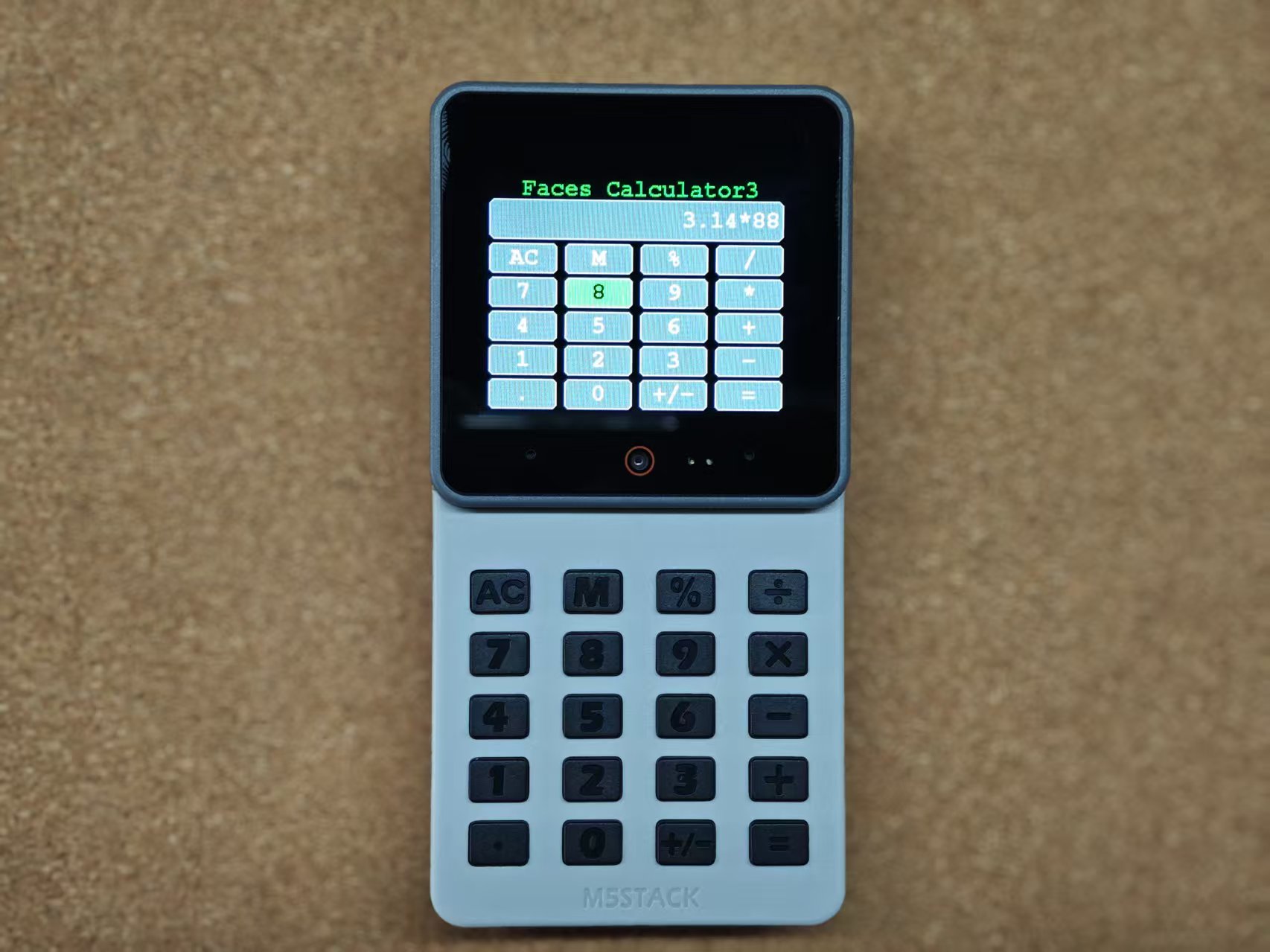
In Arduino IDE, select the board and port for CoreS3, then click "Verify" to compile the program. After compilation succeeds, click "Upload" to flash it to CoreS3. When the upload is complete, open the Serial Monitor to view the output.
5. Reference Links
Page Tools