

Arduino入門
2. デバイス&サンプル
3. M5Unified
4. M5GFX
5. 拡張モジュール&サンプル
Unit
Module
Atomic
Tab5
IoT
アクセサリー
StackChan Display 画面表示
説明
StackChan は画面ドライバとして M5GFX ライブラリを使用しています。以下の API とサンプルを参照することで、基本的な表示機能を実装できます。より多くの API については、M5GFX ドキュメントをご参照ください。
サンプルプログラム
ビルド要件
- M5Stack ボードマネージャーバージョン >= 3.2.2
- ボード設定 = M5CoreS3
- M5Unified ライブラリバージョン >= 0.2.11
- M5GFX ライブラリバージョン >= 0.2.18
cpp
1 2 3 4 5 6 7 8 9 10 11 12 13 14 15 16 17 18 19 20 21 22 23 24 25 26 27 28
#include <M5Unified.h>

void draw_function(LovyanGFX* gfx) {
    int x      = rand() % gfx->width();
    int y      = rand() % gfx->height();
    int r      = (gfx->width() >> 4) + 2;
    uint16_t c = rand();
    gfx->fillRect(x - r, y - r, r * 2, r * 2, c);
}

void setup() {
    auto cfg = M5.config();
    M5.begin(cfg);
    int textsize = M5.Display.height() / 60;
    if (textsize == 0) {
        textsize = 1;
    }
    M5.Display.setTextSize(textsize);
}

void loop() {
    int x      = rand() % M5.Display.width();
    int y      = rand() % M5.Display.height();
    int r      = (M5.Display.width() >> 4) + 2;
    uint16_t c = rand();
    M5.Display.fillCircle(x, y, r, c);
    draw_function(&M5.Display);
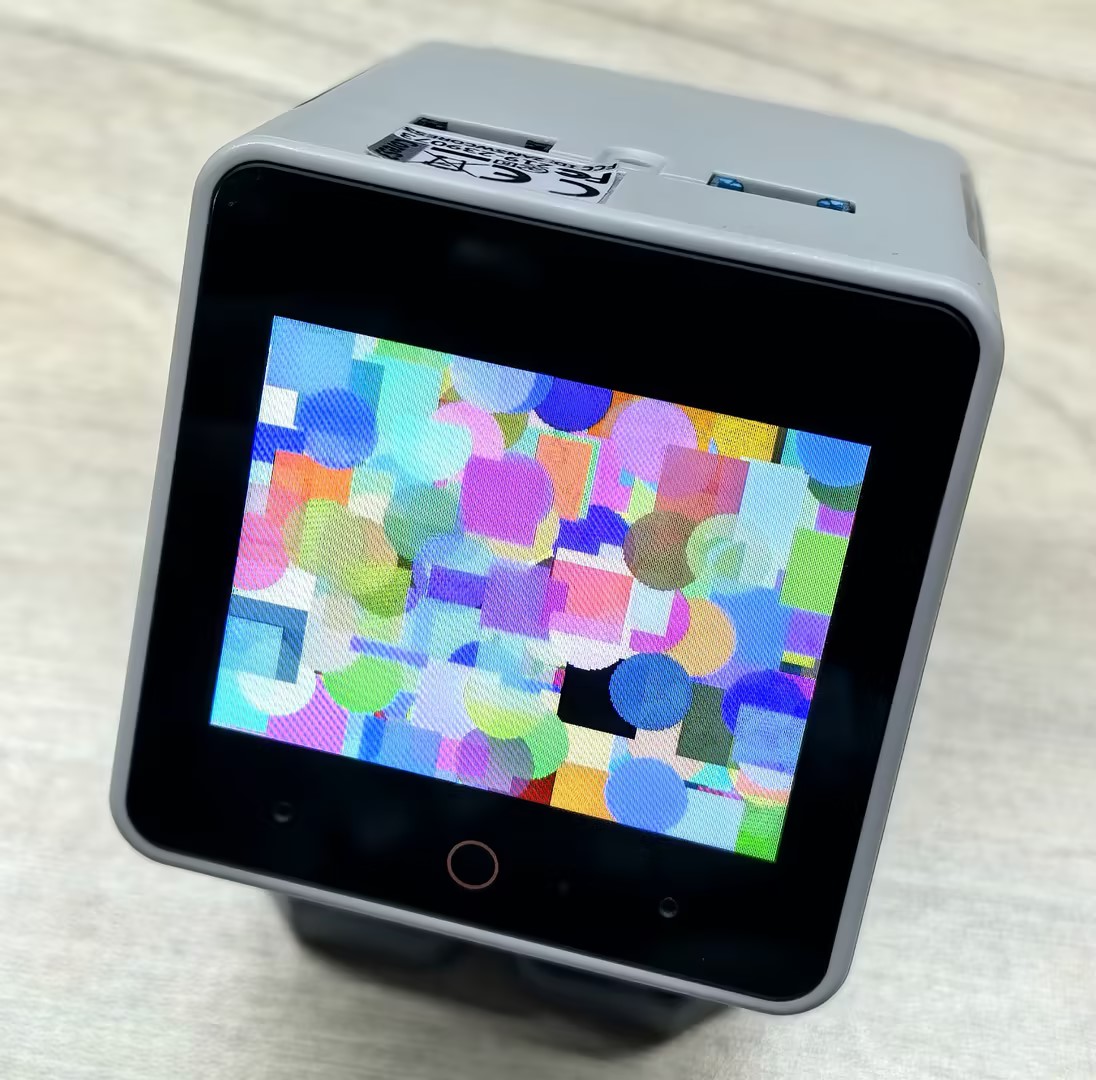
}実行結果は以下の通りです。プログラムは画面上のランダムな位置に、さまざまな色の円形と矩形を描画します。
Page Tools