

Arduino Quick Start
2. Devices & Examples
3. M5Unified
4. M5GFX
5. Extensions
Unit
Module
Atomic
Tab5
IoT
Accessories
ToughC5 Power Management
ToughC5 power management related APIs and example program.
Example
Compilation Requirements
- M5Stack board package version >=
3.3.9 - Board option =
M5ToughC5 - M5Unified library version >=
0.2.22 - M5GFX library version >=
0.2.28
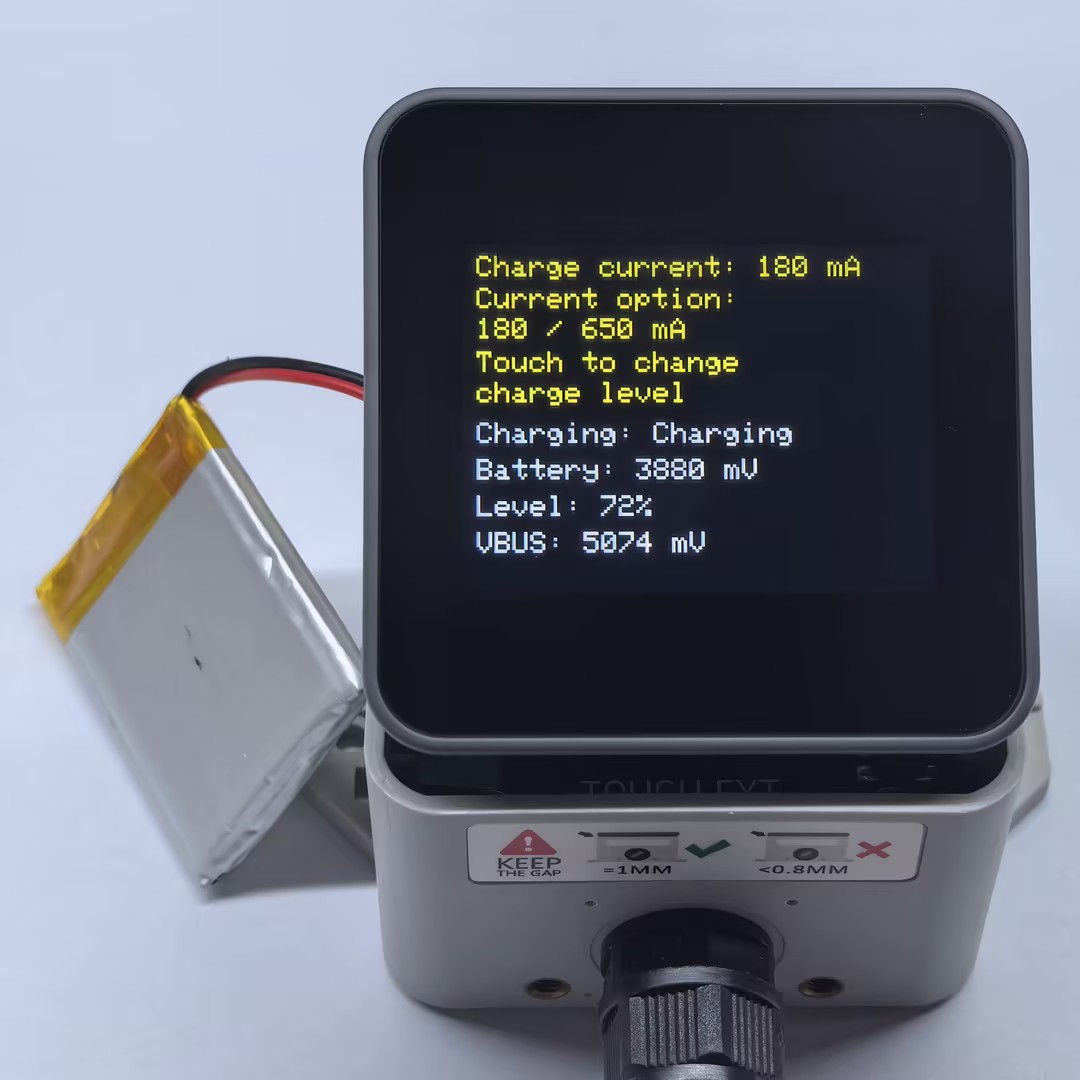
The ToughC5 charging current is set with M5.Power.setChargeCurrent(). This example provides two charging-current options: low current at 180 mA and high current at 650 mA. Touch the screen to switch between the two options and refresh the status shown on the screen.
#include <M5Unified.h>

constexpr int CHARGE_CURRENT_LOW_MA = 180;
constexpr int CHARGE_CURRENT_HIGH_MA = 650;

int chargeCurrentMa = CHARGE_CURRENT_LOW_MA;
uint32_t lastRefreshMs = 0;

void drawStatus()
{
  const auto chargeState = M5.Power.isCharging();
  const char* chargeText =
      chargeState == m5::Power_Class::is_charging ? "Charging" :
      chargeState == m5::Power_Class::is_discharging ? "Not charging" :
      "Unknown";

  const int batteryVoltage = M5.Power.getBatteryVoltage();
  const int batteryLevel = M5.Power.getBatteryLevel();
  const int vbusVoltage = M5.Power.getVBUSVoltage();

  M5.Display.clear();
  M5.Display.setTextSize(2);

  M5.Display.setTextColor(0xFFE0);

  M5.Display.setCursor(10, 8);
  M5.Display.printf("Charge current: %d mA", chargeCurrentMa);

  M5.Display.setCursor(10, 30);
  M5.Display.printf("Current option:");

  M5.Display.setCursor(10, 51);
  M5.Display.printf("180 / 650 mA");

  M5.Display.setCursor(10, 74);
  M5.Display.printf("Touch to change");

  M5.Display.setCursor(10, 95);
  M5.Display.printf("charge level");

  M5.Display.setTextColor(0xFFFF);

  M5.Display.setCursor(10, 123);
  M5.Display.printf("Charging: %s", chargeText);

  M5.Display.setCursor(10, 148);
  if (batteryVoltage < 0) {
    M5.Display.printf("Battery: Unknown");
  } else if (batteryVoltage == 0) {
    M5.Display.printf("Battery: No battery");
  } else {
    M5.Display.printf("Battery: %d mV", batteryVoltage);
  }

  M5.Display.setCursor(10, 173);
  if (batteryLevel < 0) {
    M5.Display.printf("Level: Unknown");
  } else {
    M5.Display.printf("Level: %d%%", batteryLevel);
  }

  M5.Display.setCursor(10, 198);
  if (vbusVoltage < 0) {
    M5.Display.printf("VBUS: Unsupported");
  } else {
    M5.Display.printf("VBUS: %d mV", vbusVoltage);
  }
}

void setup()
{
  auto cfg = M5.config();

  // If powered from the Grove port or DC input, set this to false as needed.
  // cfg.output_power = false;

  M5.begin(cfg);
  M5.Power.setChargeCurrent(chargeCurrentMa);

  drawStatus();
  lastRefreshMs = millis();
}

void loop()
{
  M5.update();

  bool redraw = false;

  if (M5.Touch.getCount() > 0 && M5.Touch.getDetail(0).wasPressed()) {
    chargeCurrentMa = (chargeCurrentMa == CHARGE_CURRENT_LOW_MA)
        ? CHARGE_CURRENT_HIGH_MA
        : CHARGE_CURRENT_LOW_MA;

    M5.Power.setChargeCurrent(chargeCurrentMa);
    redraw = true;
  }

  const uint32_t now = millis();
  if (redraw || now - lastRefreshMs >= 1000) {
    drawStatus();
    lastRefreshMs = now;
  }
}After startup, the program sets the charging current to 180 mA by default and displays the charging status, battery voltage, battery level, and VBUS voltage. Touch the screen once to switch to the other charging-current option and immediately refresh the display. The other status information is also updated every second.
API
The ToughC5 battery status functions use Power_Class from the M5Unified library. For more related APIs, refer to the documentation below: