

Arduino Quick Start
2. Devices & Examples
3. M5Unified
4. M5GFX
5. Extensions
Unit
Module
Atomic
Tab5
IoT
Accessories
Compile and Upload Arduino Examples for ToughC5
1. Preparation
1. Install Arduino IDE: Follow the Arduino IDE installation guide to install the IDE.
2. Install the board package: Follow the Basic Environment Setup guide to install the M5Stack board package and select the
M5ToughC5board.
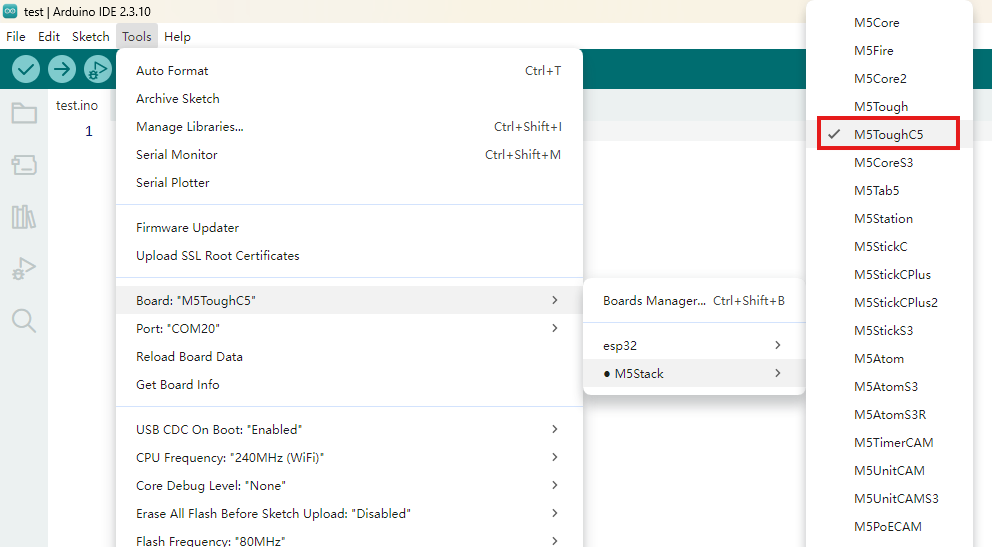
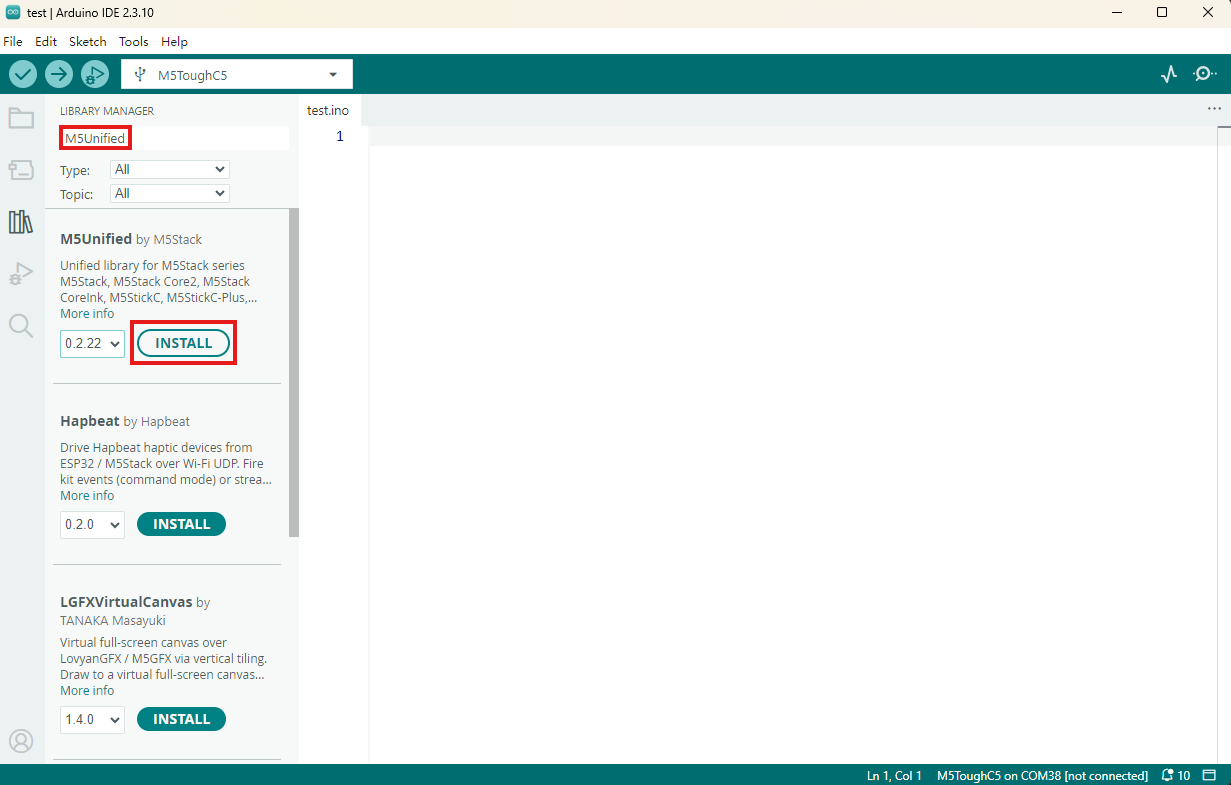
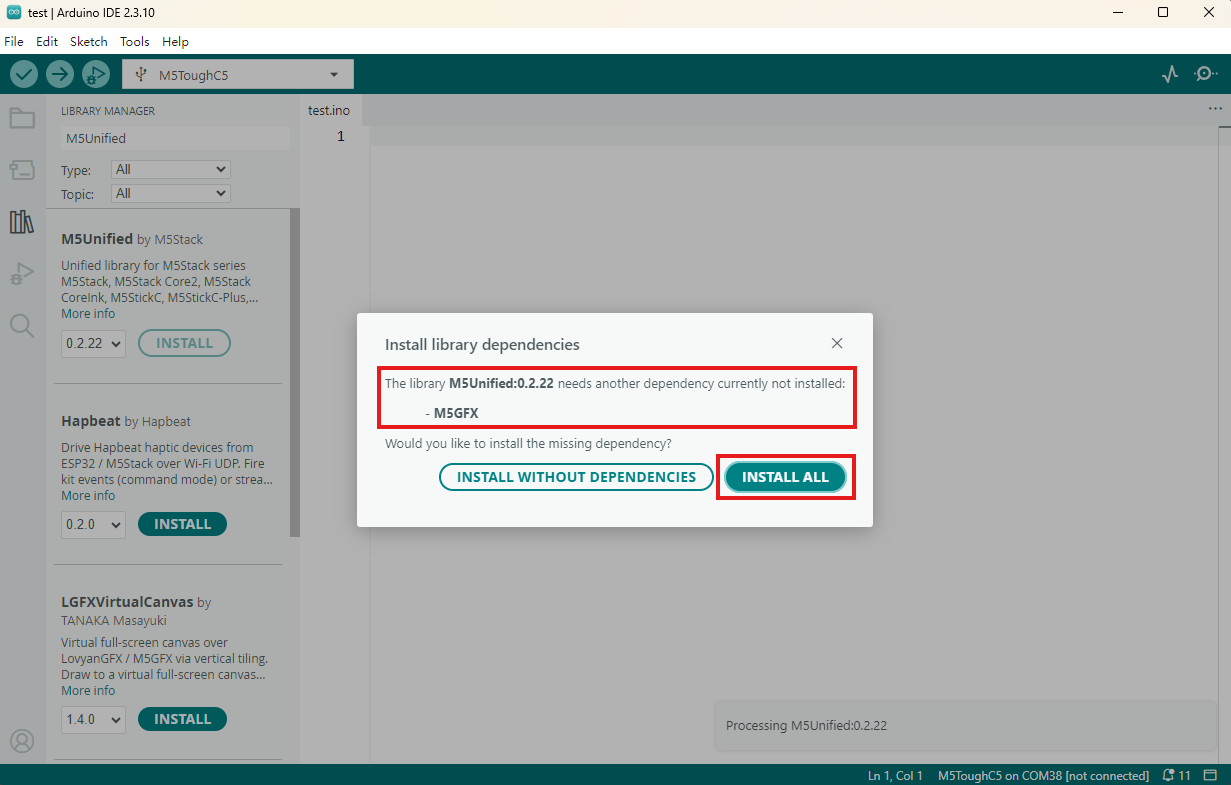
- 3. Install the required libraries: Follow the Library Manager installation guide to install the latest
M5UnifiedandM5GFXlibraries, then install all dependencies as prompted.
2. Download Mode
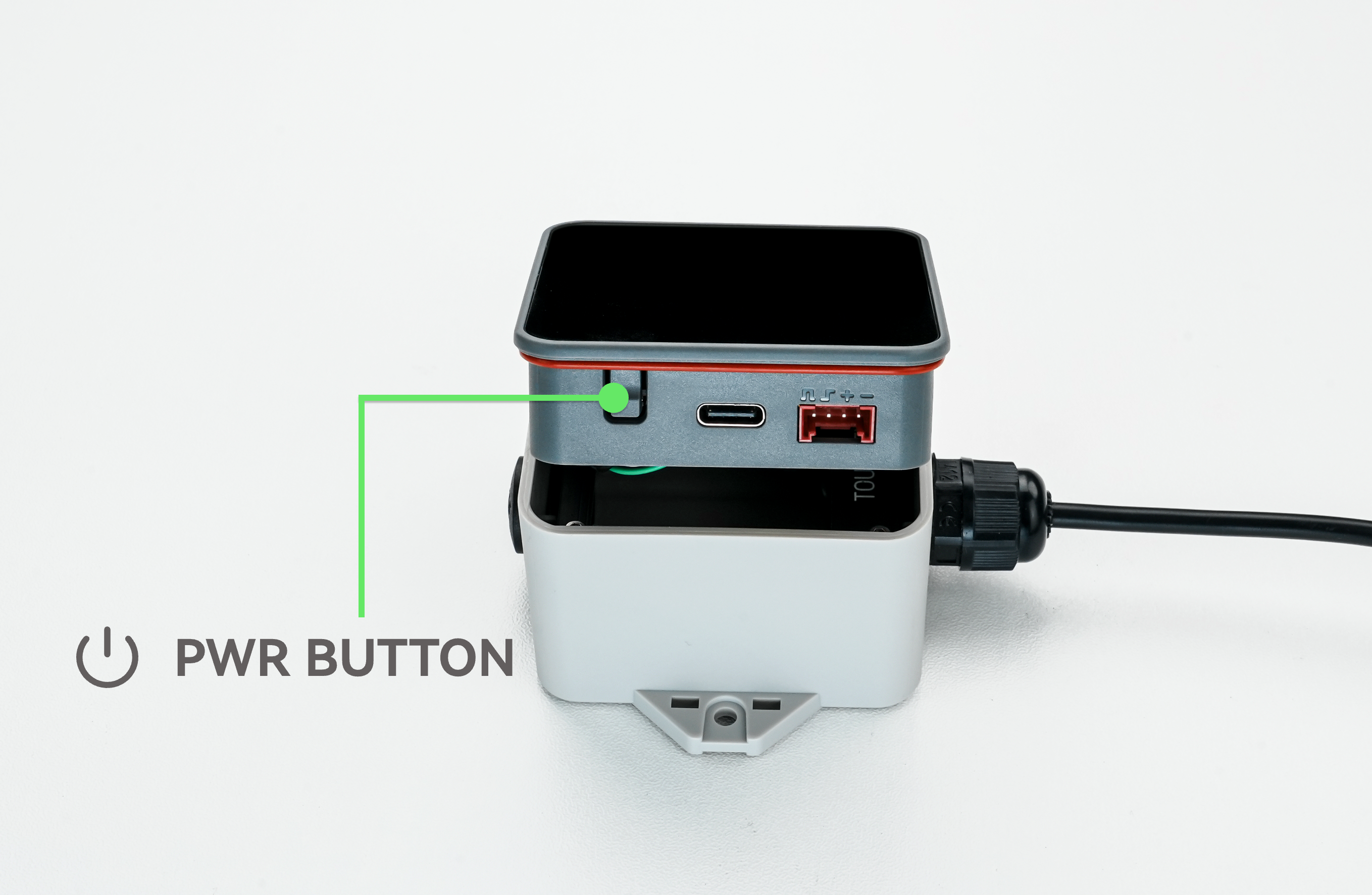
Normally, you can upload a program to ToughC5 directly through its USB cable. If an upload error occurs during development, remove the enclosure and press and hold the power button to force download mode.
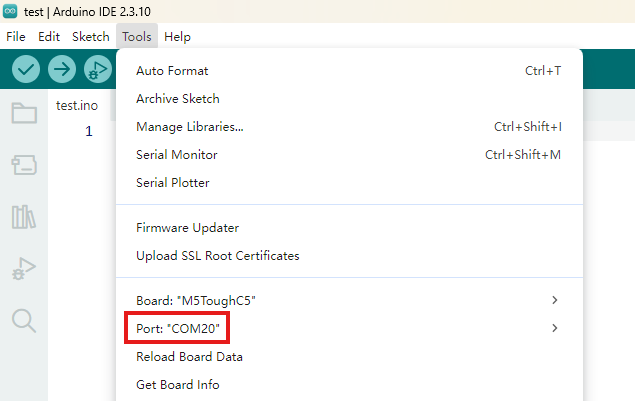
3. Select a Port
Connect the device to the computer with a USB cable. If the USB driver is installed correctly, select the corresponding device port in Arduino IDE.
4. Program Compile & Upload
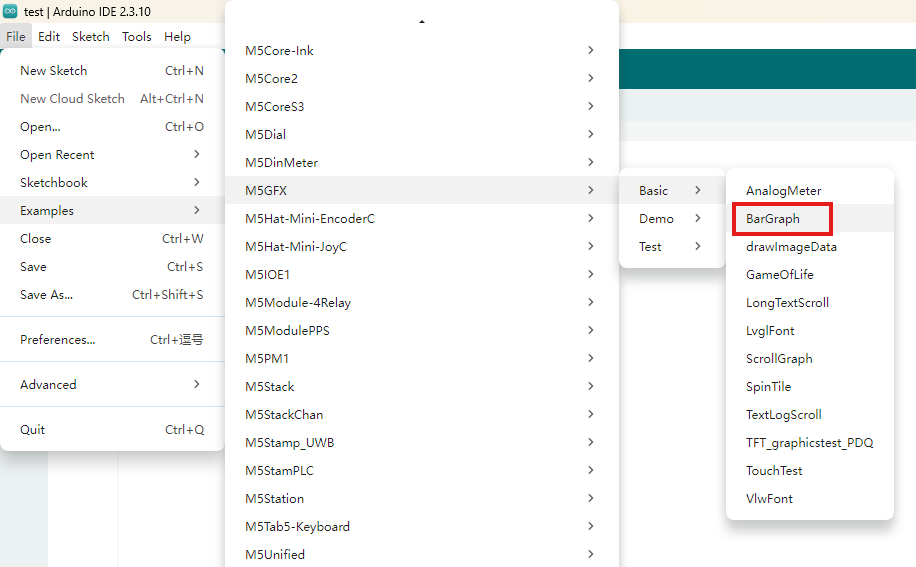
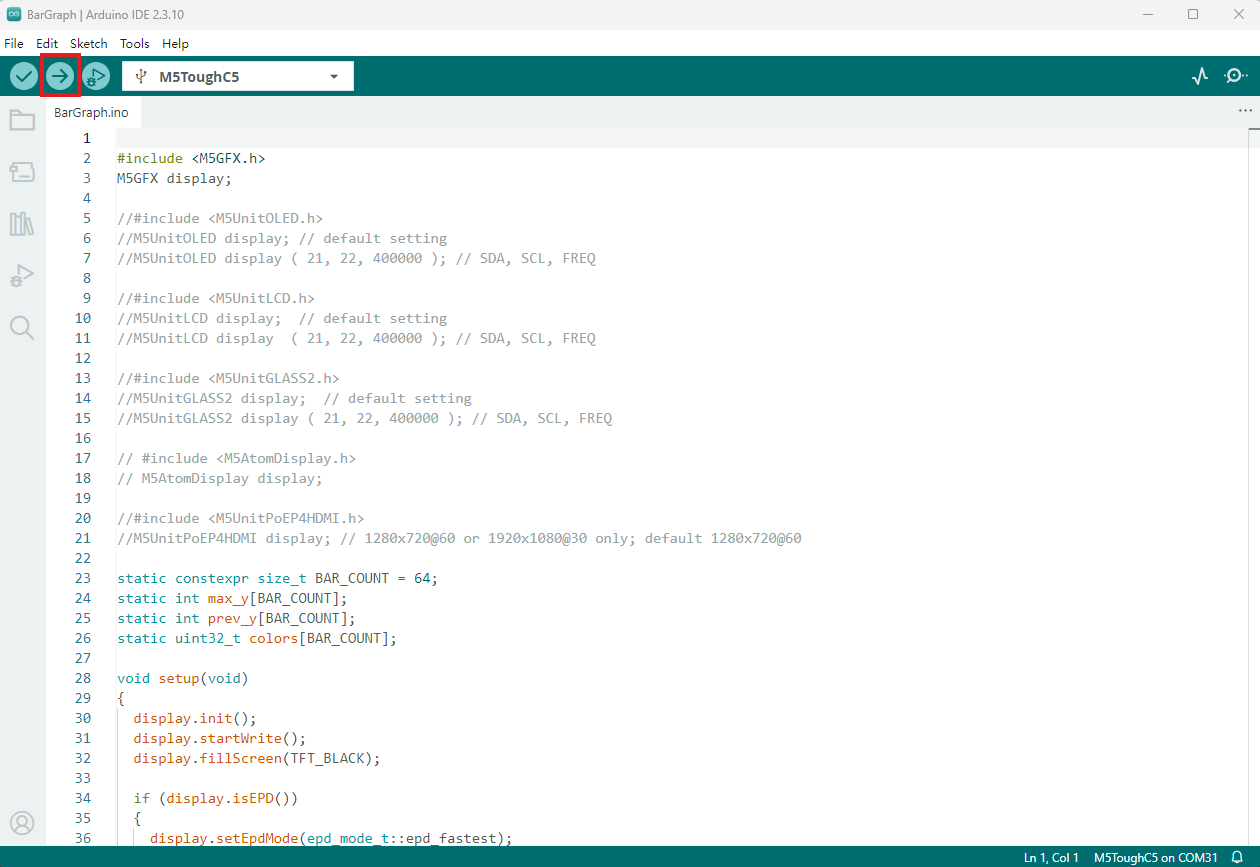
Open the BarGraph example in the M5GFX library and click Upload to compile and upload the program.
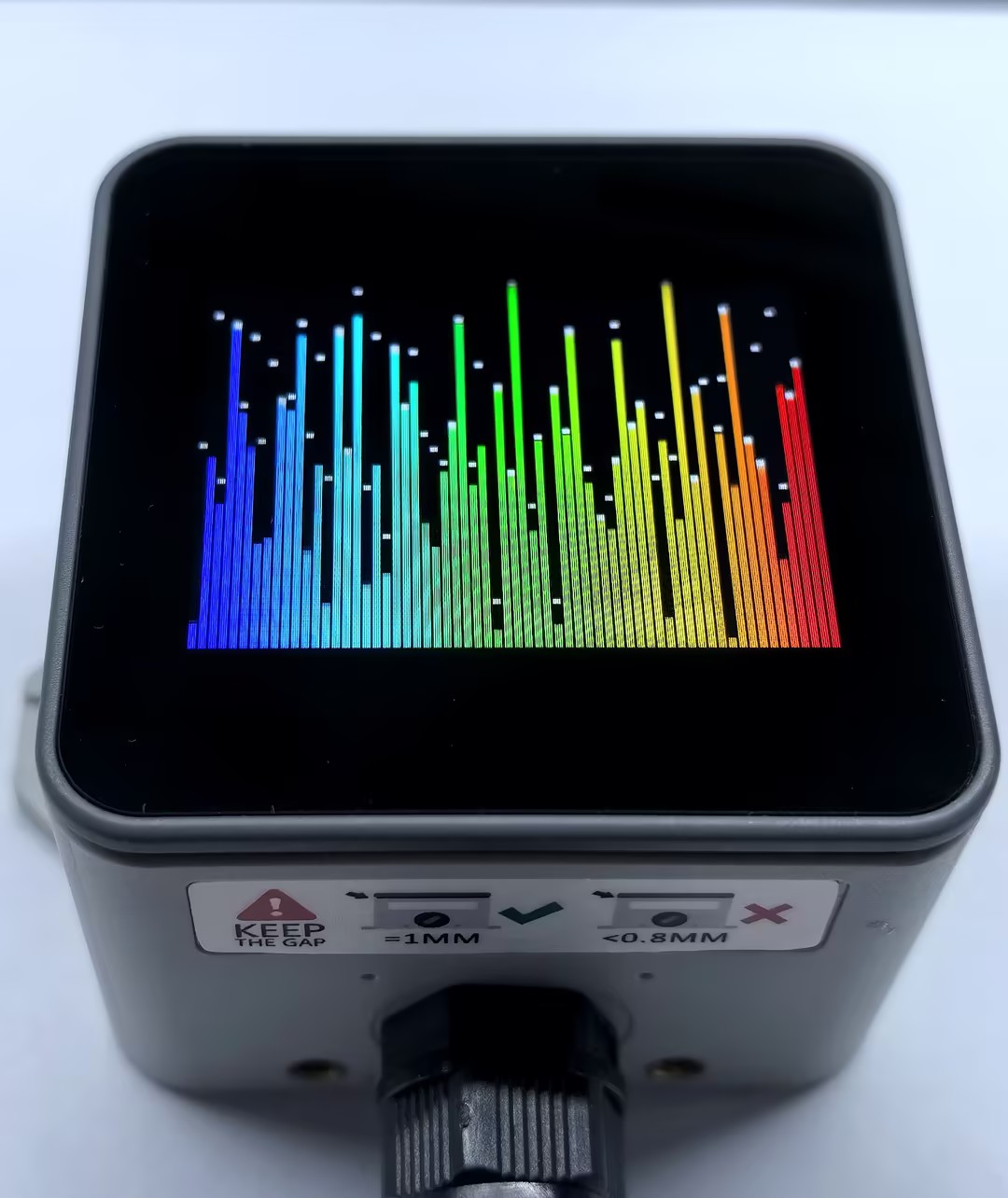
The display output is shown below:
5. Related Resources
GitHub
Arduino API & Examples