

Arduino入門
2. デバイス&サンプル
3. M5Unified
4. M5GFX
5. 拡張モジュール&サンプル
Unit
Module
Atomic
Tab5
IoT
アクセサリー
StopWatch Display
説明
StopWatch は画面ドライバとして M5GFX ライブラリを使用しています。以下のAPIとサンプルを参照すると、簡単な表示機能を実装できます。さらに多くのAPIについては M5GFX ドキュメントを参照してください。
サンプルプログラム
コンパイル要件
- M5Stack ボードマネージャーバージョン >= 3.3.7
- ボードオプション = M5StopWatch
- M5Unified ライブラリバージョン >= 0.2.15
- M5GFX ライブラリバージョン >= 0.2.21
cpp
1 2 3 4 5 6 7 8 9 10 11 12 13 14 15 16 17 18 19 20 21 22 23 24 25 26 27 28
#include <M5Unified.h>

void draw_function(LovyanGFX* gfx) {
    int x      = rand() % gfx->width();
    int y      = rand() % gfx->height();
    int r      = (gfx->width() >> 4) + 2;
    uint16_t c = rand();
    gfx->fillRect(x - r, y - r, r * 2, r * 2, c);
}

void setup() {
    auto cfg = M5.config();
    M5.begin(cfg);
    int textsize = M5.Display.height() / 60;
    if (textsize == 0) {
        textsize = 1;
    }
    M5.Display.setTextSize(textsize);
}

void loop() {
    int x      = rand() % M5.Display.width();
    int y      = rand() % M5.Display.height();
    int r      = (M5.Display.width() >> 4) + 2;
    uint16_t c = rand();
    M5.Display.fillCircle(x, y, r, c);
    draw_function(&M5.Display);
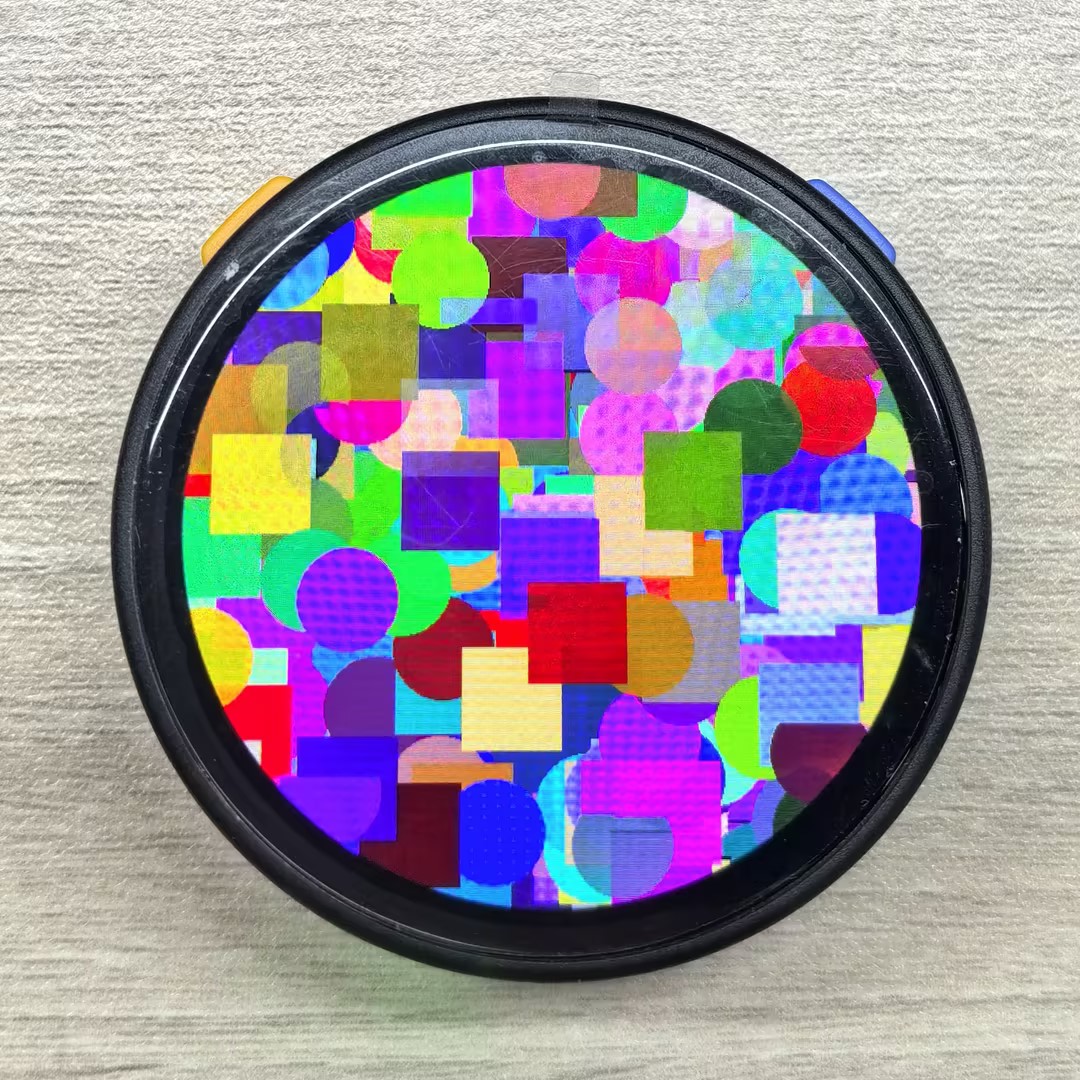
}サンプルの表示効果は以下の通りで、プログラムは画面上のランダムな位置に異なる色の円形と矩形を描画します:
Page Tools