

Arduino入門
2. デバイス&サンプル
3. M5Unified
4. M5GFX
5. 拡張モジュール&サンプル
Unit
Module
Atomic
Tab5
IoT
アクセサリー
Stamp Timer Power2 Arduino 使用チュートリアル
1. 準備
環境設定:Arduino IDE 入門チュートリアルを参照して IDE をインストールし、使用する開発ボードに対応するボードパッケージとドライバライブラリをインストールしたうえで、Arduino IDE で
M5StampS3ボードを選択します。使用するドライバライブラリ:
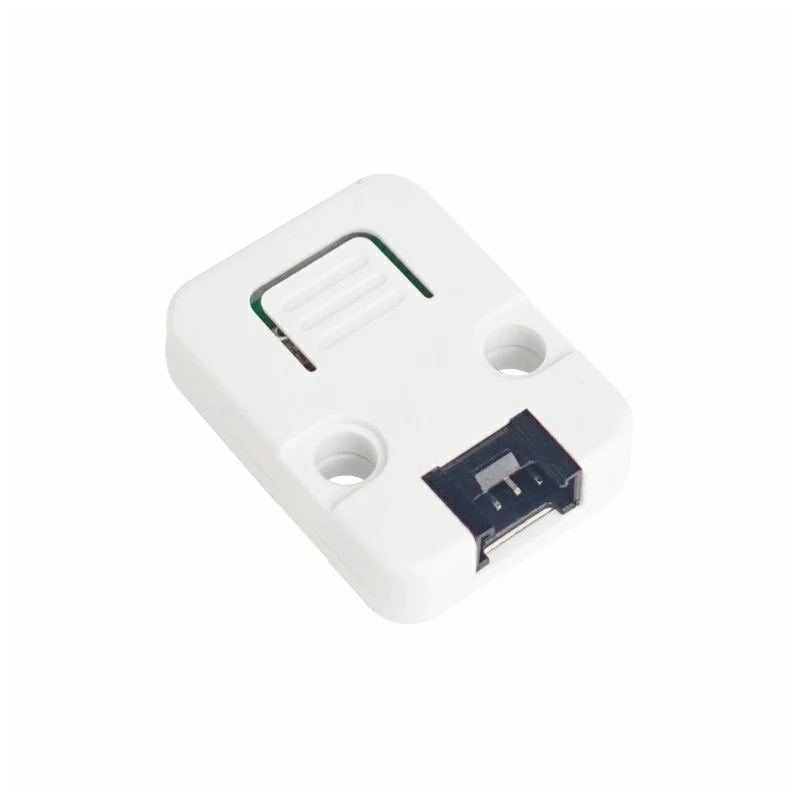
使用するハードウェア:
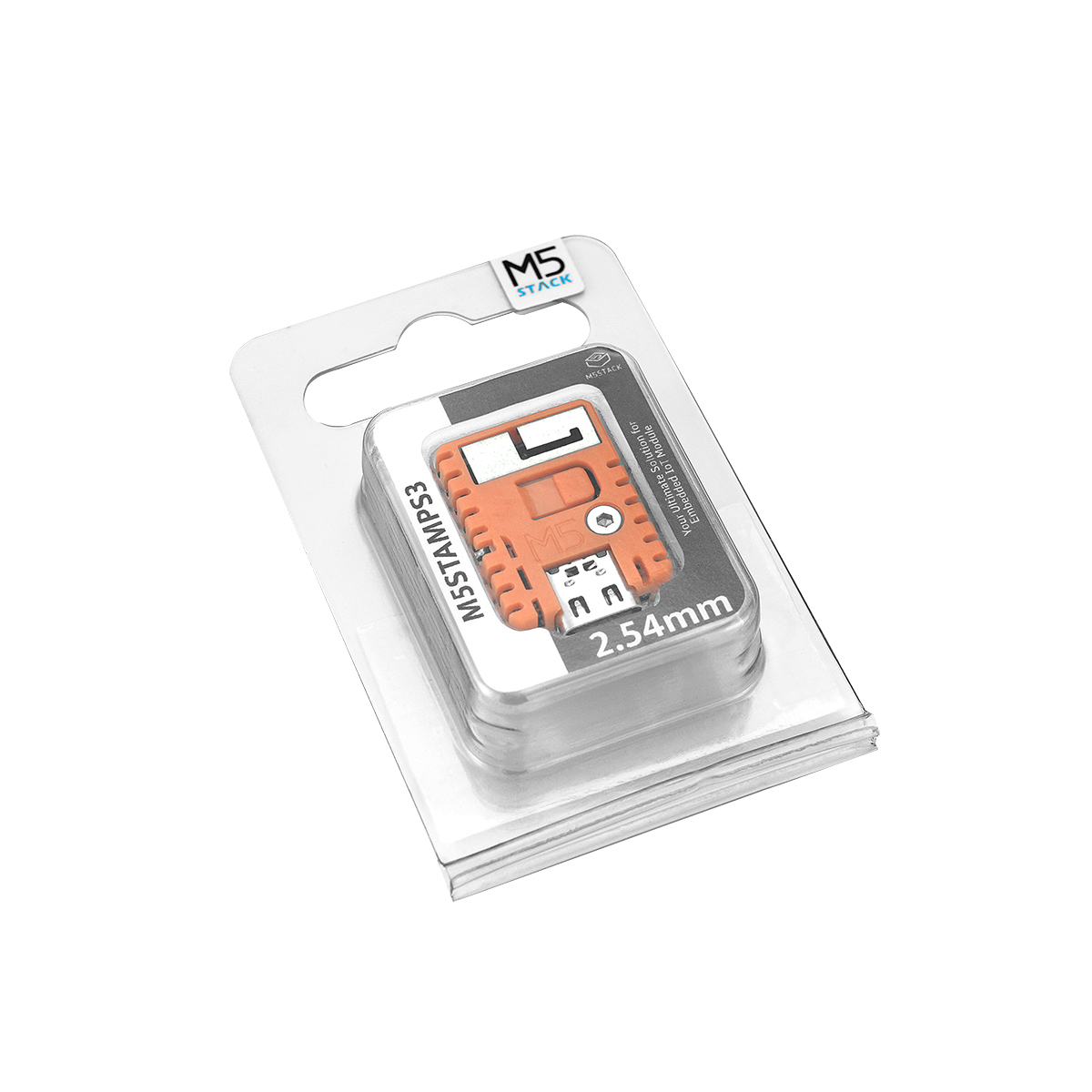

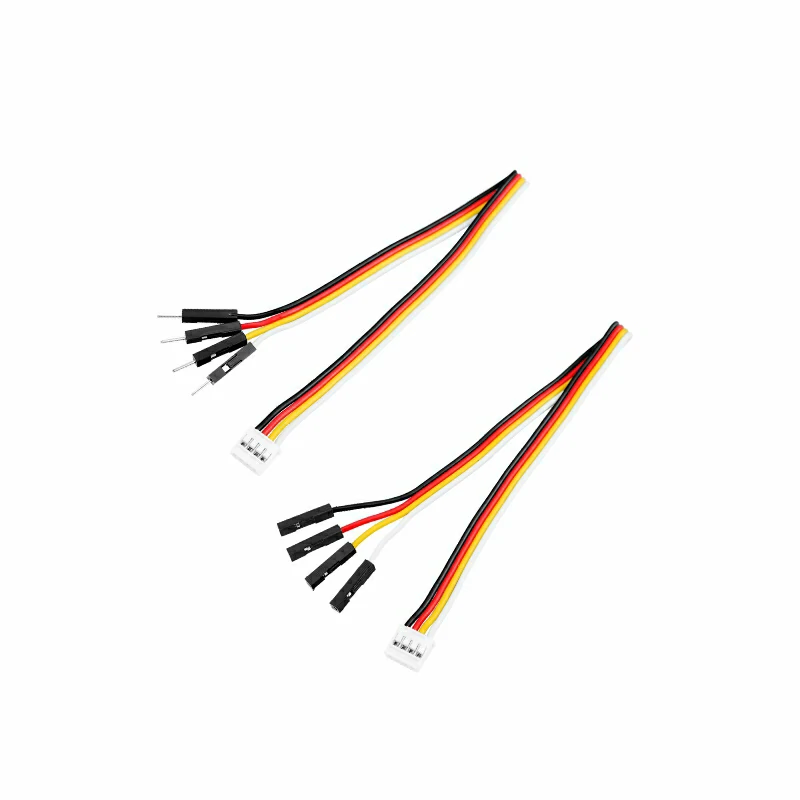
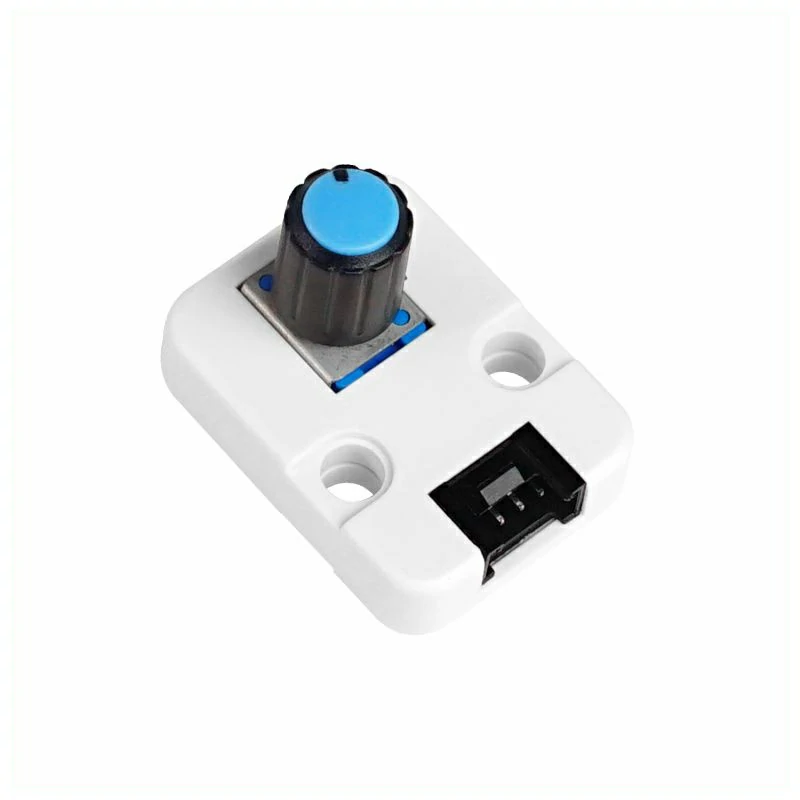
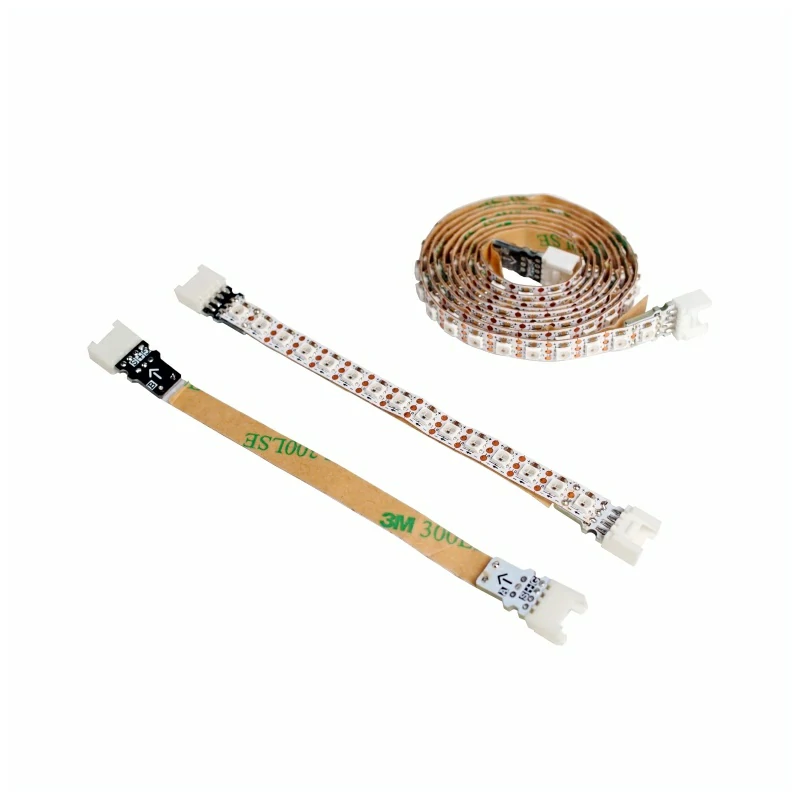
2. デフォルト状態
Stamp Timer Power2 は電源投入後、まずオンボードの電源管理ファームウェアを実行してから I2C スレーブ通信を有効にします。ホストが M5PM1::begin() を呼び出すと、引数に従って I2C 通信速度を設定してアイドルスリープを無効にするとともに、モジュールの現在の状態スナップショットを読み取ります。I2C 設定を除き、G0~G4 の機能や電源制御などの状態を能動的に変更することはありません。初期化完了後、モジュールは下表に示す安定したデフォルト状態になります。
電源制御と出力
| ピン | 機能 | 初期化後の安定状態 | 説明 |
|---|---|---|---|
DCDC_3V3_EN | 3.3V DCDC 有効化 | 高レベル、DCDC 有効 | 入力電源が正常な場合に 3.3V を出力 |
LDO_3V3_EN | 3.3V LDO 有効化 | 高レベル、LDO 有効 | 入力電源が正常な場合に 3.3V を出力 |
BOOST_5V_EN | 5V_INOUT 昇圧有効化 | 低レベル、昇圧出力オフ | デフォルトでは 5V 入力検出端子として使用します。高レベルにすると、EXT_5V_INOUT に外部電源がない場合に限り 5V を昇圧出力します。外部から 5V が検出されると入力モードを維持し、昇圧要求をクリアします |
CHG_EN | バッテリー充電有効化 | 高レベル、充電機能有効 | 実際に充電されるかどうかは、バッテリー、入力電源、充電回路の状態によって異なります |
BAT_ADC_EN | バッテリー電圧サンプリング有効化 | 安定時は低レベル、サンプリング無効 | バッテリー電圧の測定時に一時的に高レベルになり、測定終了後は低レベルに戻ります |
LED_EN | ステータス LED 制御 | 通常動作時は高レベル | リセット時、ダウンロードモード、一部のボタン割り込み状態では点滅する場合があります |
BOOT_OUT | ホスト起動/ダウンロードモード制御 | 解放(外部プルアップ時は高レベル) | オープンドレイン出力で、基板上にプルアップはありません。通常の電源投入時はまず解放し、約 100 ms 後に 3.3V を有効化します。ホストのリセット/電源投入時のサンプリングで低レベルになると、ダウンロードモードを選択できます |
注:現在のモジュールファームウェアでは、5VIN/5VINOUT の有効検出しきい値を約 4.0V に設定しています。「3.3V 有効」は制御ピンが高レベルであることを示し、実際の出力電圧は入力電源とバッテリーの状態に依存します。バッテリー駆動時は、BATT_LVP のデフォルトしきい値(約 2.5V)による制限も受けます。
GPIO
| ピン | 初期化後の機能 | 方向 | 内部プルアップ/プルダウン | デフォルト出力段 | 物理レベル |
|---|---|---|---|---|---|
| G0 | 汎用 GPIO、NeoPixel 無効 | 入力 | なし | オープンドレイン | 外部入力またはバイアスにより決定 |
| G1 | 汎用 GPIO、ADC1 無効 | 入力 | なし | オープンドレイン | 外部入力またはバイアスにより決定 |
| G2 | 汎用 GPIO、ADC2 無効 | 入力 | なし | オープンドレイン | 外部入力またはバイアスにより決定 |
| G3 | 汎用 GPIO、PWM 無効 | 入力 | なし | オープンドレイン | 外部入力またはバイアスにより決定 |
| G4 | 汎用 GPIO、PWM と IRQ 信号出力無効 | 入力 | なし | オープンドレイン | 外部入力またはバイアスにより決定 |
G0~G4 は電源投入リセット後、内部プルアップもプルダウンもありません。後から出力に切り替えても、明示的にプッシュプルに設定しない限り、ポートはオープンドレインのままです。オープンドレイン出力を高レベルにするには外部プルアップが必要です。
G0~G4 はすべて IRQ 出力として設定できます。IRQ 用に設定したピンは、すべての IRQ 状態がクリアされると高レベルに解放され、関連する IRQ 状態がセットされると低レベルに引き下げられ、状態がクリアされるまで維持されます。
電源ボタンとサンプリングピン
| ピン | 初期化後の状態 | 説明 |
|---|---|---|
PWR_BTN | 入力、内部プルアップ | ボタンが押されていないときは高レベル、押されているときは低レベル |
BAT_ADC | アナログ入力、プルアップ/プルダウンなし | バッテリー電圧のサンプリング端子 |
VIN_ADC | アナログ入力、プルアップ/プルダウンなし | 入力電源電圧のサンプリング端子 |
5VOUT_ADC | アナログ入力、プルアップ/プルダウンなし | 5V_INOUT 電圧のサンプリング端子。BOOST_5V_EN がオフのときに外部入力電圧を検出するために使用します |
3. サンプルプログラム
GPIO
G0 と G1 をプッシュプル出力に設定し、300 ms ごとにレベルを切り替えます。2 つのピンは常に反対の状態になります。
接続図は以下のとおりです。

#include <M5PM1.h>

// Stamp-S3 uses G13 for SDA and G15 for SCL.
constexpr int I2C_SDA_PIN             = 13;
constexpr int I2C_SCL_PIN             = 15;
constexpr uint32_t I2C_FREQUENCY      = M5PM1_I2C_FREQ_100K;
constexpr uint32_t TOGGLE_INTERVAL_MS = 300;

M5PM1 stp2;
bool g0_level = LOW;
uint32_t last_toggle_ms = 0;

void setup()
{
    Serial.begin(115200);

    // Print the example configuration on startup.
    Serial.println("Stamp Timer Power2 - GPIO output");
    Serial.printf("I2C: SDA=G%d, SCL=G%d, period=%lums\n",
                  I2C_SDA_PIN, I2C_SCL_PIN,
                  static_cast<unsigned long>(TOGGLE_INTERVAL_MS));

    // Initialize Stamp Timer Power2 over I2C.
    if (stp2.begin(&Wire, M5PM1_DEFAULT_ADDR, I2C_SDA_PIN, I2C_SCL_PIN, I2C_FREQUENCY) != M5PM1_OK) {
        Serial.println("Stamp Timer Power2 init failed");
        while (true) delay(1000);
    }
    // Start with G0 low and G1 high.
    stp2.gpioSet(M5PM1_GPIO_NUM_0, M5PM1_GPIO_MODE_OUTPUT, LOW, M5PM1_GPIO_PULL_NONE,
                 M5PM1_GPIO_DRIVE_PUSHPULL);
    stp2.gpioSet(M5PM1_GPIO_NUM_1, M5PM1_GPIO_MODE_OUTPUT, HIGH, M5PM1_GPIO_PULL_NONE,
                 M5PM1_GPIO_DRIVE_PUSHPULL);
    Serial.printf("Initial: G0=%s, G1=%s\n",
                  g0_level ? "HIGH" : "LOW", g0_level ? "LOW" : "HIGH");
}

void loop()
{
    const uint32_t now = millis();
    // Update both outputs only once per interval.
    if (now - last_toggle_ms >= TOGGLE_INTERVAL_MS) {
        last_toggle_ms = now;
        g0_level       = !g0_level;
        // Keep G1 opposite to G0.
        const bool g1_level = !g0_level;
        stp2.gpioSetOutput(M5PM1_GPIO_NUM_0, g0_level ? HIGH : LOW);
        stp2.gpioSetOutput(M5PM1_GPIO_NUM_1, g1_level ? HIGH : LOW);
        Serial.printf("G0: %s, G1: %s\n",
                      g0_level ? "HIGH" : "LOW", g1_level ? "HIGH" : "LOW");
    }
}書き込み後、G0 と G1 に接続した LED が交互に点滅し、シリアルモニターに現在のレベルが出力されます。

ADC
G2 を ADC2 に設定します。プログラムは 12 ビットの ADC 生値を継続的に読み取り、結果をシリアルモニターに更新します。
接続図は以下のとおりです。

#include <M5PM1.h>

constexpr int I2C_SDA_PIN        = 13;
constexpr int I2C_SCL_PIN        = 15;
constexpr uint32_t I2C_FREQUENCY = M5PM1_I2C_FREQ_100K;

M5PM1 stp2;

void setup()
{
    Serial.begin(115200);

    // Print the example configuration on startup.
    Serial.println("Stamp Timer Power2 - ADC sample");
    Serial.println("Channel: G2 -> ADC2 (12-bit)");

    // Initialize Stamp Timer Power2 over I2C.
    if (stp2.begin(&Wire, M5PM1_DEFAULT_ADDR, I2C_SDA_PIN, I2C_SCL_PIN, I2C_FREQUENCY) != M5PM1_OK) {
        Serial.println("Stamp Timer Power2 init failed");
        while (true) delay(1000);
    }
    // Map Stamp Timer Power2 GPIO2 to ADC2.
    stp2.gpioSetFunc(M5PM1_GPIO_NUM_2, M5PM1_GPIO_FUNC_OTHER);
}

void loop()
{
    uint16_t adc_value = 0;
    // Read ADC2 continuously through the M5PM1 I2C interface.
    const bool ok = stp2.analogRead(M5PM1_ADC_CH_2, &adc_value) == M5PM1_OK;
    Serial.printf("G2 ADC2: %u / 4095 (%s)\n",
                  static_cast<unsigned>(adc_value), ok ? "OK" : "ERROR");
    delay(100);
}書き込み後、G2 に接続した Unit Angle を回すと、シリアルモニターに出力される ADC 生値が変化します。
シリアル出力例:
G2 ADC2: 0 / 4095 (OK)
G2 ADC2: 0 / 4095 (OK)
G2 ADC2: 0 / 4095 (OK)
G2 ADC2: 0 / 4095 (OK)
G2 ADC2: 0 / 4095 (OK)
G2 ADC2: 625 / 4095 (OK)
G2 ADC2: 813 / 4095 (OK)
G2 ADC2: 1115 / 4095 (OK)
G2 ADC2: 1527 / 4095 (OK)
G2 ADC2: 1864 / 4095 (OK)
G2 ADC2: 2200 / 4095 (OK)
G2 ADC2: 2465 / 4095 (OK)
G2 ADC2: 2661 / 4095 (OK)
G2 ADC2: 2826 / 4095 (OK)
G2 ADC2: 2976 / 4095 (OK)
G2 ADC2: 3192 / 4095 (OK)
G2 ADC2: 3465 / 4095 (OK)
G2 ADC2: 3693 / 4095 (OK)
G2 ADC2: 3913 / 4095 (OK)
G2 ADC2: 4095 / 4095 (OK)
G2 ADC2: 4095 / 4095 (OK)
G2 ADC2: 4095 / 4095 (OK)
G2 ADC2: 4095 / 4095 (OK)
G2 ADC2: 4095 / 4095 (OK)
G2 ADC2: 4095 / 4095 (OK)PWM
G3 と G4 では、それぞれ PWM0 と PWM1 を使用します。プログラムは 50 ms ごとにデューティ比を調整し、G3 が増加すると G4 が同期して減少します。0% または 100% に達すると、方向が自動的に切り替わります。
接続図は以下のとおりです。

#include <M5PM1.h>

constexpr int I2C_SDA_PIN          = 13;
constexpr int I2C_SCL_PIN          = 15;
constexpr uint32_t I2C_FREQUENCY   = M5PM1_I2C_FREQ_100K;
// Both PWM channels share this frequency.
constexpr uint16_t PWM_FREQUENCY   = 1000;
// Update the inverse duty sweep every 50 ms.
constexpr uint32_t PWM_INTERVAL_MS = 50;

M5PM1 stp2;
// Track the G3 duty cycle and the current sweep direction.
int16_t g3_duty = 0;
int16_t duty_step = 5;
uint32_t last_pwm_ms = 0;

void setup()
{
    Serial.begin(115200);

    // Print the example configuration on startup.
    Serial.println("Stamp Timer Power2 - PWM output");
    Serial.printf("PWM frequency: %u Hz\n", static_cast<unsigned>(PWM_FREQUENCY));

    // Initialize Stamp Timer Power2 over I2C.
    if (stp2.begin(&Wire, M5PM1_DEFAULT_ADDR, I2C_SDA_PIN, I2C_SCL_PIN, I2C_FREQUENCY) != M5PM1_OK) {
        Serial.println("Stamp Timer Power2 init failed");
        while (true) delay(1000);
    }
    // Configure the PWM pins as special-function push-pull outputs.
    // gpioSetFunc alone does not set the output direction.
    stp2.pinMode(M5PM1_GPIO_NUM_3, M5PM1_OTHER);
    stp2.pinMode(M5PM1_GPIO_NUM_4, M5PM1_OTHER);
    stp2.setPwmFrequency(PWM_FREQUENCY);
    stp2.setPwmDuty(M5PM1_PWM_CH_0, 0, false, true);
    stp2.setPwmDuty(M5PM1_PWM_CH_1, 100, false, true);
    Serial.println("Initial PWM: G3=0%, G4=100%");
}

void loop()
{
    const uint32_t now = millis();
    // Advance the duty cycle at the configured interval.
    if (now - last_pwm_ms >= PWM_INTERVAL_MS) {
        last_pwm_ms = now;
        // Reverse direction whenever either endpoint is reached.
        if (g3_duty >= 100) {
            g3_duty   = 100;
            duty_step = -5;
        } else if (g3_duty <= 0) {
            g3_duty   = 0;
            duty_step = 5;
        }

        g3_duty += duty_step;
        // Keep the G3 value within the valid duty range.
        if (g3_duty < 0) g3_duty = 0;
        if (g3_duty > 100) g3_duty = 100;
        // G4 always receives the complement of G3.
        const uint8_t g4_duty = static_cast<uint8_t>(100 - g3_duty);
        stp2.setPwmDuty(M5PM1_PWM_CH_0, static_cast<uint8_t>(g3_duty), false, true);
        stp2.setPwmDuty(M5PM1_PWM_CH_1, g4_duty, false, true);
        Serial.printf("G3: %d%%, G4: %u%%\n",
                      g3_duty, static_cast<unsigned>(g4_duty));
    }
}書き込み後、G3、G4 に接続した LED が交互に点滅し、シリアルモニターに現在のデューティ比が出力されます。

RGB LED
Stamp Timer Power2 の NeoPixel データラインは G0 と多重化されています。15 個の RGB LED を制御し、約 20 ms 間隔で虹色を更新してレインボーのスクロール効果を実現します。
接続図は以下のとおりです。

#include <M5PM1.h>

constexpr int I2C_SDA_PIN        = 13;
constexpr int I2C_SCL_PIN        = 15;
constexpr uint32_t I2C_FREQUENCY = M5PM1_I2C_FREQ_100K;
// Drive the built-in 15-pixel strip.
constexpr uint8_t LED_COUNT      = 15;
// Keep the strip dim to limit current.
constexpr uint8_t LED_BRIGHTNESS = 32;  // Brightness range: 0-255.

M5PM1 stp2;
// Offset advances the hue pattern on each refresh.
uint8_t rainbow_offset = 0;

uint8_t scaleColor(uint8_t value)
{
    // Apply the brightness factor to one RGB component.
    return static_cast<uint8_t>((static_cast<uint16_t>(value) * LED_BRIGHTNESS) / 255);
}

m5pm1_rgb_t colorWheel(uint8_t position)
{
    // Reverse the hue position to obtain a forward scroll.
    position = 255 - position;
    m5pm1_rgb_t color = {0, 0, 0};
    // Split the color wheel into three linear sections.
    if (position < 85) {
        color.r = 255 - position * 3;
        color.g = 0;
        color.b = position * 3;
    } else if (position < 170) {
        position -= 85;
        color.r = 0;
        color.g = position * 3;
        color.b = 255 - position * 3;
    } else {
        position -= 170;
        color.r = position * 3;
        color.g = 255 - position * 3;
        color.b = 0;
    }
    color.r = scaleColor(color.r);
    color.g = scaleColor(color.g);
    color.b = scaleColor(color.b);
    return color;
}

void setup()
{
    Serial.begin(115200);

    // Print the example configuration on startup.
    Serial.println("Stamp Timer Power2 - RGB LED");
    Serial.printf("LED count: %u, brightness: %u/255\n",
                  static_cast<unsigned>(LED_COUNT),
                  static_cast<unsigned>(LED_BRIGHTNESS));

    // Initialize Stamp Timer Power2 over I2C.
    if (stp2.begin(&Wire, M5PM1_DEFAULT_ADDR, I2C_SDA_PIN, I2C_SCL_PIN, I2C_FREQUENCY) != M5PM1_OK) {
        Serial.println("Stamp Timer Power2 init failed");
        while (true) delay(1000);
    }
    // Configure GPIO0 for NeoPixel output with push-pull drive.
    stp2.gpioSetFunc(M5PM1_GPIO_NUM_0, M5PM1_GPIO_FUNC_OTHER);
    stp2.gpioSetDrive(M5PM1_GPIO_NUM_0, M5PM1_GPIO_DRIVE_PUSHPULL);
    stp2.gpioSetOutput(M5PM1_GPIO_NUM_0, HIGH);
    // Enable the LED power path before refreshing pixels.
    stp2.setLedEnLevel(true);
    // Allow the PM1 to finish switching to NeoPixel timing.
    delay(20);
    stp2.setLedCount(LED_COUNT);
}

void loop()
{
    m5pm1_rgb_t colors[LED_COUNT];
    // Build a smoothly distributed hue for each pixel.
    for (uint8_t i = 0; i < LED_COUNT; ++i) {
        // Reverse the index so the rainbow scrolls forward.
        const uint8_t position = static_cast<uint8_t>(
            (static_cast<uint16_t>(i) * 256 / LED_COUNT + 256 - rainbow_offset) & 0xFF);
        colors[i] = colorWheel(position);
    }

    // Send the frame and refresh the strip immediately.
    stp2.setLeds(colors, LED_COUNT, LED_COUNT, true);
    // Advance the pattern after the frame has been sent.
    rainbow_offset += 8;
    Serial.printf("RGB rainbow offset: %u\n", static_cast<unsigned>(rainbow_offset));
    delay(20);
}書き込み後、RGB LED ストリップにレインボーのスクロール効果が表示され、シリアルモニターに現在のレインボーオフセットが出力されます。

IRQ
G0 をプルアップ付き入力に設定し、G4 をいったん高レベルにしてから IRQ 出力に切り替えます。プログラムは I2C 経由で G0 の IRQ をポーリングし、イベントがセットされた後は 1 秒間保持してからクリアします。G0 が高レベルに戻った後でなければ、次の割り込みを認識できません。
接続図は以下のとおりです。

#include <M5PM1.h>

constexpr int I2C_SDA_PIN               = 13;
constexpr int I2C_SCL_PIN               = 15;
constexpr uint32_t I2C_FREQUENCY        = M5PM1_I2C_FREQ_100K;
// Hold the IRQ flag for one second after an event.
constexpr uint32_t IRQ_CLEAR_DELAY      = 1000;

M5PM1 stp2;
// Track an active event and prevent immediate re-triggering.
bool irq_active = false;
bool wait_for_release = false;
uint32_t irq_started_ms = 0;
uint32_t irq_count = 0;

void setup()
{
    Serial.begin(115200);

    // Print the example configuration on startup.
    Serial.println("Stamp Timer Power2 - GPIO IRQ");
    Serial.println("Input: G0, IRQ summary output: G4");

    // Initialize Stamp Timer Power2 over I2C.
    if (stp2.begin(&Wire, M5PM1_DEFAULT_ADDR, I2C_SDA_PIN, I2C_SCL_PIN, I2C_FREQUENCY) != M5PM1_OK) {
        Serial.println("Stamp Timer Power2 init failed");
        while (true) delay(1000);
    }
    // Monitor G0 and expose the Stamp Timer Power2 IRQ summary on G4.
    stp2.gpioSet(M5PM1_GPIO_NUM_0, M5PM1_GPIO_MODE_INPUT, HIGH, M5PM1_GPIO_PULL_UP,
                 M5PM1_GPIO_DRIVE_PUSHPULL);
    // Set G4 high before switching it to the IRQ output function.
    stp2.gpioSet(M5PM1_GPIO_NUM_4, M5PM1_GPIO_MODE_OUTPUT, HIGH,
                 M5PM1_GPIO_PULL_NONE, M5PM1_GPIO_DRIVE_PUSHPULL);
    // Reserve G4 for the PM1 interrupt summary output.
    stp2.gpioSetFunc(M5PM1_GPIO_NUM_4, M5PM1_GPIO_FUNC_IRQ);
    // Enable only G0 and discard any stale interrupt state.
    stp2.irqSetGpioMaskAll(M5PM1_IRQ_MASK_ENABLE);
    stp2.irqSetGpioMask(M5PM1_IRQ_GPIO0, M5PM1_IRQ_MASK_DISABLE);
    stp2.irqClearGpioAll();

    // Print the initial state once after configuration.
    uint8_t initial_g0_level = HIGH;
    uint8_t initial_irq_status = 0;
    stp2.gpioGetInput(M5PM1_GPIO_NUM_0, &initial_g0_level);
    stp2.irqGetGpioStatus(&initial_irq_status, M5PM1_CLEAN_NONE);
    Serial.printf("G0=%s, IRQ=CLEAR, count=0, flag=0x%02X\n",
                  initial_g0_level ? "HIGH" : "LOW", initial_irq_status);
}

void loop()
{
    const uint32_t now = millis();
    uint8_t g0_level = HIGH;
    uint8_t irq_status = 0;
    // Read the input level and latched IRQ flags.
    stp2.gpioGetInput(M5PM1_GPIO_NUM_0, &g0_level);
    stp2.irqGetGpioStatus(&irq_status, M5PM1_CLEAN_NONE);

    // Accept the first low-level event while the input is held low.
    if (!irq_active && !wait_for_release && g0_level == LOW && (irq_status & M5PM1_IRQ_GPIO0)) {
        irq_active     = true;
        irq_started_ms = now;
        ++irq_count;
        // Print once when the IRQ becomes active.
        Serial.printf("IRQ event: G0=%s, IRQ=ACTIVE, count=%lu, flag=0x%02X  1s later clear flag...\n",
                      g0_level ? "HIGH" : "LOW",
                      static_cast<unsigned long>(irq_count), irq_status);
    }

    // Clear the event flag after the requested hold time.
    if (irq_active && now - irq_started_ms >= IRQ_CLEAR_DELAY) {
        // Print the flag value immediately before clearing it.
        stp2.irqClearGpioAll();
        irq_active       = false;
        wait_for_release = true;
        irq_status       = 0;

        // Print the state after clearing the flag.
        Serial.printf("Clear Complete, G0=%s, IRQ=CLEAR, count=%lu, flag=0x%02X\n",
                      g0_level ? "HIGH" : "LOW",
                      static_cast<unsigned long>(irq_count), irq_status);
    }

    // Re-arm only after G0 returns to its idle high level.
    if (wait_for_release && g0_level == HIGH) {
        wait_for_release = false;
    }

    delay(20);
}書き込み後、G0 に接続した Unit Button を押すと G4 が低レベルになり、接続した LED が点灯します。ボタンを離した後も G4 は 1 秒間低レベルを維持し、その後高レベルに戻ると LED が消灯します。

シリアル出力例:
Stamp Timer Power2 - GPIO IRQ
Input: G0, IRQ summary output: G4
[I][M5PM1_SYS] Device: ID=0x50 MODEL=0x20 HW=0x05 SW=0x53(S)
[I][M5PM1_I2C] I2C config set and verified: sleep=0, speed=100K
[I][M5PM1_I2C] M5PM1 initialized at address 0x6E (I2C: 100000 Hz)
[I][M5PM1_IRQ] IRQ GPIO mask all Enabled
[I][M5PM1_IRQ] IRQ GPIO mask 0x01 Disabled
G0=HIGH, IRQ=CLEAR, count=0, flag=0x00
IRQ event: G0=LOW, IRQ=ACTIVE, count=1, flag=0x01  1s later clear flag...
Clear Complete, G0=HIGH, IRQ=CLEAR, count=1, flag=0x00
IRQ event: G0=LOW, IRQ=ACTIVE, count=2, flag=0x01  1s later clear flag...
Clear Complete, G0=HIGH, IRQ=CLEAR, count=2, flag=0x00タイマーによる電源オン/オフ
Stamp-S3 の G44 をプルアップ付き入力に設定して Unit Button を接続します。ボタンを押すと低レベルになります。Stamp-S3 の G1 には、高レベルで点灯する LED を接続します。1 回クリックすると 3 秒後の電源オンを設定して直ちに電源をオフにし、2 回クリックすると 3 秒後の電源オフを設定します。
接続図は以下のとおりです。

#include <M5PM1.h>

constexpr int I2C_SDA_PIN              = 13;
constexpr int I2C_SCL_PIN              = 15;
constexpr uint32_t I2C_FREQUENCY       = M5PM1_I2C_FREQ_100K;
// Stamp-S3 G44 is the active-low button; G1 is the active-high LED.
constexpr int BUTTON_PIN               = 44;
constexpr int LED_PIN                  = 1;
// Ignore contact bounce before accepting a button transition.
constexpr uint32_t BUTTON_DEBOUNCE_MS  = 30;
// Wait this long after release before deciding single or double click.
constexpr uint32_t DOUBLE_CLICK_MS     = 350;
constexpr uint32_t TIMER_SECONDS       = 3;

M5PM1 stp2;
bool click_pending = false;
uint32_t release_ms = 0;

// Configure a PM1 timer action and report configuration errors.
bool armPowerTimer(m5pm1_tim_action_t action, const char* label)
{
    const m5pm1_err_t err = stp2.timerSet(TIMER_SECONDS, action);
    if (err != M5PM1_OK) {
        Serial.printf("%s timer failed: %d\n", label, static_cast<int>(err));
        return false;
    }
    Serial.printf("%s timer armed: %lus\n", label,
                  static_cast<unsigned long>(TIMER_SECONDS));
    return true;
}

// A single click arms power-on, then shuts down immediately.
void handleSingleClick()
{
    Serial.println("Single click: power on after 3s");
    if (armPowerTimer(M5PM1_TIM_ACTION_POWERON, "Power-on")) {
        Serial.println("Shutting down now; PM1 will restart Stamp-S3");
        stp2.shutdown();
    }
}

// A double click arms the delayed power-off action.
void handleDoubleClick()
{
    Serial.println("Double click: power off after 3s");
    armPowerTimer(M5PM1_TIM_ACTION_POWEROFF, "Power-off");
}

void handleButtonPress()
{
    const uint32_t now = millis();
    // A second press within the window is treated as a double click.
    if (click_pending && release_ms != 0 &&
        now - release_ms <= DOUBLE_CLICK_MS) {
        click_pending = false;
        release_ms = 0;
        handleDoubleClick();
        return;
    }
    click_pending = true;
    release_ms = 0;
}

void handleButtonRelease()
{
    // Start the double-click window when the first click is released.
    if (click_pending) {
        release_ms = millis();
    }
}

void scanButton()
{
    // Debounce the active-low button and dispatch stable edges.
    const bool raw_pressed = digitalRead(BUTTON_PIN) == LOW;
    static bool last_raw = raw_pressed;
    static bool stable = raw_pressed;
    static uint32_t last_change_ms = millis();
    const uint32_t now = millis();

    if (raw_pressed != last_raw) {
        last_raw = raw_pressed;
        last_change_ms = now;
    }
    if (now - last_change_ms < BUTTON_DEBOUNCE_MS || stable == last_raw) {
        return;
    }

    stable = last_raw;
    if (stable) {
        handleButtonPress();
    } else {
        handleButtonRelease();
    }
}

void setup()
{
    // Set G1 HIGH only once; PM1 power removal turns it off indirectly.
    pinMode(LED_PIN, OUTPUT);
    digitalWrite(LED_PIN, HIGH);
    pinMode(BUTTON_PIN, INPUT_PULLUP);
    Serial.begin(115200);

    Serial.println("Stamp Timer Power2 - timed power control");
    Serial.println("Button: Stamp-S3 G44 (active low)");
    Serial.println("LED: Stamp-S3 G1 (active high)");

    if (stp2.begin(&Wire, M5PM1_DEFAULT_ADDR, I2C_SDA_PIN, I2C_SCL_PIN, I2C_FREQUENCY) != M5PM1_OK) {
        Serial.println("Stamp Timer Power2 init failed");
        while (true) delay(1000);
    }

    // Clear any previous PM1 timer before arming a new action.
    stp2.timerClear();
    Serial.println("Single click: power on after 3s");
    Serial.println("Double click: power off after 3s");
}

void loop()
{
    const uint32_t now = millis();
    // Resolve a pending single click after the double-click window.
    if (click_pending && release_ms != 0 && now - release_ms > DOUBLE_CLICK_MS) {
        click_pending = false;
        release_ms = 0;
        handleSingleClick();
    }

    scanButton();
    delay(10);
}書き込み後、Unit Button を 1 回クリックすると、Stamp-S3 は Stamp Timer Power2 に 3 秒後の電源オンタイマーを設定して直ちに電源をオフにします。LED が消灯し、3 秒後に再び電源が投入されます。Unit Button を 2 回クリックすると、Stamp-S3 は Stamp Timer Power2 を 3 秒後にスリープさせ、Stamp-S3 の電源が切れて LED が消灯します。

低消費電力ウェイクアップ
Stamp Timer Power2 の G2 をプルアップ付き入力に設定して Unit Button を接続します。ボタンを押すと低レベルになります。Stamp-S3 の G1 には、高レベルで点灯する LED を接続します。プログラムは G2 の立ち下がりエッジでウェイクアップするように設定されており、動作中に G2 を押すと電源がオフになり、電源オフ後に再度 G2 を押すと Stamp Timer Power2 がウェイクアップして Stamp-S3 が再起動します。
接続図は以下のとおりです。

#include <M5PM1.h>

constexpr int I2C_SDA_PIN              = 13;
constexpr int I2C_SCL_PIN              = 15;
constexpr uint32_t I2C_FREQUENCY       = M5PM1_I2C_FREQ_100K;
// PM1 G2 is the active-low shutdown/wake button; G1 is the active-high LED.
constexpr int LED_PIN                  = 1;
constexpr uint32_t BUTTON_DEBOUNCE_MS  = 30;

M5PM1 stp2;
// Track debounce state and whether a shutdown press is currently allowed.
bool button_armed = false;
bool last_raw = false;
bool stable = false;
uint32_t last_change_ms = 0;

void setup()
{
    // Set G1 HIGH only once; PM1 power loss turns it off naturally.
    pinMode(LED_PIN, OUTPUT);
    digitalWrite(LED_PIN, HIGH);
    Serial.begin(115200);

    Serial.println("Stamp Timer Power2 - shutdown/wake button");
    Serial.println("Button: PM1 G2 (active low)");
    Serial.println("LED: Stamp-S3 G1 (active high)");

    if (stp2.begin(&Wire, M5PM1_DEFAULT_ADDR, I2C_SDA_PIN, I2C_SCL_PIN, I2C_FREQUENCY) != M5PM1_OK) {
        Serial.println("Stamp Timer Power2 init failed");
        while (true) delay(1000);
    }

    // Read and clear the wake source from the previous PM1 cycle.
    uint8_t wake_source = 0;
    if (stp2.getWakeSource(&wake_source, M5PM1_CLEAN_ONCE) == M5PM1_OK) {
        Serial.printf("Wake source: 0x%02X%s\n", static_cast<unsigned>(wake_source),
                      (wake_source & M5PM1_WAKE_SRC_EXT_WAKE) ? " (external GPIO)" : "");
    }

    stp2.timerClear();
    // Configure G2 as a pulled-up input for the shared shutdown/wake button.
    stp2.gpioSet(M5PM1_GPIO_NUM_2, M5PM1_GPIO_MODE_INPUT, HIGH,
                 M5PM1_GPIO_PULL_UP, M5PM1_GPIO_DRIVE_PUSHPULL);
    // Wake PM1 on a falling edge from the active-low button.
    stp2.gpioSetWakeEdge(M5PM1_GPIO_NUM_2, M5PM1_GPIO_WAKE_FALLING);
    if (stp2.gpioSetWakeEnable(M5PM1_GPIO_NUM_2, true) != M5PM1_OK) {
        Serial.println("PM1 G2 wake configuration failed");
        while (true) delay(1000);
    }

    // After a wake press, wait for release before allowing shutdown.
    uint8_t g2_level = HIGH;
    stp2.gpioGetInput(M5PM1_GPIO_NUM_2, &g2_level);
    last_raw = stable = (g2_level == LOW);
    button_armed = (g2_level == HIGH);
    last_change_ms = millis();

    Serial.printf("G2=%s; %s\n", g2_level ? "HIGH" : "LOW",
                  button_armed ? "press G2 to turn Stamp-S3 off"
                               : "release G2 before using the button again");
}

void loop()
{
    uint8_t g2_level = HIGH;
    stp2.gpioGetInput(M5PM1_GPIO_NUM_2, &g2_level);

    // Debounce G2 and handle only stable state changes.
    const bool raw_pressed = (g2_level == LOW);
    const uint32_t now = millis();
    if (raw_pressed != last_raw) {
        last_raw = raw_pressed;
        last_change_ms = now;
    }

    if (now - last_change_ms >= BUTTON_DEBOUNCE_MS && stable != last_raw) {
        stable = last_raw;

        if (stable && button_armed) {
            button_armed = false;
            Serial.println("G2 pressed: turning Stamp-S3 off");
            delay(50);

            // DCDC_3V3 powers Stamp-S3, so the LED turns off with the board.
            if (stp2.shutdown() != M5PM1_OK) {
                Serial.println("Shutdown failed; press G2 after release to retry");
            } else {
                Serial.println("Stamp-S3 OFF; press G2 again to restart");
            }
        } else if (!stable && !button_armed) {
            button_armed = true;
            // Re-arm the same button after the wake/off press is released.
            Serial.println("G2 released; ready to shut down on the next press");
        }
    }

    delay(10);
}書き込み後、動作中に G2 を押すと Stamp-S3 の電源がオフになり、Stamp-S3 への給電が停止して LED が消灯します。再度 G2 を押すと Stamp Timer Power2 がウェイクアップして Stamp-S3 を再起動し、LED が点灯します。

4. プログラムのコンパイルと書き込み
- ダウンロードモード:Stamp-S3 の電源がオフの状態で G0 ボタンを押し続け、USB ケーブルを接続して電源を供給します。コンピューターがデバイスポートを認識したら、G0 ボタンを離します。
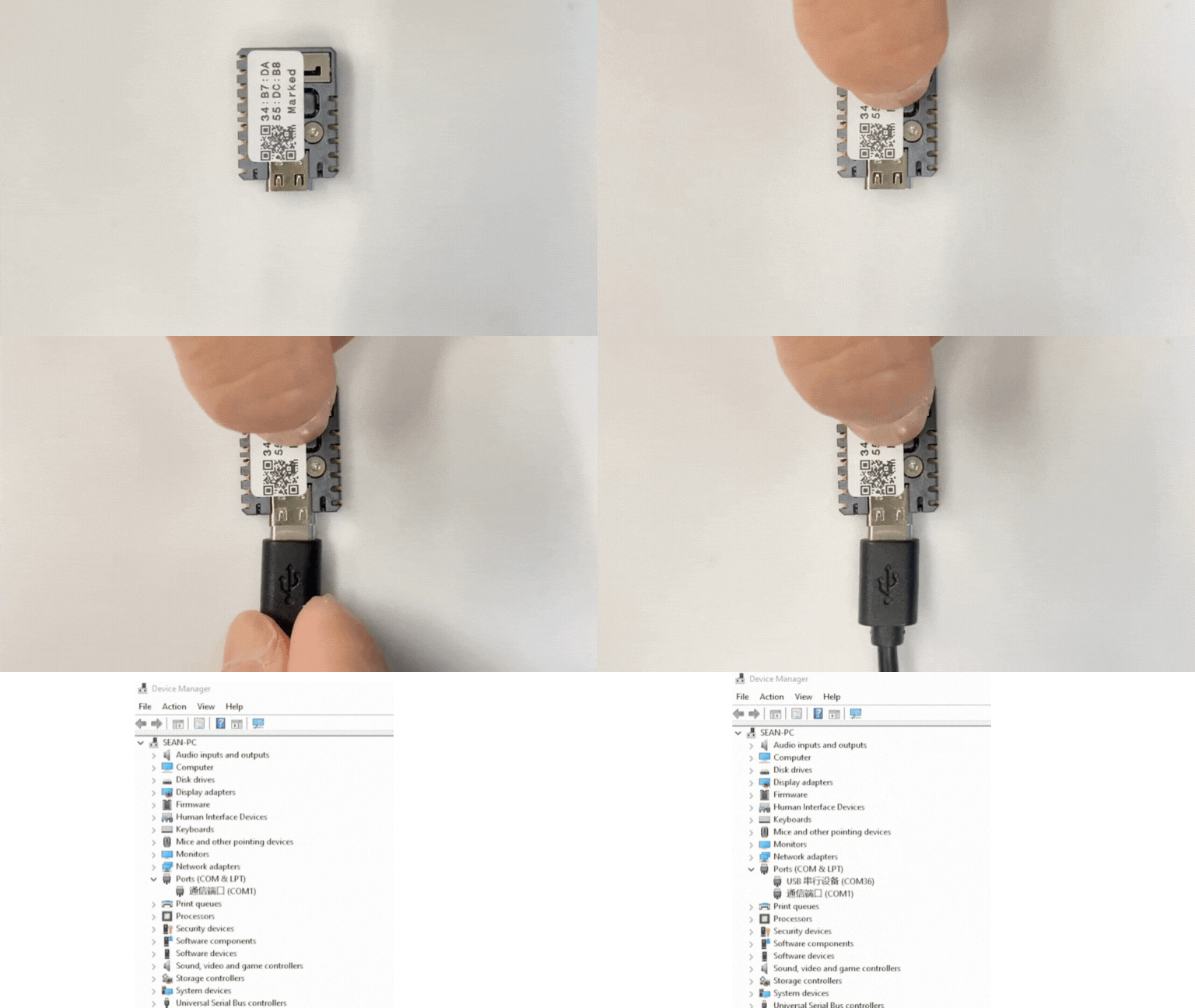
- Arduino IDE でデバイスのポートを選択し、上記のいずれかのサンプルプログラムをコピーして、左上のコンパイルと書き込みボタンをクリックします。プログラムのコンパイルとデバイスへの書き込みが完了するまで待ちます。
