

Arduino Quick Start
2. Devices & Examples
3. M5Unified
4. M5GFX
5. Extensions
Unit
Module
Atomic
Tab5
IoT
Accessories
Stamp Timer Power2 Arduino Tutorial
1. Preparation
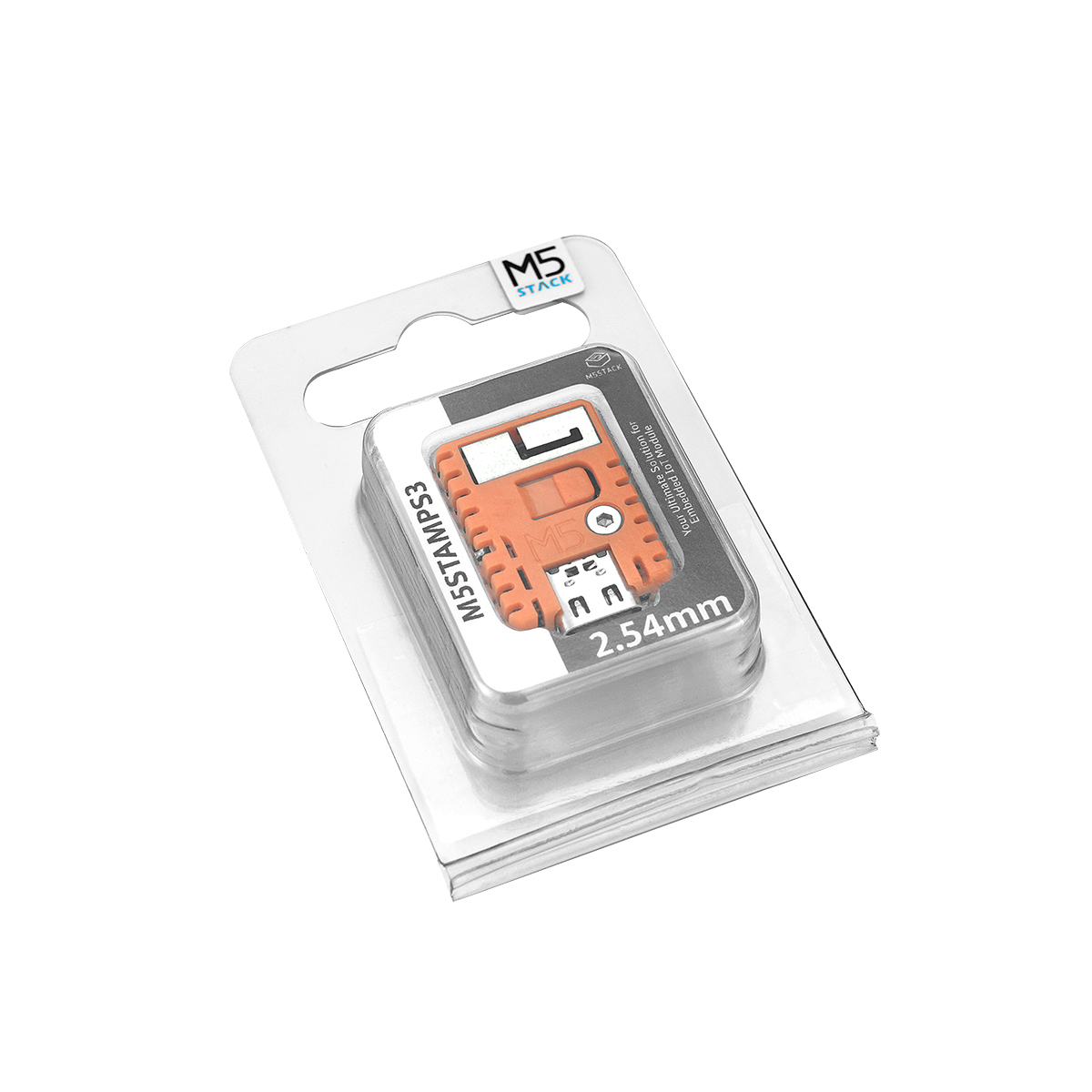
Environment Setup: Refer to the Arduino IDE Getting Started Guide to install the IDE. Install the board package and driver libraries required for the development board in use, then select the
M5StampS3board in Arduino IDE.Required Driver Libraries:
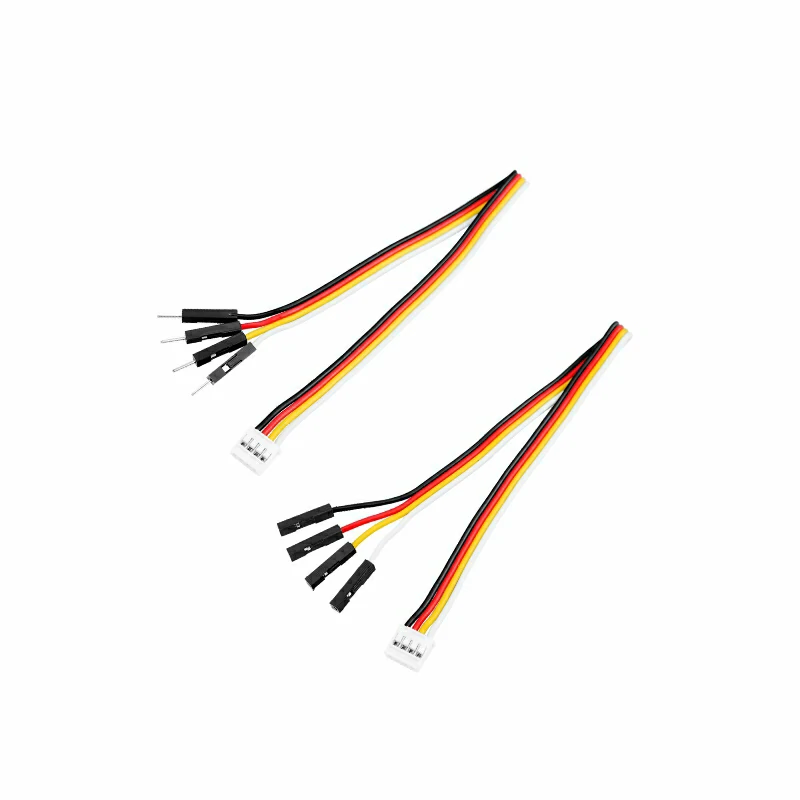
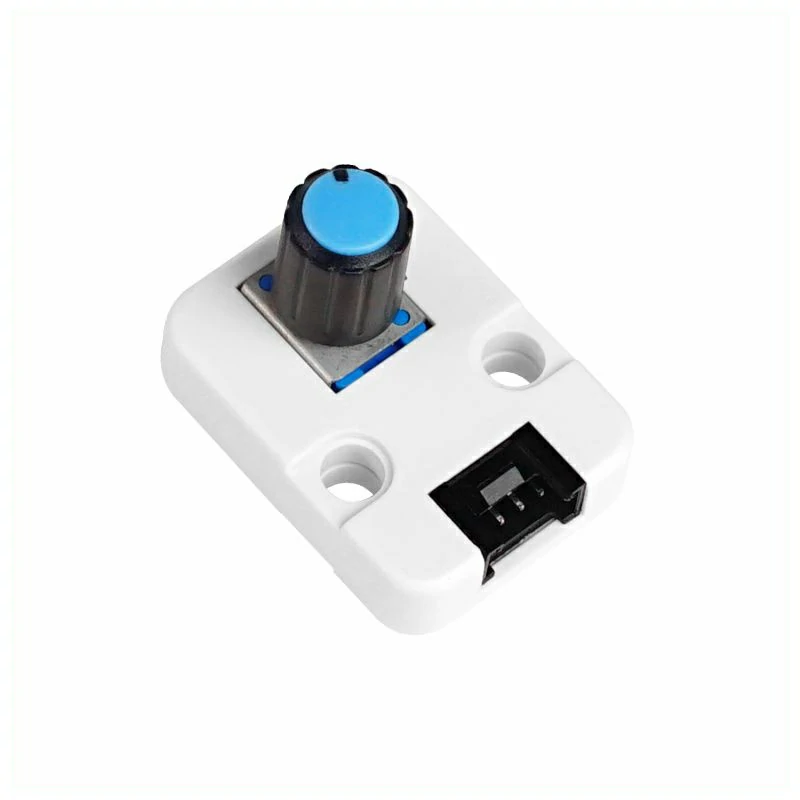
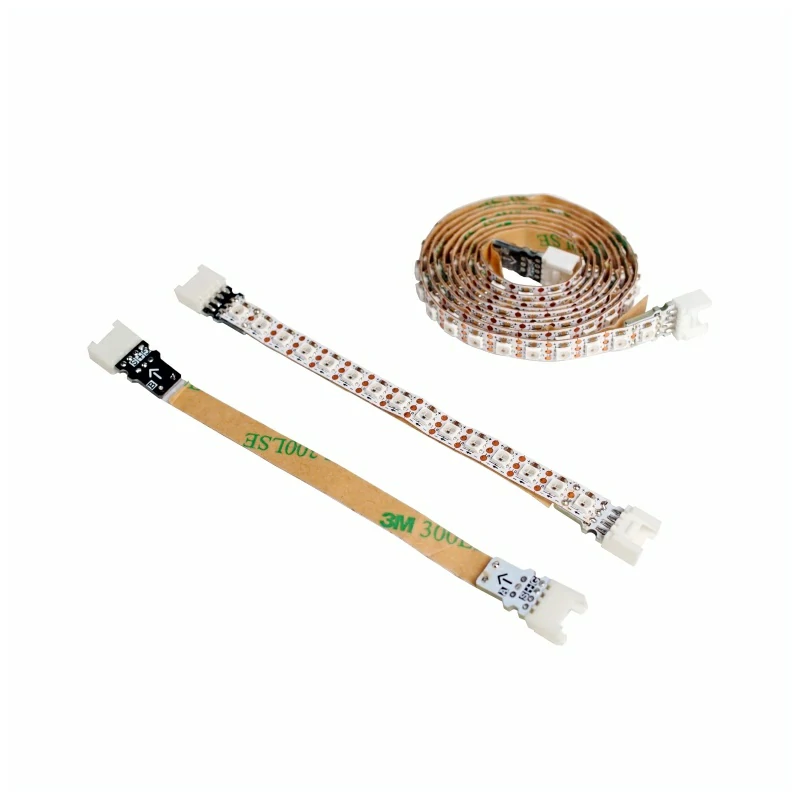
Required Hardware:

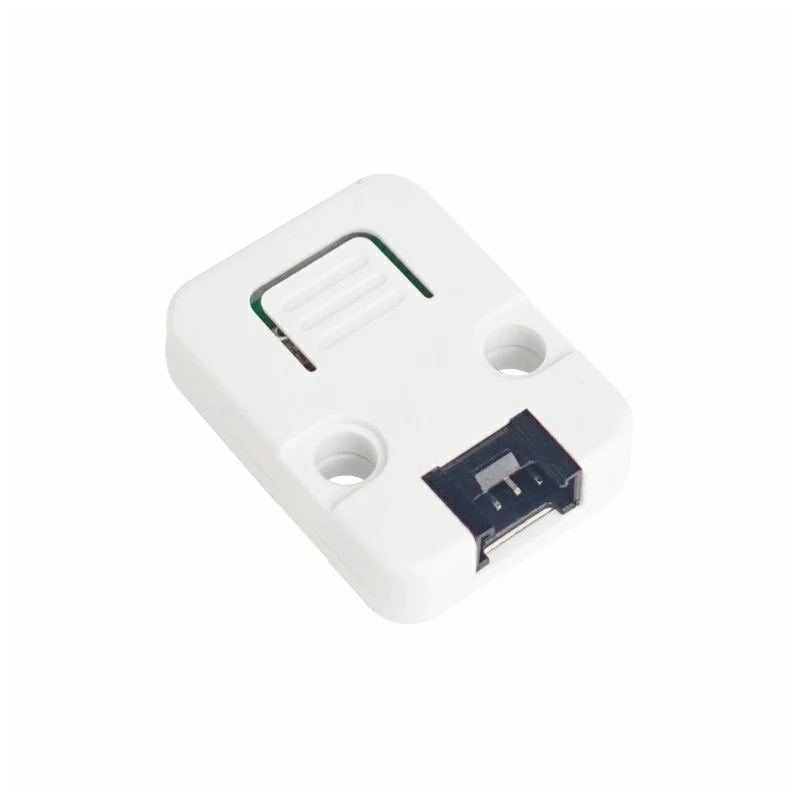
2. Default State
After power-on, Stamp Timer Power2 first runs the onboard power-management firmware, then enables I2C slave communication. When the host calls M5PM1::begin(), the call configures the I2C rate, disables idle sleep according to the arguments, and reads a snapshot of the module's current state. Apart from the I2C configuration, it does not actively change the G0 to G4 functions, power-control states, or other states. After initialization completes, the module enters the stable default state shown in the table below.
Power Control and Outputs
| Pin | Function | Stable State After Initialization | Description |
|---|---|---|---|
DCDC_3V3_EN | 3.3V DCDC enable | High; DCDC enabled | Outputs 3.3V when the input supply is normal |
LDO_3V3_EN | 3.3V LDO enable | High; LDO enabled | Outputs 3.3V when the input supply is normal |
BOOST_5V_EN | 5V_INOUT boost enable | Low; boost output disabled | Used as a 5V input detection terminal by default. When set high, it boosts and outputs 5V only when EXT_5V_INOUT has no external supply; if an external 5V supply is detected, it remains in input mode and clears the boost request |
CHG_EN | Battery charging enable | High; charging enabled | Whether charging actually occurs still depends on the battery, input supply, and charging circuit state |
BAT_ADC_EN | Battery voltage sampling enable | Low when stable; sampling disabled | Briefly pulled high to measure battery voltage and returns low after sampling |
LED_EN | Status indicator LED control | High during normal operation | May blink during reset, download mode, and some button interrupt states |
BOOT_OUT | Host startup/download mode control | Released (high with an external pull-up) | Open-drain output with no onboard pull-up. During normal power-up, it is released first, then 3.3V is enabled after about 100 ms. A low level during host reset/power-up sampling selects download mode |
Note: The current module firmware sets the valid detection threshold for 5VIN/5VINOUT to approximately 4.0V. 3.3V enabled means that the control pin is high; the actual output voltage still depends on the input supply and battery state. When powered by battery, the output is also limited by the default BATT_LVP threshold (approximately 2.5V).
GPIO
| Pin | Function After Initialization | Direction | Internal Pull-up/Pull-down | Default Output Stage | Physical Level |
|---|---|---|---|---|---|
| G0 | General GPIO; NeoPixel disabled | Input | None | Open-drain | Determined by external input or bias |
| G1 | General GPIO; ADC1 disabled | Input | None | Open-drain | Determined by external input or bias |
| G2 | General GPIO; ADC2 disabled | Input | None | Open-drain | Determined by external input or bias |
| G3 | General GPIO; PWM disabled | Input | None | Open-drain | Determined by external input or bias |
| G4 | General GPIO; PWM and IRQ signal output disabled | Input | None | Open-drain | Determined by external input or bias |
After power-on reset, G0 to G4 have no internal pull-up or pull-down. If a pin is later switched to output without being explicitly configured for push-pull, the port remains open-drain; an external pull-up is required for a high open-drain output.
G0 to G4 can all be configured as IRQ outputs. When all IRQ states are cleared, a pin configured for IRQ is released to high; when the relevant IRQ state is set, the pin is pulled low and remains low until the state is cleared.
Power Button and Sampling Pins
| Pin | State After Initialization | Description |
|---|---|---|
PWR_BTN | Input; internal pull-up | High when the button is not pressed and low when pressed |
BAT_ADC | Analog input; no pull-up or pull-down | Battery voltage sampling terminal |
VIN_ADC | Analog input; no pull-up or pull-down | Input supply voltage sampling terminal |
5VOUT_ADC | Analog input; no pull-up or pull-down | 5V_INOUT voltage sampling terminal; used to detect the external input voltage when BOOST_5V_EN is off |
3. Example Programs
GPIO
G0 and G1 are configured as push-pull outputs and switch levels every 300 ms. The two pins always remain in opposite states.
The wiring diagram is shown below.

#include <M5PM1.h>

// Stamp-S3 uses G13 for SDA and G15 for SCL.
constexpr int I2C_SDA_PIN             = 13;
constexpr int I2C_SCL_PIN             = 15;
constexpr uint32_t I2C_FREQUENCY      = M5PM1_I2C_FREQ_100K;
constexpr uint32_t TOGGLE_INTERVAL_MS = 300;

M5PM1 stp2;
bool g0_level = LOW;
uint32_t last_toggle_ms = 0;

void setup()
{
    Serial.begin(115200);

    // Print the example configuration on startup.
    Serial.println("Stamp Timer Power2 - GPIO output");
    Serial.printf("I2C: SDA=G%d, SCL=G%d, period=%lums\n",
                  I2C_SDA_PIN, I2C_SCL_PIN,
                  static_cast<unsigned long>(TOGGLE_INTERVAL_MS));

    // Initialize Stamp Timer Power2 over I2C.
    if (stp2.begin(&Wire, M5PM1_DEFAULT_ADDR, I2C_SDA_PIN, I2C_SCL_PIN, I2C_FREQUENCY) != M5PM1_OK) {
        Serial.println("Stamp Timer Power2 init failed");
        while (true) delay(1000);
    }
    // Start with G0 low and G1 high.
    stp2.gpioSet(M5PM1_GPIO_NUM_0, M5PM1_GPIO_MODE_OUTPUT, LOW, M5PM1_GPIO_PULL_NONE,
                 M5PM1_GPIO_DRIVE_PUSHPULL);
    stp2.gpioSet(M5PM1_GPIO_NUM_1, M5PM1_GPIO_MODE_OUTPUT, HIGH, M5PM1_GPIO_PULL_NONE,
                 M5PM1_GPIO_DRIVE_PUSHPULL);
    Serial.printf("Initial: G0=%s, G1=%s\n",
                  g0_level ? "HIGH" : "LOW", g0_level ? "LOW" : "HIGH");
}

void loop()
{
    const uint32_t now = millis();
    // Update both outputs only once per interval.
    if (now - last_toggle_ms >= TOGGLE_INTERVAL_MS) {
        last_toggle_ms = now;
        g0_level       = !g0_level;
        // Keep G1 opposite to G0.
        const bool g1_level = !g0_level;
        stp2.gpioSetOutput(M5PM1_GPIO_NUM_0, g0_level ? HIGH : LOW);
        stp2.gpioSetOutput(M5PM1_GPIO_NUM_1, g1_level ? HIGH : LOW);
        Serial.printf("G0: %s, G1: %s\n",
                      g0_level ? "HIGH" : "LOW", g1_level ? "HIGH" : "LOW");
    }
}After a successful upload, the LEDs connected to G0 and G1 blink alternately, and the serial monitor reports the current levels.

ADC
G2 is configured as ADC2. The program continuously reads the 12-bit raw ADC value and updates the result in the serial monitor.
The wiring diagram is shown below.

#include <M5PM1.h>

constexpr int I2C_SDA_PIN        = 13;
constexpr int I2C_SCL_PIN        = 15;
constexpr uint32_t I2C_FREQUENCY = M5PM1_I2C_FREQ_100K;

M5PM1 stp2;

void setup()
{
    Serial.begin(115200);

    // Print the example configuration on startup.
    Serial.println("Stamp Timer Power2 - ADC sample");
    Serial.println("Channel: G2 -> ADC2 (12-bit)");

    // Initialize Stamp Timer Power2 over I2C.
    if (stp2.begin(&Wire, M5PM1_DEFAULT_ADDR, I2C_SDA_PIN, I2C_SCL_PIN, I2C_FREQUENCY) != M5PM1_OK) {
        Serial.println("Stamp Timer Power2 init failed");
        while (true) delay(1000);
    }
    // Map Stamp Timer Power2 GPIO2 to ADC2.
    stp2.gpioSetFunc(M5PM1_GPIO_NUM_2, M5PM1_GPIO_FUNC_OTHER);
}

void loop()
{
    uint16_t adc_value = 0;
    // Read ADC2 continuously through the M5PM1 I2C interface.
    const bool ok = stp2.analogRead(M5PM1_ADC_CH_2, &adc_value) == M5PM1_OK;
    Serial.printf("G2 ADC2: %u / 4095 (%s)\n",
                  static_cast<unsigned>(adc_value), ok ? "OK" : "ERROR");
    delay(100);
}After a successful upload, rotating the Unit Angle connected to G2 changes the raw ADC value shown in the serial monitor.
Serial output example:
G2 ADC2: 0 / 4095 (OK)
G2 ADC2: 0 / 4095 (OK)
G2 ADC2: 0 / 4095 (OK)
G2 ADC2: 0 / 4095 (OK)
G2 ADC2: 0 / 4095 (OK)
G2 ADC2: 625 / 4095 (OK)
G2 ADC2: 813 / 4095 (OK)
G2 ADC2: 1115 / 4095 (OK)
G2 ADC2: 1527 / 4095 (OK)
G2 ADC2: 1864 / 4095 (OK)
G2 ADC2: 2200 / 4095 (OK)
G2 ADC2: 2465 / 4095 (OK)
G2 ADC2: 2661 / 4095 (OK)
G2 ADC2: 2826 / 4095 (OK)
G2 ADC2: 2976 / 4095 (OK)
G2 ADC2: 3192 / 4095 (OK)
G2 ADC2: 3465 / 4095 (OK)
G2 ADC2: 3693 / 4095 (OK)
G2 ADC2: 3913 / 4095 (OK)
G2 ADC2: 4095 / 4095 (OK)
G2 ADC2: 4095 / 4095 (OK)
G2 ADC2: 4095 / 4095 (OK)
G2 ADC2: 4095 / 4095 (OK)
G2 ADC2: 4095 / 4095 (OK)
G2 ADC2: 4095 / 4095 (OK)PWM
G3 and G4 use PWM0 and PWM1, respectively. The program adjusts the duty cycle every 50 ms, with G4 decreasing as G3 increases. The direction reverses automatically after reaching 0% or 100%.
The wiring diagram is shown below.

#include <M5PM1.h>

constexpr int I2C_SDA_PIN          = 13;
constexpr int I2C_SCL_PIN          = 15;
constexpr uint32_t I2C_FREQUENCY   = M5PM1_I2C_FREQ_100K;
// Both PWM channels share this frequency.
constexpr uint16_t PWM_FREQUENCY   = 1000;
// Update the inverse duty sweep every 50 ms.
constexpr uint32_t PWM_INTERVAL_MS = 50;

M5PM1 stp2;
// Track the G3 duty cycle and the current sweep direction.
int16_t g3_duty = 0;
int16_t duty_step = 5;
uint32_t last_pwm_ms = 0;

void setup()
{
    Serial.begin(115200);

    // Print the example configuration on startup.
    Serial.println("Stamp Timer Power2 - PWM output");
    Serial.printf("PWM frequency: %u Hz\n", static_cast<unsigned>(PWM_FREQUENCY));

    // Initialize Stamp Timer Power2 over I2C.
    if (stp2.begin(&Wire, M5PM1_DEFAULT_ADDR, I2C_SDA_PIN, I2C_SCL_PIN, I2C_FREQUENCY) != M5PM1_OK) {
        Serial.println("Stamp Timer Power2 init failed");
        while (true) delay(1000);
    }
    // Configure the PWM pins as special-function push-pull outputs.
    // gpioSetFunc alone does not set the output direction.
    stp2.pinMode(M5PM1_GPIO_NUM_3, M5PM1_OTHER);
    stp2.pinMode(M5PM1_GPIO_NUM_4, M5PM1_OTHER);
    stp2.setPwmFrequency(PWM_FREQUENCY);
    stp2.setPwmDuty(M5PM1_PWM_CH_0, 0, false, true);
    stp2.setPwmDuty(M5PM1_PWM_CH_1, 100, false, true);
    Serial.println("Initial PWM: G3=0%, G4=100%");
}

void loop()
{
    const uint32_t now = millis();
    // Advance the duty cycle at the configured interval.
    if (now - last_pwm_ms >= PWM_INTERVAL_MS) {
        last_pwm_ms = now;
        // Reverse direction whenever either endpoint is reached.
        if (g3_duty >= 100) {
            g3_duty   = 100;
            duty_step = -5;
        } else if (g3_duty <= 0) {
            g3_duty   = 0;
            duty_step = 5;
        }

        g3_duty += duty_step;
        // Keep the G3 value within the valid duty range.
        if (g3_duty < 0) g3_duty = 0;
        if (g3_duty > 100) g3_duty = 100;
        // G4 always receives the complement of G3.
        const uint8_t g4_duty = static_cast<uint8_t>(100 - g3_duty);
        stp2.setPwmDuty(M5PM1_PWM_CH_0, static_cast<uint8_t>(g3_duty), false, true);
        stp2.setPwmDuty(M5PM1_PWM_CH_1, g4_duty, false, true);
        Serial.printf("G3: %d%%, G4: %u%%\n",
                      g3_duty, static_cast<unsigned>(g4_duty));
    }
}After a successful upload, the LEDs connected to G3 and G4 blink alternately, and the serial monitor reports the current duty cycles.

RGB LED
The NeoPixel data line of Stamp Timer Power2 is multiplexed on G0. The example controls 15 RGB LEDs and updates the rainbow colors at intervals of about 20 ms to create a scrolling rainbow effect.
The wiring diagram is shown below.

#include <M5PM1.h>

constexpr int I2C_SDA_PIN        = 13;
constexpr int I2C_SCL_PIN        = 15;
constexpr uint32_t I2C_FREQUENCY = M5PM1_I2C_FREQ_100K;
// Drive the built-in 15-pixel strip.
constexpr uint8_t LED_COUNT      = 15;
// Keep the strip dim to limit current.
constexpr uint8_t LED_BRIGHTNESS = 32;  // Brightness range: 0-255.

M5PM1 stp2;
// Offset advances the hue pattern on each refresh.
uint8_t rainbow_offset = 0;

uint8_t scaleColor(uint8_t value)
{
    // Apply the brightness factor to one RGB component.
    return static_cast<uint8_t>((static_cast<uint16_t>(value) * LED_BRIGHTNESS) / 255);
}

m5pm1_rgb_t colorWheel(uint8_t position)
{
    // Reverse the hue position to obtain a forward scroll.
    position = 255 - position;
    m5pm1_rgb_t color = {0, 0, 0};
    // Split the color wheel into three linear sections.
    if (position < 85) {
        color.r = 255 - position * 3;
        color.g = 0;
        color.b = position * 3;
    } else if (position < 170) {
        position -= 85;
        color.r = 0;
        color.g = position * 3;
        color.b = 255 - position * 3;
    } else {
        position -= 170;
        color.r = position * 3;
        color.g = 255 - position * 3;
        color.b = 0;
    }
    color.r = scaleColor(color.r);
    color.g = scaleColor(color.g);
    color.b = scaleColor(color.b);
    return color;
}

void setup()
{
    Serial.begin(115200);

    // Print the example configuration on startup.
    Serial.println("Stamp Timer Power2 - RGB LED");
    Serial.printf("LED count: %u, brightness: %u/255\n",
                  static_cast<unsigned>(LED_COUNT),
                  static_cast<unsigned>(LED_BRIGHTNESS));

    // Initialize Stamp Timer Power2 over I2C.
    if (stp2.begin(&Wire, M5PM1_DEFAULT_ADDR, I2C_SDA_PIN, I2C_SCL_PIN, I2C_FREQUENCY) != M5PM1_OK) {
        Serial.println("Stamp Timer Power2 init failed");
        while (true) delay(1000);
    }
    // Configure GPIO0 for NeoPixel output with push-pull drive.
    stp2.gpioSetFunc(M5PM1_GPIO_NUM_0, M5PM1_GPIO_FUNC_OTHER);
    stp2.gpioSetDrive(M5PM1_GPIO_NUM_0, M5PM1_GPIO_DRIVE_PUSHPULL);
    stp2.gpioSetOutput(M5PM1_GPIO_NUM_0, HIGH);
    // Enable the LED power path before refreshing pixels.
    stp2.setLedEnLevel(true);
    // Allow the PM1 to finish switching to NeoPixel timing.
    delay(20);
    stp2.setLedCount(LED_COUNT);
}

void loop()
{
    m5pm1_rgb_t colors[LED_COUNT];
    // Build a smoothly distributed hue for each pixel.
    for (uint8_t i = 0; i < LED_COUNT; ++i) {
        // Reverse the index so the rainbow scrolls forward.
        const uint8_t position = static_cast<uint8_t>(
            (static_cast<uint16_t>(i) * 256 / LED_COUNT + 256 - rainbow_offset) & 0xFF);
        colors[i] = colorWheel(position);
    }

    // Send the frame and refresh the strip immediately.
    stp2.setLeds(colors, LED_COUNT, LED_COUNT, true);
    // Advance the pattern after the frame has been sent.
    rainbow_offset += 8;
    Serial.printf("RGB rainbow offset: %u\n", static_cast<unsigned>(rainbow_offset));
    delay(20);
}After a successful upload, the RGB LED strip displays a scrolling rainbow effect, and the serial monitor reports the current rainbow offset.

IRQ
G0 is configured as an input with a pull-up, and G4 is first set high before being switched to an IRQ output. The program polls the G0 IRQ over I2C. After an event is set, it remains asserted for 1 second before being cleared; the next interrupt can only be recognized after G0 returns high.
The wiring diagram is shown below.

#include <M5PM1.h>

constexpr int I2C_SDA_PIN               = 13;
constexpr int I2C_SCL_PIN               = 15;
constexpr uint32_t I2C_FREQUENCY        = M5PM1_I2C_FREQ_100K;
// Hold the IRQ flag for one second after an event.
constexpr uint32_t IRQ_CLEAR_DELAY      = 1000;

M5PM1 stp2;
// Track an active event and prevent immediate re-triggering.
bool irq_active = false;
bool wait_for_release = false;
uint32_t irq_started_ms = 0;
uint32_t irq_count = 0;

void setup()
{
    Serial.begin(115200);

    // Print the example configuration on startup.
    Serial.println("Stamp Timer Power2 - GPIO IRQ");
    Serial.println("Input: G0, IRQ summary output: G4");

    // Initialize Stamp Timer Power2 over I2C.
    if (stp2.begin(&Wire, M5PM1_DEFAULT_ADDR, I2C_SDA_PIN, I2C_SCL_PIN, I2C_FREQUENCY) != M5PM1_OK) {
        Serial.println("Stamp Timer Power2 init failed");
        while (true) delay(1000);
    }
    // Monitor G0 and expose the Stamp Timer Power2 IRQ summary on G4.
    stp2.gpioSet(M5PM1_GPIO_NUM_0, M5PM1_GPIO_MODE_INPUT, HIGH, M5PM1_GPIO_PULL_UP,
                 M5PM1_GPIO_DRIVE_PUSHPULL);
    // Set G4 high before switching it to the IRQ output function.
    stp2.gpioSet(M5PM1_GPIO_NUM_4, M5PM1_GPIO_MODE_OUTPUT, HIGH,
                 M5PM1_GPIO_PULL_NONE, M5PM1_GPIO_DRIVE_PUSHPULL);
    // Reserve G4 for the PM1 interrupt summary output.
    stp2.gpioSetFunc(M5PM1_GPIO_NUM_4, M5PM1_GPIO_FUNC_IRQ);
    // Enable only G0 and discard any stale interrupt state.
    stp2.irqSetGpioMaskAll(M5PM1_IRQ_MASK_ENABLE);
    stp2.irqSetGpioMask(M5PM1_IRQ_GPIO0, M5PM1_IRQ_MASK_DISABLE);
    stp2.irqClearGpioAll();

    // Print the initial state once after configuration.
    uint8_t initial_g0_level = HIGH;
    uint8_t initial_irq_status = 0;
    stp2.gpioGetInput(M5PM1_GPIO_NUM_0, &initial_g0_level);
    stp2.irqGetGpioStatus(&initial_irq_status, M5PM1_CLEAN_NONE);
    Serial.printf("G0=%s, IRQ=CLEAR, count=0, flag=0x%02X\n",
                  initial_g0_level ? "HIGH" : "LOW", initial_irq_status);
}

void loop()
{
    const uint32_t now = millis();
    uint8_t g0_level = HIGH;
    uint8_t irq_status = 0;
    // Read the input level and latched IRQ flags.
    stp2.gpioGetInput(M5PM1_GPIO_NUM_0, &g0_level);
    stp2.irqGetGpioStatus(&irq_status, M5PM1_CLEAN_NONE);

    // Accept the first low-level event while the input is held low.
    if (!irq_active && !wait_for_release && g0_level == LOW && (irq_status & M5PM1_IRQ_GPIO0)) {
        irq_active     = true;
        irq_started_ms = now;
        ++irq_count;
        // Print once when the IRQ becomes active.
        Serial.printf("IRQ event: G0=%s, IRQ=ACTIVE, count=%lu, flag=0x%02X  1s later clear flag...\n",
                      g0_level ? "HIGH" : "LOW",
                      static_cast<unsigned long>(irq_count), irq_status);
    }

    // Clear the event flag after the requested hold time.
    if (irq_active && now - irq_started_ms >= IRQ_CLEAR_DELAY) {
        // Print the flag value immediately before clearing it.
        stp2.irqClearGpioAll();
        irq_active       = false;
        wait_for_release = true;
        irq_status       = 0;

        // Print the state after clearing the flag.
        Serial.printf("Clear Complete, G0=%s, IRQ=CLEAR, count=%lu, flag=0x%02X\n",
                      g0_level ? "HIGH" : "LOW",
                      static_cast<unsigned long>(irq_count), irq_status);
    }

    // Re-arm only after G0 returns to its idle high level.
    if (wait_for_release && g0_level == HIGH) {
        wait_for_release = false;
    }

    delay(20);
}After a successful upload, pressing the Unit Button connected to G0 drives G4 low and turns on the connected LED. After the button is released, G4 remains low for 1 second, then returns high and the LED turns off.

Serial output example:
Stamp Timer Power2 - GPIO IRQ
Input: G0, IRQ summary output: G4
[I][M5PM1_SYS] Device: ID=0x50 MODEL=0x20 HW=0x05 SW=0x53(S)
[I][M5PM1_I2C] I2C config set and verified: sleep=0, speed=100K
[I][M5PM1_I2C] M5PM1 initialized at address 0x6E (I2C: 100000 Hz)
[I][M5PM1_IRQ] IRQ GPIO mask all Enabled
[I][M5PM1_IRQ] IRQ GPIO mask 0x01 Disabled
G0=HIGH, IRQ=CLEAR, count=0, flag=0x00
IRQ event: G0=LOW, IRQ=ACTIVE, count=1, flag=0x01  1s later clear flag...
Clear Complete, G0=HIGH, IRQ=CLEAR, count=1, flag=0x00
IRQ event: G0=LOW, IRQ=ACTIVE, count=2, flag=0x01  1s later clear flag...
Clear Complete, G0=HIGH, IRQ=CLEAR, count=2, flag=0x00Timed Power On/Off
Stamp-S3 G44 is configured as an input with a pull-up and connected to the Unit Button, which is active low; the LED connected to Stamp-S3 G1 turns on at high level. A single click configures power-on after 3 seconds and immediately powers off, while a double click configures power-off after 3 seconds.
The wiring diagram is shown below.

#include <M5PM1.h>

constexpr int I2C_SDA_PIN              = 13;
constexpr int I2C_SCL_PIN              = 15;
constexpr uint32_t I2C_FREQUENCY       = M5PM1_I2C_FREQ_100K;
// Stamp-S3 G44 is the active-low button; G1 is the active-high LED.
constexpr int BUTTON_PIN               = 44;
constexpr int LED_PIN                  = 1;
// Ignore contact bounce before accepting a button transition.
constexpr uint32_t BUTTON_DEBOUNCE_MS  = 30;
// Wait this long after release before deciding single or double click.
constexpr uint32_t DOUBLE_CLICK_MS     = 350;
constexpr uint32_t TIMER_SECONDS       = 3;

M5PM1 stp2;
bool click_pending = false;
uint32_t release_ms = 0;

// Configure a PM1 timer action and report configuration errors.
bool armPowerTimer(m5pm1_tim_action_t action, const char* label)
{
    const m5pm1_err_t err = stp2.timerSet(TIMER_SECONDS, action);
    if (err != M5PM1_OK) {
        Serial.printf("%s timer failed: %d\n", label, static_cast<int>(err));
        return false;
    }
    Serial.printf("%s timer armed: %lus\n", label,
                  static_cast<unsigned long>(TIMER_SECONDS));
    return true;
}

// A single click arms power-on, then shuts down immediately.
void handleSingleClick()
{
    Serial.println("Single click: power on after 3s");
    if (armPowerTimer(M5PM1_TIM_ACTION_POWERON, "Power-on")) {
        Serial.println("Shutting down now; PM1 will restart Stamp-S3");
        stp2.shutdown();
    }
}

// A double click arms the delayed power-off action.
void handleDoubleClick()
{
    Serial.println("Double click: power off after 3s");
    armPowerTimer(M5PM1_TIM_ACTION_POWEROFF, "Power-off");
}

void handleButtonPress()
{
    const uint32_t now = millis();
    // A second press within the window is treated as a double click.
    if (click_pending && release_ms != 0 &&
        now - release_ms <= DOUBLE_CLICK_MS) {
        click_pending = false;
        release_ms = 0;
        handleDoubleClick();
        return;
    }
    click_pending = true;
    release_ms = 0;
}

void handleButtonRelease()
{
    // Start the double-click window when the first click is released.
    if (click_pending) {
        release_ms = millis();
    }
}

void scanButton()
{
    // Debounce the active-low button and dispatch stable edges.
    const bool raw_pressed = digitalRead(BUTTON_PIN) == LOW;
    static bool last_raw = raw_pressed;
    static bool stable = raw_pressed;
    static uint32_t last_change_ms = millis();
    const uint32_t now = millis();

    if (raw_pressed != last_raw) {
        last_raw = raw_pressed;
        last_change_ms = now;
    }
    if (now - last_change_ms < BUTTON_DEBOUNCE_MS || stable == last_raw) {
        return;
    }

    stable = last_raw;
    if (stable) {
        handleButtonPress();
    } else {
        handleButtonRelease();
    }
}

void setup()
{
    // Set G1 HIGH only once; PM1 power removal turns it off indirectly.
    pinMode(LED_PIN, OUTPUT);
    digitalWrite(LED_PIN, HIGH);
    pinMode(BUTTON_PIN, INPUT_PULLUP);
    Serial.begin(115200);

    Serial.println("Stamp Timer Power2 - timed power control");
    Serial.println("Button: Stamp-S3 G44 (active low)");
    Serial.println("LED: Stamp-S3 G1 (active high)");

    if (stp2.begin(&Wire, M5PM1_DEFAULT_ADDR, I2C_SDA_PIN, I2C_SCL_PIN, I2C_FREQUENCY) != M5PM1_OK) {
        Serial.println("Stamp Timer Power2 init failed");
        while (true) delay(1000);
    }

    // Clear any previous PM1 timer before arming a new action.
    stp2.timerClear();
    Serial.println("Single click: power on after 3s");
    Serial.println("Double click: power off after 3s");
}

void loop()
{
    const uint32_t now = millis();
    // Resolve a pending single click after the double-click window.
    if (click_pending && release_ms != 0 && now - release_ms > DOUBLE_CLICK_MS) {
        click_pending = false;
        release_ms = 0;
        handleSingleClick();
    }

    scanButton();
    delay(10);
}After a successful upload, clicking the Unit Button once makes Stamp-S3 set the Stamp Timer Power2 power-on timer to 3 seconds and immediately power off; the LED turns off, and power is restored after 3 seconds. Double-clicking the Unit Button makes Stamp-S3 configure Stamp Timer Power2 to enter sleep after 3 seconds; Stamp-S3 then loses power and the LED turns off.

Low-Power Wakeup
Stamp Timer Power2 G2 is configured as an input with a pull-up and connected to the Unit Button, which is active low; the LED connected to Stamp-S3 G1 turns on at high level. The program configures G2 falling-edge wakeup: pressing G2 during operation shuts the board down, and pressing G2 again after shutdown wakes Stamp Timer Power2 and restarts Stamp-S3.
The wiring diagram is shown below.

#include <M5PM1.h>

constexpr int I2C_SDA_PIN              = 13;
constexpr int I2C_SCL_PIN              = 15;
constexpr uint32_t I2C_FREQUENCY       = M5PM1_I2C_FREQ_100K;
// PM1 G2 is the active-low shutdown/wake button; G1 is the active-high LED.
constexpr int LED_PIN                  = 1;
constexpr uint32_t BUTTON_DEBOUNCE_MS  = 30;

M5PM1 stp2;
// Track debounce state and whether a shutdown press is currently allowed.
bool button_armed = false;
bool last_raw = false;
bool stable = false;
uint32_t last_change_ms = 0;

void setup()
{
    // Set G1 HIGH only once; PM1 power loss turns it off naturally.
    pinMode(LED_PIN, OUTPUT);
    digitalWrite(LED_PIN, HIGH);
    Serial.begin(115200);

    Serial.println("Stamp Timer Power2 - shutdown/wake button");
    Serial.println("Button: PM1 G2 (active low)");
    Serial.println("LED: Stamp-S3 G1 (active high)");

    if (stp2.begin(&Wire, M5PM1_DEFAULT_ADDR, I2C_SDA_PIN, I2C_SCL_PIN, I2C_FREQUENCY) != M5PM1_OK) {
        Serial.println("Stamp Timer Power2 init failed");
        while (true) delay(1000);
    }

    // Read and clear the wake source from the previous PM1 cycle.
    uint8_t wake_source = 0;
    if (stp2.getWakeSource(&wake_source, M5PM1_CLEAN_ONCE) == M5PM1_OK) {
        Serial.printf("Wake source: 0x%02X%s\n", static_cast<unsigned>(wake_source),
                      (wake_source & M5PM1_WAKE_SRC_EXT_WAKE) ? " (external GPIO)" : "");
    }

    stp2.timerClear();
    // Configure G2 as a pulled-up input for the shared shutdown/wake button.
    stp2.gpioSet(M5PM1_GPIO_NUM_2, M5PM1_GPIO_MODE_INPUT, HIGH,
                 M5PM1_GPIO_PULL_UP, M5PM1_GPIO_DRIVE_PUSHPULL);
    // Wake PM1 on a falling edge from the active-low button.
    stp2.gpioSetWakeEdge(M5PM1_GPIO_NUM_2, M5PM1_GPIO_WAKE_FALLING);
    if (stp2.gpioSetWakeEnable(M5PM1_GPIO_NUM_2, true) != M5PM1_OK) {
        Serial.println("PM1 G2 wake configuration failed");
        while (true) delay(1000);
    }

    // After a wake press, wait for release before allowing shutdown.
    uint8_t g2_level = HIGH;
    stp2.gpioGetInput(M5PM1_GPIO_NUM_2, &g2_level);
    last_raw = stable = (g2_level == LOW);
    button_armed = (g2_level == HIGH);
    last_change_ms = millis();

    Serial.printf("G2=%s; %s\n", g2_level ? "HIGH" : "LOW",
                  button_armed ? "press G2 to turn Stamp-S3 off"
                               : "release G2 before using the button again");
}

void loop()
{
    uint8_t g2_level = HIGH;
    stp2.gpioGetInput(M5PM1_GPIO_NUM_2, &g2_level);

    // Debounce G2 and handle only stable state changes.
    const bool raw_pressed = (g2_level == LOW);
    const uint32_t now = millis();
    if (raw_pressed != last_raw) {
        last_raw = raw_pressed;
        last_change_ms = now;
    }

    if (now - last_change_ms >= BUTTON_DEBOUNCE_MS && stable != last_raw) {
        stable = last_raw;

        if (stable && button_armed) {
            button_armed = false;
            Serial.println("G2 pressed: turning Stamp-S3 off");
            delay(50);

            // DCDC_3V3 powers Stamp-S3, so the LED turns off with the board.
            if (stp2.shutdown() != M5PM1_OK) {
                Serial.println("Shutdown failed; press G2 after release to retry");
            } else {
                Serial.println("Stamp-S3 OFF; press G2 again to restart");
            }
        } else if (!stable && !button_armed) {
            button_armed = true;
            // Re-arm the same button after the wake/off press is released.
            Serial.println("G2 released; ready to shut down on the next press");
        }
    }

    delay(10);
}After a successful upload, pressing G2 during operation powers off Stamp-S3, removes its power, and turns off the LED. Pressing G2 again wakes Stamp Timer Power2, restarts Stamp-S3, and turns the LED on.

4. Program Compile & Upload
- Download Mode: With Stamp-S3 powered off, hold the G0 button and connect the USB cable to supply power. Release the G0 button after the computer recognizes the device port.
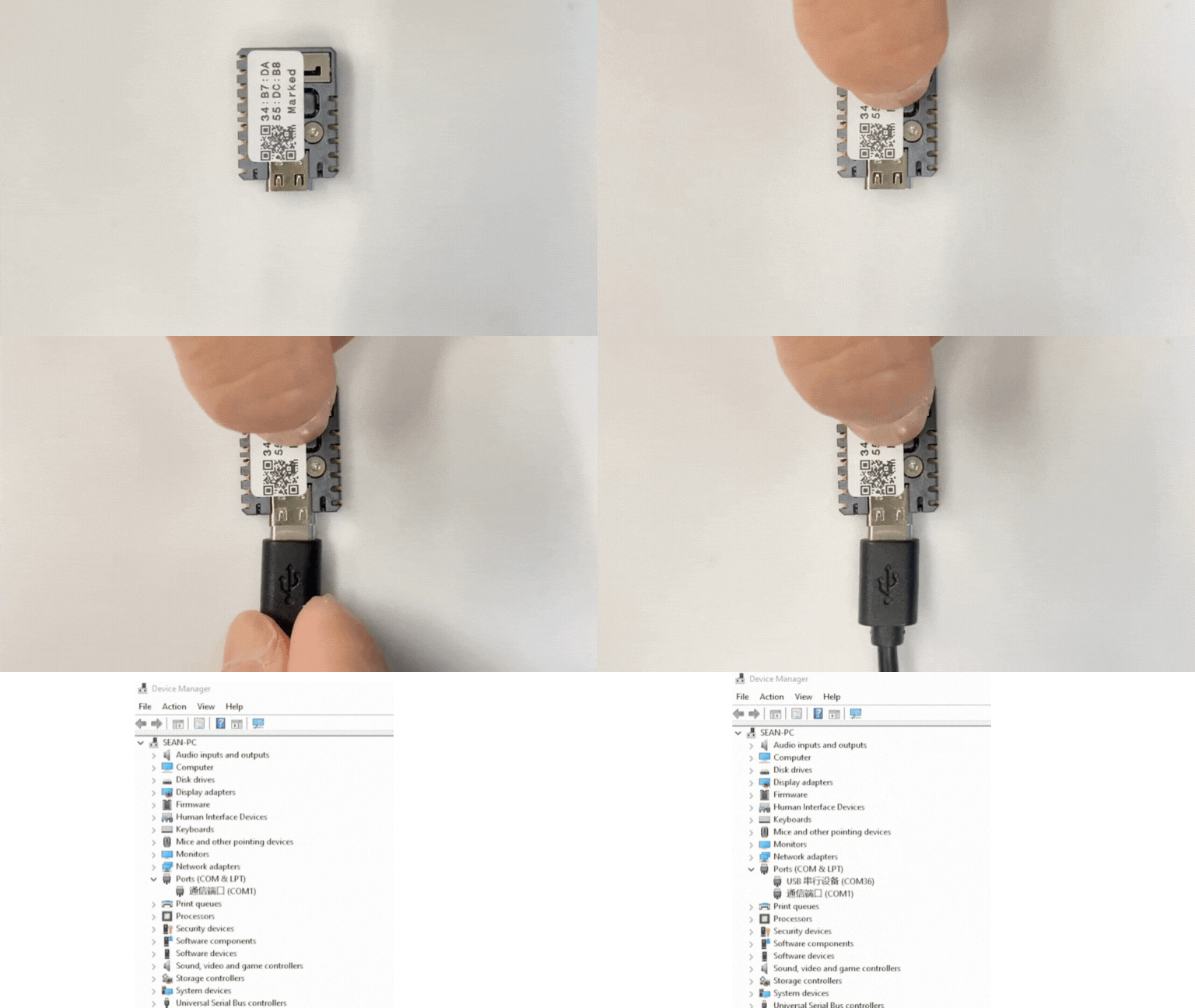
- Select the device port in Arduino IDE, copy any of the example programs above, click the Compile & Upload button in the upper-left corner, and wait for the program to finish compiling and uploading to the device.
