

Arduino 上手教程
2. 设备开发 & 案例程序
3. M5Unified
4. M5GFX
5. 扩展模块
Unit
Module
Atomic
Tab5
IoT
Stamp-AddOn Cam3660 Arduino 使用教程
1. 准备工作
- 环境配置:参考 Arduino IDE 上手教程 完成 IDE 安装。
- 使用到的驱动库:
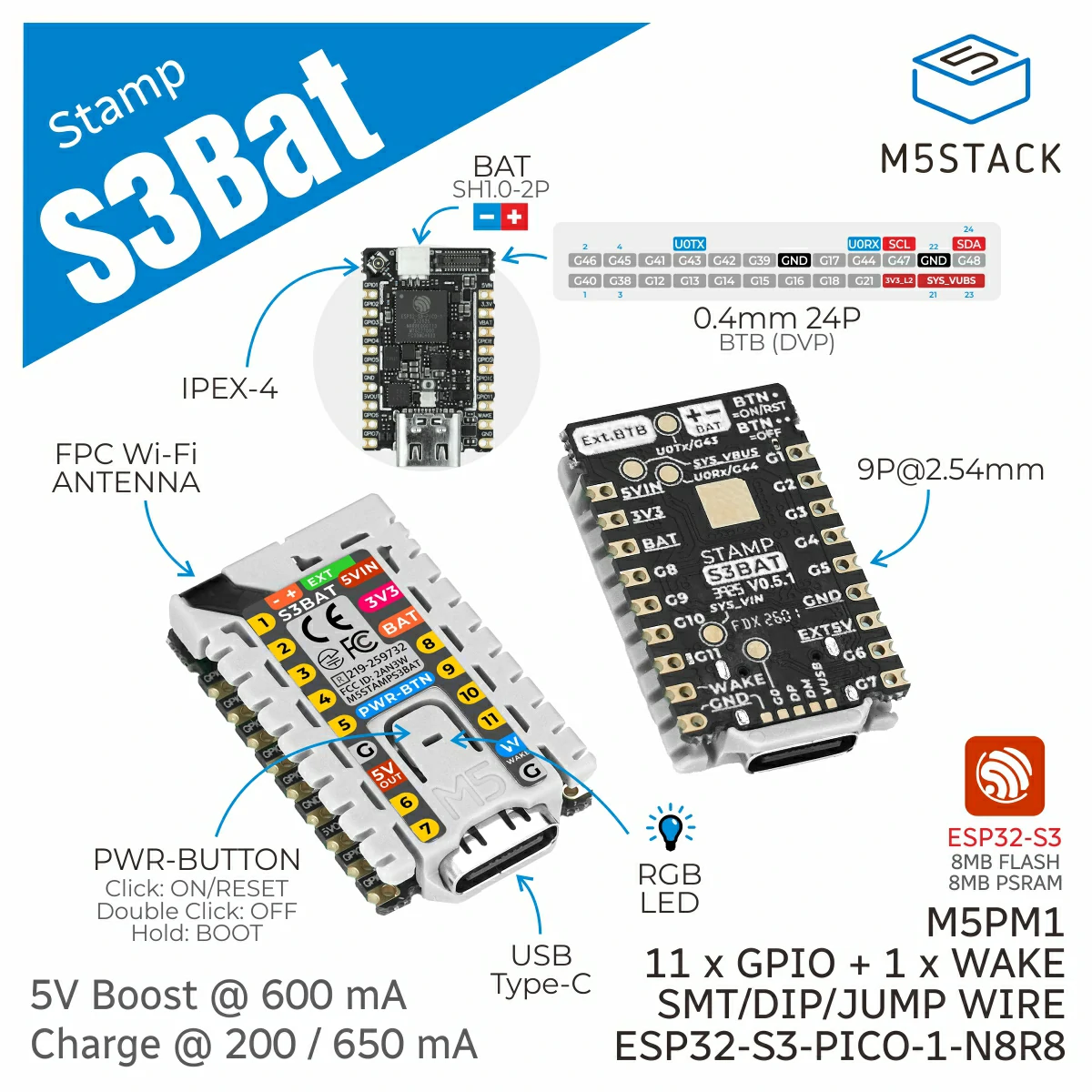
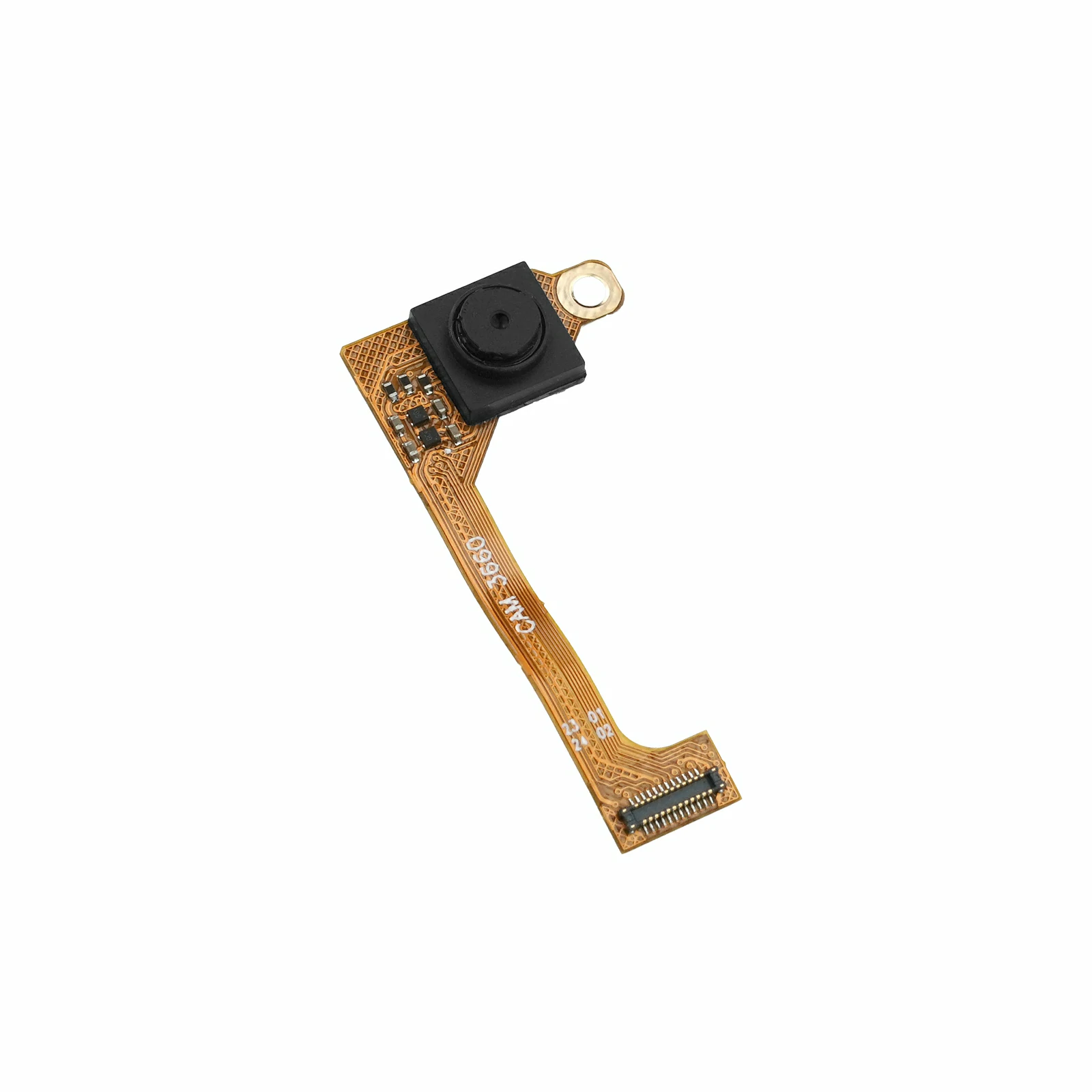
- 使用到的硬件产品:
- 编译要求:
- M5Stack 板管理版本 >= 3.3.8
- 开发板选项 = M5StampS3Bat
2. 案例程序
本案例将 OV3660 配置为 VGA (640 x 480) 分辨率和 JPEG 输出格式。Stamp-S3Bat 直接读取摄像头输出的 JPEG 图像,并通过 HTTP 服务器提供 MJPEG 实时视频流和 JPEG 单帧拍照功能。
本案例支持 AP 和 STA 两种 Wi-Fi 工作模式。修改 CAMERA_USE_AP_MODE 的值即可切换模式:设置为 1 时使用 AP 模式,设置为 0 时使用 STA 模式。
#define CAMERA_USE_AP_MODE 1AP 模式
Stamp-S3Bat 创建名称为 Stamp-AddOn Cam3660、密码为 12345678 的 Wi-Fi 热点。电脑或移动设备连接该热点后,通过默认 IP 地址 192.168.4.1 访问摄像头。
- 访问
http://192.168.4.1/或http://192.168.4.1/stream查看 MJPEG 实时视频流。 - 访问
http://192.168.4.1/capture获取 JPEG 单帧图像。
STA 模式
Stamp-S3Bat 连接到现有 Wi-Fi 网络。使用前需要修改程序中 STA 配置部分的 ssid 和 password。连接成功后,路由器会为设备分配局域网 IP 地址,具体地址可通过串口监视器查看。访问时,将下方地址中的 <设备 IP> 替换为串口输出的实际 IP 地址。
- 访问
http://<设备 IP>/或http://<设备 IP>/stream查看 MJPEG 实时视频流。 - 访问
http://<设备 IP>/capture获取 JPEG 单帧图像。
cpp
1 2 3 4 5 6 7 8 9 10 11 12 13 14 15 16 17 18 19 20 21 22 23 24 25 26 27 28 29 30 31 32 33 34 35 36 37 38 39 40 41 42 43 44 45 46 47 48 49 50 51 52 53 54 55 56 57 58 59 60 61 62 63 64 65 66 67 68 69 70 71 72 73 74 75 76 77 78 79 80 81 82 83 84 85 86 87 88 89 90 91 92 93 94 95 96 97 98 99 100 101 102 103 104 105 106 107 108 109 110 111 112 113 114 115 116 117 118 119 120 121 122 123 124 125 126 127 128 129 130 131 132 133 134 135 136 137 138 139 140 141 142 143 144 145 146 147 148 149 150 151 152 153 154 155 156 157 158 159 160 161 162 163 164 165 166 167 168 169 170 171 172 173 174 175 176 177 178 179 180 181 182 183 184 185 186 187 188 189 190 191 192 193 194 195 196 197 198 199 200 201 202 203 204 205 206 207 208 209 210 211 212 213 214 215 216 217 218 219 220 221 222 223 224 225 226 227 228 229 230 231 232 233 234 235 236 237 238 239 240 241 242 243 244 245 246 247 248 249 250 251 252 253 254 255 256 257 258 259 260 261
#include <WiFi.h>
#include <WebServer.h>
#include "esp_camera.h"

#define CAMERA_USE_AP_MODE 1

#if CAMERA_USE_AP_MODE
const char *ssid     = "Stamp-AddOn Cam3660";
const char *password = "12345678";
#else
const char *ssid     = "ssid";
const char *password = "password";
#endif

WebServer server(80);

#define PWDN_GPIO_NUM  39
#define RESET_GPIO_NUM 41
#define XCLK_GPIO_NUM  46
#define SIOD_GPIO_NUM  48
#define SIOC_GPIO_NUM  47

#define Y9_GPIO_NUM 40
#define Y8_GPIO_NUM 38
#define Y7_GPIO_NUM 12
#define Y6_GPIO_NUM 14
#define Y5_GPIO_NUM 15
#define Y4_GPIO_NUM 16
#define Y3_GPIO_NUM 18
#define Y2_GPIO_NUM 21

#define VSYNC_GPIO_NUM 42
#define HREF_GPIO_NUM  17
#define PCLK_GPIO_NUM  13

static camera_config_t camera_config = {
    .pin_pwdn     = PWDN_GPIO_NUM,
    .pin_reset    = RESET_GPIO_NUM,
    .pin_xclk     = XCLK_GPIO_NUM,
    .pin_sscb_sda = SIOD_GPIO_NUM,
    .pin_sscb_scl = SIOC_GPIO_NUM,
    .pin_d7       = Y9_GPIO_NUM,
    .pin_d6       = Y8_GPIO_NUM,
    .pin_d5       = Y7_GPIO_NUM,
    .pin_d4       = Y6_GPIO_NUM,
    .pin_d3       = Y5_GPIO_NUM,
    .pin_d2       = Y4_GPIO_NUM,
    .pin_d1       = Y3_GPIO_NUM,
    .pin_d0       = Y2_GPIO_NUM,

    .pin_vsync = VSYNC_GPIO_NUM,
    .pin_href  = HREF_GPIO_NUM,
    .pin_pclk  = PCLK_GPIO_NUM,

    .xclk_freq_hz = 20000000,
    .ledc_timer   = LEDC_TIMER_0,
    .ledc_channel = LEDC_CHANNEL_0,

    .pixel_format = PIXFORMAT_JPEG,
    .frame_size   = FRAMESIZE_VGA,
    // .frame_size    = FRAMESIZE_QXGA,
    .jpeg_quality  = 12,
    .fb_count      = 2,
    .fb_location   = CAMERA_FB_IN_PSRAM,
    .grab_mode     = CAMERA_GRAB_WHEN_EMPTY,
    .sccb_i2c_port = -1,
};

static constexpr char STREAM_BOUNDARY[] = "123456789000000000000987654321";

static bool writeAll(WiFiClient &client, const uint8_t *data, size_t length)
{
    while (length > 0 && client.connected()) {
        const size_t written = client.write(data, length);
        if (written == 0) {
            return false;
        }
        data += written;
        length -= written;
        yield();
    }
    return length == 0;
}

static bool cameraBegin()
{
    // Keep the sensor powered up and reset it before initializing the camera driver.
    pinMode(PWDN_GPIO_NUM, OUTPUT);
    digitalWrite(PWDN_GPIO_NUM, LOW);

    pinMode(RESET_GPIO_NUM, OUTPUT);
    digitalWrite(RESET_GPIO_NUM, LOW);
    delay(20);
    digitalWrite(RESET_GPIO_NUM, HIGH);
    delay(100);

    esp_err_t err = esp_camera_init(&camera_config);
    if (err != ESP_OK) {
        Serial.printf("Camera Init Fail: 0x%x\r\n", err);
        return false;
    }

    sensor_t *sensor = esp_camera_sensor_get();
    if (!sensor) {
        Serial.println("Camera sensor get failed");
        return false;
    }

    if (sensor->id.PID != OV3660_PID) {
        Serial.printf("Unexpected camera PID: 0x%04x\r\n", sensor->id.PID);
        esp_camera_deinit();
        return false;
    }

    // Correct the OV3660 default orientation and color characteristics.
    sensor->set_vflip(sensor, 0);
    sensor->set_hmirror(sensor, 1);
    sensor->set_brightness(sensor, 1);
    sensor->set_saturation(sensor, -2);
    sensor->set_sharpness(sensor, 1);

    Serial.println("Camera Init Success");
    return true;
}

static void handleCapture()
{
    WiFiClient client = server.client();
    camera_fb_t *fb   = esp_camera_fb_get();

    if (!fb) {
        server.send(503, "text/plain", "Camera capture failed\n");
        return;
    }

    client.println("HTTP/1.1 200 OK");
    client.println("Content-Type: image/jpeg");
    client.printf("Content-Length: %u\r\n", static_cast<unsigned int>(fb->len));
    client.println("Content-Disposition: inline; filename=capture.jpg");
    client.println("Cache-Control: no-store, no-cache, must-revalidate");
    client.println("Pragma: no-cache");
    client.println("Access-Control-Allow-Origin: *");
    client.println("Connection: close");
    client.println();

    writeAll(client, fb->buf, fb->len);
    esp_camera_fb_return(fb);
    client.stop();
}

static void handleStream()
{
    WiFiClient client   = server.client();
    int64_t lastFrameUs = esp_timer_get_time();

    client.println("HTTP/1.1 200 OK");
    client.printf("Content-Type: multipart/x-mixed-replace; boundary=%s\r\n", STREAM_BOUNDARY);
    client.println("Cache-Control: no-store, no-cache, must-revalidate");
    client.println("Pragma: no-cache");
    client.println("Access-Control-Allow-Origin: *");
    client.println("Connection: close");
    client.println();

    while (client.connected()) {
        camera_fb_t *fb = esp_camera_fb_get();
        if (!fb) {
            Serial.println("Camera capture failed");
            delay(30);
            continue;
        }

        // OV3660 outputs JPEG directly, so the frame buffer can be sent without conversion.
        client.printf("--%s\r\n", STREAM_BOUNDARY);
        client.printf("Content-Type: image/jpeg\r\n");
        client.printf("Content-Length: %u\r\n\r\n", (unsigned int)fb->len);
        const bool sent = writeAll(client, fb->buf, fb->len);

        const size_t frameSize = fb->len;

        esp_camera_fb_return(fb);

        if (!sent || client.print("\r\n") == 0) {
            break;
        }

        const int64_t nowUs       = esp_timer_get_time();
        const int64_t frameTimeMs = (nowUs - lastFrameUs) / 1000;
        lastFrameUs               = nowUs;
        const float fps           = frameTimeMs > 0 ? 1000.0f / frameTimeMs : 0.0f;
        Serial.printf("MJPG: %uKB %lldms (%.1ffps)\r\n", static_cast<unsigned int>(frameSize / 1024), frameTimeMs, fps);
        yield();
    }

    client.stop();
}

static IPAddress startWiFi()
{
#if CAMERA_USE_AP_MODE
    WiFi.mode(WIFI_AP);
    if (!WiFi.softAP(ssid, password)) {
        Serial.println("WiFi AP start failed");
        return IPAddress();
    }

    const IPAddress ip = WiFi.softAPIP();
    Serial.printf("WiFi AP: %s\r\n", ssid);
    Serial.printf("IP address: %s\r\n", ip.toString().c_str());
    return ip;
#else
    WiFi.mode(WIFI_STA);
    WiFi.setSleep(false);
    WiFi.begin(ssid, password);

    Serial.print("Connecting to WiFi");
    while (WiFi.status() != WL_CONNECTED) {
        delay(500);
        Serial.print(".");
    }

    Serial.println();
    const IPAddress ip = WiFi.localIP();
    Serial.printf("IP address: %s\r\n", ip.toString().c_str());
    return ip;
#endif
}

void setup()
{
    Serial.begin(115200);
    delay(1000);

    if (!cameraBegin()) {
        while (true) {
            delay(1000);
        }
    }

    const IPAddress ip = startWiFi();
    if (ip == IPAddress()) {
        while (true) {
            delay(1000);
        }
    }

    server.on("/", HTTP_GET, handleStream);
    server.on("/stream", HTTP_GET, handleStream);
    server.on("/capture", HTTP_GET, handleCapture);
    server.onNotFound([]() { server.send(404, "text/plain", "Not found\n"); });
    server.begin();

    Serial.println("Camera HTTP server started");
    Serial.printf("Stream:  http://%s/stream\r\n", ip.toString().c_str());
    Serial.printf("Capture: http://%s/capture\r\n", ip.toString().c_str());
}

void loop()
{
    server.handleClient();
    delay(1);
}3. 编译上传
- 在 Arduino IDE 中选择
M5StampS3Bat开发板及设备对应端口。 - 点击 Arduino IDE 左上角的编译上传按钮,等待程序完成编译并上传至设备。
4. 运行效果
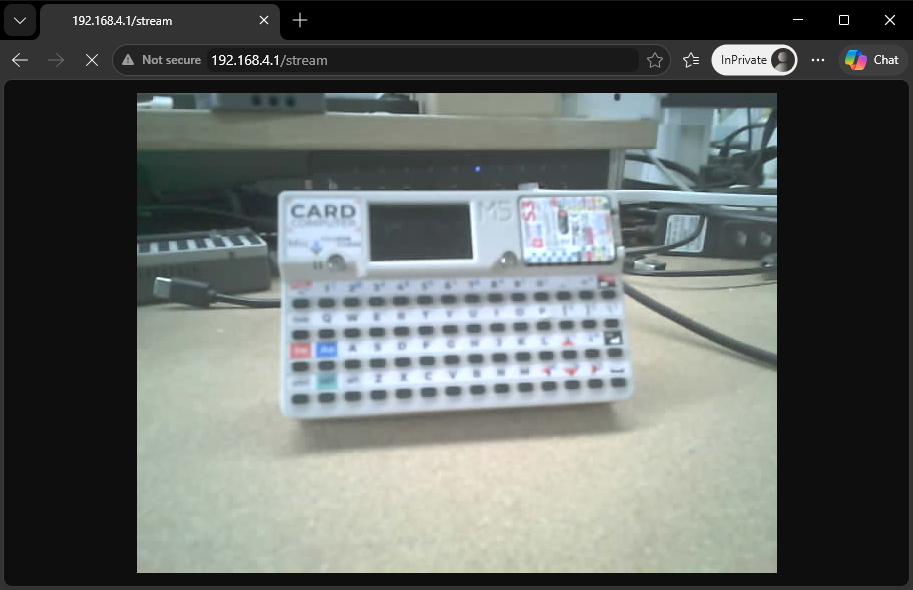
程序运行后,使用电脑或移动设备连接 Wi-Fi 热点 Stamp-AddOn Cam3660,密码为 12345678。连接成功后,在浏览器中访问 http://192.168.4.1/stream 查看实时视频流,或访问 http://192.168.4.1/capture 获取单帧图像。串口监视器会输出设备 IP 地址、访问地址以及视频流的帧大小、传输耗时和帧率。
串口反馈信息示例:
Camera Init Success
WiFi AP: Stamp-AddOn Cam3660
IP address: 192.168.4.1
Camera HTTP server started
Stream:  http://192.168.4.1/stream
Capture: http://192.168.4.1/capture
JPG: 14KB 156ms (6.4fps)
MJPG: 13KB 63ms (15.9fps)
MJPG: 13KB 33ms (30.3fps)
MJPG: 12KB 60ms (16.7fps)
MJPG: 14KB 53ms (18.9fps)
MJPG: 13KB 199ms (5.0fps)
MJPG: 13KB 34ms (29.4fps)
MJPG: 13KB 65ms (15.4fps)
MJPG: 12KB 59ms (16.9fps)
MJPG: 14KB 38ms (26.3fps)
MJPG: 13KB 61ms (16.4fps)
MJPG: 14KB 39ms (25.6fps)
MJPG: 14KB 60ms (16.7fps)
MJPG: 14KB 71ms (14.1fps)浏览器访问示例:
Page Tools