

Arduino Quick Start
2. Devices & Examples
3. M5Unified
4. M5GFX
5. Extensions
Unit
Module
Atomic
Tab5
IoT
Accessories
CoreMatrix Battery Status
CoreMatrix battery status APIs and example program.
Example Program
Compilation Requirements
- M5Stack Board Manager Version >=
3.3.10-a - Board Selection =
M5CoreMatrix - M5Unified Library Version >=
0.2.29 - M5GFX Library Version >=
0.2.36
CoreMatrix uses M5PM1 to measure the battery voltage and VBUS voltage. The charge current is selected between 180 mA and 650 mA via M5IOE1 IO3 / PYB_CHG_PROG, and the charge status is read from M5IOE1 IO8 / PYB_CHG_STAT; a low level indicates charging.
#include <M5Unified.h>

static uint16_t chargeCurrentMa = 180;
static uint32_t lastRefreshMs = 0;

static void drawBattery(int level, bool charging)
{
  M5.Display.startWrite();
  M5.Display.fillScreen(TFT_BLACK);

  M5.Display.drawRect(1, 3, 12, 10, TFT_WHITE);
  M5.Display.fillRect(13, 6, 2, 4, TFT_WHITE);

  if (level >= 0) {
    const int fillWidth = constrain((level * 10 + 50) / 100, 0, 10);
    if (fillWidth > 0) {
      M5.Display.fillRect(2, 4, fillWidth, 8, TFT_WHITE);
    }
  }

  if (charging && (millis() / 400) % 2 == 0) {
    M5.Display.drawRect(0, 0, 16, 16, TFT_WHITE);
  }

  M5.Display.endWrite();
  M5.Display.display();
}

static const char* chargeStateText(m5::Power_Class::is_charging_t state)
{
  switch (state) {
    case m5::Power_Class::is_charging: return "charging";
    case m5::Power_Class::is_discharging: return "not charging";
    default: return "unknown";
  }
}

void setup()
{
  auto cfg = M5.config();
  cfg.serial_baudrate = 115200;
  M5.begin(cfg);

  M5.Display.setColorDepth(8);
  M5.Display.setRotation(1);
  M5.Display.setBrightness(128);

  M5.Power.setChargeCurrent(chargeCurrentMa);
  Serial.printf("Initial charge current: %u mA\n", chargeCurrentMa);
}

void loop()
{
  M5.update();

  if (M5.BtnA.wasClicked()) {
    chargeCurrentMa = (chargeCurrentMa == 180) ? 650 : 180;
    M5.Power.setChargeCurrent(chargeCurrentMa);
    Serial.printf("Charge current: %u mA\n", chargeCurrentMa);
  }

  const uint32_t now = millis();
  if (now - lastRefreshMs >= 1000) {
    lastRefreshMs = now;

    const int level = M5.Power.getBatteryLevel();
    const int voltageMv = M5.Power.getBatteryVoltage();
    const int vbusMv = M5.Power.getVBUSVoltage();
    const auto chargeState = M5.Power.isCharging();
    const bool charging = chargeState == m5::Power_Class::is_charging;

    drawBattery(level, charging);

    Serial.printf("Battery: %d mV, level: %d%%, state: %s\n",
                  voltageMv, level, chargeStateText(chargeState));
    Serial.printf("VBUS: %d mV, charge current setting: %u mA\n",
                  vbusMv, chargeCurrentMa);
  }

  delay(20);
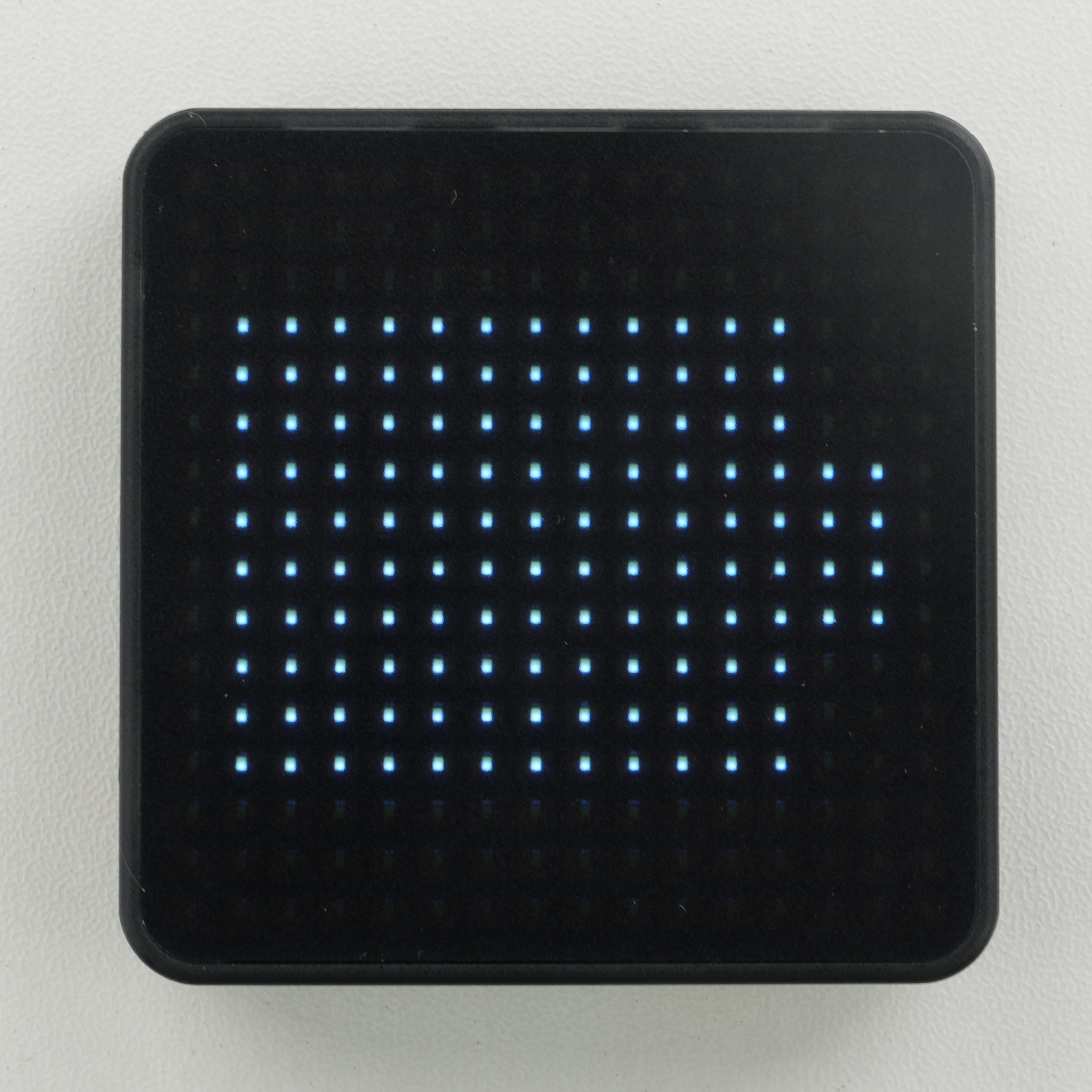
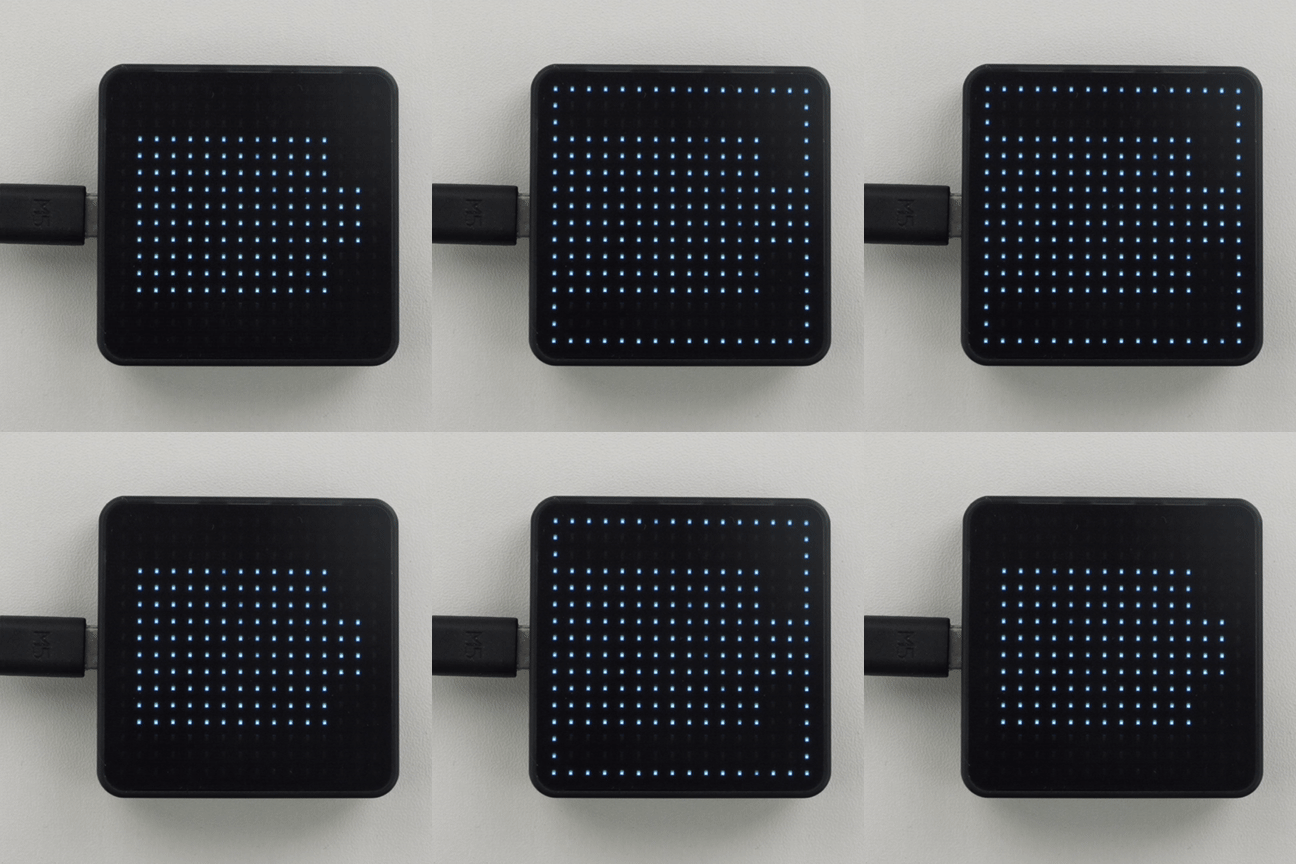
}The LED matrix displays a battery outline filled according to the current level, and the outline blinks while charging. Press KEY1 (BtnA) to switch between the two charge-current options. The serial monitor outputs the battery voltage, battery level percentage, charge status, VBUS voltage, and the current charge-current setting.
API
The CoreMatrix battery status section uses Power_Class from the M5Unified library. For more related APIs, refer to the following documentation: