

Arduino 上手教程
2. 设备开发 & 案例程序
3. M5Unified
4. M5GFX
5. 扩展模块
Unit
Module
Atomic
Tab5
IoT
Arduino Nesso N1 Display 屏幕显示
Arduino Nesso N1 Display 屏幕显示相关 API 与案例程序。
案例程序
编译要求
- M5Stack 板管理版本 >= 3.2.5
- 开发板选项 = ArduinoNessoN1
- M5GFX 库版本 >= 0.2.17
- M5Unified 库版本 >= 0.2.11
cpp
1 2 3 4 5 6 7 8 9 10 11 12 13 14 15 16 17 18 19
#include <M5Unified.h>

void setup() {
  M5.begin();
  M5.Display.setRotation(1);  // Set to landscape mode

  // Set text properties
  M5.Display.setTextDatum(MC_DATUM);              // Middle-Center datum for text alignment
  M5.Display.setTextColor(TFT_WHITE, TFT_BLACK);  // White text, black background
  M5.Display.setTextSize(2);

  // Clear the screen and draw the string
  M5.Display.fillScreen(TFT_BLACK);
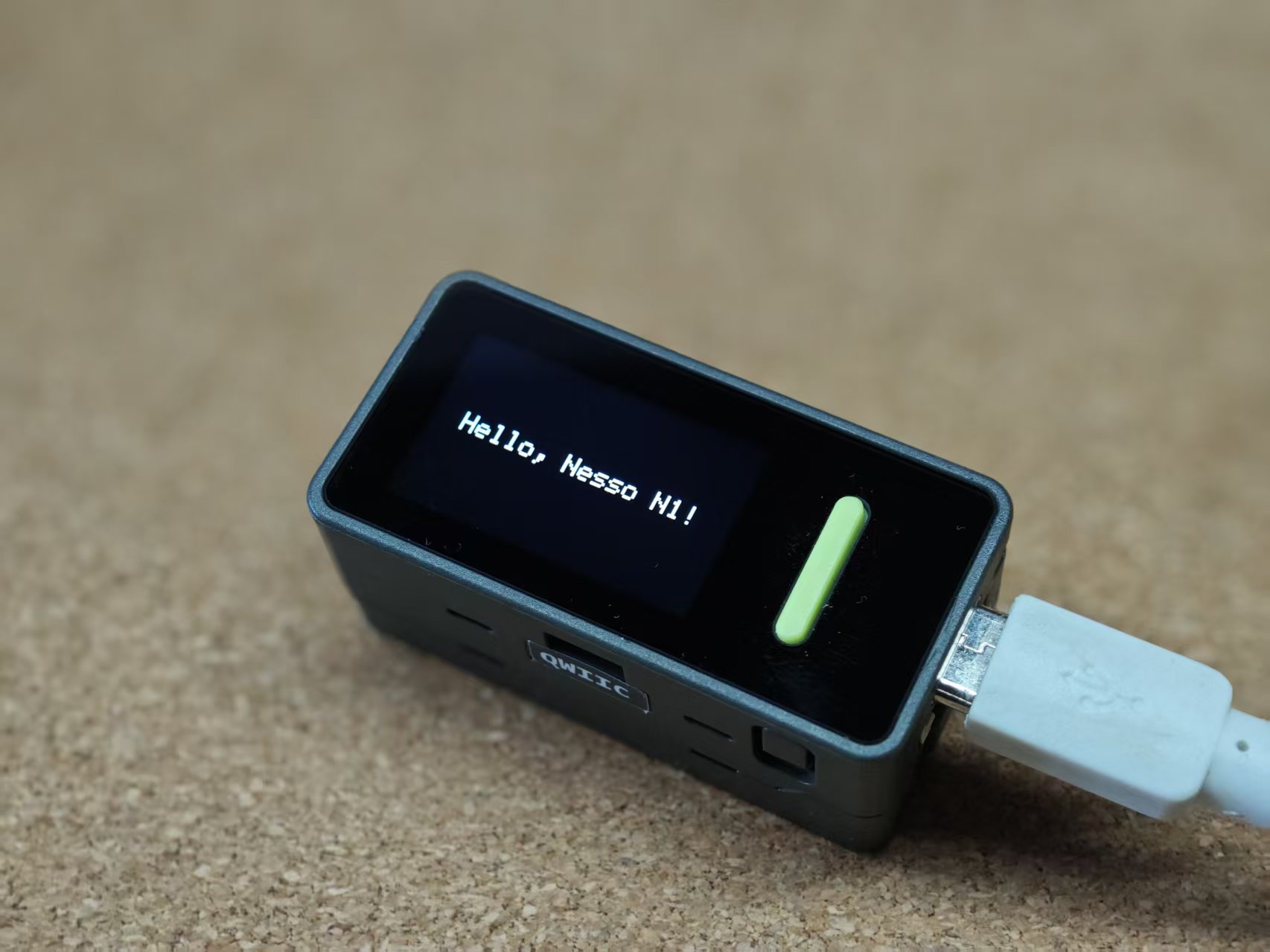
  M5.Display.drawString("Hello, Nesso N1!", M5.Display.width() / 2, M5.Display.height() / 2);
}

void loop() {
  // Nothing to do in the loop
}
API
Arduino Nesso N1 的 屏幕显示驱动部分使用了 M5GFX 库,更多相关的 API 可以参考下方文档:
Page Tools