

Arduino 上手教程
2. 设备开发 & 案例程序
3. M5Unified
4. M5GFX
5. 扩展模块
Unit
Module
Atomic
Tab5
IoT
Stamp-S3Bat Arduino 示例程序编译与烧录
1. 准备工作
- Arduino IDE 安装: 参考Arduino IDE安装教程,完成 IDE 安装。
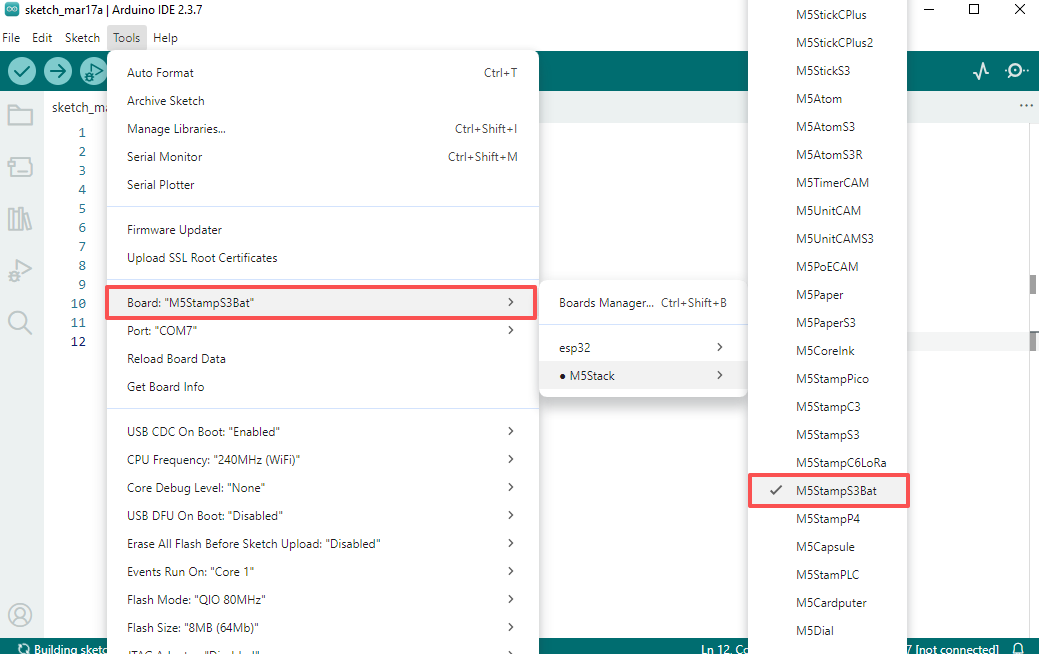
- 板管理安装:参考基本环境搭建教程,完成 M5Stack 板管理安装并选择开发板
M5StampS3Bat。
- 板管理安装:参考基本环境搭建教程,完成 M5Stack 板管理安装并选择开发板
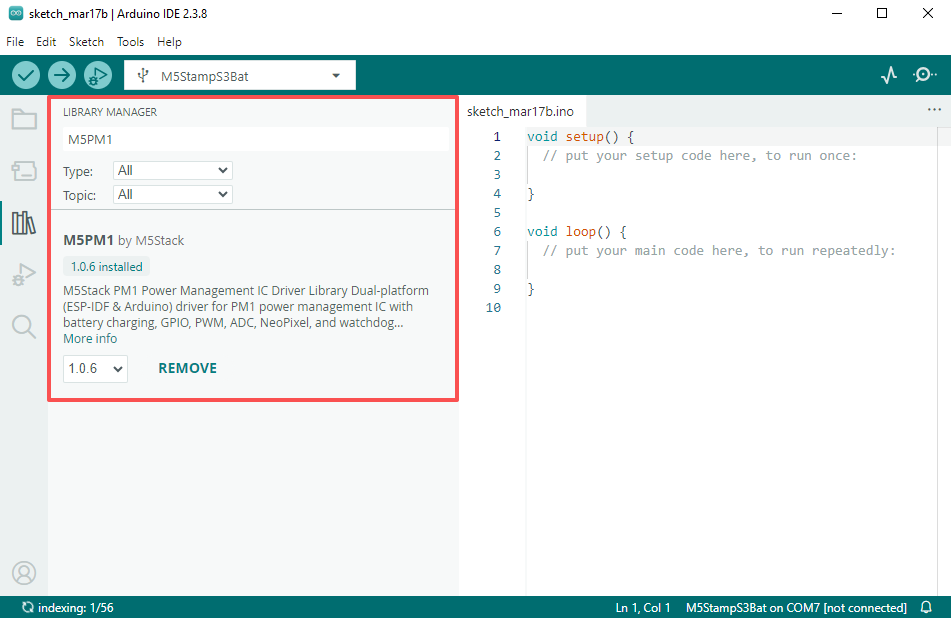
- 依赖库安装:参考库管理安装教程,完成最新版
M5PM1驱动库安装,并根据提示安装全部依赖库。
- 依赖库安装:参考库管理安装教程,完成最新版
2. 下载模式
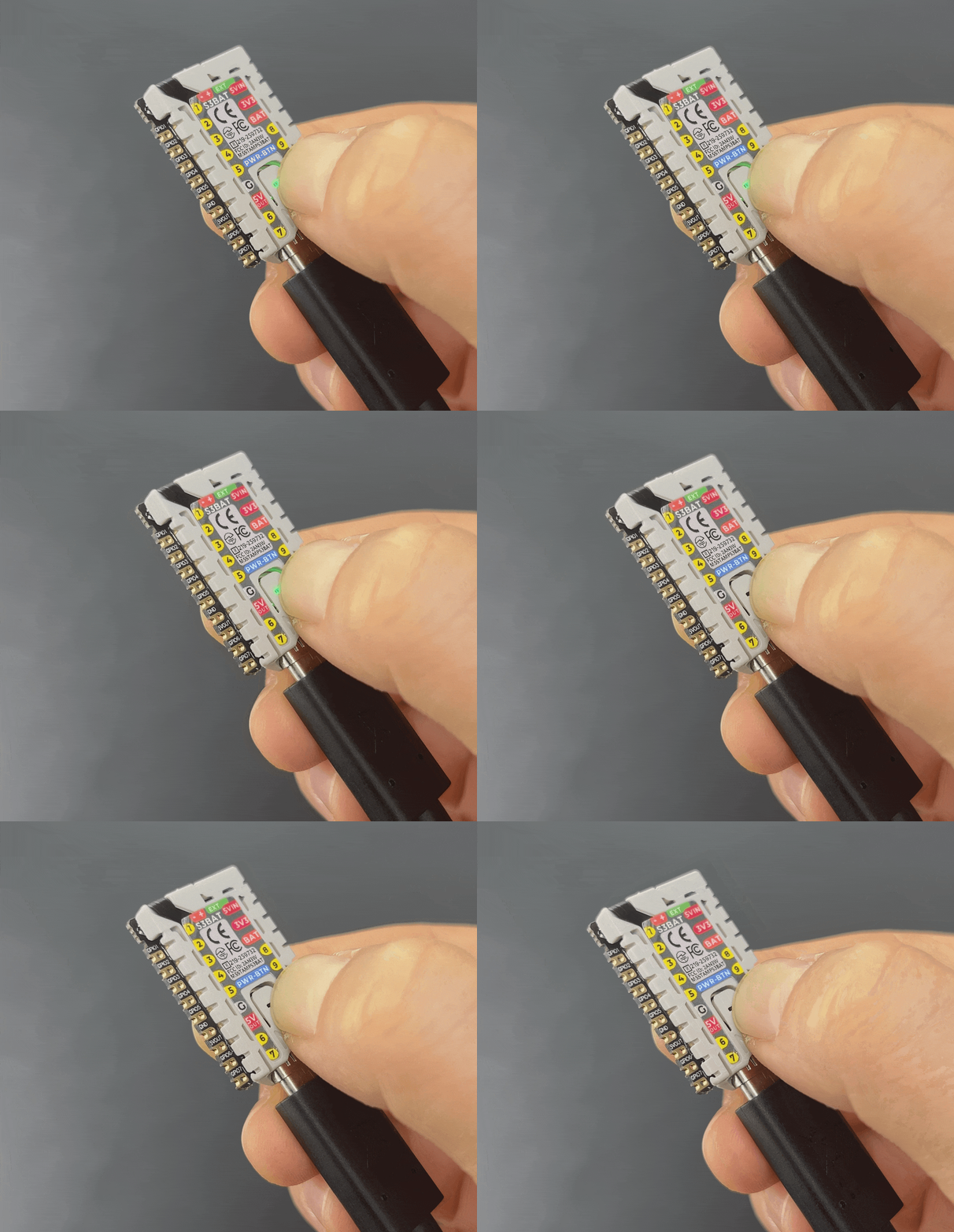
将设备通过 USB 线连接至电脑,长按 PWR 按钮大约 3s,进入下载模式,等待烧录。
3. 端口选择
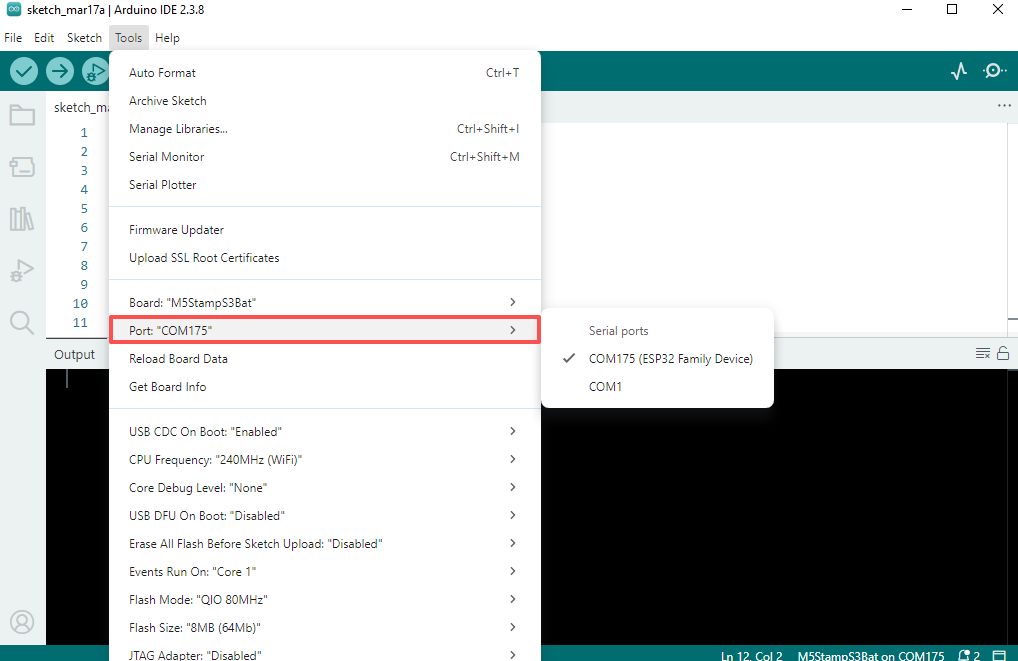
在 Arduino IDE 中选中对应设备的端口。
4. 程序编译 & 烧录
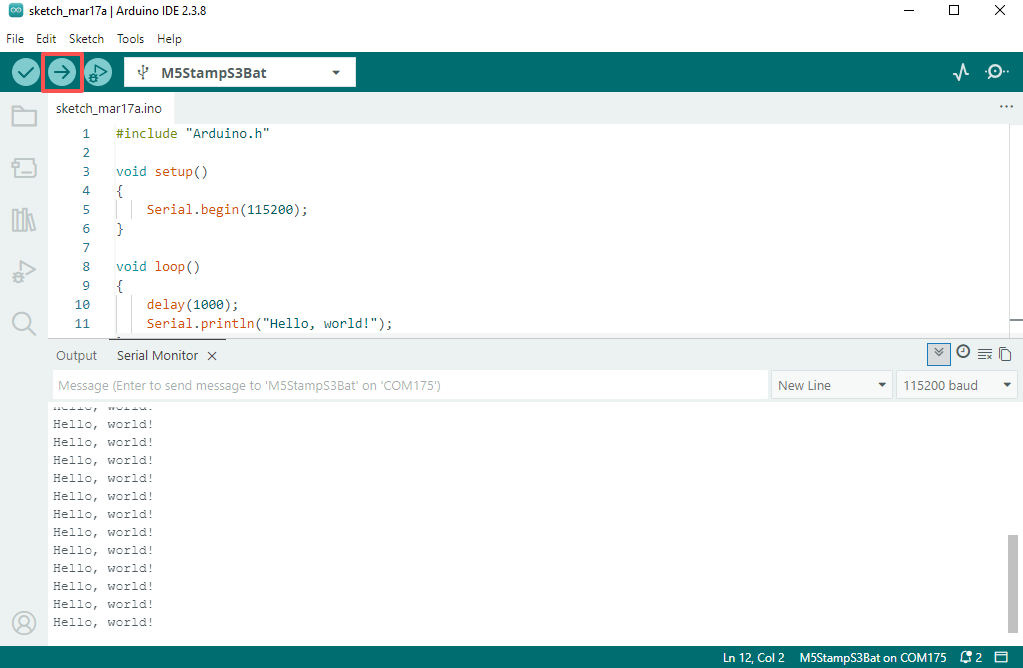
在 Arduino IDE 工作区粘贴下方代码,点击上传按钮,将自动进行程序编译与烧录。
Hello World
cpp
1 2 3 4 5 6 7 8 9 10 11 12
#include "Arduino.h"

void setup()
{
    Serial.begin(115200);
}

void loop()
{
    delay(1000);
    Serial.println("Hello, world!");
}
5. 相关资源
GitHub
Arduino Example
Page Tools