

Arduino 上手教程
2. 设备开发 & 案例程序
3. M5Unified
4. M5GFX
5. 扩展模块
Unit
Module
Atomic
Tab5
IoT
Unit DoF9 Arduino 使用教程
1. 准备工作
- 环境配置:参考 Arduino IDE 上手教程 完成 IDE 安装,并根据实际使用的开发板安装对应的板管理器和所需驱动库。
- 使用到的驱动库:
- 使用到的硬件产品:
2. 案例程序
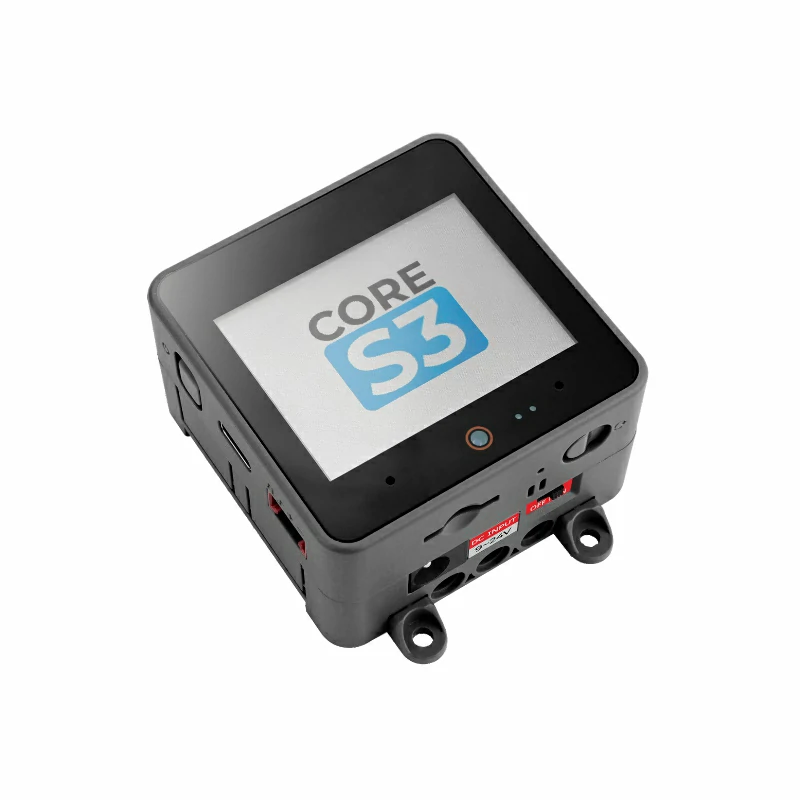
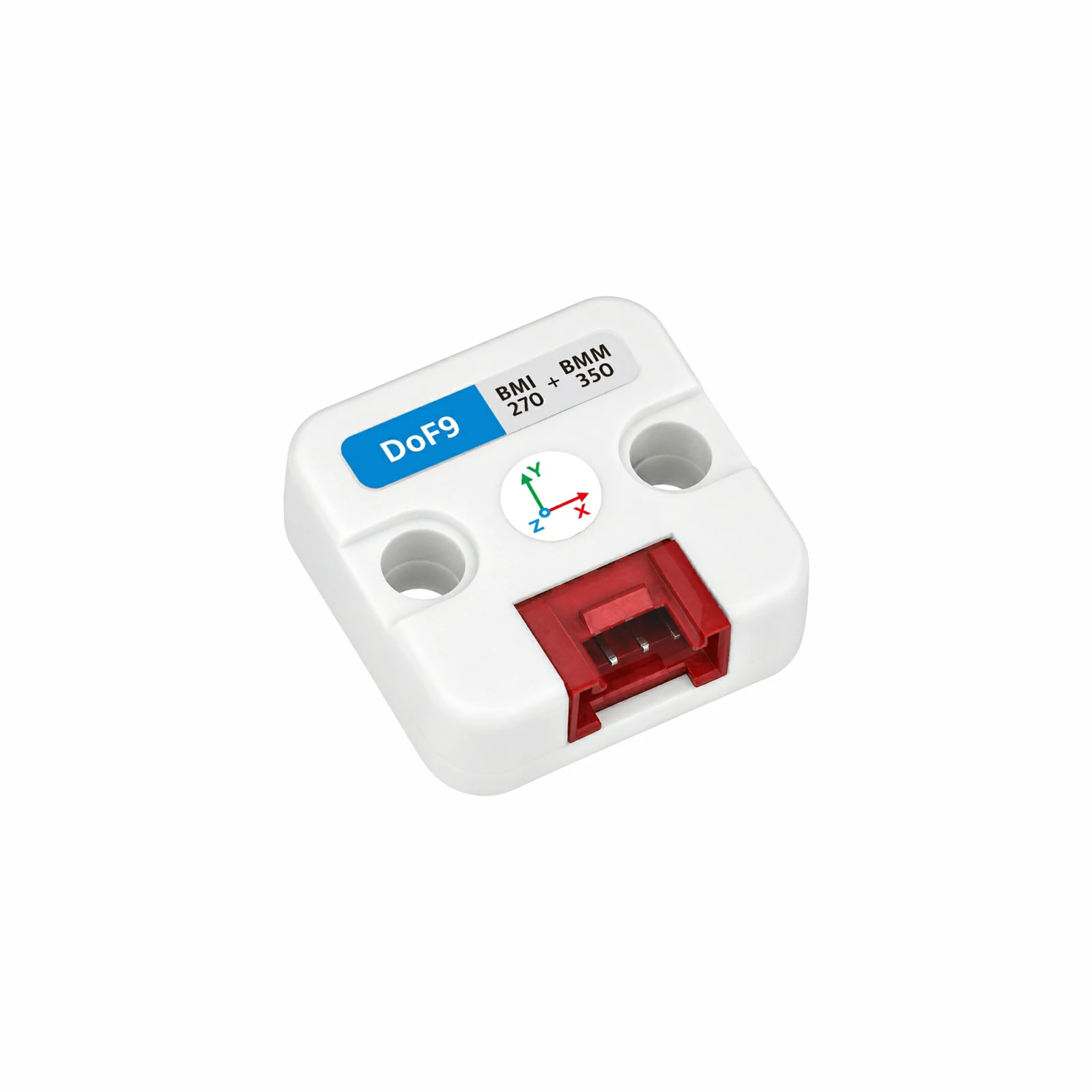
- 本教程中使用的主控设备为 CoreS3,搭配 Unit DoF9。Unit DoF9 采用 I2C 通信,BMI270 默认地址为
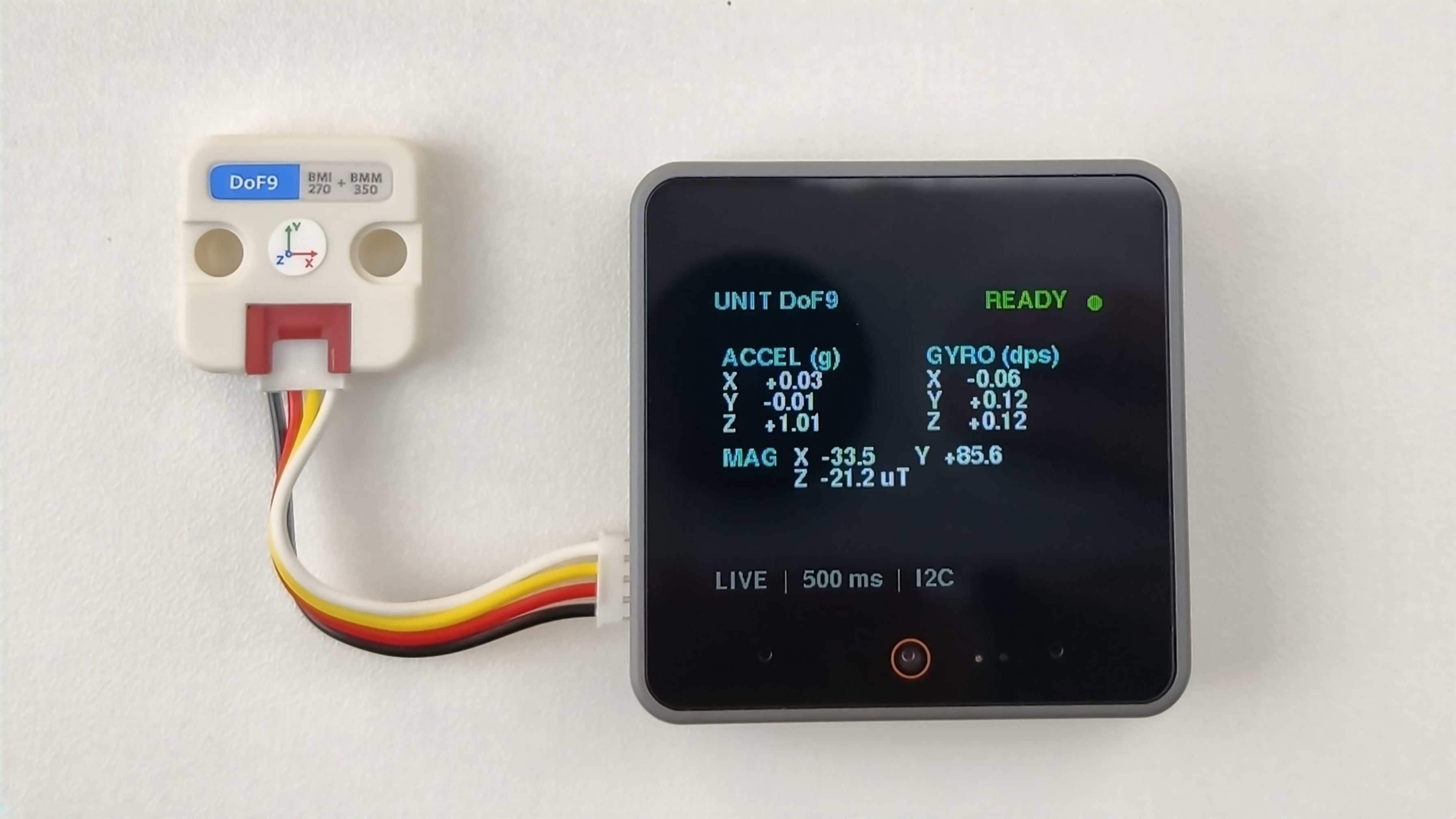
0x69,可通过板载开关切换为0x68(切换后需同步修改程序中的BMI270_ADDRESS);BMM350 地址为0x14。设备连接后对应的引脚为G2 (SDA)、G1 (SCL)。示例程序每 500 ms 读取一次 BMI270 的三轴加速度、三轴角速度以及 BMM350 的三轴磁场数据,在 CoreS3 屏幕上显示加速度、角速度和磁场值,并通过串口同步输出对应数据。
cpp
1 2 3 4 5 6 7 8 9 10 11 12 13 14 15 16 17 18 19 20 21 22 23 24 25 26 27 28 29 30 31 32 33 34 35 36 37 38 39 40 41 42 43 44 45 46 47 48 49 50 51 52 53 54 55 56 57 58 59 60 61 62 63 64 65 66 67 68 69 70 71 72 73 74 75 76 77 78 79 80 81 82 83 84 85 86 87 88 89 90 91 92 93 94 95 96 97 98 99 100 101 102 103 104 105 106 107 108 109 110 111 112 113 114 115 116 117 118 119 120 121 122 123 124 125 126 127 128 129 130 131 132 133 134 135 136 137 138 139 140 141 142 143 144 145 146 147 148 149 150 151 152 153 154 155 156 157 158 159 160 161 162 163 164 165 166
#include <M5Unified.h>
#include <M5UnitUnified.h>
#include <M5UnitUnifiedIMU.h>

constexpr uint8_t BMI270_ADDRESS = 0x69;

m5::unit::UnitUnified units;
m5::unit::UnitDoF9 dof9{BMI270_ADDRESS};
m5::imu::imu_convert_param_t imu_param{};
m5::imu::imu_convert_param_t mag_param{};

void drawHeader(bool connected) {
    M5.Display.fillScreen(TFT_BLACK);
    M5.Display.setTextSize(1);
    M5.Display.setTextColor(TFT_CYAN, TFT_BLACK);
    M5.Display.setCursor(12, 7);
    M5.Display.print("UNIT DoF9");
    M5.Display.setTextSize(1);
    M5.Display.setTextColor(connected ? TFT_GREEN : TFT_ORANGE, TFT_BLACK);
    M5.Display.setCursor(220, 8);
    M5.Display.print(connected ? "READY" : "WAIT");
    M5.Display.fillCircle(304, 18, 5, connected ? TFT_GREEN : TFT_ORANGE);
}

void drawStatus(const char* message, uint16_t color) {
    M5.Display.fillScreen(TFT_BLACK);
    drawHeader(false);
    M5.Display.setTextSize(1);
    M5.Display.setTextColor(color, TFT_BLACK);
    M5.Display.setCursor(12, 72);
    M5.Display.print(message);
    M5.Display.setTextSize(1);
    M5.Display.setTextColor(TFT_DARKGREY, TFT_BLACK);
    M5.Display.setCursor(12, 108);
    M5.Display.print("I2C 400 kHz");
}

void drawVectorCard(int x, int y, const char* title, const char* unit,
                    float x_value, float y_value, float z_value) {
    M5.Display.fillRoundRect(x, y, 148, 68, 8, TFT_BLACK);
    M5.Display.drawRoundRect(x, y, 148, 68, 8, TFT_BLACK);
    M5.Display.setTextSize(1);
    M5.Display.setTextColor(TFT_CYAN, TFT_BLACK);
    M5.Display.setCursor(x + 10, y);
    M5.Display.printf("%s (%s)", title, unit);
    M5.Display.setTextColor(TFT_WHITE, TFT_BLACK);
    M5.Display.setCursor(x + 10, y + 18);
    M5.Display.printf("X  %+7.2f", x_value);
    M5.Display.setCursor(x + 10, y + 34);
    M5.Display.printf("Y  %+7.2f", y_value);
    M5.Display.setCursor(x + 10, y + 50);
    M5.Display.printf("Z  %+7.2f", z_value);
}

void drawData(float ax, float ay, float az, float gx, float gy, float gz,
              float mx, float my, float mz) {
    M5.Display.startWrite();
    drawVectorCard(8, 50, "ACCEL", "g", ax, ay, az);
    drawVectorCard(164, 50, "GYRO", "dps", gx, gy, gz);
    M5.Display.fillRect(12, 118, 308, 20, TFT_BLACK);
    M5.Display.fillRect(12, 138, 308, 20, TFT_BLACK);
    M5.Display.setTextSize(1);
    M5.Display.setTextColor(TFT_CYAN, TFT_BLACK);
    M5.Display.setCursor(18, 126);
    M5.Display.print("MAG");
    M5.Display.setTextColor(TFT_WHITE, TFT_BLACK);
    M5.Display.setCursor(72, 126);
    M5.Display.printf("X %+6.1f", mx);
    M5.Display.setCursor(164, 126);
    M5.Display.printf("Y %+6.1f", my);
    M5.Display.setCursor(72, 142);
    M5.Display.printf("Z %+6.1f uT", mz);
    M5.Display.setTextColor(TFT_DARKGREY, TFT_BLACK);
    M5.Display.setCursor(12, 218);
    M5.Display.print("LIVE  |  500 ms  |  I2C");
    M5.Display.endWrite();
}

void setup() {
    Serial.begin(115200);
    const uint32_t serial_start = millis();
    while (!Serial && millis() - serial_start < 3000) {
        delay(10);
    }
    Serial.println("Starting Unit DoF9...");

    auto config = M5.config();
    M5.begin(config);
    M5.Display.setFont(&fonts::FreeSansBold9pt7b);
    M5.Display.setTextSize(1);
    M5.Display.setRotation(1);
    M5.Display.setTextWrap(false, false);
    drawStatus("Initializing...", TFT_YELLOW);

    auto cfg = dof9.component_config();
    cfg.clock = 400000;
    dof9.component_config(cfg);

    if (!M5.Ex_I2C.begin() || !units.add(dof9, M5.Ex_I2C) || !units.begin()) {
        while (true) {
            Serial.println("Unit DoF9 not found. Check wiring and I2C addresses.");
            drawStatus("Sensor not found", TFT_ORANGE);
            delay(1000);
        }
    }

    dof9.imu().imuConvertParam(imu_param);
    dof9.mag().imuConvertParam(mag_param);
    Serial.printf("Unit DoF9 ready, BMI270 address: 0x%02X\n", BMI270_ADDRESS);
    drawHeader(true);
}

void loop() {
    M5.update();
    units.update();

    static uint32_t last_output = 0;
    if (millis() - last_output < 500) {
        return;
    }
    last_output = millis();

    m5::imu::imu_raw_data_t imu_raw{};
    static bool waiting_shown = false;
    const bool imu_updated = m5::imu::any(dof9.imu().readImuRaw(imu_raw));
    if (imu_updated) {
        Serial.printf("Accel: %.3f, %.3f, %.3f g\n",
                      imu_raw.accel[0] * imu_param.accel_res,
                      imu_raw.accel[1] * imu_param.accel_res,
                      imu_raw.accel[2] * imu_param.accel_res);
        Serial.printf("Gyro:  %.3f, %.3f, %.3f dps\n",
                      imu_raw.gyro[0] * imu_param.gyro_res,
                      imu_raw.gyro[1] * imu_param.gyro_res,
                      imu_raw.gyro[2] * imu_param.gyro_res);
    }

    m5::imu::imu_raw_data_t mag_raw{};
    const bool mag_updated = m5::imu::any(dof9.mag().readImuRaw(mag_raw));
    if (mag_updated) {
        Serial.printf("Mag:   %.2f, %.2f, %.2f uT\n\n",
                      mag_raw.mag[0] * mag_param.mag_res,
                      mag_raw.mag[1] * mag_param.mag_res,
                      mag_raw.mag[2] * mag_param.mag_res);
    }

    if (imu_updated || mag_updated) {
        waiting_shown = false;
        const float ax = imu_raw.accel[0] * imu_param.accel_res;
        const float ay = imu_raw.accel[1] * imu_param.accel_res;
        const float az = imu_raw.accel[2] * imu_param.accel_res;
        const float gx = imu_raw.gyro[0] * imu_param.gyro_res;
        const float gy = imu_raw.gyro[1] * imu_param.gyro_res;
        const float gz = imu_raw.gyro[2] * imu_param.gyro_res;
        const float mx = mag_raw.mag[0] * mag_param.mag_res;
        const float my = mag_raw.mag[1] * mag_param.mag_res;
        const float mz = mag_raw.mag[2] * mag_param.mag_res;

        drawData(ax, ay, az, gx, gy, gz, mx, my, mz);
    } else {
        if (!waiting_shown) {
            waiting_shown = true;
            Serial.println("Waiting for Unit DoF9 data...");
            drawStatus("Waiting for data...", TFT_YELLOW);
        }
    }
}3. 编译上传
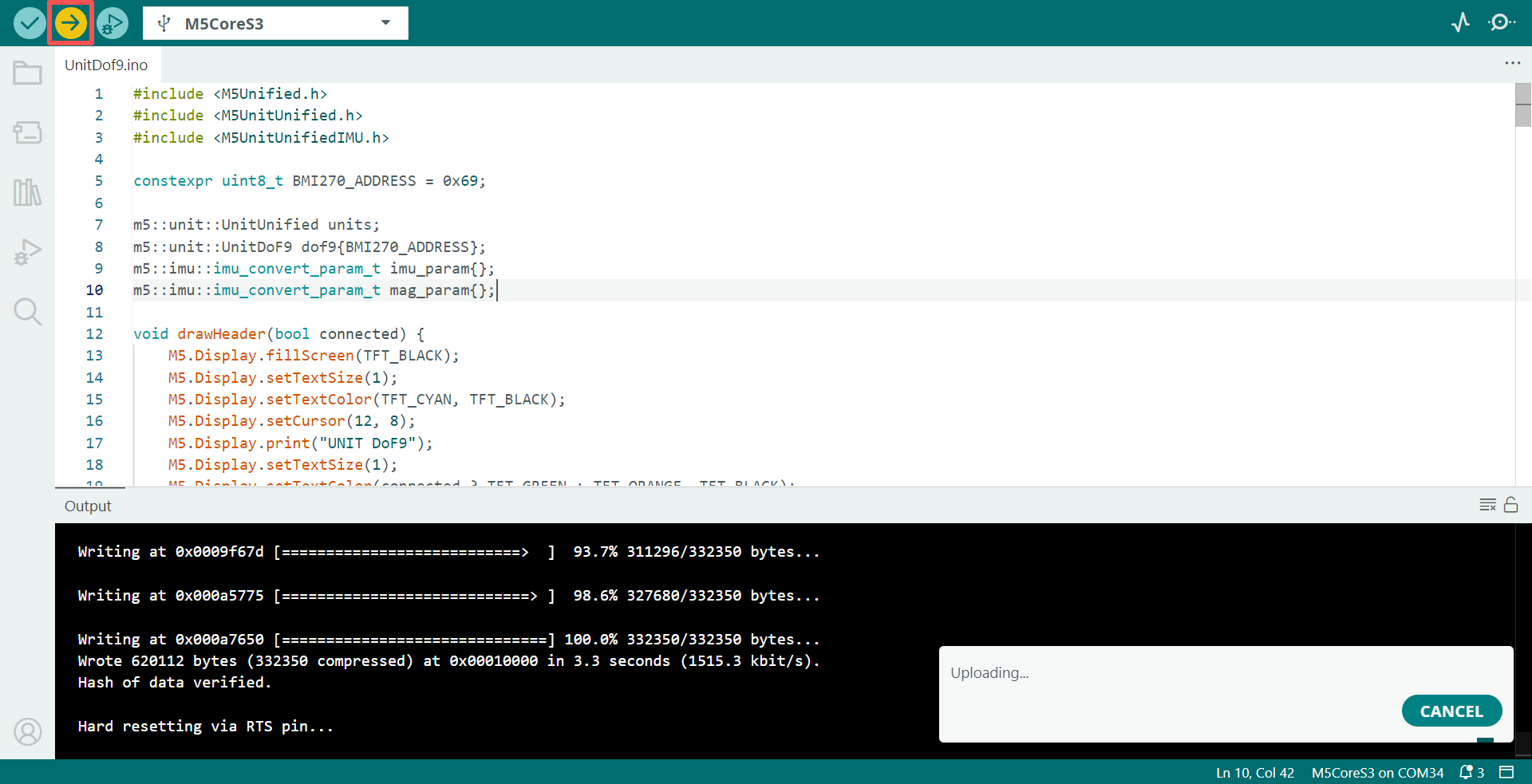
- 复制粘贴上述例程代码到项目代码区,选中设备端口(详情请参考 程序编译与烧录),点击 Arduino IDE 左上角编译上传按钮,等待程序完成编译并上传至设备。
4. 姿态与磁场数据查看
- 程序运行后,屏幕每 500 ms 刷新一次三轴加速度、三轴角速度及 BMM350 三轴磁场数据,串口监视器同步输出对应数值。
Page Tools