

Arduino Quick Start
2. Devices & Examples
Demo Board-SHT30
3. M5Unified
4. M5GFX
5. Extensions
Unit
Module
Atomic
Tab5
IoT
Accessories
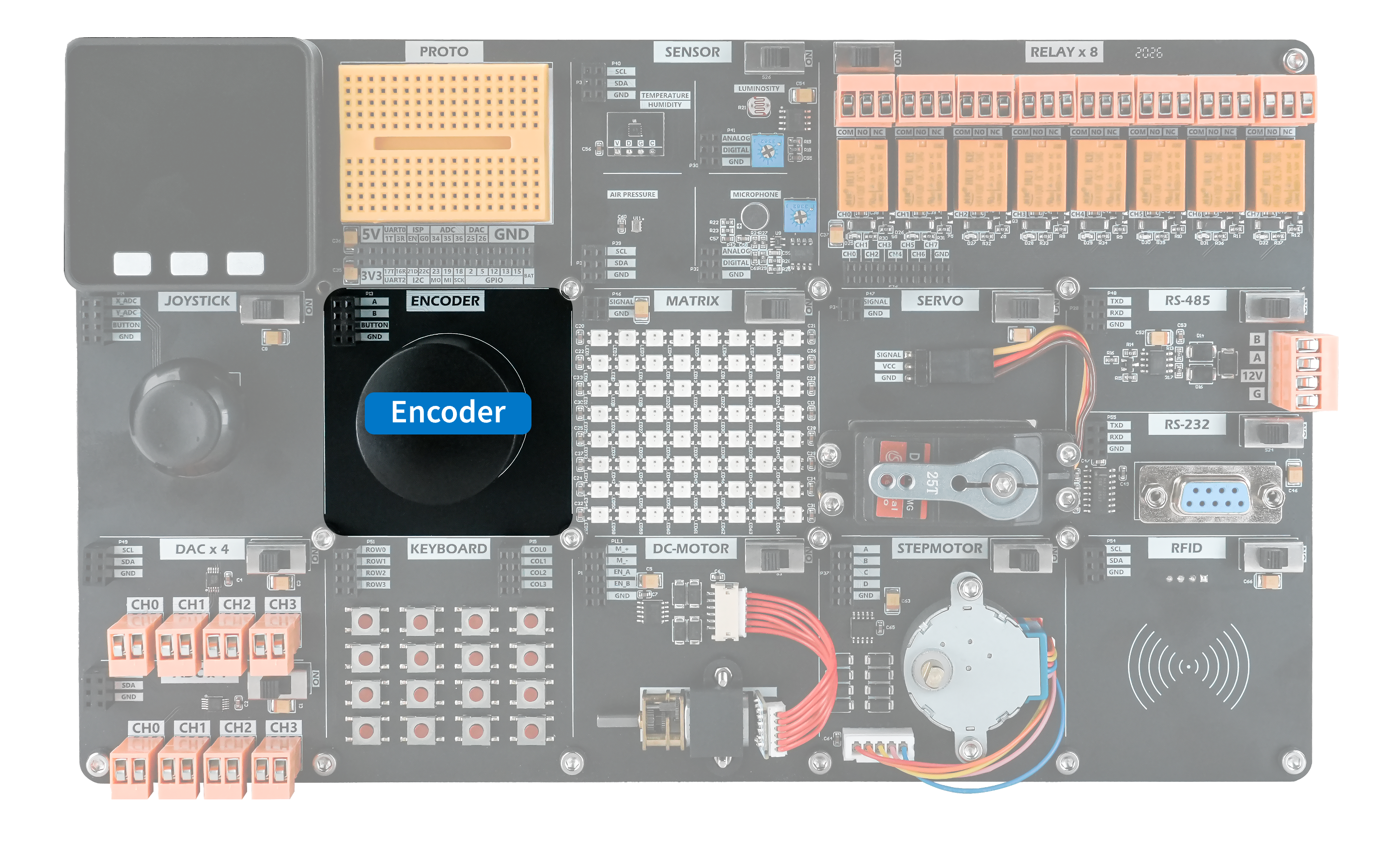
Encoder Rotary Encoder Module
When the knob is rotated, ports A and B output HIGH pulses according to the direction of rotation. When the knob is pressed, the internal switch closes and the button signal goes LOW.
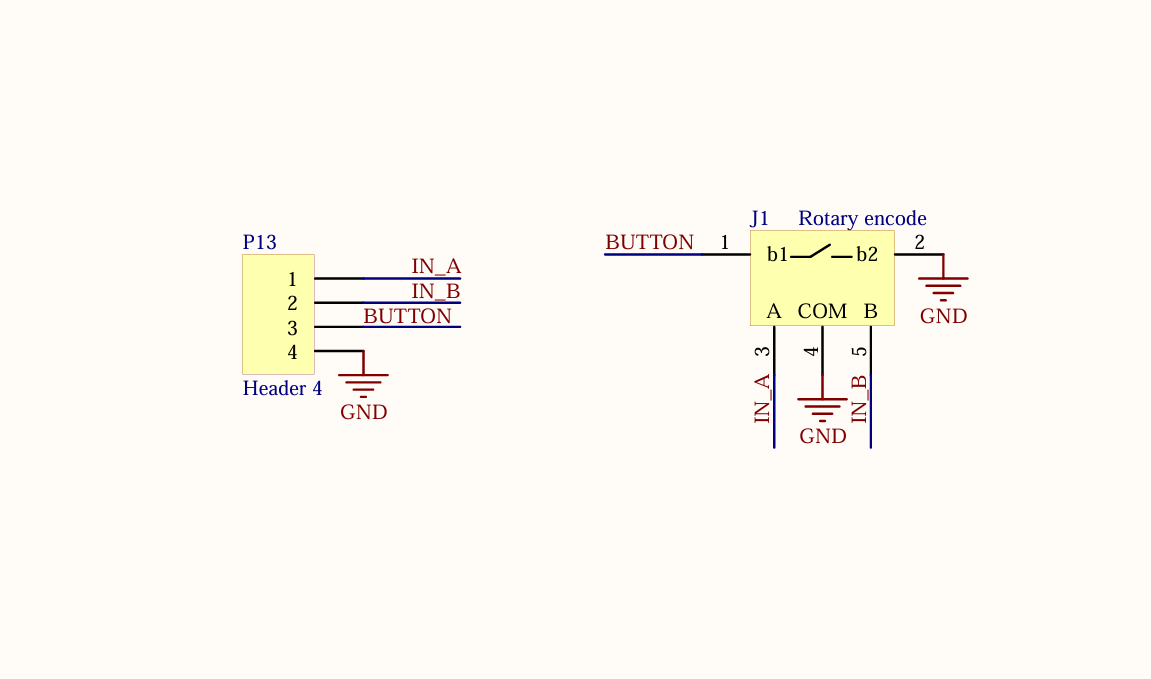
Hardware Connection
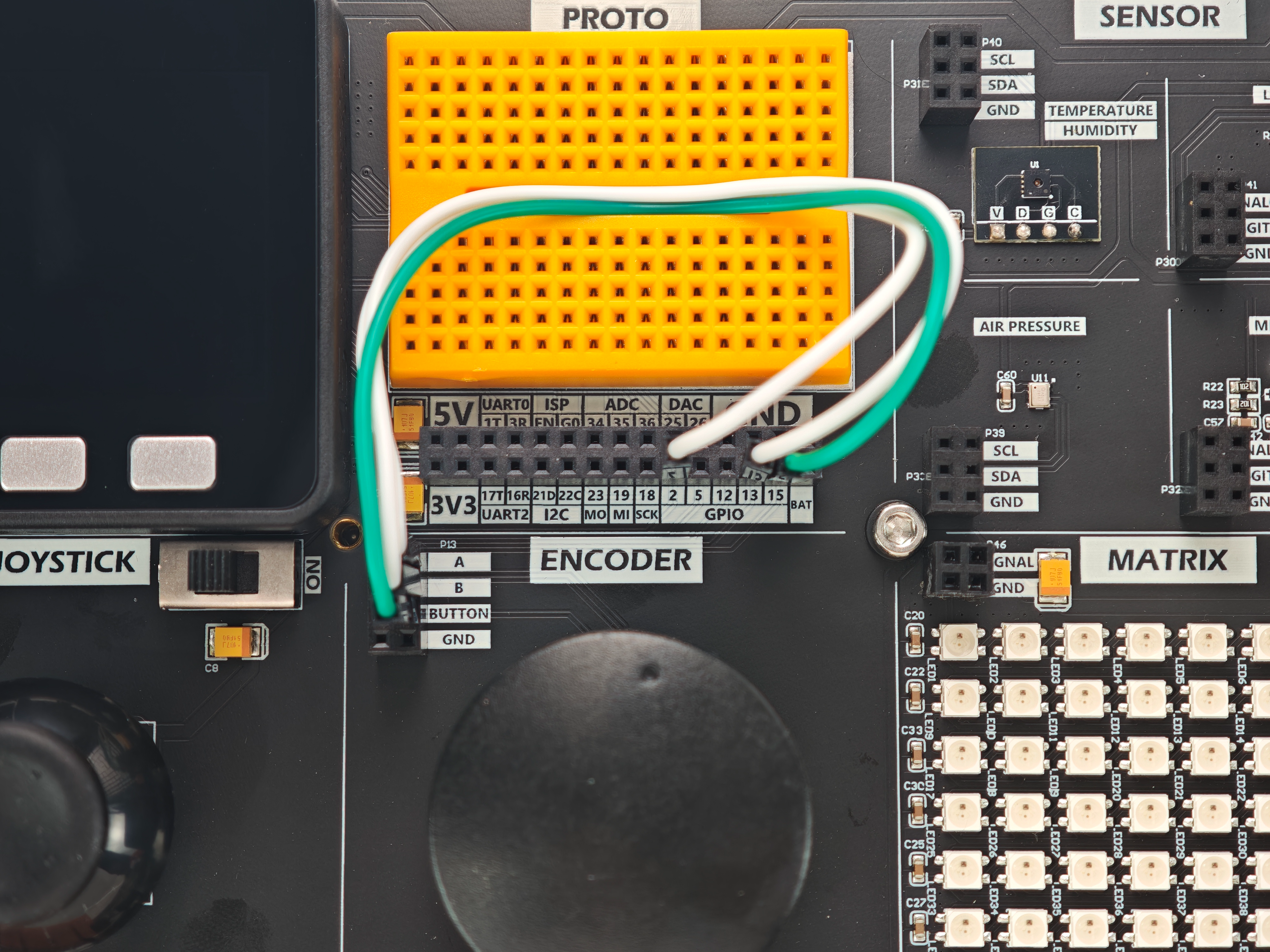
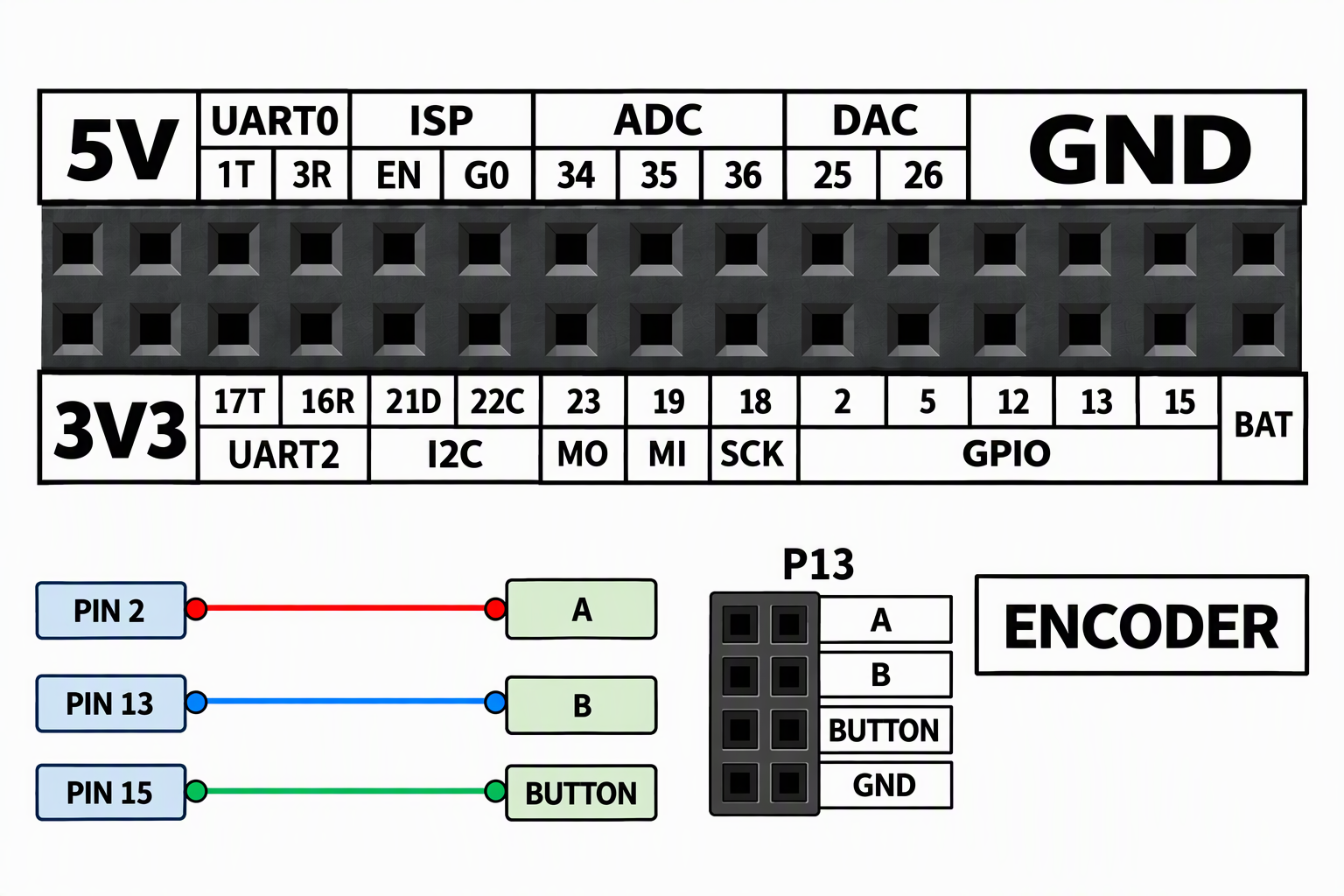
Connect the encoder's A, B, and button signal pins to GPIO2, GPIO13, and GPIO15, respectively, and connect GND. The program detects level changes on these pins to read the rotation and button states.
Example Program
This example reads the rotary encoder's rotation count and button state.
cpp
1 2 3 4 5 6 7 8 9 10 11 12 13 14 15 16 17 18 19 20 21 22 23 24 25 26 27 28 29 30 31 32 33 34 35 36 37 38 39 40 41 42 43 44 45 46 47 48 49 50 51 52 53 54 55 56
#include "M5Unified.h"
#include <M5GFX.h>

const int phaseA = 2;
const int phaseB = 13;
const int Button = 15;
#define GET_CODE() uint8_t(digitalRead(phaseA) << 4 | digitalRead(phaseB))

int32_t count = 65536;
int32_t count_last = 65536;
int32_t count_change = 0;
uint8_t code = 0;
uint8_t code_old = 0;

void encoderEvent() {
  code = GET_CODE();
  if(code != code_old) {
    if(code == 0x00) {
      count_last = count;
      if(code_old == 0x10) {
        count--;
        count_change == -65536 ? count_change : count_change--;
      } else {
        count_change == 65536 ? count_change : count_change++;
      }
    }
    code_old = code;
  }
}

void setup() {
  // put your setup code here, to run once:
  M5.begin();
  pinMode(phaseA, INPUT_PULLUP);
  pinMode(phaseB, INPUT_PULLUP);
  pinMode(Button, INPUT_PULLUP);
  dacWrite(25, 0);

  M5.Lcd.setCursor(100, 0, 4);
  M5.Lcd.print("ENCODER");

  code = GET_CODE();
  code_old = code;
}

void loop() {
  uint8_t value = digitalRead(Button);
  encoderEvent();
  Serial.printf("code = %d\r\nbutton = %d\r\n",count_change, value);

  M5.Lcd.setCursor(30, 120, 4);
  M5.Lcd.printf("code = %05d", count_change);
  M5.Lcd.setCursor(30, 150, 4);
  M5.Lcd.printf("button = %d", value);
  delay(1);
}After uploading the program, you should see the following result.
Page Tools