

Arduino Quick Start
2. Devices & Examples
Demo Board-SHT30
3. M5Unified
4. M5GFX
5. Extensions
Unit
Module
Atomic
Tab5
IoT
Accessories
MATRIX / LED Matrix Module
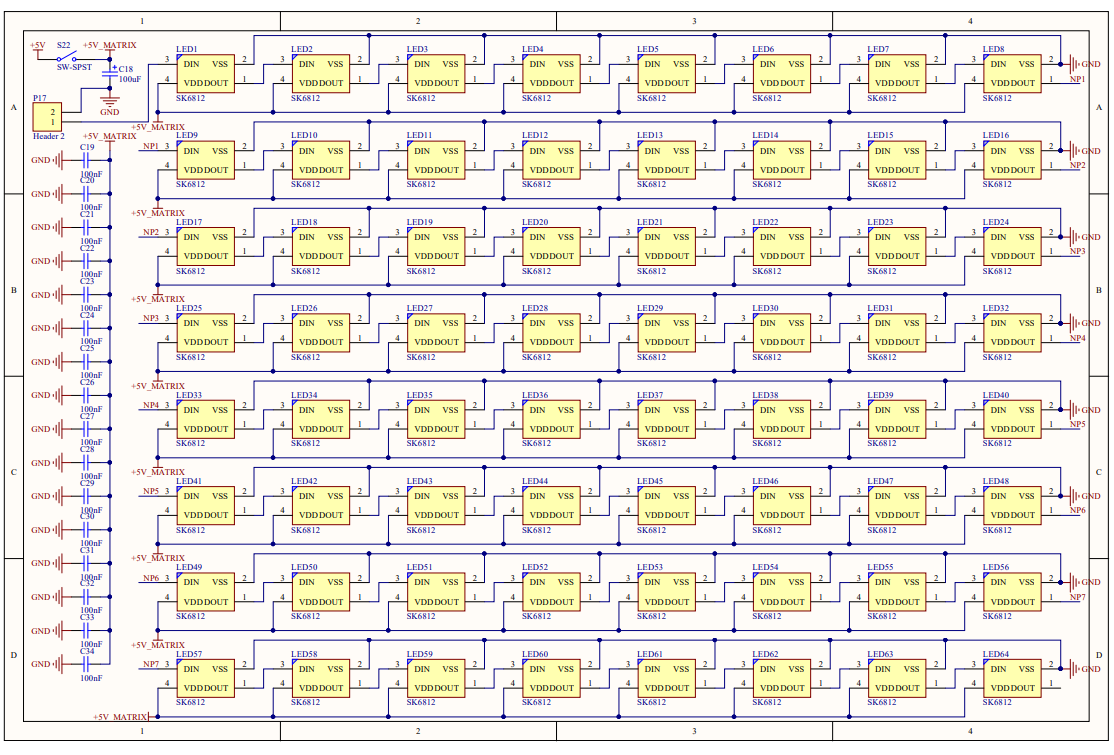
MATRIX is an 8 x 8 RGB LED matrix containing 64 LEDs. Each LED can be controlled independently for on/off state and color, and the overall brightness can also be adjusted.
Hardware Connection
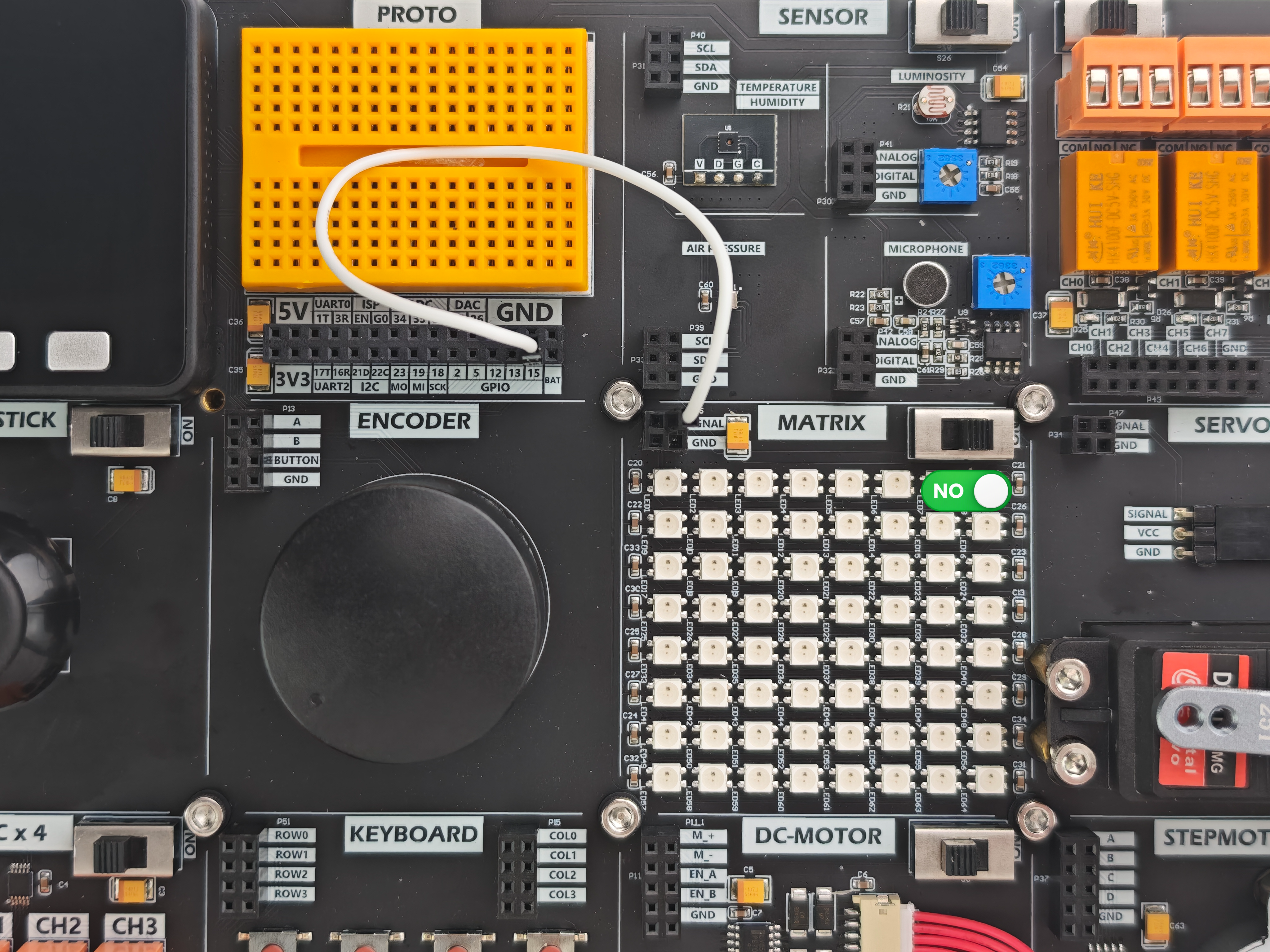
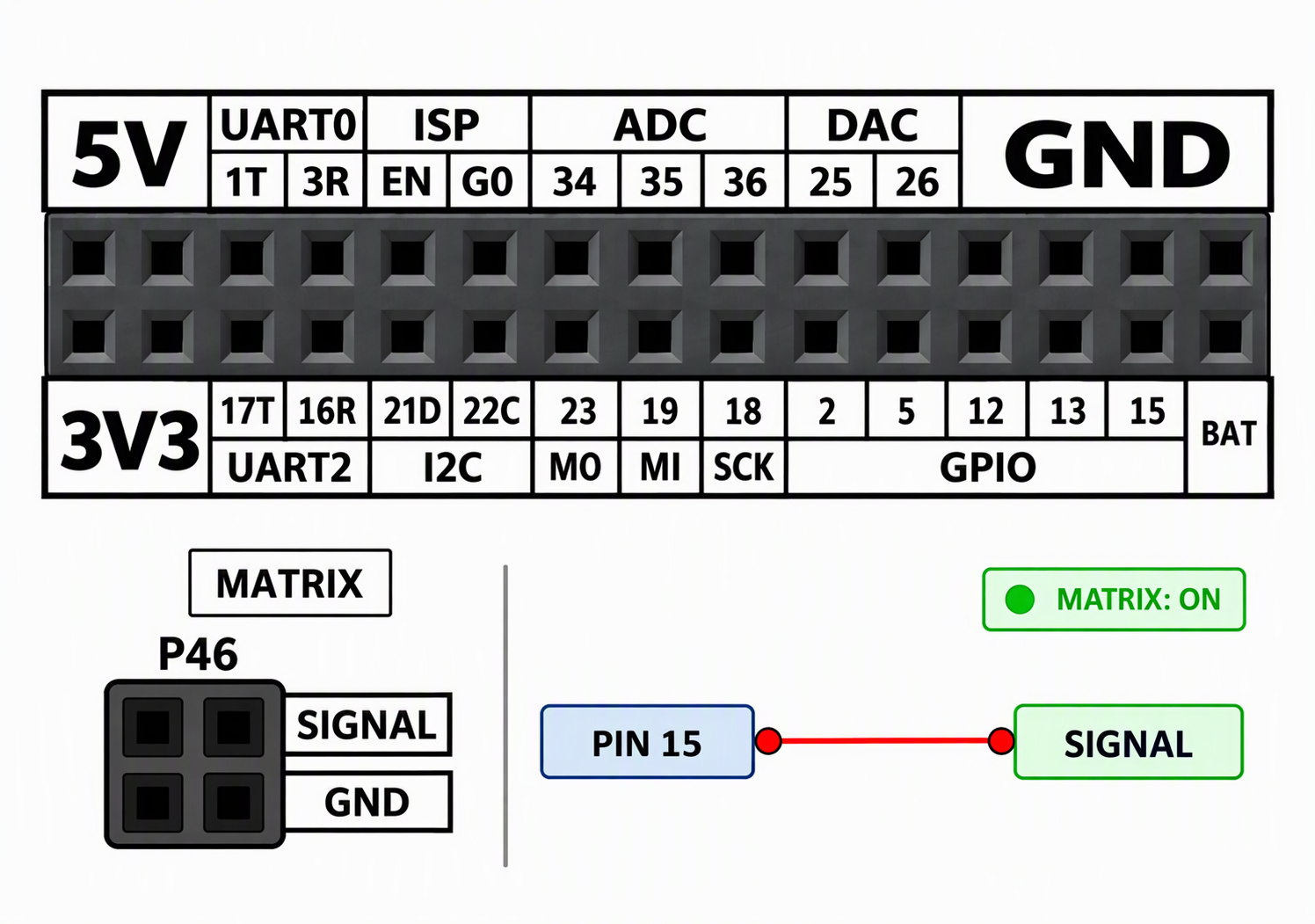
Connect the control pin to the matrix's SIGNAL input and turn on the independent power switch.
API
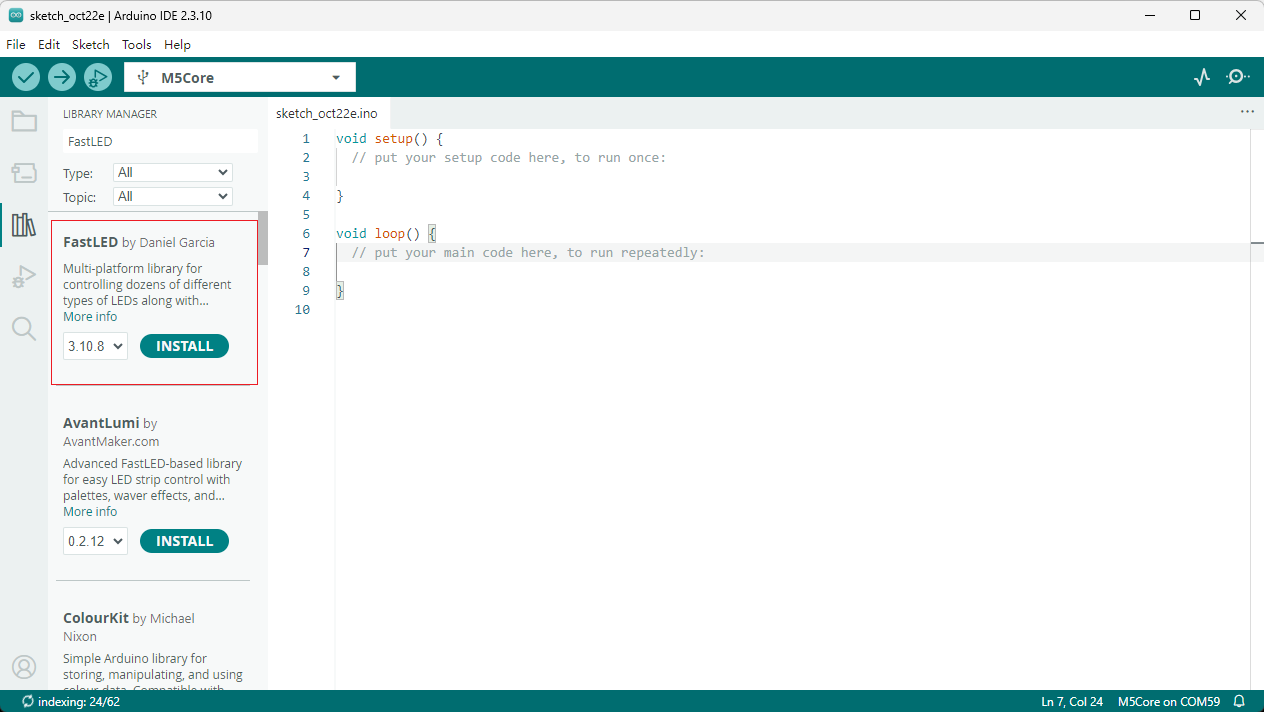
This example uses the FastLED library. Search for and install it through the Arduino Library Manager.
Example Program
This example lights one LED at a time in the order of the LED chain, advancing every 80 ms while turning off the previous LED to create a repeating white chase effect.
cpp
1 2 3 4 5 6 7 8 9 10 11 12 13 14 15 16 17 18 19 20 21 22 23 24 25 26 27 28 29 30
#include <M5Unified.h>
#include <M5GFX.h>
#include <FastLED.h>
/***
* note:You should first install the Fastled library.
***/
#define DATA_PIN 15
#define LED_TYPE WS2811
#define COLOR_ORDER GRB
#define NUM_LEDS 64
CRGB leds[NUM_LEDS];
#define BRIGHTNESS 64

void setup() {
  M5.begin();
  M5.Lcd.setCursor(120, 110, 4);
  M5.Lcd.println("MATRIX");
  FastLED.addLeds<LED_TYPE, DATA_PIN, COLOR_ORDER>(leds, NUM_LEDS)
         .setCorrection(TypicalLEDStrip);
  FastLED.setBrightness(BRIGHTNESS);
}

void loop() {
  for (int i = 0; i < NUM_LEDS; i++) {
    FastLED.clear();
    leds[i] = CRGB::White;
    FastLED.show();
    delay(80);
  }
}After uploading the program, you should see the following result.
Page Tools