

Arduino Quick Start
2. Devices & Examples
Demo Board-SHT30
3. M5Unified
4. M5GFX
5. Extensions
Unit
Module
Atomic
Tab5
IoT
Accessories
Temperature and Humidity Sensor Module
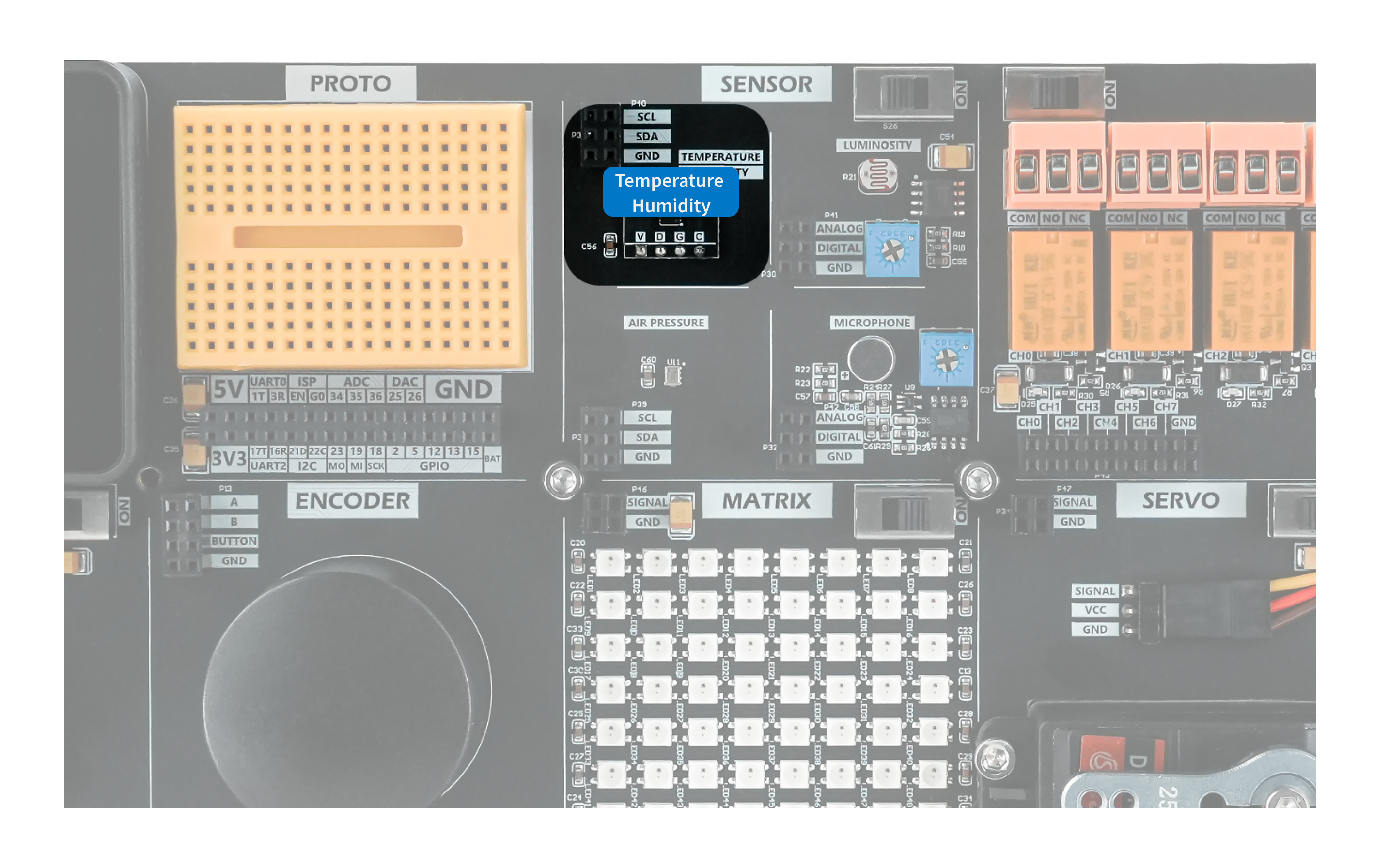
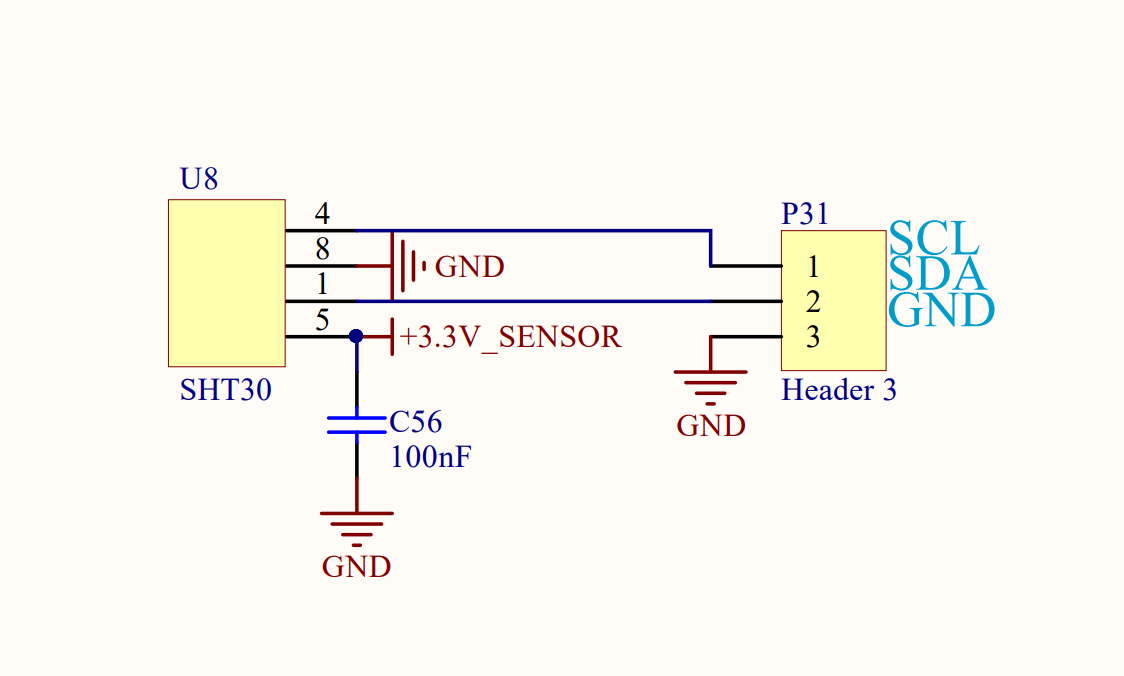
The SHT30 temperature and humidity sensor measures ambient temperature and humidity and transmits the data over I2C. The I2C address is 0x44.
Hardware Connection
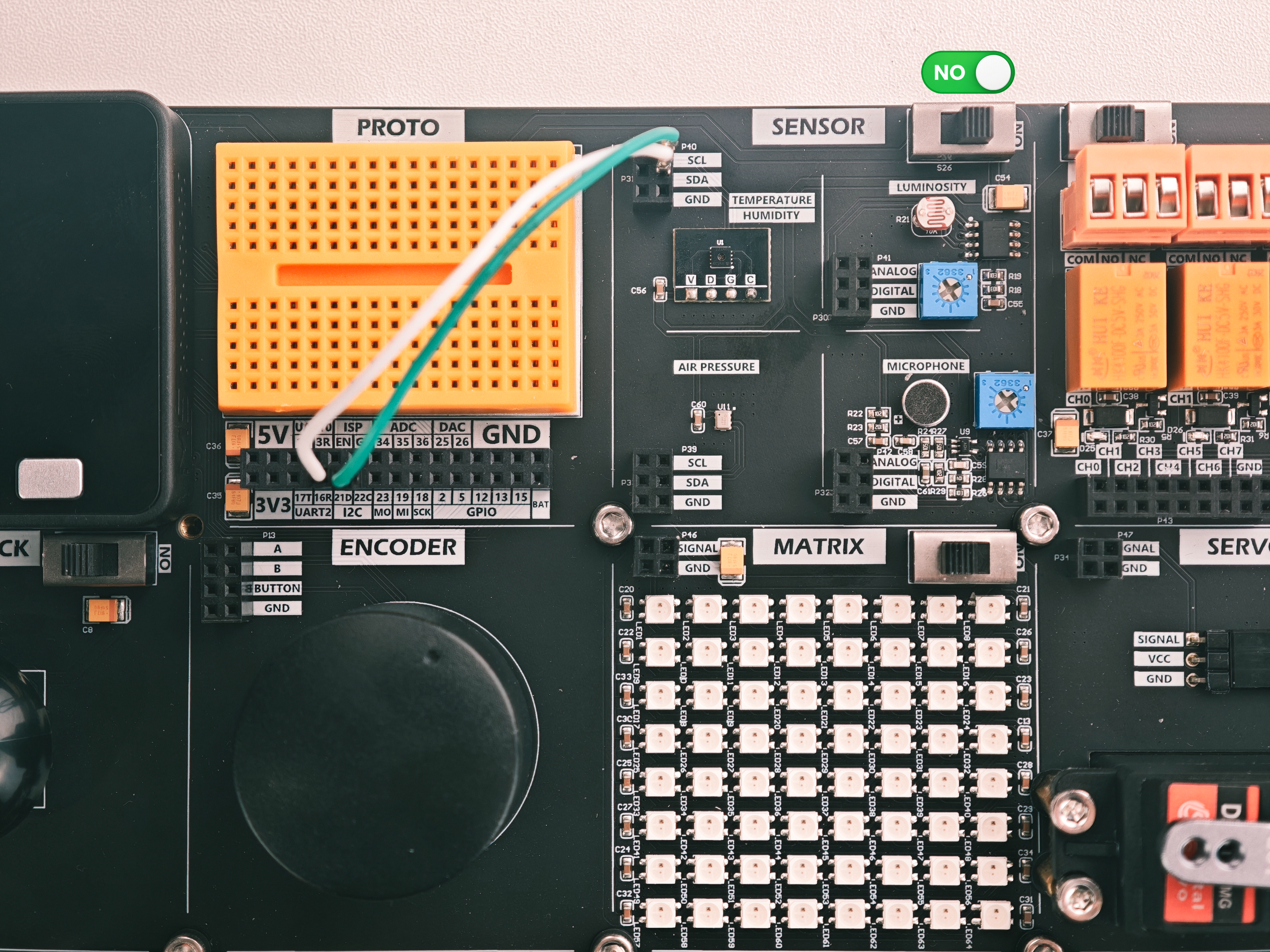
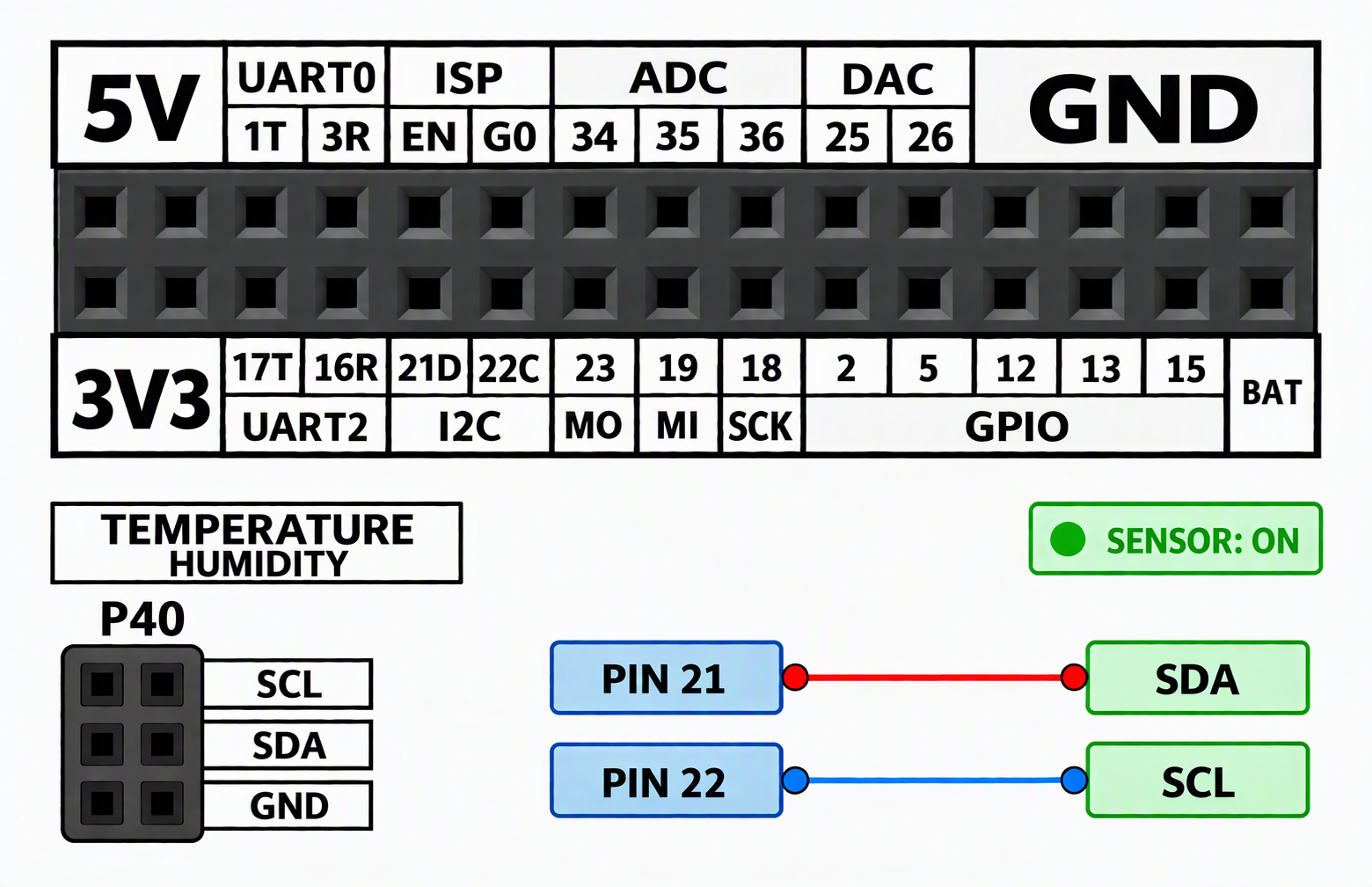
Modules that communicate over I2C can be connected to the Basic default I2C pins, PIN21 (SDA) and PIN22 (SCL).
Example Program
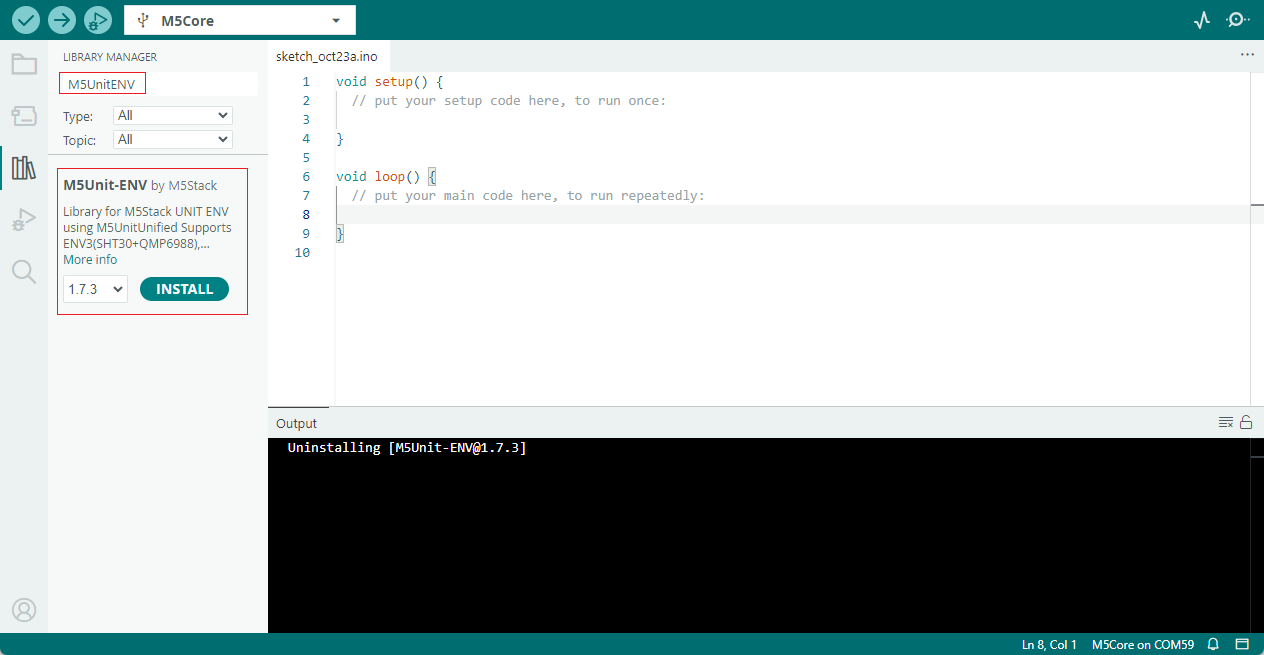
This example uses the M5UnitENV.h library. Search for and install it through the Arduino Library Manager.
This example demonstrates temperature and humidity acquisition using the SHT30.
cpp
1 2 3 4 5 6 7 8 9 10 11 12 13 14 15 16 17 18 19 20 21 22 23 24 25 26 27 28 29 30 31 32 33 34 35 36 37 38 39 40 41 42 43 44 45 46 47
#include <M5Unified.h>
#include <M5UnitENV.h>

// Read the temperature and humidity values measured by the SHT30 sensor and display them on the screen.

SHT3X sht30;

void setup() {
  M5.begin();
  M5.Power.begin();

  if (!sht30.begin()) {
    M5.Lcd.setTextSize(4);
    M5.Lcd.setTextColor(RED, BLACK);
    M5.Lcd.println("SHT30\nnot found!");
    while (true) delay(1000);
  }

  M5.Lcd.setBrightness(50);
  M5.Lcd.fillScreen(BLACK);
  M5.Lcd.setTextColor(WHITE, BLACK);

  M5.Lcd.setTextSize(5);
  const int titleW = 5 * 6 * 5;
  M5.Lcd.setCursor((320 - titleW) / 2, 10);
  M5.Lcd.println("SHT30");

  M5.Lcd.setTextSize(4);
}

void loop() {
  if (sht30.update()) {
    float tmp = sht30.cTemp;
    float hum = sht30.humidity;

    M5.Lcd.setTextSize(4);
    M5.Lcd.setTextColor(WHITE, BLACK);

    M5.Lcd.setCursor(20, 80);
    M5.Lcd.printf("Temp: %4.1f C ", tmp);
    M5.Lcd.setCursor(20, 140);
    M5.Lcd.printf("Humi: %4.1f %% ", hum);

    Serial.printf("Temp: %.2f C  Humi: %.2f %%\n", tmp, hum);
  }
  delay(1000);
}After uploading the program, you should see the following result.
Page Tools