

Arduino Quick Start
2. Devices & Examples
Demo Board-SHT30
3. M5Unified
4. M5GFX
5. Extensions
Unit
Module
Atomic
Tab5
IoT
Accessories
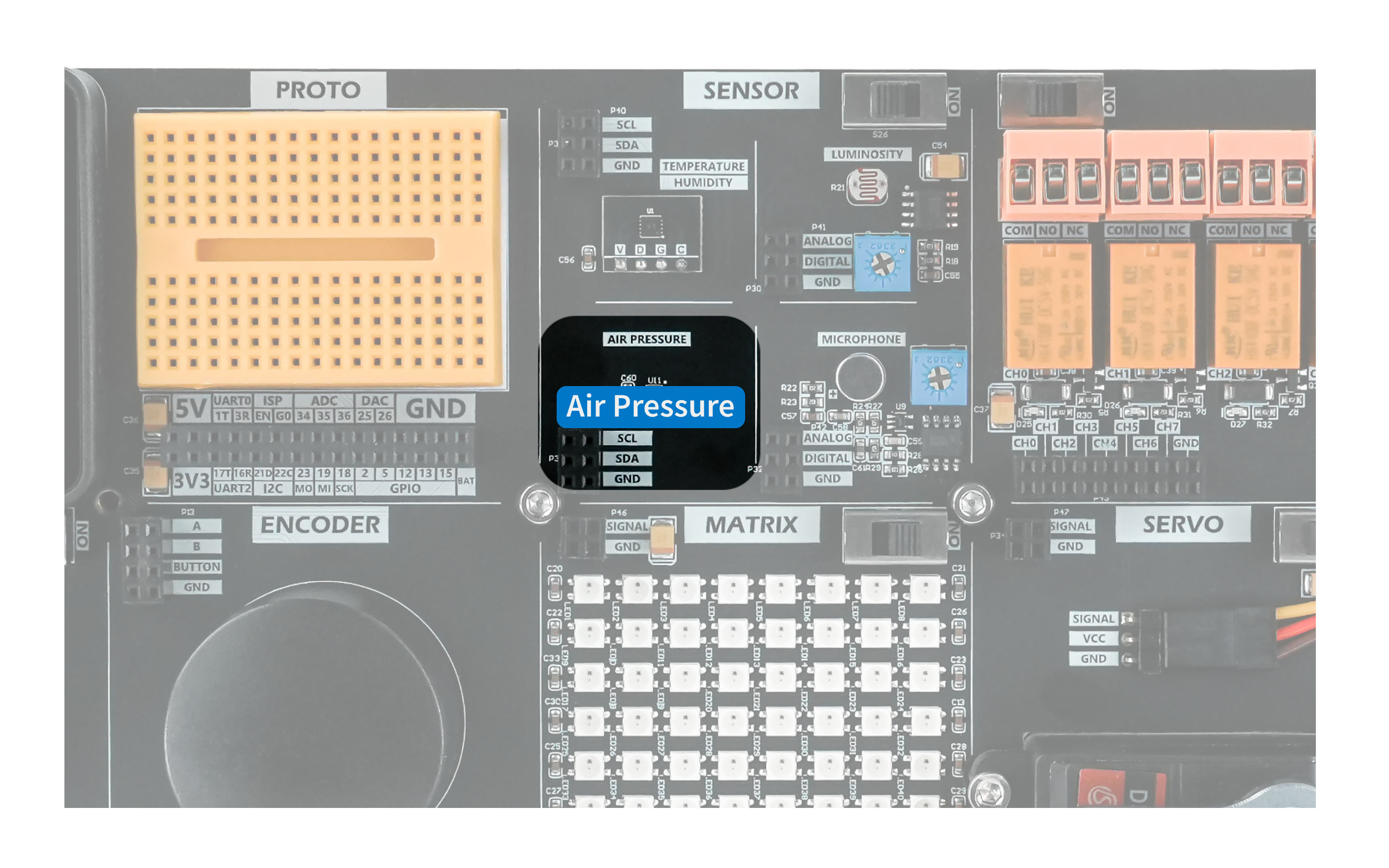
Air Pressure Module
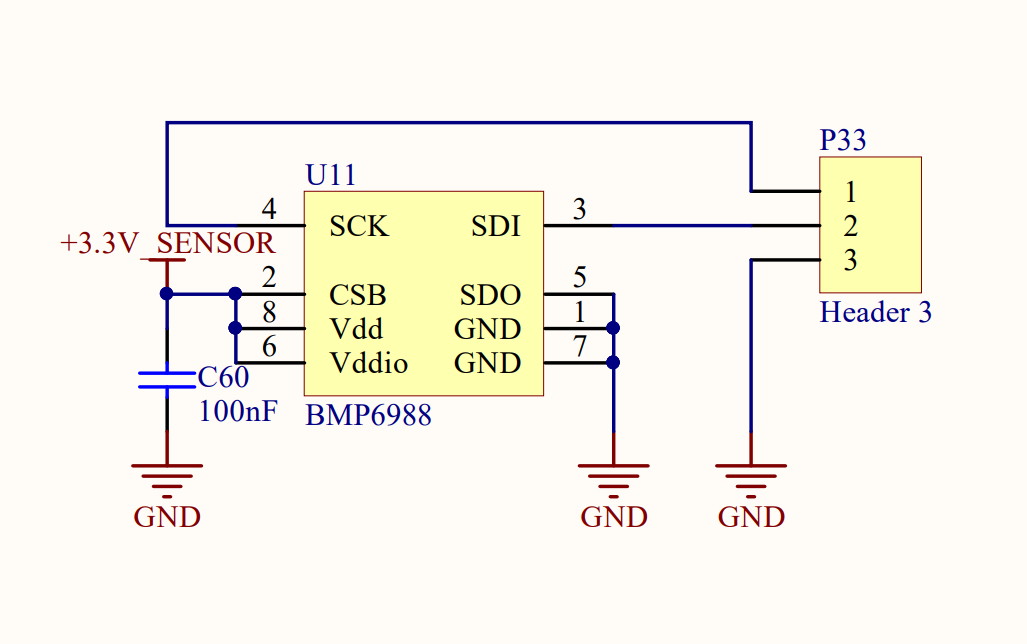
The Air Pressure module uses the QMP6988 barometric pressure sensor to measure pressure at its location and transmit data over the I2C bus. The 7-bit device address is 0x70.
Hardware Connection
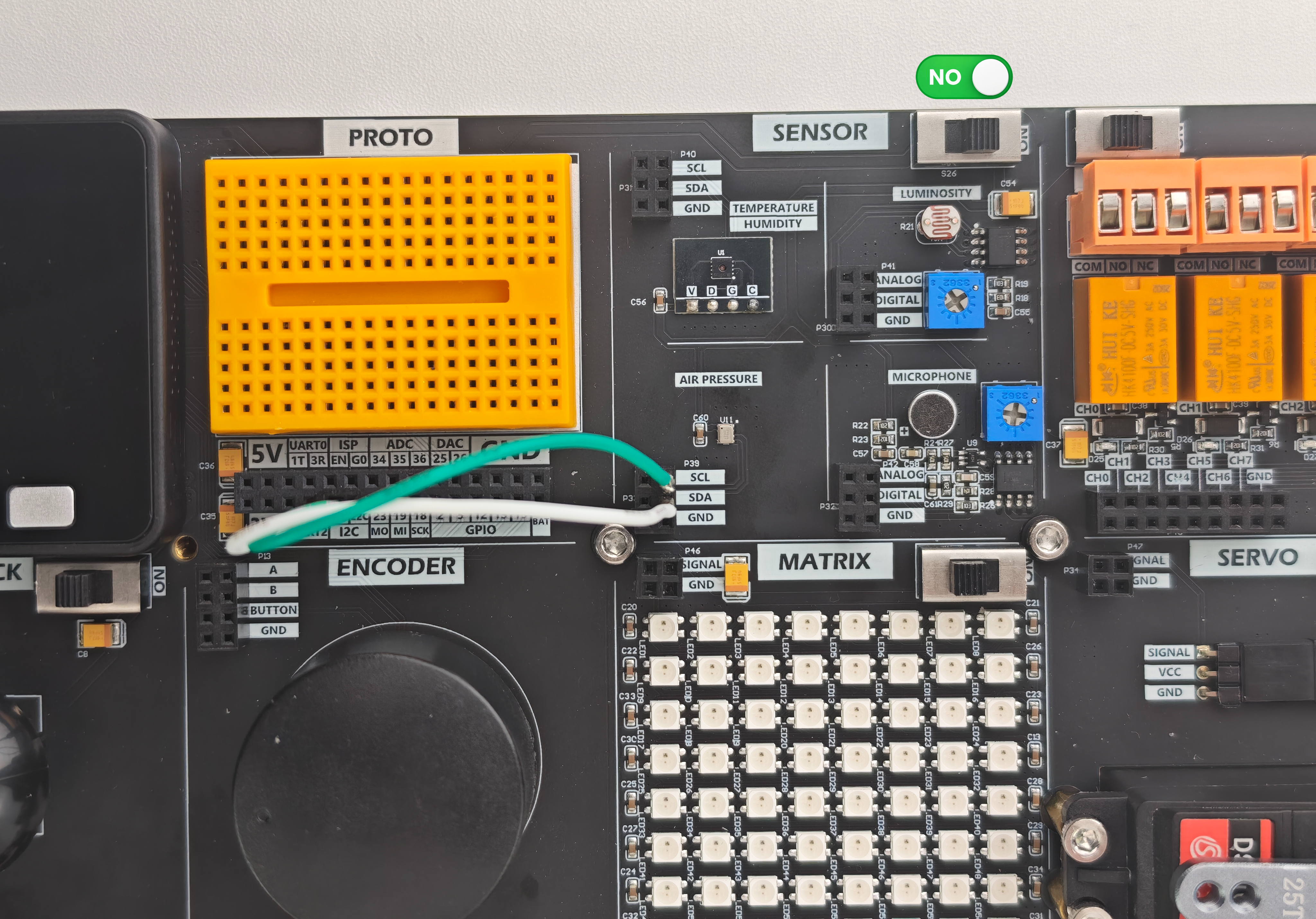
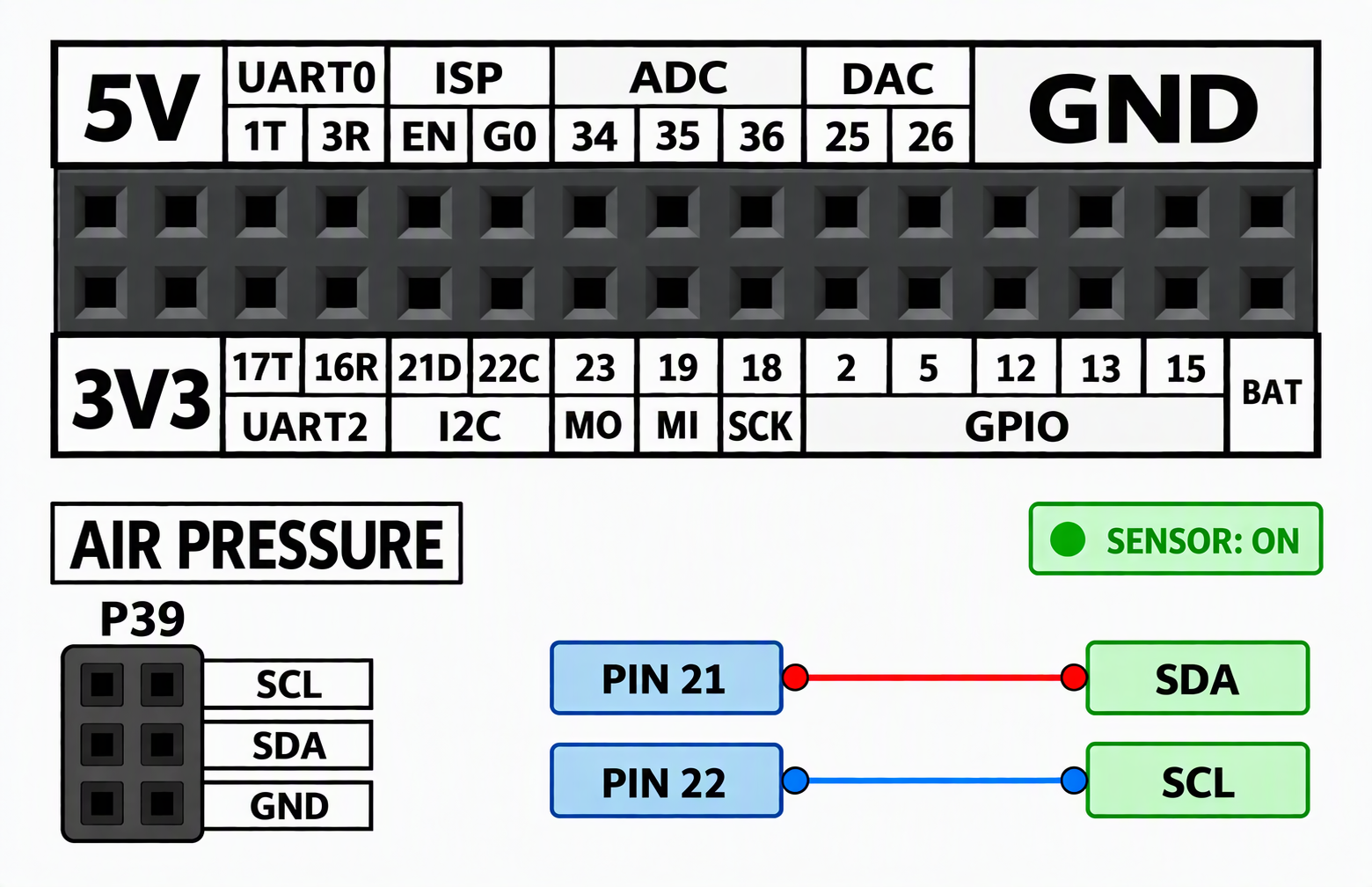
Modules that communicate over I2C can be connected to the Basic default I2C pins, PIN21 (SDA) and PIN22 (SCL).
Example Program
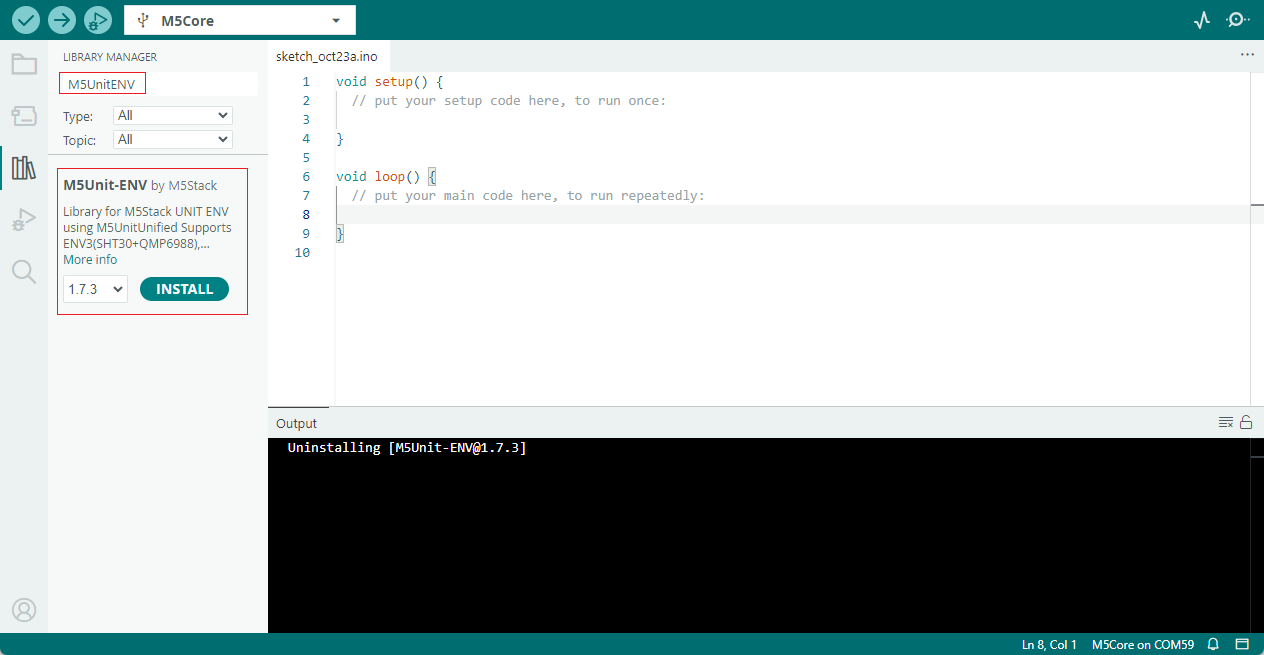
This example uses the M5UnitENV.h library. Search for and install M5UnitENV in the Arduino IDE Library Manager.
This example reads the pressure measurement from the QMP6988 sensor and displays it on the screen.
cpp
1 2 3 4 5 6 7 8 9 10 11 12 13 14 15 16 17 18 19 20 21 22 23 24 25 26 27 28 29 30 31 32 33 34 35 36 37 38 39 40 41 42 43 44 45 46 47 48 49 50 51 52 53 54 55 56 57 58 59 60 61 62 63 64 65 66 67 68 69 70 71 72 73 74 75 76 77 78 79 80
// QMP6988
#include <M5Unified.h>
#include <M5UnitENV.h>

QMP6988 qmp6988;

constexpr uint8_t SENSOR_ADDR = 0x70;
constexpr int SDA_PIN = 21;
constexpr int SCL_PIN = 22;
constexpr uint32_t UPDATE_INTERVAL = 1000;

uint32_t lastUpdate = 0;
bool sensorOK = false;

void setup()
{
  auto cfg = M5.config();
  M5.begin(cfg);

  Serial.begin(115200);

  M5.Lcd.fillScreen(BLACK);
  M5.Lcd.setTextSize(2);
  M5.Lcd.setTextColor(WHITE, BLACK);
  M5.Lcd.setCursor(10, 10);
  M5.Lcd.println("QMP6988");

  sensorOK = qmp6988.begin(
    &Wire,
    SENSOR_ADDR,
    SDA_PIN,
    SCL_PIN,
    100000
  );

  M5.Lcd.setCursor(10, 50);

  if (sensorOK) {
    Serial.println("QMP6988 OK");
    M5.Lcd.setTextColor(GREEN, BLACK);
    M5.Lcd.println("Sensor OK");
  } else {
    Serial.println("QMP6988 not found");
    M5.Lcd.setTextColor(RED, BLACK);
    M5.Lcd.println("Sensor not found");
  }
}

void loop()
{
  M5.update();

  if (!sensorOK) {
    return;
  }

  if (millis() - lastUpdate < UPDATE_INTERVAL) {
    return;
  }

  lastUpdate = millis();

  if (qmp6988.update()) {
    const float pressure = qmp6988.pressure;

    Serial.printf("Pressure: %.2f hPa\n", pressure);

    M5.Lcd.fillRect(0, 100, 320, 60, BLACK);
    M5.Lcd.setTextColor(YELLOW, BLACK);
    M5.Lcd.setCursor(10, 120);
    M5.Lcd.printf("Pressure: %.2f hPa", pressure);
  } else {
    Serial.println("Read failed");

    M5.Lcd.fillRect(0, 100, 320, 60, BLACK);
    M5.Lcd.setTextColor(RED, BLACK);
    M5.Lcd.setCursor(10, 120);
    M5.Lcd.println("Read failed");
  }
}After uploading the program, you should see the following result.
Page Tools