

Arduino Quick Start
2. Devices & Examples
Demo Board-SHT30
3. M5Unified
4. M5GFX
5. Extensions
Unit
Module
Atomic
Tab5
IoT
Accessories
RS-232 Converter Module
The RS-232 converter module converts TTL-level signals to RS-232 levels, enabling protocol conversion and control of compatible devices.
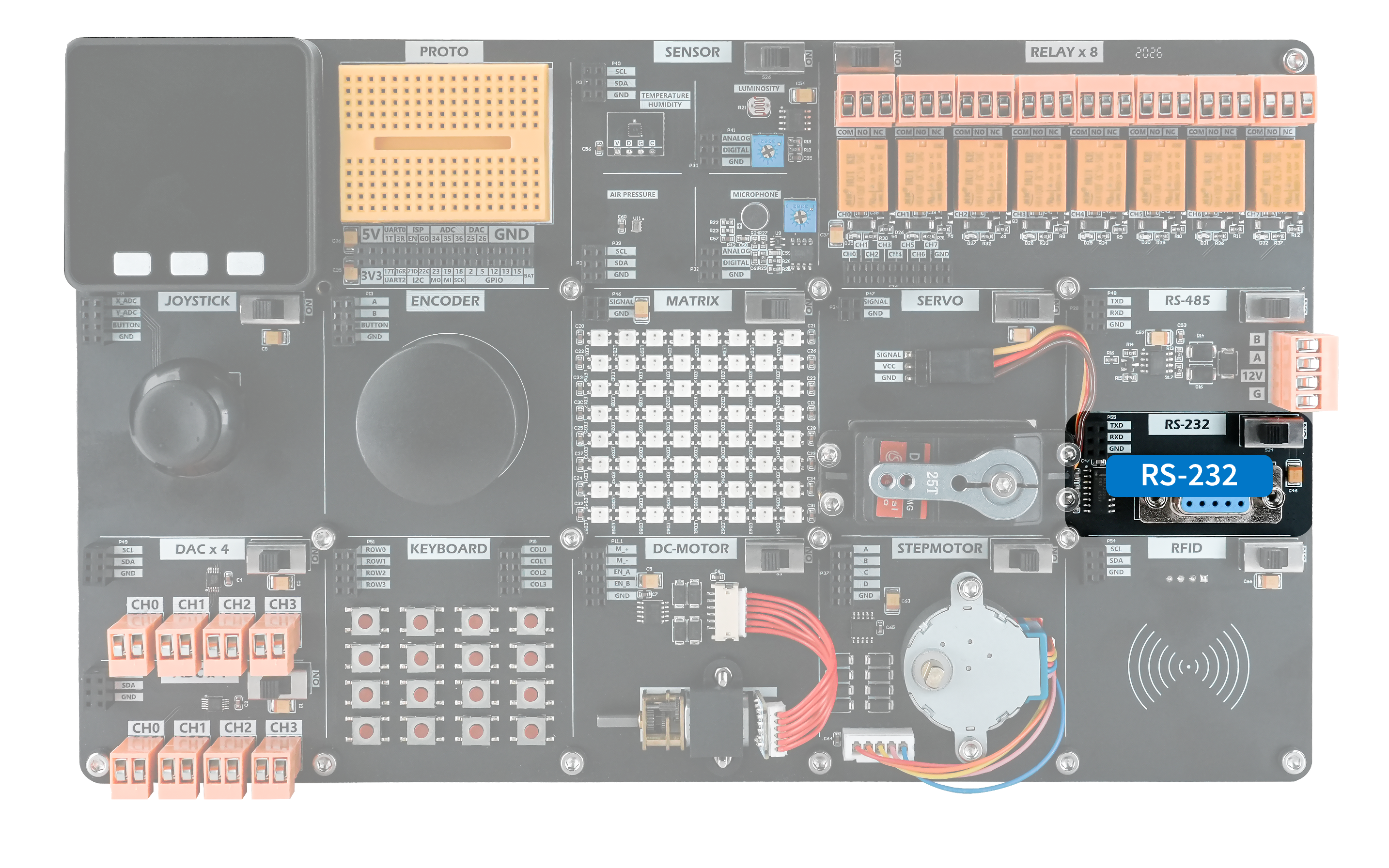
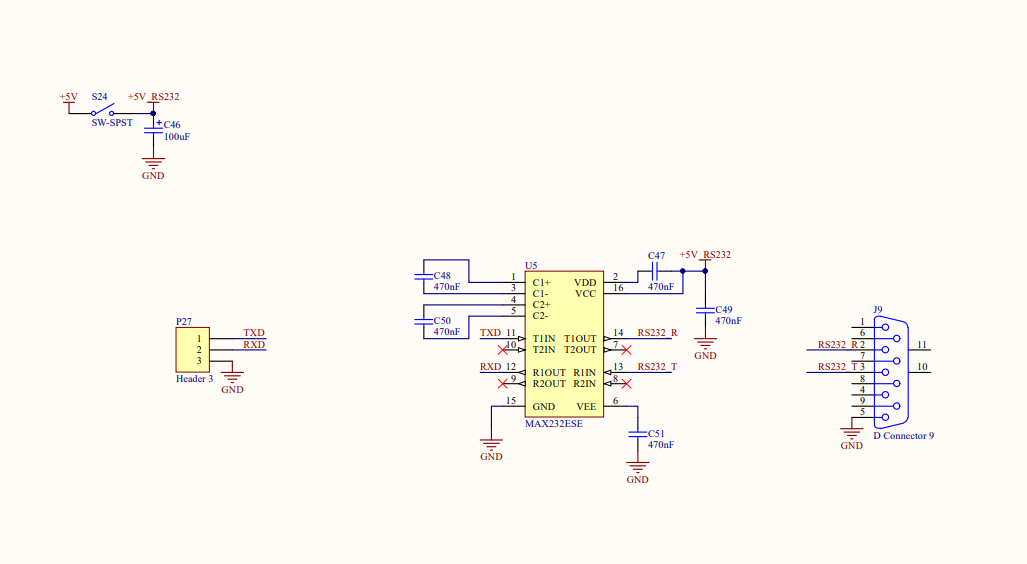
Hardware Connection
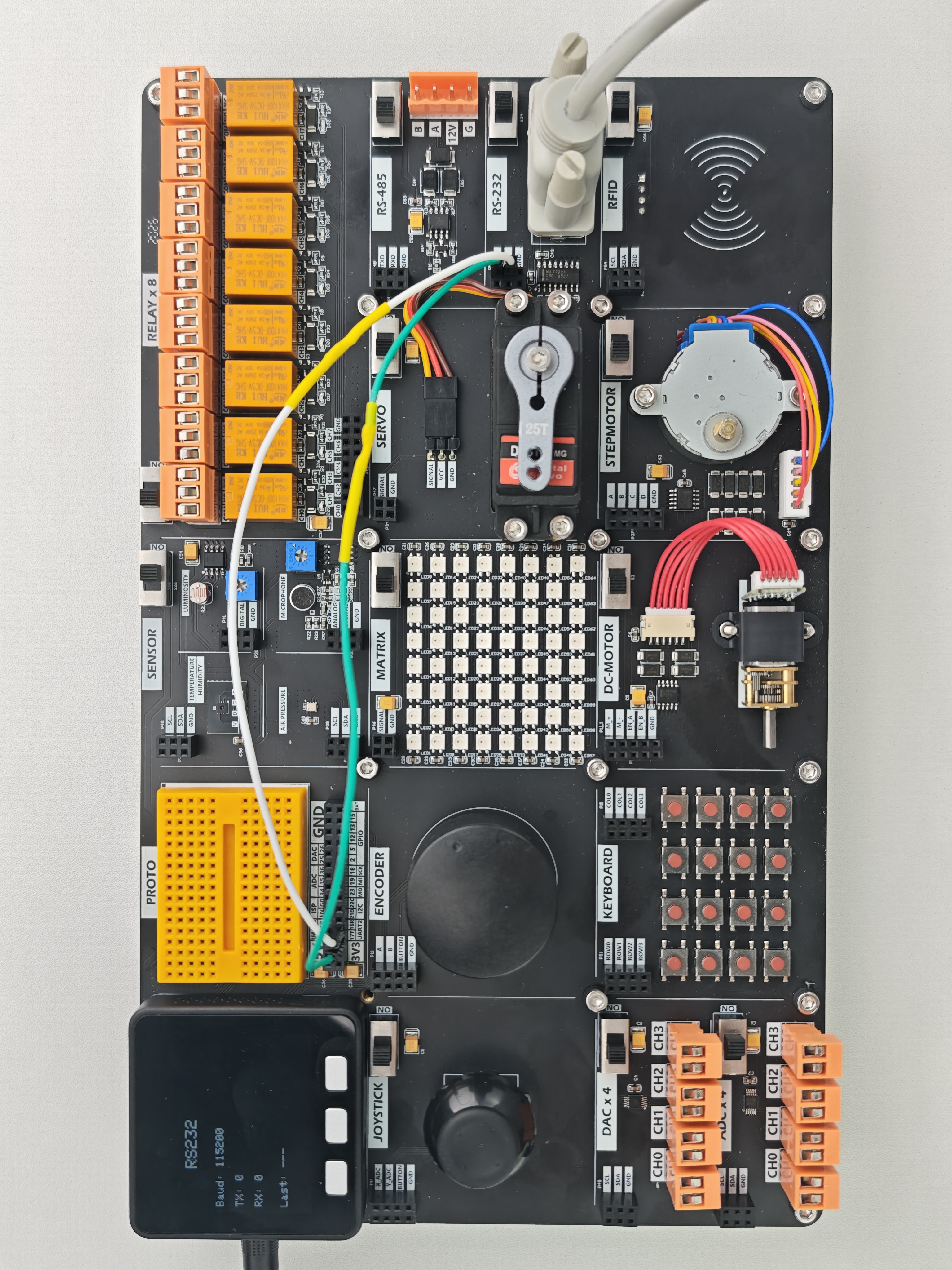
Devices that communicate over a serial port can be connected to the M5Core default serial pins, PIN17 (TXD) and PIN16 (RXD).
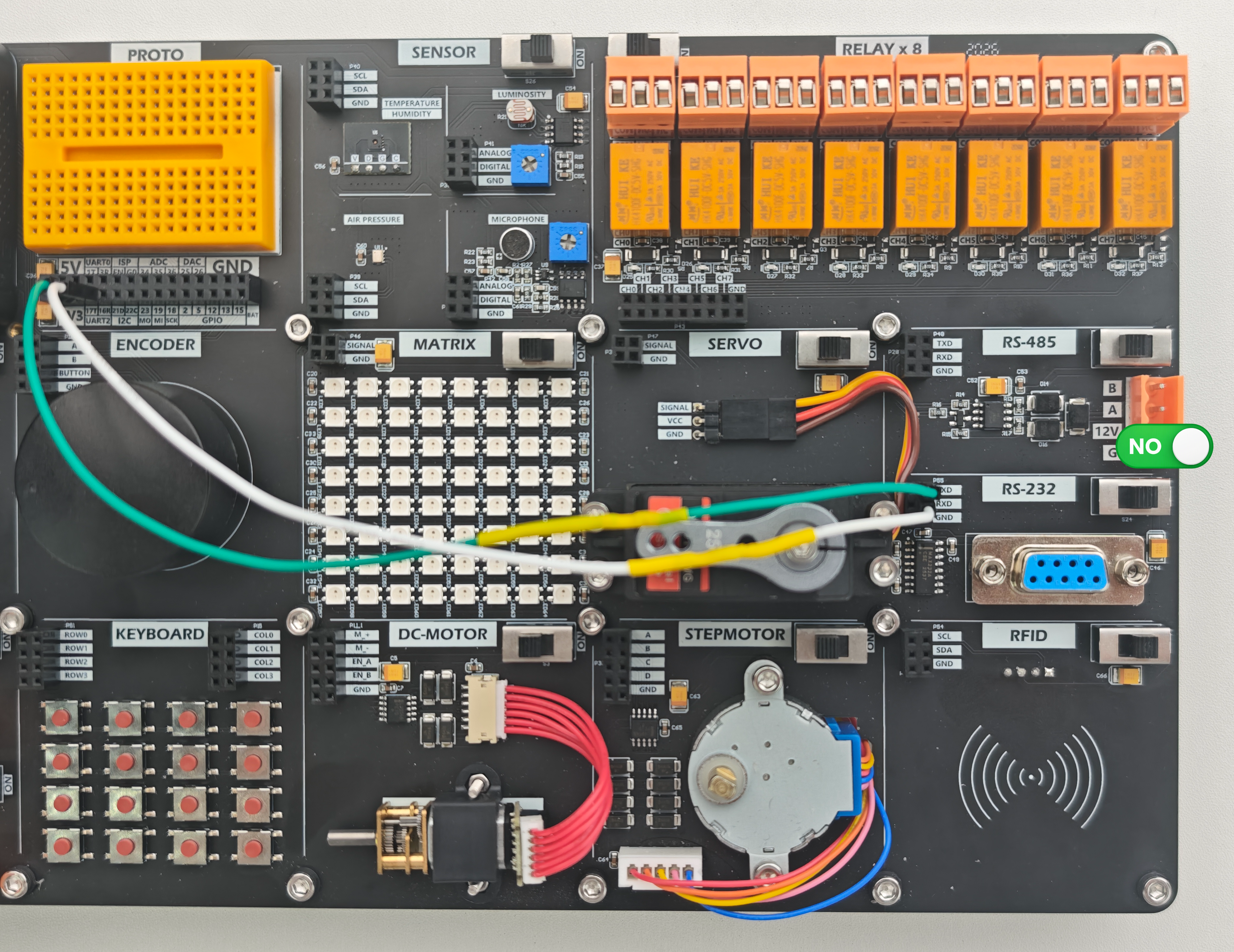
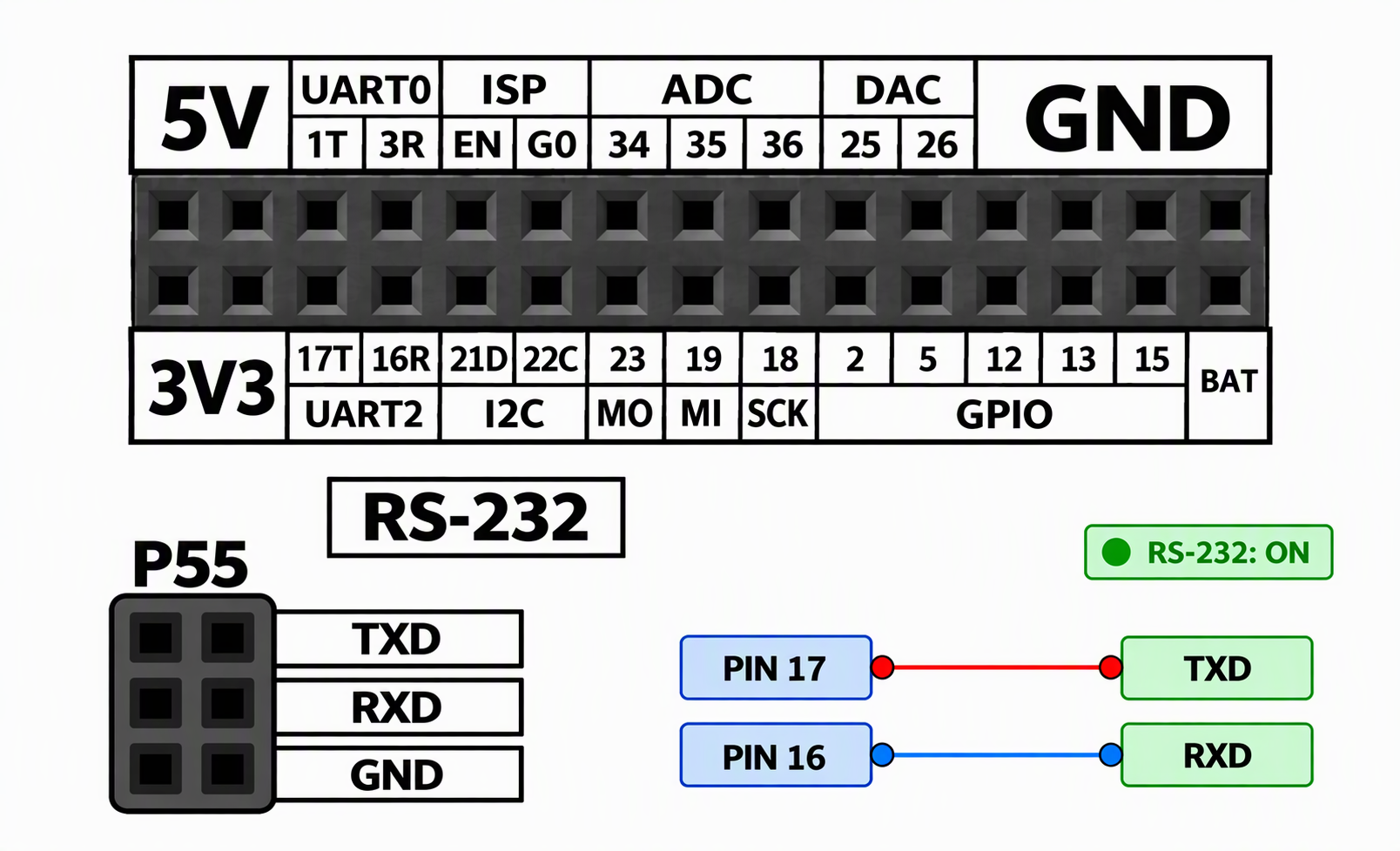
Example Program
This program implements a transparent bidirectional serial bridge: Serial2 (RX16/TX17, connected to RS-232, 115200/8N1, enabled by GPIO5) and Serial (UART0, connected to the PC through the onboard USB-to-serial converter) pass bytes through in both directions. The screen shows the baud rate, cumulative TX/RX byte counts, and the most recently received character in real time for field debugging.
cpp
1 2 3 4 5 6 7 8 9 10 11 12 13 14 15 16 17 18 19 20 21 22 23 24 25 26 27 28 29 30 31 32 33 34 35 36 37 38 39 40 41 42 43 44 45 46 47 48 49 50 51 52 53 54 55 56 57 58 59 60 61 62 63 64 65 66 67 68 69 70 71 72 73 74 75
#include <M5Unified.h>

constexpr int RX_PIN = 16;
constexpr int TX_PIN = 17;
constexpr int ENABLE_PIN = 5;
constexpr uint32_t BAUD = 115200;

uint32_t txCount = 0;
uint32_t rxCount = 0;
int lastByte = -1;

void show()
{
  M5.Display.fillScreen(TFT_BLACK);
  M5.Display.setTextColor(TFT_WHITE, TFT_BLACK);

  M5.Display.setTextSize(3);
  M5.Display.setCursor(80, 15);
  M5.Display.print("RS232");

  M5.Display.setTextSize(2);
  M5.Display.setCursor(10, 70);
  M5.Display.printf("Baud: %lu\nTX: %lu\nRX: %lu\n",
                    (unsigned long)BAUD,
                    (unsigned long)txCount,
                    (unsigned long)rxCount);

  M5.Display.setCursor(10, 185);

  if (lastByte < 0) {
    M5.Display.print("Last: ---");
  } else if (lastByte >= 32 && lastByte <= 126) {
    M5.Display.printf("Last: %c 0x%02X", (char)lastByte, lastByte);
  } else {
    M5.Display.printf("Last: 0x%02X", lastByte);
  }
}

void setup()
{
  auto cfg = M5.config();
  M5.begin(cfg);

  Serial.begin(115200);
  Serial2.begin(BAUD, SERIAL_8N1, RX_PIN, TX_PIN);

  pinMode(ENABLE_PIN, OUTPUT);
  digitalWrite(ENABLE_PIN, HIGH);

  M5.Display.setBrightness(100);
  show();

  Serial.println("RS232 ready");
}

void loop()
{
  M5.update();
  bool changed = false;

  while (Serial.available()) {
    Serial2.write(Serial.read());
    txCount++;
    changed = true;
  }

  while (Serial2.available()) {
    lastByte = Serial2.read();
    Serial.write(lastByte);
    rxCount++;
    changed = true;
  }

  if (changed) show();
}
Page Tools