

Arduino Quick Start
2. Devices & Examples
Demo Board-SHT30
3. M5Unified
4. M5GFX
5. Extensions
Unit
Module
Atomic
Tab5
IoT
Accessories
Relay Module
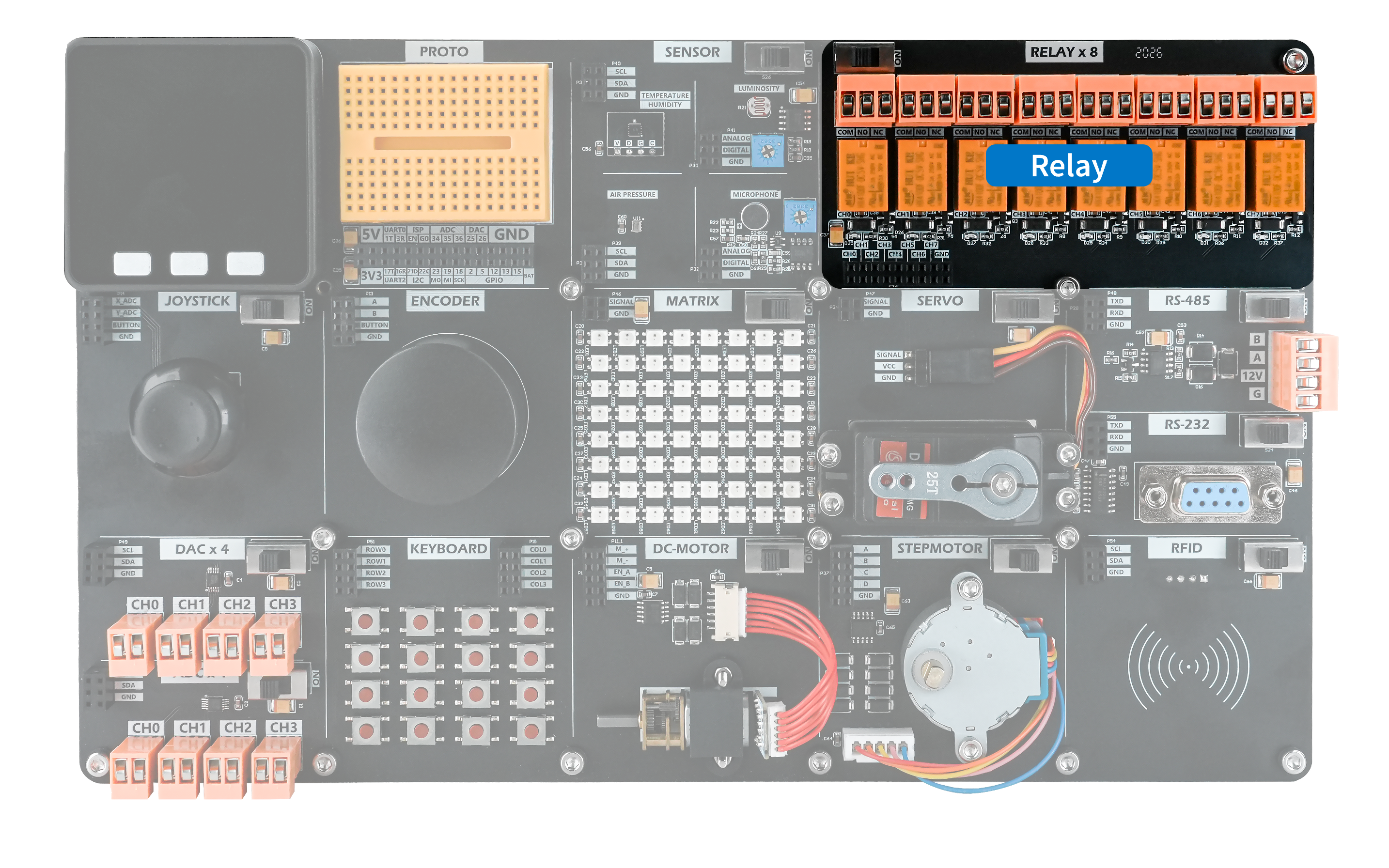
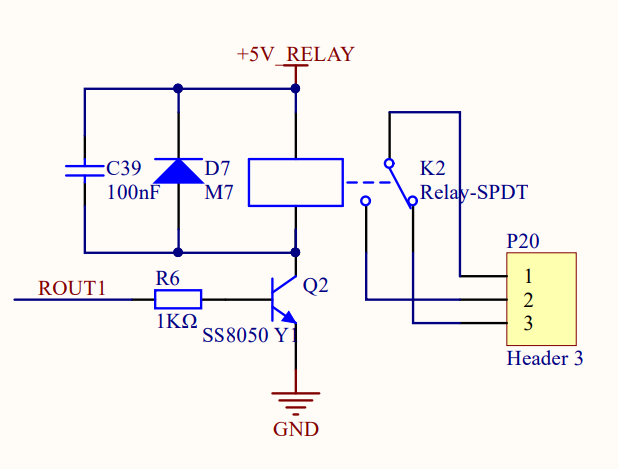
The Relay module controls an external load circuit by driving its relay coil from a host control input to switch the contacts. Each relay has three contact terminals: common (COM), normally closed (NC), and normally open (NO). When the coil is de-energized, COM is connected to NC and disconnected from NO. When the coil is energized, COM is disconnected from NC and connected to NO.
Hardware Connection
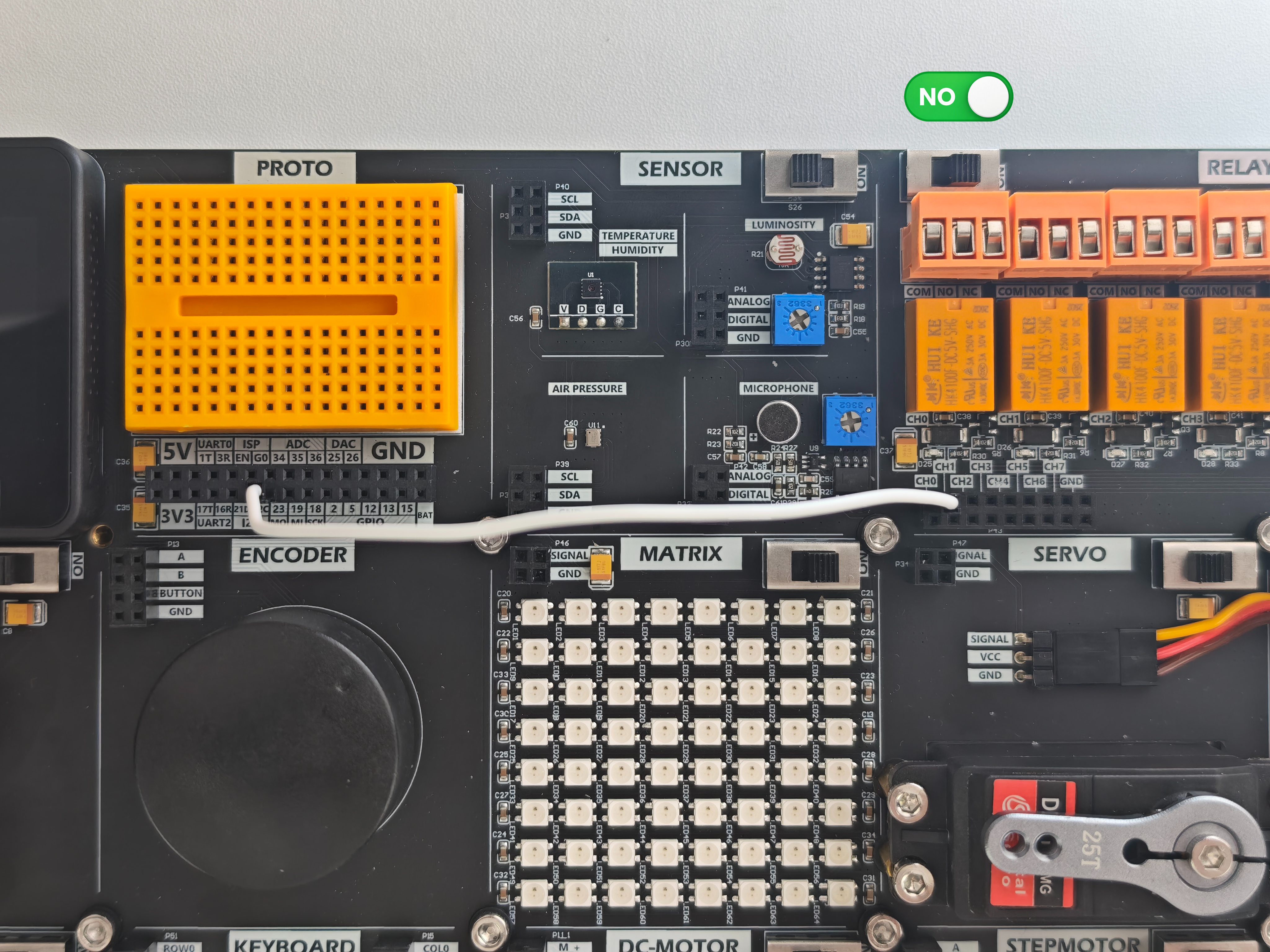
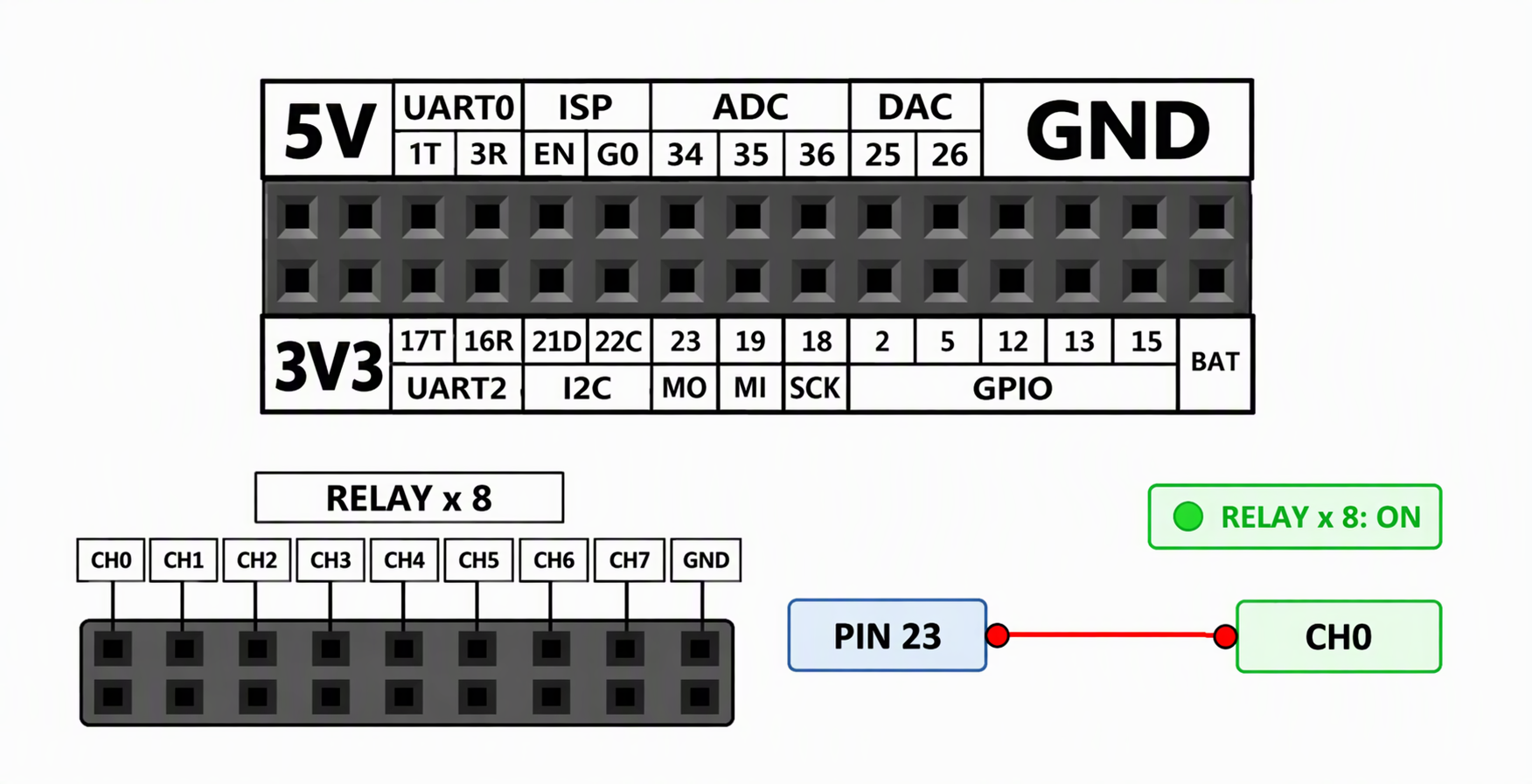
To use the Relay module, connect the controller's control pin to the relay coil input and turn on the module's independent power switch. When the control pin outputs HIGH, the relay coil is energized and actuates the switch.
Example Program
This example toggles the relay state once per second, causing it to alternate between release and activation.
#include <M5Unified.h>

const int In_0 = 23;

void setup() {
  // 1. Initialize the M5Unified hardware driver
  auto cfg = M5.config();
  M5.begin(cfg);

  // 2. Set pin mode
  pinMode(In_0, OUTPUT);
}

void loop() {
  digitalWrite(In_0, LOW);
  delay(1000);
  digitalWrite(In_0, HIGH);
  delay(1000);
} After uploading the program, you should see the following result.