

Arduino入門
2. デバイス&サンプル
3. M5Unified
4. M5GFX
5. 拡張モジュール&サンプル
Unit
Module
Atomic
Tab5
IoT
アクセサリー
Core2 RGB LED
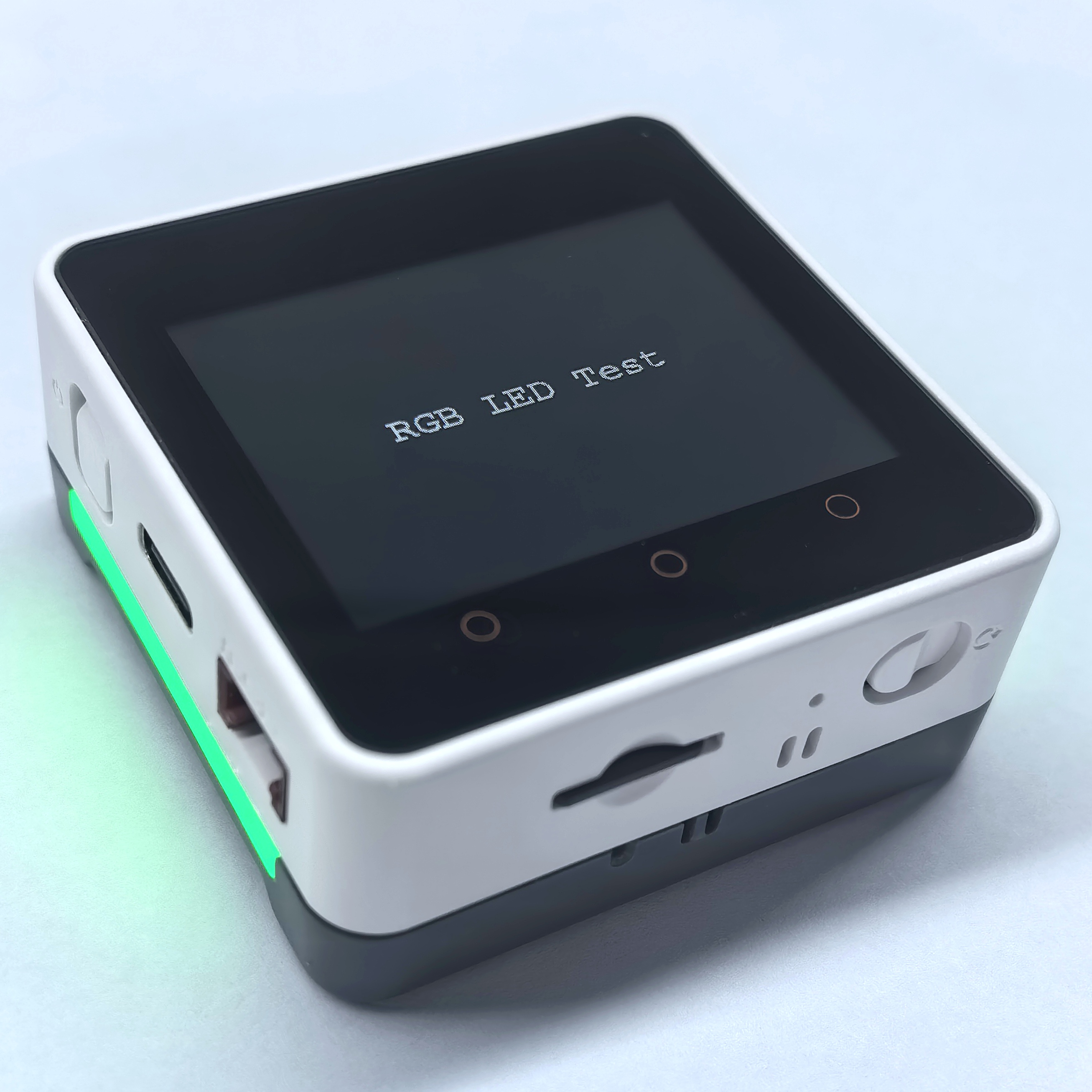
Core2 に Base M5GO Bottom2 v1.3 を接続すると、ベース上の 10 個の SK6812 RGB LED を Core2 の GPIO25 で制御できます。
サンプルプログラム
コンパイル要件
- M5Stack ボードマネージャ バージョン >= 3.2.0
- 開発ボードの選択 =
M5Core2 - M5Unified ライブラリ バージョン >= 0.2.11
- M5GFX ライブラリ バージョン >= 0.2.8
cpp
1 2 3 4 5 6 7 8 9 10 11 12 13 14 15 16 17 18 19 20 21 22 23 24 25 26 27 28 29 30 31 32 33 34 35 36 37 38 39 40 41 42 43 44 45 46 47 48 49 50 51 52 53 54 55 56 57 58 59 60 61
#include <M5Unified.h>
#include "utility/led/LED_Strip_Class.hpp"

constexpr int LED_DATA_PIN = 25;
constexpr size_t LED_COUNT = 10;

void setup()
{
    auto cfg = M5.config();
    M5.begin(cfg);

    auto busled = std::make_shared<m5::LedBus_RMT>();
    auto buscfg = busled->getConfig();
    buscfg.pin_data = LED_DATA_PIN;
    busled->setConfig(buscfg);

    auto led_strip = std::make_shared<m5::LED_Strip_Class>();
    auto ledcfg = led_strip->getConfig();
    ledcfg.led_count = LED_COUNT;
    ledcfg.byte_per_led = 3;
    ledcfg.color_order = m5::LED_Strip_Class::config_t::color_order_grb;
    led_strip->setBus(busled);
    led_strip->setConfig(ledcfg);

    M5.Led.setLedInstance(led_strip);
    M5.Led.setAutoDisplay(false);
    M5.Led.begin();
    M5.Led.setBrightness(80);

    M5.Display.setTextDatum(middle_center);
    M5.Display.setTextFont(&fonts::FreeMonoBold12pt7b);
    M5.Display.setTextSize(1);
    M5.Display.drawString("RGB LED Test", M5.Display.width() / 2,
                         M5.Display.height() / 2);

}

void loop()
{
    M5.update();

    M5.Led.setAllColor(255, 0, 0);
    M5.Led.display();
    delay(1000);

    M5.Led.setAllColor(0, 255, 0);
    M5.Led.display();
    delay(1000);

    M5.Led.setAllColor(0, 0, 255);
    M5.Led.display();
    delay(1000);

    M5.Led.setAllColor(255, 255, 255);
    M5.Led.display();
    delay(1000);

    M5.Led.setAllColor(0, 0, 0);
    M5.Led.display();
    delay(1000);
}起動すると、Base M5GO Bottom2 v1.3 上の 10 個の RGB LED が赤、緑、青、白の順に点灯し、最後に消灯します。各状態は 1 秒間続き、この動作を繰り返します。
API
Core2 の RGB LED 機能は M5Unified ライブラリの LED_Class を使用します。関連する API については、以下のドキュメントを参照してください。
Page Tools