Arduino Quick Start
2. Devices & Examples
Demo Board-SHT30
3. M5Unified
4. M5GFX
5. Extensions
Unit
Module
Atomic
Tab5
IoT
Accessories
Chain Captain Arduino Program Compile & Upload
1. Preparation
1. Arduino IDE Installation: Refer to the Arduino IDE Installation Tutorial to complete the IDE installation.
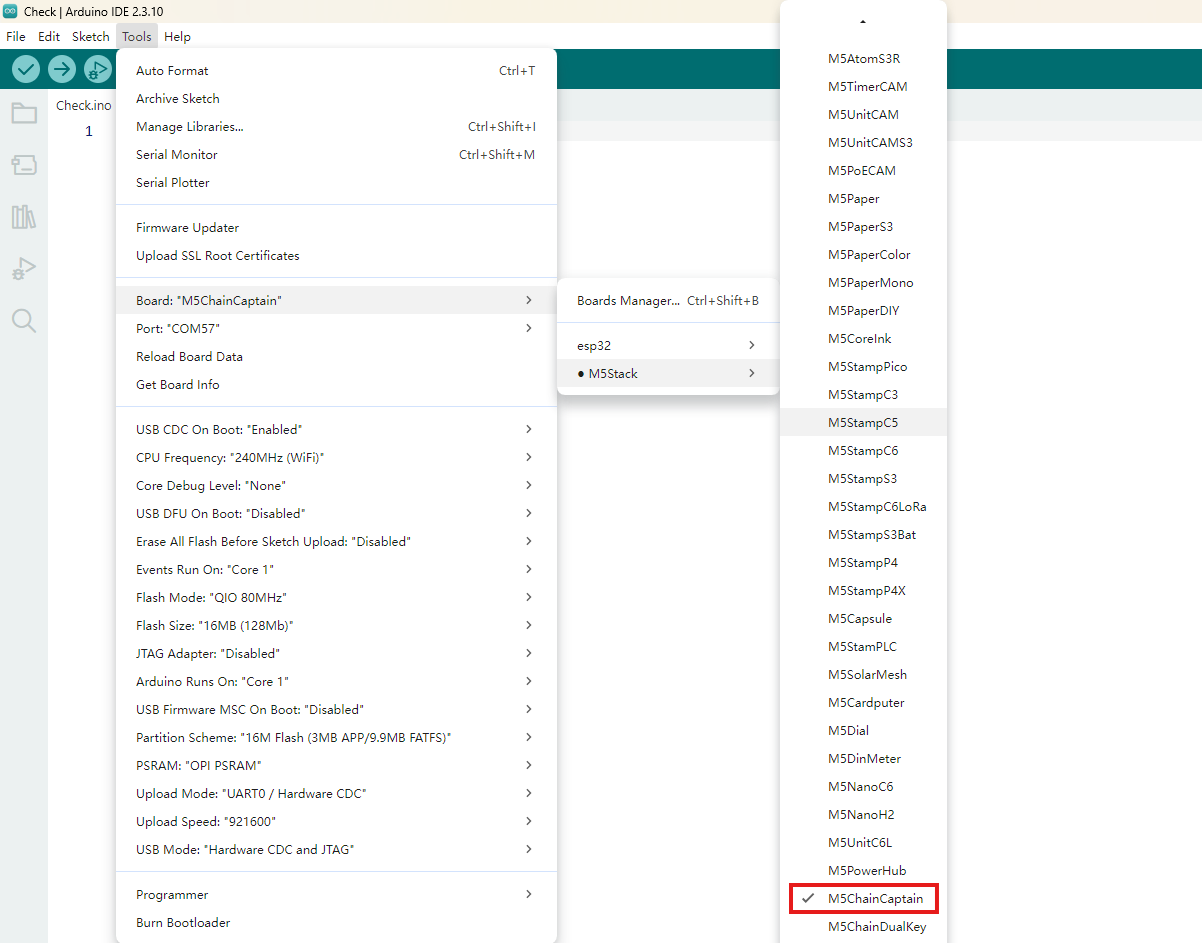
2. Board Manager Installation: Refer to the Basic Environment Setup Tutorial to complete the M5Stack Board Manager installation and select the
M5ChainCaptainboard.
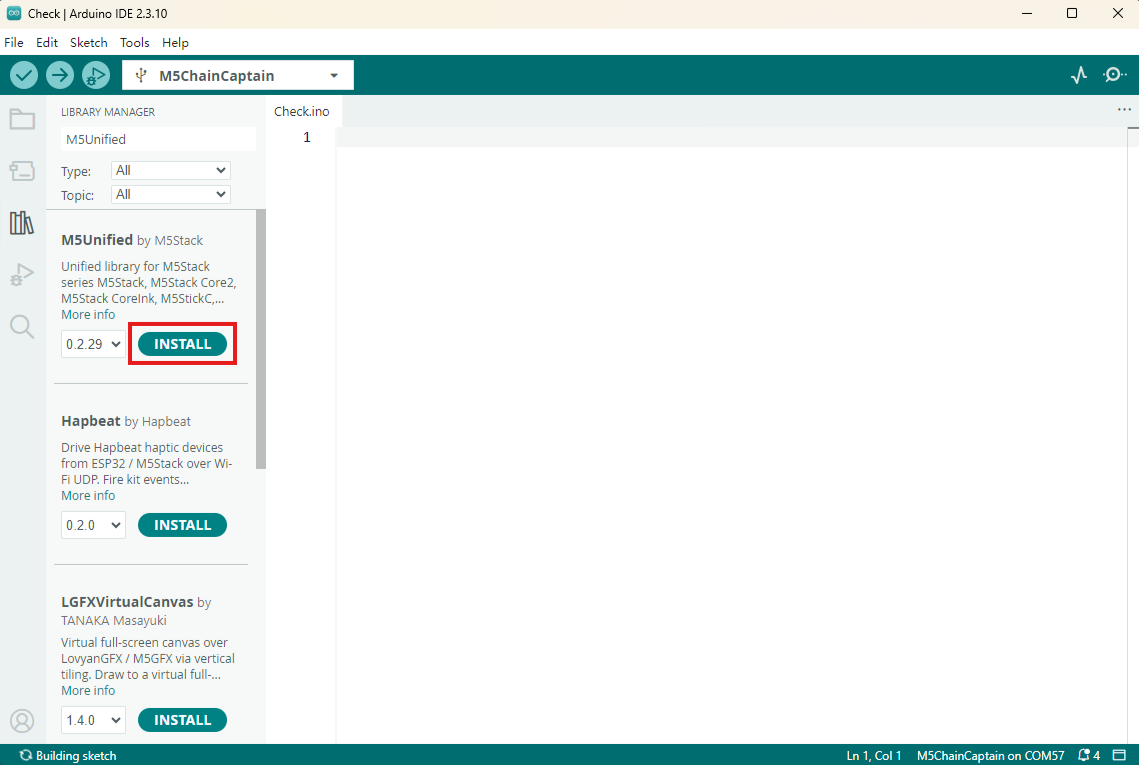
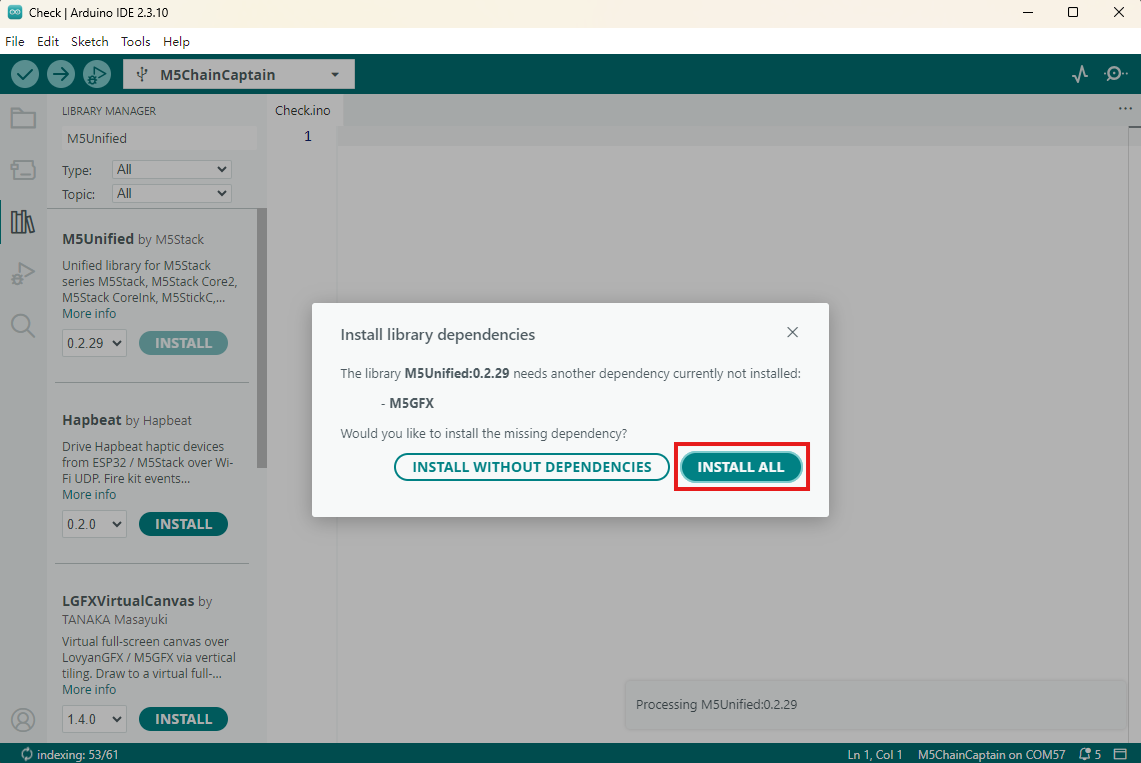
- 3. Dependency Library Installation: Refer to the Library Manager Installation Tutorial to complete the installation of the latest
M5UnifiedandM5GFXlibraries, and install all dependent libraries as prompted.
2. Download Mode
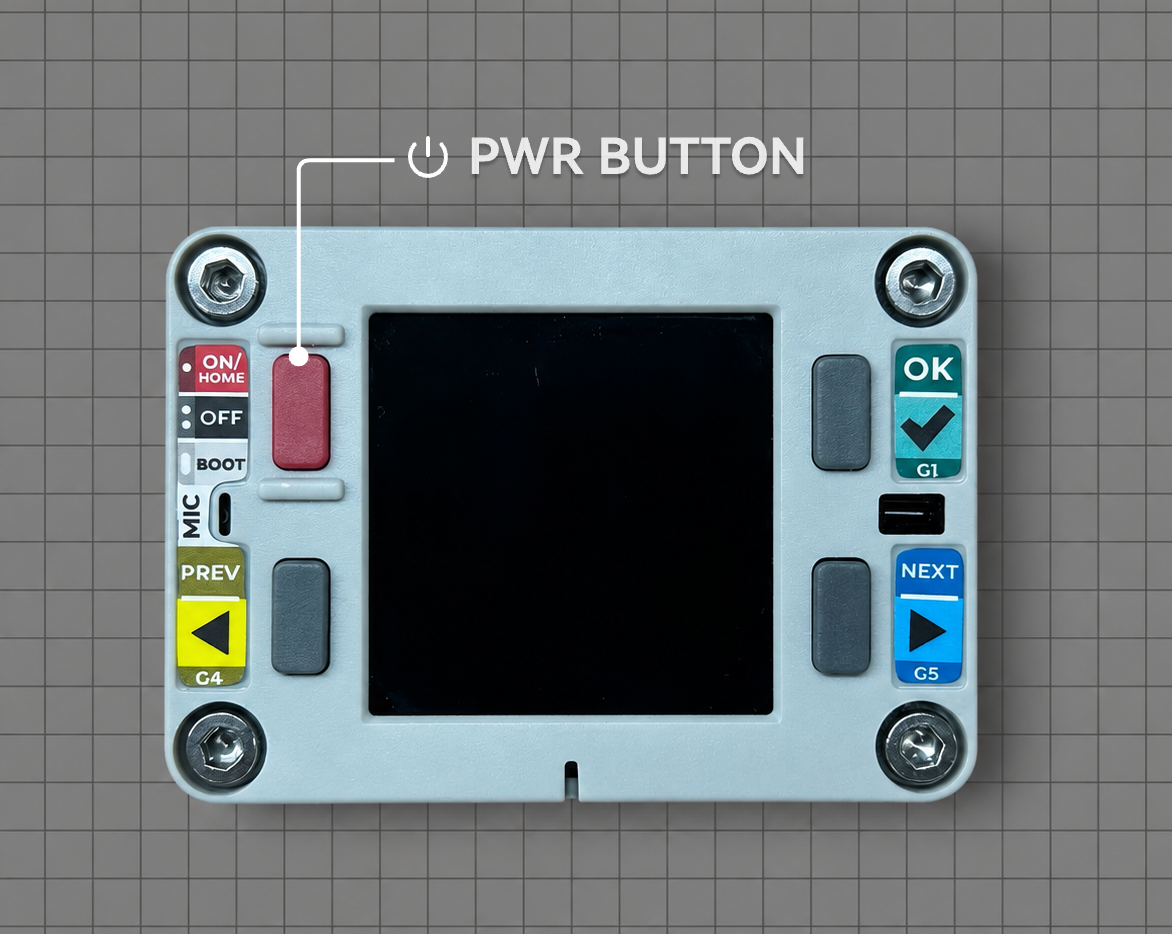
Normally, Chain Captain can be flashed directly through a USB Type-C cable. During development and debugging, if flashing fails, long-press the power button to force the device into download mode.
3. Port Selection
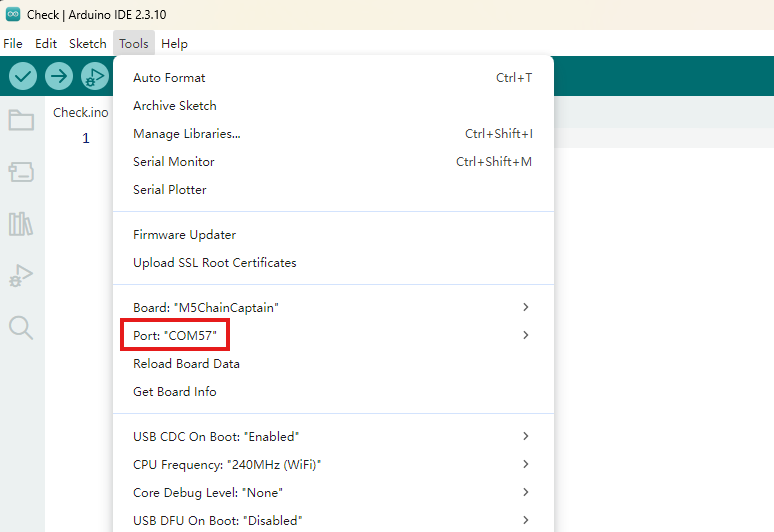
Connect the device to the computer with a USB cable. If the USB driver is installed correctly, you can select the corresponding device port in the Arduino IDE.
4. Program Compile & Upload
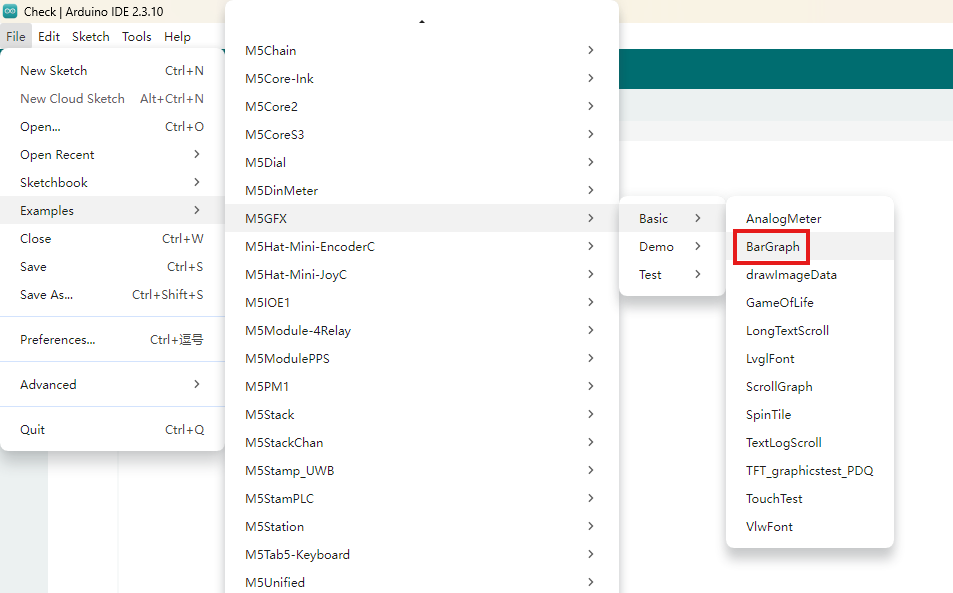
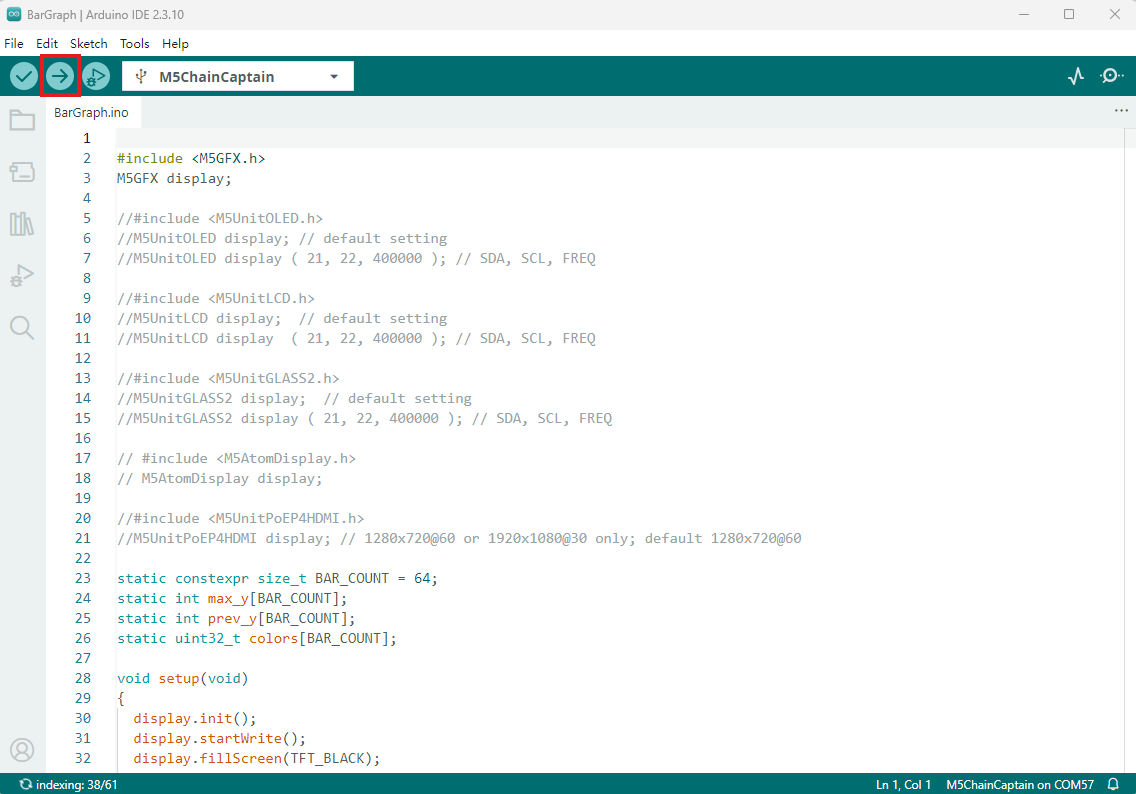
Open the BarGraph example in the M5GFX library and click the upload button; the program will be compiled and uploaded.
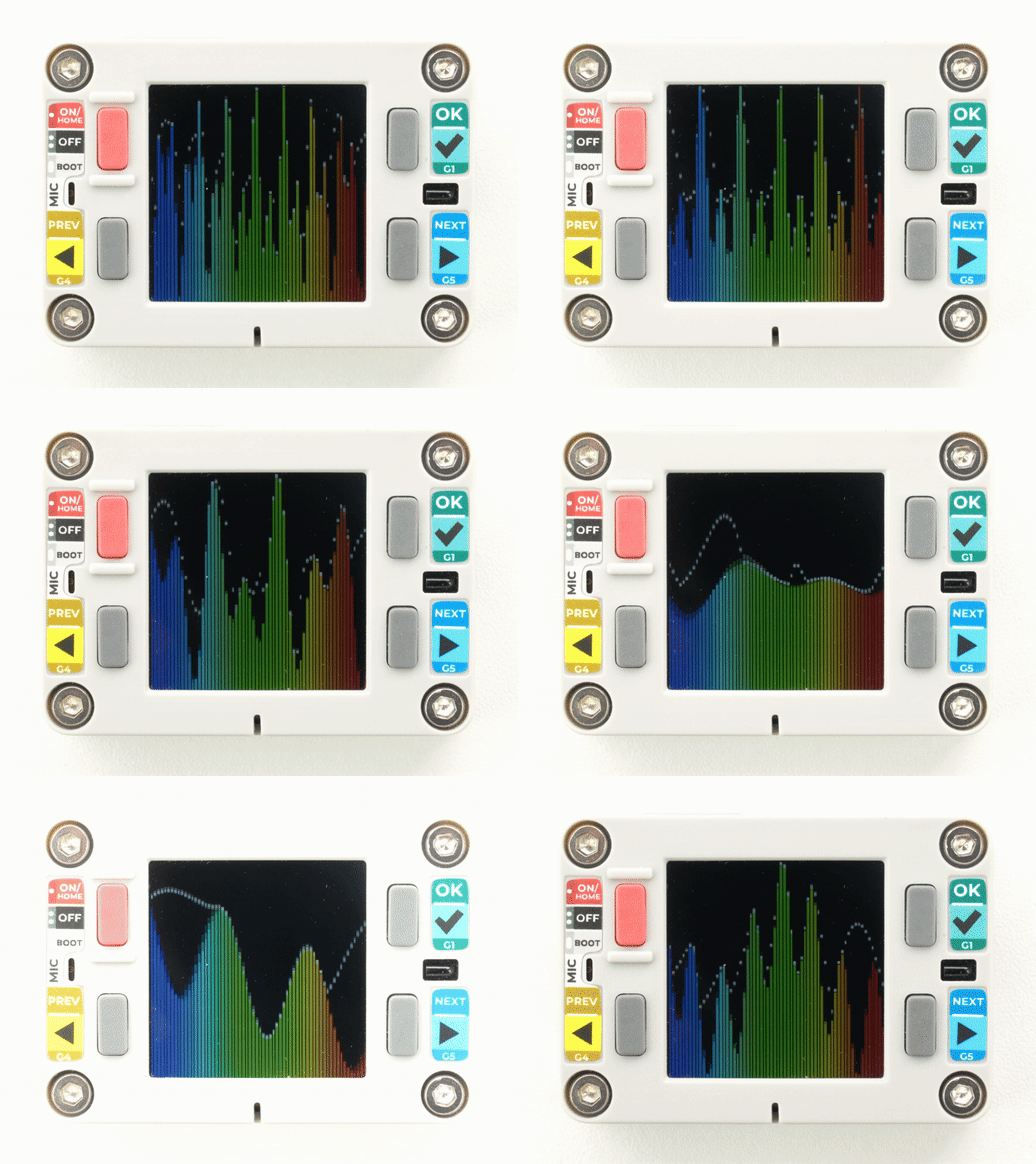
The display effect is as follows: