

Arduino Quick Start
2. Devices & Examples
Demo Board-SHT30
3. M5Unified
4. M5GFX
5. Extensions
Unit
Module
Atomic
Tab5
IoT
Accessories
Chain Captain Battery Status
Chain Captain battery and charging status related APIs and sample programs.
Example
Compilation Requirements
- M5Stack Board Manager Version >=
3.3.10-a - Board Option =
M5ChainCaptain - M5Unified Library Version >=
0.3.0 - M5GFX Library Version >=
0.3.0
Chain Captain has a built-in lithium battery. The battery and VBUS voltages are measured by M5PM1, and the charging status is read from M5IOE1 IO3 (CHG_STA); a low level indicates charging.
cpp
1 2 3 4 5 6 7 8 9 10 11 12 13 14 15 16 17 18 19 20 21 22 23 24 25 26 27 28 29 30 31 32 33 34 35 36 37 38 39 40 41 42 43 44 45 46 47 48 49 50 51 52 53 54 55 56 57 58 59 60 61 62 63 64 65 66 67 68 69 70 71 72 73 74 75 76 77 78 79 80 81 82 83
#include <M5Unified.h>

static const char* chargeStateText(int state)
{
  // 0: not charging, 1: charging, 2: unknown
  switch (state) {
    case 0: return "Not charging";
    case 1: return "Charging";
    default: return "Unknown";
  }
}

static void drawBattery(int level, bool charging)
{
  M5.Display.startWrite();
  M5.Display.fillScreen(TFT_BLACK);
  M5.Display.setTextDatum(middle_center);
  M5.Display.setFont(&fonts::FreeSansBold12pt7b);
  M5.Display.setTextColor(TFT_WHITE, TFT_BLACK);
  M5.Display.drawString("Battery Status", 120, 34);

  M5.Display.drawRect(70, 72, 90, 38, TFT_WHITE);
  M5.Display.fillRect(160, 82, 8, 18, TFT_WHITE);

  const int width = constrain(level, 0, 100) * 84 / 100;
  if (width > 0) {
    M5.Display.fillRect(73, 75, width, 32, charging ? TFT_GREEN : TFT_WHITE);
  }

  if (charging && (millis() / 400) % 2 == 0) {
    M5.Display.drawRect(66, 68, 98, 46, TFT_GREEN);
  }

  char line[48];
  M5.Display.setFont(&fonts::FreeSans9pt7b);
  M5.Display.setTextDatum(top_left);
  M5.Display.drawString("Battery", 12, 138);
  snprintf(line, sizeof(line), "Level: %d%%", level);
  M5.Display.drawString(line, 12, 160);
  snprintf(line, sizeof(line), "Voltage: %d mV", M5.Power.getBatteryVoltage());
  M5.Display.drawString(line, 12, 184);
  snprintf(line, sizeof(line), "State: %s",
           chargeStateText(static_cast<int>(M5.Power.isCharging())));
  M5.Display.drawString(line, 12, 208);
  M5.Display.endWrite();
}

void setup()
{
  delay(500);
  auto cfg = M5.config();
  cfg.serial_baudrate = 115200;
  M5.begin(cfg);

  M5.Display.setRotation(0);
  M5.Display.setBrightness(128);
  drawBattery(M5.Power.getBatteryLevel(), false);
}

void loop()
{
  M5.update();

  static uint32_t lastRefresh = 0;
  const uint32_t now = millis();
  if (now - lastRefresh >= 1000) {
    lastRefresh = now;

    const int level = M5.Power.getBatteryLevel();
    const int voltageMv = M5.Power.getBatteryVoltage();
    const int vbusMv = M5.Power.getVBUSVoltage();
    // Charge status is read from M5IOE1 IO3.
    const int state = static_cast<int>(M5.Power.isCharging());
    const bool charging = state == 1;

    drawBattery(level, charging);
    Serial.printf("Battery: %d mV, level: %d%%, state: %s\n",
                  voltageMv, level, chargeStateText(state));
    Serial.printf("VBUS: %d mV\n", vbusMv);
  }

  delay(20);
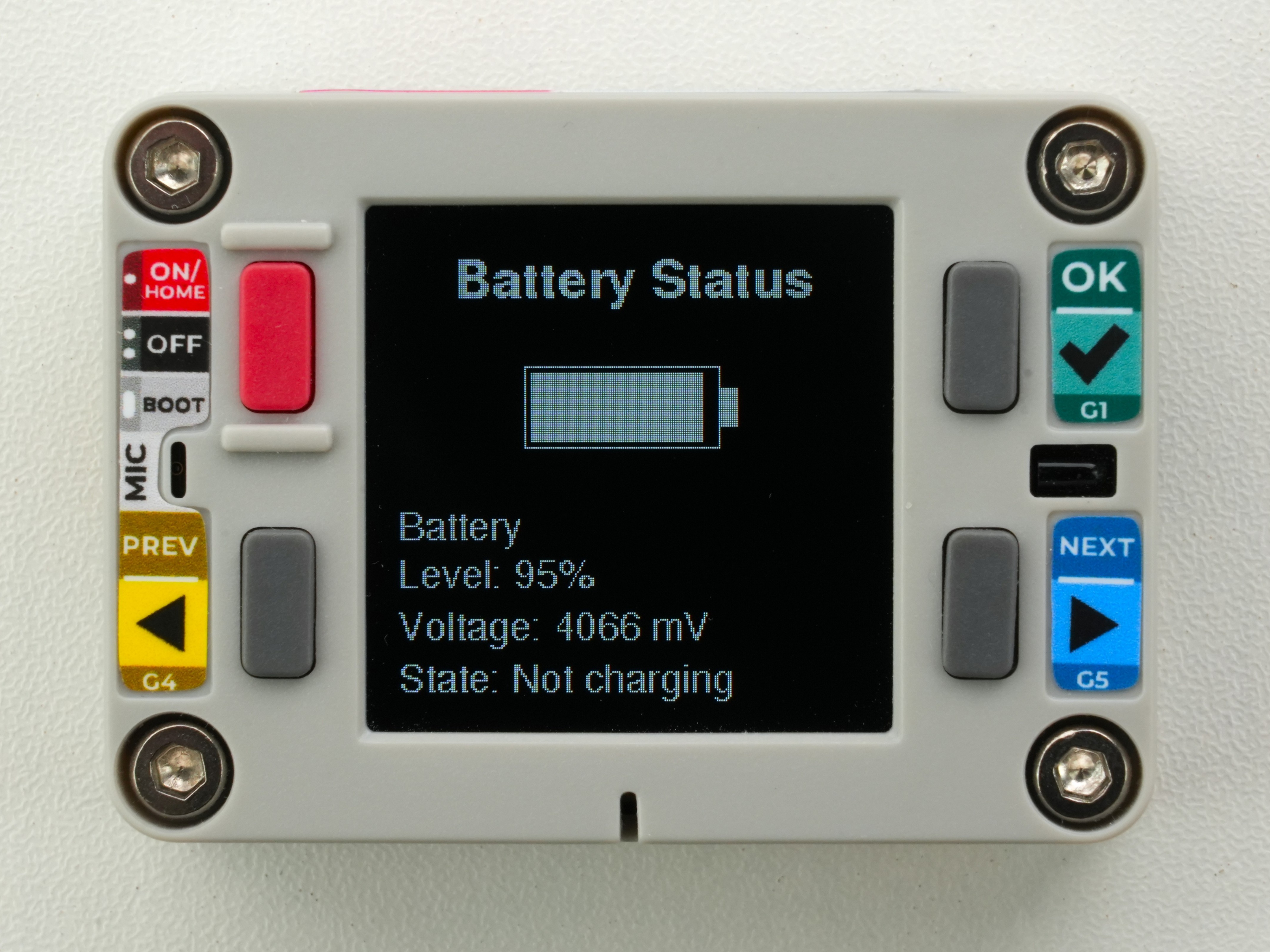
}The screen shows a battery icon, the remaining level, and the battery voltage. While charging, the outline blinks and the level bar is shown in green. The serial monitor also outputs the battery voltage, level, charging state, and VBUS voltage.
API
The Chain Captain battery status section uses the Power_Class from the M5Unified library. For more related APIs, refer to the following document:
Page Tools