

Arduino Quick Start
2. Devices & Examples
Demo Board-SHT30
3. M5Unified
4. M5GFX
5. Extensions
Unit
Module
Atomic
Tab5
IoT
Accessories
Chain Captain Mic
Chain Captain microphone related APIs and sample programs.
Example
Compilation Requirements
- M5Stack Board Manager Version >=
3.3.10-a - Board Option =
M5ChainCaptain - M5Unified Library Version >=
0.3.0 - M5GFX Library Version >=
0.3.0
The Chain Captain audio power is controlled by M5IOE1 IO5, which must be set to a high level before use.
cpp
1 2 3 4 5 6 7 8 9 10 11 12 13 14 15 16 17 18 19 20 21 22 23 24 25 26 27 28 29 30 31 32 33 34 35 36 37 38 39 40 41 42 43 44 45 46 47 48 49 50 51 52 53 54 55 56 57 58 59 60 61 62 63 64 65 66 67 68 69 70 71 72 73 74 75 76 77 78 79 80 81 82 83 84 85 86 87 88 89 90 91 92 93 94 95 96 97 98 99 100 101
#include <M5Unified.h>

static constexpr uint32_t SAMPLE_RATE = 16000;
static constexpr size_t SAMPLE_COUNT = 32000;  // 16 kHz, about two seconds

static int16_t audioBuffer[SAMPLE_COUNT];
static bool hasRecording = false;

static void drawStatus(const char* title, const char* detail)
{
  M5.Display.startWrite();
  M5.Display.fillScreen(TFT_BLACK);
  M5.Display.setTextDatum(middle_center);
  M5.Display.setFont(&fonts::FreeSansBold12pt7b);
  M5.Display.setTextColor(TFT_WHITE, TFT_BLACK);
  M5.Display.drawString(title, 120, 52);
  M5.Display.setFont(&fonts::FreeSans9pt7b);
  M5.Display.drawString(detail, 120, 104);
  M5.Display.drawString("B: record   C: play", 120, 194);
  M5.Display.endWrite();
}

static void recordAudio()
{
  M5.Speaker.end();
  M5.Mic.begin();
  drawStatus("Recording", "Speak into the microphone");

  if (M5.Mic.record(audioBuffer, SAMPLE_COUNT, SAMPLE_RATE)) {
    while (M5.Mic.isRecording()) {
      M5.update();
      delay(1);
    }
    hasRecording = true;
    drawStatus("Recorded", "Press C to play");
    Serial.println("Recording complete");
  } else {
    drawStatus("Record failed", "Check microphone state");
    Serial.println("Recording failed");
  }
}

static void playAudio()
{
  if (!hasRecording) {
    drawStatus("No recording", "Press B to record first");
    return;
  }

  while (M5.Mic.isRecording()) {
    M5.update();
    delay(1);
  }

  M5.Mic.end();
  M5.Speaker.begin();
  M5.Speaker.setVolume(120);
  drawStatus("Playing", "Recorded audio");

  M5.Speaker.playRaw(audioBuffer, SAMPLE_COUNT, SAMPLE_RATE, false, 1, 0);
  while (M5.Speaker.isPlaying()) {
    M5.update();
    delay(1);
  }

  M5.Speaker.end();
  M5.Mic.begin();
  drawStatus("Recorded", "Press C to play");
  Serial.println("Playback complete");
}

void setup()
{
  delay(500);
  auto cfg = M5.config();
  cfg.serial_baudrate = 115200;
  M5.begin(cfg);

  M5.Display.setRotation(0);
  M5.Display.setBrightness(128);

  // Mic and speaker share the audio rail; enable only one at a time.
  M5.Speaker.end();
  if (!M5.Mic.begin()) {
    drawStatus("Mic init failed", "Check audio power");
    Serial.println("Mic init failed");
    return;
  }
  drawStatus("Recording ready", "Press B to record");
  Serial.printf("Mic enabled: %s\n", M5.Mic.isEnabled() ? "yes" : "no");
}

void loop()
{
  M5.update();

  if (M5.BtnB.wasClicked()) recordAudio();
  if (M5.BtnC.wasClicked()) playAudio();

  delay(10);
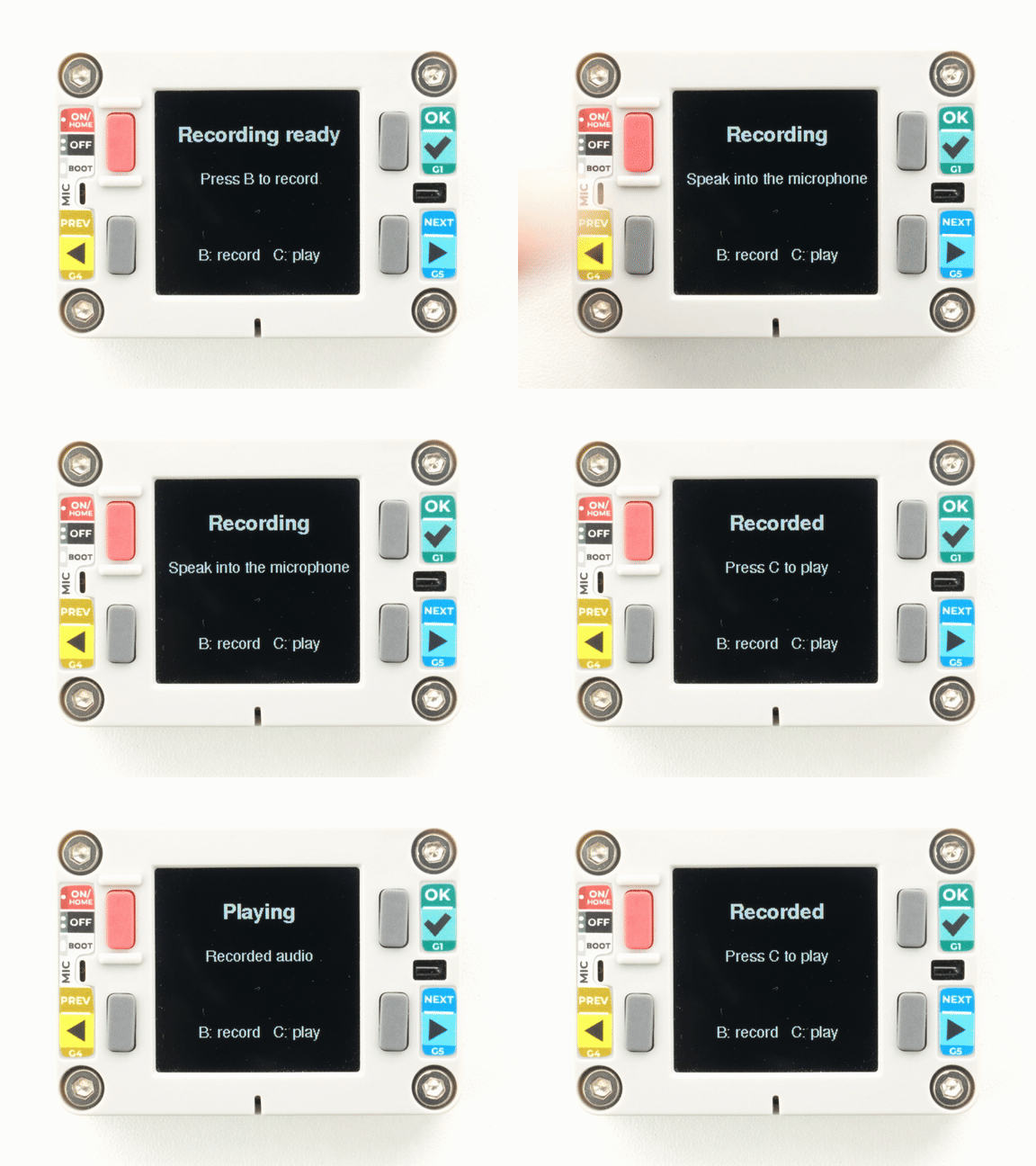
}After uploading, the screen shows the recording-ready state. Press KEYB and speak into the microphone for about 2 seconds. When recording is complete, press KEYC to play it back through the onboard speaker.
API
The Chain Captain microphone section uses the Mic_Class and Speaker_Class from the M5Unified library. For more related APIs, refer to the following documents:
Page Tools