

Arduino入門
2. デバイス&サンプル
Demo Board-SHT30
3. M5Unified
4. M5GFX
5. 拡張モジュール&サンプル
Unit
Module
Atomic
Tab5
IoT
アクセサリー
StickC Battery バッテリー
StickCのバッテリー状態読み取りに関するAPIとサンプルプログラムです。
サンプルプログラム
ビルド要件
- M5Stackボードパッケージ バージョン >= 3.3.8
- ボード選択 = M5StickC
- M5Unifiedライブラリ バージョン >= 0.2.18
- M5GFXライブラリ バージョン >= 0.2.24
cpp
1 2 3 4 5 6 7 8 9 10 11 12 13 14 15 16 17 18 19 20 21 22 23 24 25 26 27 28 29 30 31 32 33 34 35 36 37 38 39 40 41 42 43 44 45
#include "M5Unified.h"

void setup()
{
    M5.begin();
    Serial.begin(115200);

    M5.Display.setRotation(1);
    M5.Display.setTextColor(TFT_GREEN);
    M5.Display.setTextDatum(middle_center);
    M5.Display.setTextFont(&fonts::FreeMonoBold9pt7b);
    M5.Display.setTextSize(1);
    M5.Display.setTextWrap(false);
}

void loop()
{
    M5.Display.clear();

    bool isCharging = M5.Power.isCharging();
    int vol_per = M5.Power.getBatteryLevel();
    int vol = M5.Power.getBatteryVoltage();

    const int x = M5.Display.width() / 2;
    const int y1 = M5.Display.height() / 6;
    const int y2 = M5.Display.height() / 2;
    const int y3 = M5.Display.height() * 5 / 6;

    char levelText[20];
    char voltageText[24];
    snprintf(levelText, sizeof(levelText), "BAT: %d%%", vol_per);

    if (vol > 0) {
        snprintf(voltageText, sizeof(voltageText), "VOLT: %dmV", vol);
    } else {
        snprintf(voltageText, sizeof(voltageText), "VOLT: --");
    }

    M5.Display.drawString(isCharging ? "CHG: Yes" : "CHG: No", x, y1);
    M5.Display.drawString(levelText, x, y2);
    M5.Display.drawString(voltageText, x, y3);

    delay(2000);
}
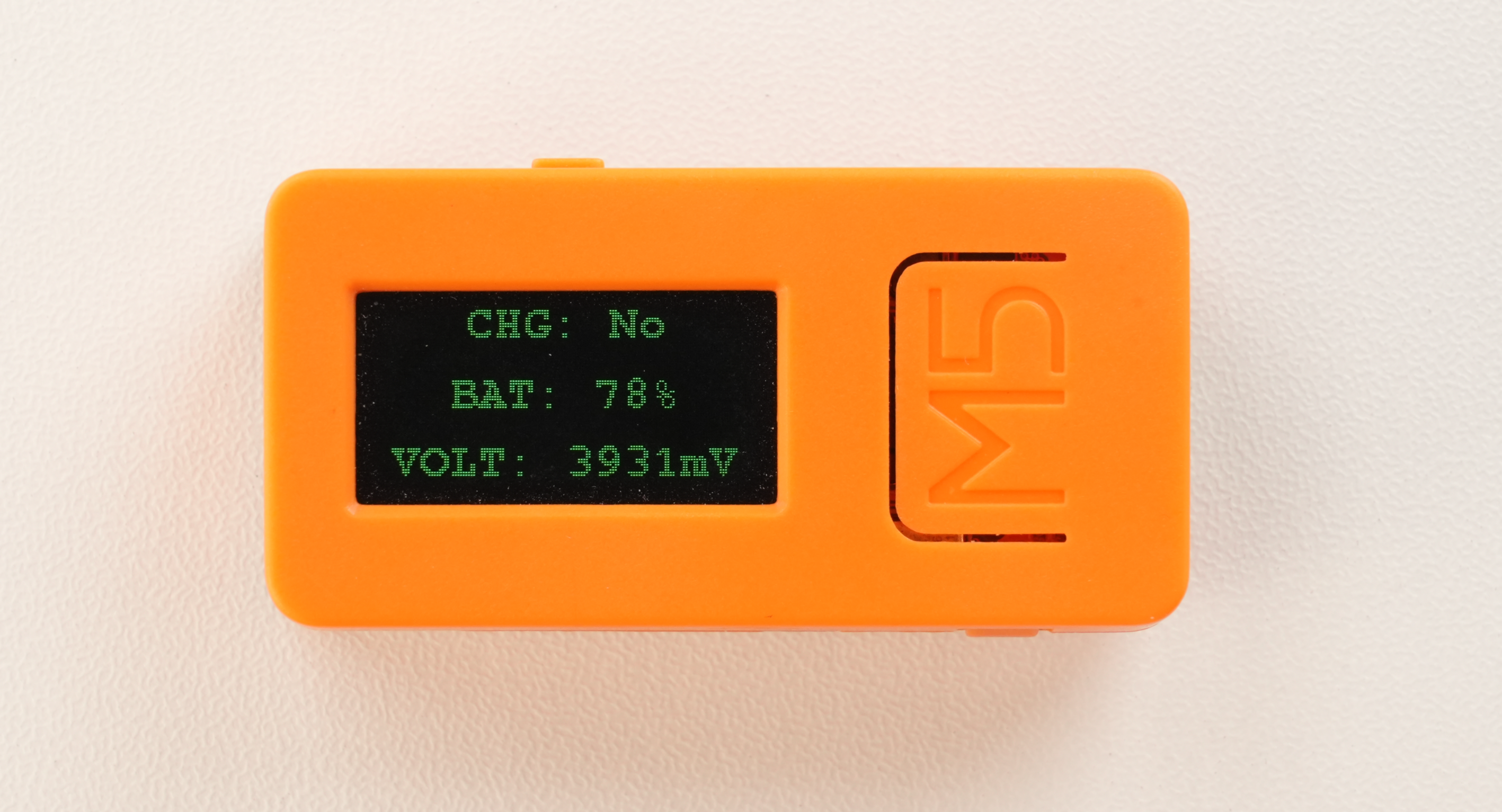
このプログラムはバッテリーの充電状態、残量パーセント、電圧(mV)を画面に表示し、約2秒ごとに更新します。電圧値が無効な場合はVOLT: --と表示します。
API
StickCの電源機能はM5UnifiedライブラリのPower_Classを使用しています。関連APIの詳細については、以下のドキュメントを参照してください:
Page Tools