

Arduino入門
2. デバイス&サンプル
3. M5Unified
4. M5GFX
5. 拡張モジュール&サンプル
Unit
Module
Atomic
Tab5
IoT
アクセサリー
Unit 4Relay Arduino チュートリアル
1. 準備
- 環境設定: Arduino IDE はじめにガイド を参照して IDE のインストールを完了し、使用する開発ボードに対応するボードマネージャと必要なドライバライブラリをインストールしてください。
- 使用するライブラリ:
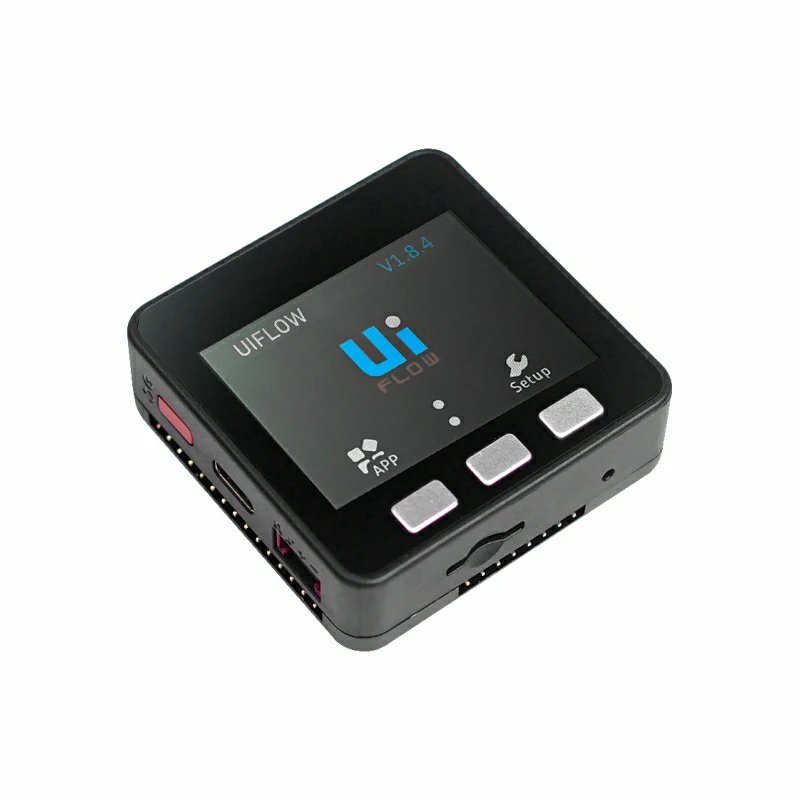
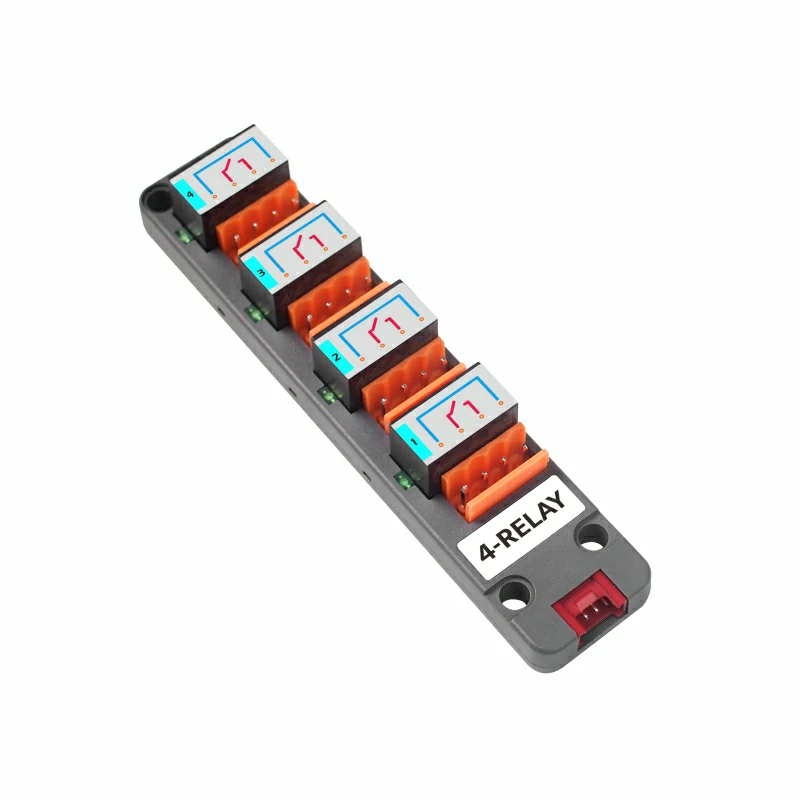
- 使用するハードウェア:
2. 注意事項
ピン互換性
ホストごとにピン構成が異なるため、M5Stack ではユーザーが簡単に確認できるよう、公式のピン互換性表を提供しています。実際のピン接続に応じてサンプルプログラムを変更してください。
3. サンプルプログラム
- このチュートリアルでは、Basic V2.7 をメインコントローラとして Unit 4Relay と組み合わせます。このリレーモジュールは I2C で通信します。実際の回路接続に応じてプログラムのピン定義を変更してください。接続後の対応ピンは
G21(SDA)とG22(SCL)です。
注意
このモジュールでリレーを制御できるのは同期モードのみです。非同期モードでリレーを制御しても動作せず、LED インジケータだけを制御できます。
cpp
1 2 3 4 5 6 7 8 9 10 11 12 13 14 15 16 17 18 19 20 21 22 23 24 25 26 27 28 29 30 31 32 33 34 35 36 37 38 39 40 41 42 43 44 45 46 47 48 49 50 51 52 53 54 55 56 57 58 59 60 61 62 63 64 65 66 67 68 69 70 71 72 73 74 75 76 77 78 79 80 81 82 83 84 85 86 87 88 89 90 91 92 93 94 95 96 97 98 99 100 101 102 103 104 105 106 107 108 109 110 111 112 113 114 115 116 117 118 119 120 121 122 123 124 125 126 127 128 129 130 131 132 133 134 135 136 137 138 139 140 141 142 143 144 145 146 147 148 149 150 151 152 153 154 155 156 157 158 159 160 161 162 163 164 165 166 167 168 169 170 171 172 173 174 175 176 177 178 179 180 181 182 183 184 185 186 187 188 189 190 191 192 193 194 195 196
#include <M5Unified.h>
#include "Unit_4RELAY.h"

UNIT_4RELAY relay;

namespace {
constexpr uint16_t COLOR_BG      = 0x1082;
constexpr uint16_t COLOR_SURFACE = 0x2104;
constexpr uint16_t COLOR_HEADER  = 0x0349;
constexpr uint16_t COLOR_BORDER  = 0x52AA;
constexpr uint16_t COLOR_MUTED   = 0xBDF7;
constexpr uint16_t COLOR_GREEN   = 0x2E8B;
constexpr uint16_t COLOR_RED     = 0xD249;
constexpr uint16_t COLOR_AMBER   = 0xFD20;

constexpr int16_t CHANNEL_Y      = 148;
constexpr int16_t CHANNEL_WIDTH  = 68;
constexpr int16_t CHANNEL_HEIGHT = 43;
constexpr int16_t CHANNEL_GAP    = 8;

uint8_t stepIndex = 0;
bool syncMode     = false;
bool allOn        = false;
bool relayState[4] = {false, false, false, false};
bool ledState[4]   = {false, false, false, false};

void drawModeStatus()
{
    M5.Display.fillRect(0, 38, 320, 36, COLOR_BG);
    M5.Display.setFont(&fonts::Font2);
    M5.Display.setTextDatum(textdatum_t::middle_left);
    M5.Display.setTextColor(COLOR_MUTED, COLOR_BG);
    M5.Display.drawString("MODE", 12, 56);
    M5.Display.drawString("CONTROL", 161, 56);

    const uint16_t modeColor = syncMode ? COLOR_GREEN : COLOR_AMBER;
    M5.Display.fillRoundRect(57, 44, 82, 25, 4, modeColor);
    M5.Display.fillRoundRect(231, 44, 77, 25, 4, COLOR_SURFACE);
    M5.Display.drawRoundRect(231, 44, 77, 25, 4, COLOR_BORDER);

    M5.Display.setTextDatum(textdatum_t::middle_center);
    M5.Display.setTextColor(TFT_BLACK, modeColor);
    M5.Display.drawString(syncMode ? "SYNC" : "ASYNC", 98, 56);
    M5.Display.setTextColor(TFT_WHITE, COLOR_SURFACE);
    M5.Display.drawString(syncMode ? "RELAY" : "LED", 269, 56);
}

void drawAction(const char *message)
{
    M5.Display.fillRoundRect(10, 81, 300, 38, 4, COLOR_SURFACE);
    M5.Display.drawRoundRect(10, 81, 300, 38, 4, COLOR_BORDER);
    M5.Display.setFont(&fonts::Font2);
    M5.Display.setTextDatum(textdatum_t::middle_left);
    M5.Display.setTextColor(COLOR_MUTED, COLOR_SURFACE);
    M5.Display.drawString("LAST ACTION", 20, 100);
    M5.Display.setTextColor(TFT_WHITE, COLOR_SURFACE);
    M5.Display.drawString(message, 119, 100);
}

void drawChannel(uint8_t channel)
{
    const bool isOn       = syncMode ? relayState[channel] : ledState[channel];
    const uint16_t color  = isOn ? COLOR_GREEN : COLOR_BORDER;
    const int16_t x       = 10 + channel * (CHANNEL_WIDTH + CHANNEL_GAP);
    char channelLabel[5]  = {};
    snprintf(channelLabel, sizeof(channelLabel), "CH%u",
             static_cast<unsigned>(channel + 1));

    M5.Display.fillRoundRect(x, CHANNEL_Y, CHANNEL_WIDTH, CHANNEL_HEIGHT, 4,
                             COLOR_SURFACE);
    M5.Display.drawRoundRect(x, CHANNEL_Y, CHANNEL_WIDTH, CHANNEL_HEIGHT, 4,
                             color);
    M5.Display.setTextDatum(textdatum_t::middle_center);
    M5.Display.setFont(&fonts::Font2);
    M5.Display.setTextColor(COLOR_MUTED, COLOR_SURFACE);
    M5.Display.drawString(channelLabel, x + CHANNEL_WIDTH / 2, CHANNEL_Y + 12);
    M5.Display.setTextColor(isOn ? COLOR_GREEN : TFT_WHITE, COLOR_SURFACE);
    M5.Display.drawString(isOn ? "ON" : "OFF", x + CHANNEL_WIDTH / 2,
                          CHANNEL_Y + 31);
}

void drawAllChannels()
{
    M5.Display.fillRect(0, 125, 320, 22, COLOR_BG);
    M5.Display.setFont(&fonts::Font2);
    M5.Display.setTextDatum(textdatum_t::middle_left);
    M5.Display.setTextColor(COLOR_MUTED, COLOR_BG);
    M5.Display.drawString(syncMode ? "RELAY STATUS" : "LED STATUS", 10, 136);

    for (uint8_t channel = 0; channel < 4; ++channel) {
        drawChannel(channel);
    }
}

void drawButtonHint(int16_t x, char button, const char *label, uint16_t color)
{
    char buttonLabel[2] = {button, '\0'};

    M5.Display.fillCircle(x, 220, 11, color);
    M5.Display.setFont(&fonts::Font2);
    M5.Display.setTextDatum(textdatum_t::middle_center);
    M5.Display.setTextColor(TFT_BLACK, color);
    M5.Display.drawString(buttonLabel, x, 220);
    M5.Display.setTextDatum(textdatum_t::middle_left);
    M5.Display.setTextColor(TFT_WHITE, COLOR_SURFACE);
    M5.Display.drawString(label, x + 16, 220);
}

void drawMainUi()
{
    M5.Display.fillScreen(COLOR_BG);
    M5.Display.fillRect(0, 0, 320, 34, COLOR_HEADER);
    M5.Display.setFont(&fonts::Font4);
    M5.Display.setTextDatum(textdatum_t::middle_center);
    M5.Display.setTextColor(TFT_WHITE, COLOR_HEADER);
    M5.Display.drawString("UNIT 4RELAY", 160, 17);

    drawModeStatus();
    drawAction("Ready");
    drawAllChannels();

    M5.Display.fillRect(0, 202, 320, 38, COLOR_SURFACE);
    M5.Display.drawFastHLine(0, 202, 320, COLOR_BORDER);
    drawButtonHint(15, 'A', "STEP", COLOR_GREEN);
    drawButtonHint(121, 'B', "MODE", COLOR_AMBER);
    drawButtonHint(229, 'C', "ALL", COLOR_RED);
}

void updateStateAfterAllWrite(bool state)
{
    // relayAll() and ledAll() overwrite the complete output register.
    for (uint8_t channel = 0; channel < 4; ++channel) {
        relayState[channel] = syncMode ? state : false;
        ledState[channel]   = syncMode ? false : state;
    }
}
}  // namespace

void setup()
{
    M5.begin();
    Serial.begin(115200);

    M5.Display.setRotation(1);
    relay.begin(&Wire, 21, 22);
    relay.Init(false);  // Start in asynchronous mode with all outputs off.
    drawMainUi();
}

void loop()
{
    M5.update();

    if (M5.BtnA.wasPressed()) {
        const uint8_t channel = stepIndex % 4;
        const bool state      = stepIndex < 4;
        char message[20]      = {};

        if (syncMode) {
            relay.relayWrite(channel, state);
            relayState[channel] = state;
        } else {
            relay.ledWrite(channel, state);
            ledState[channel] = state;
        }

        snprintf(message, sizeof(message), "%s %u  %s",
                 syncMode ? "Relay" : "LED",
                 static_cast<unsigned>(channel + 1),
                 state ? "ON" : "OFF");
        drawAction(message);
        drawChannel(channel);
        stepIndex = (stepIndex + 1) % 8;
    }

    if (M5.BtnB.wasPressed()) {
        syncMode = !syncMode;
        relay.switchMode(syncMode);
        drawModeStatus();
        drawAction(syncMode ? "Sync mode enabled" : "Async mode enabled");
        drawAllChannels();
    }

    if (M5.BtnC.wasPressed()) {
        allOn = !allOn;
        if (syncMode) {
            relay.relayAll(allOn);
        } else {
            relay.ledAll(allOn);
        }

        updateStateAfterAllWrite(allOn);
        drawAction(allOn ? "All channels ON" : "All channels OFF");
        drawAllChannels();
    }
}4. コンパイルとアップロード
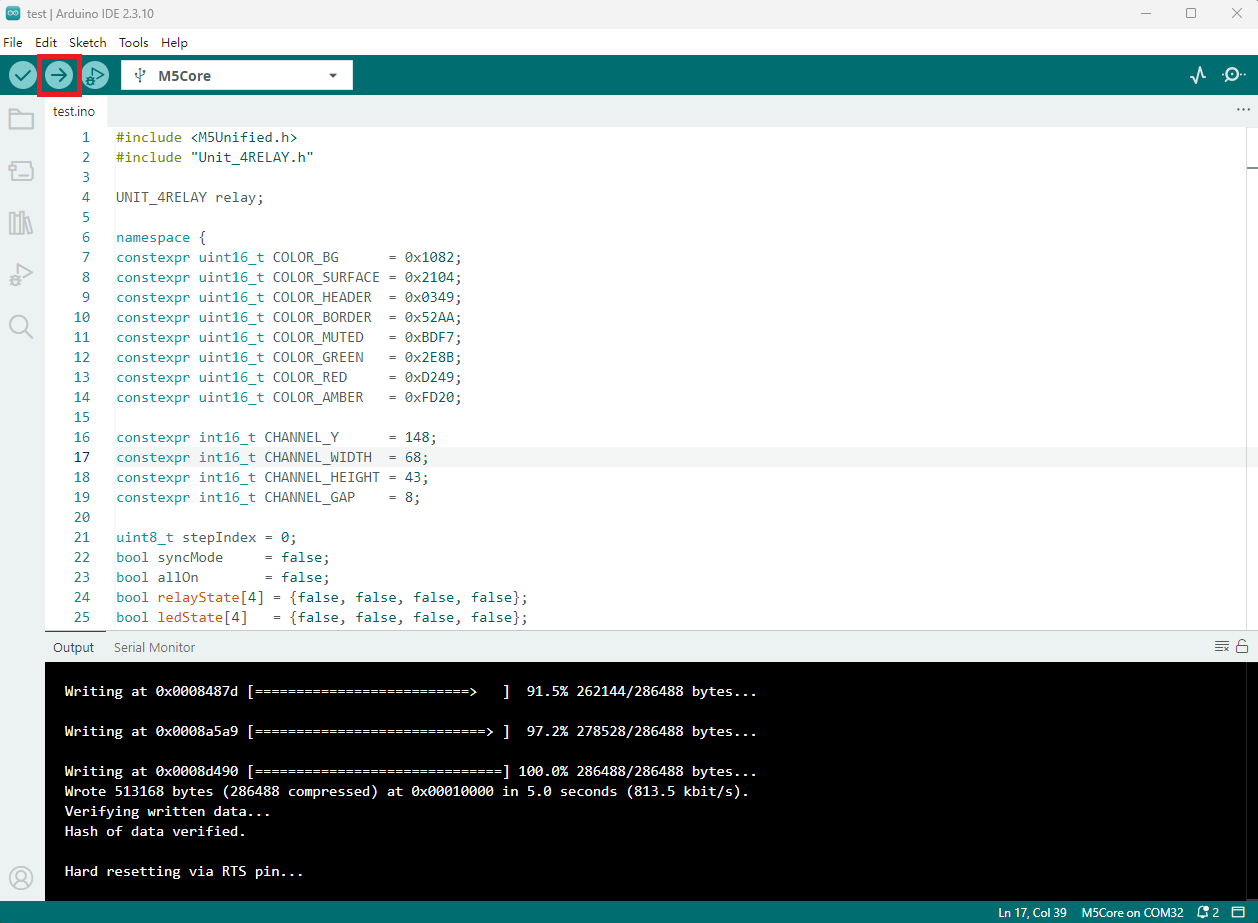
- 上記のサンプルコードをプロジェクトのコード欄にコピーして貼り付け、デバイスポートを選択します(詳細は プログラムのコンパイルと書き込み を参照してください)。Arduino IDE の左上にあるコンパイル&アップロードボタンをクリックし、プログラムのコンパイルとデバイスへのアップロードが完了するまで待ちます。
5. リレー制御
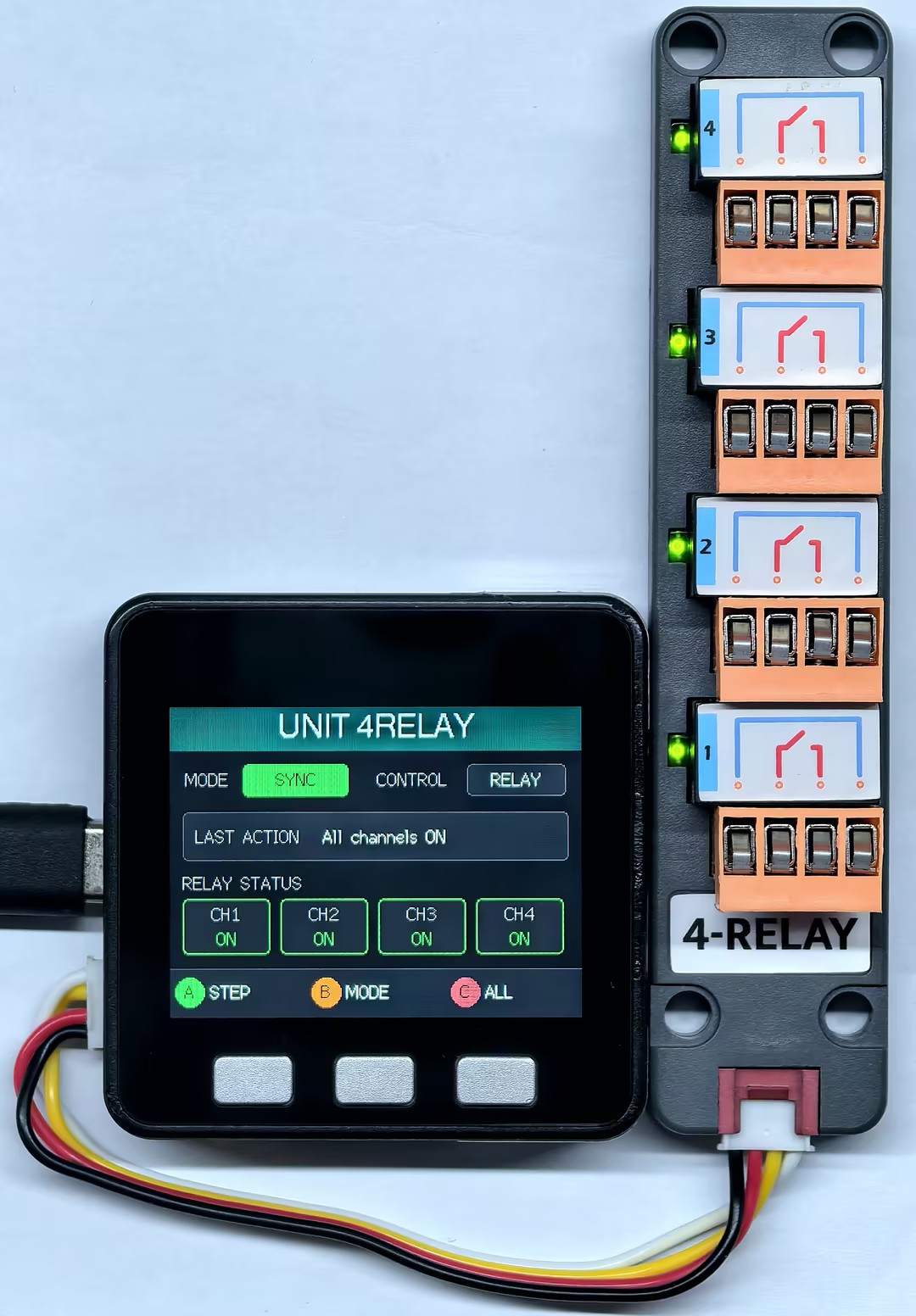
- ボタン A で個別のリレーを制御し、ボタン B で LED とリレーの同期 / 非同期モードを切り替え、ボタン C ですべてのリレーと LED インジケータを ON / OFF します。
Page Tools