

Arduino入門
2. デバイス&サンプル
3. M5Unified
4. M5GFX
5. 拡張モジュール&サンプル
Unit
Module
Atomic
Tab5
IoT
アクセサリー
StamPLC Arduino プログラムのコンパイルとアップロード
1. Preparation
- Arduino IDE Installation: Refer to the Arduino IDE Installation Tutorial to complete the IDE installation.
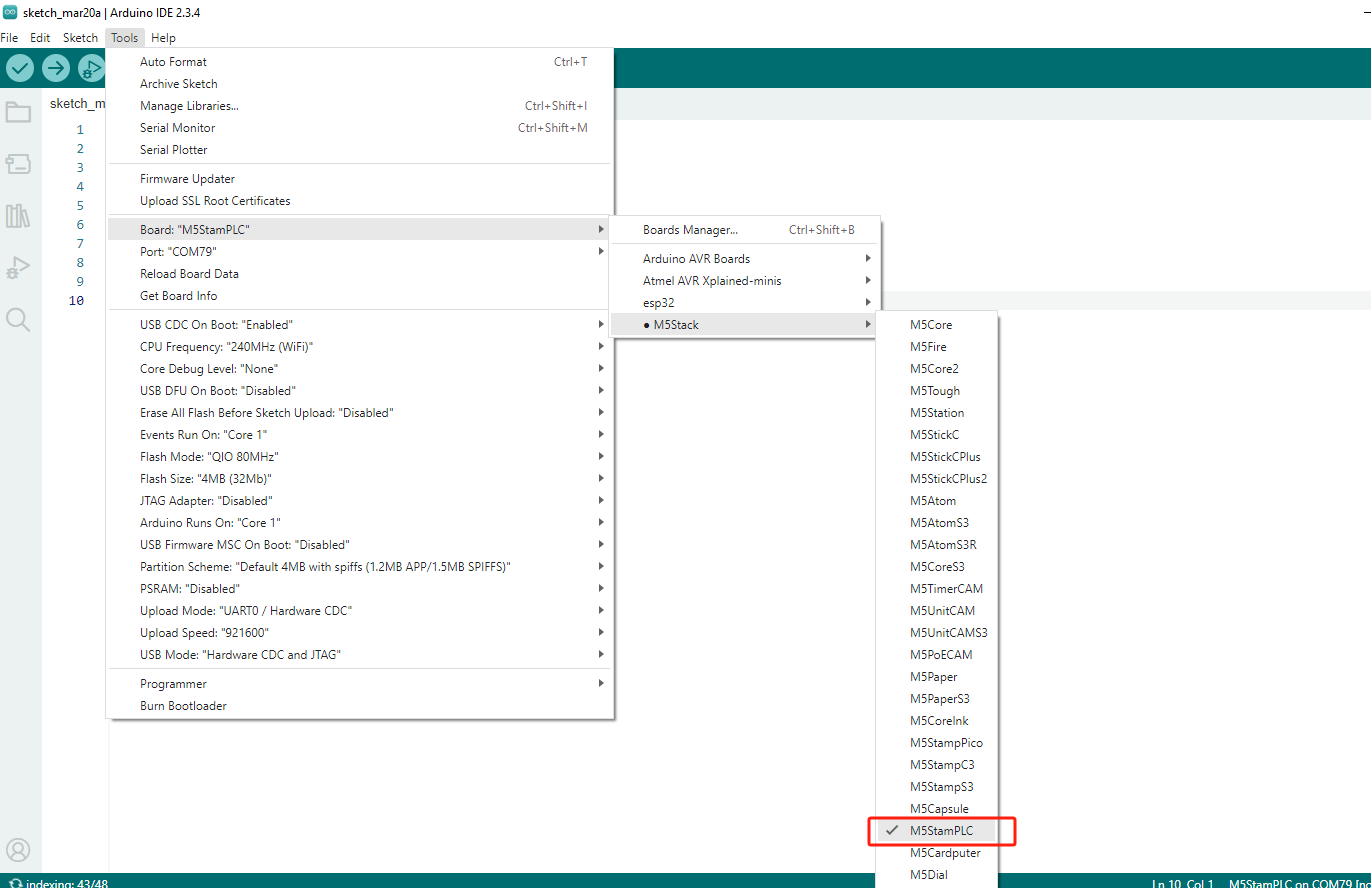
- Board Manager Installation: Refer to the Basic Environment Setup Tutorial to install the M5Stack board manager and select the
M5StamPLCdevelopment board.
- Board Manager Installation: Refer to the Basic Environment Setup Tutorial to install the M5Stack board manager and select the
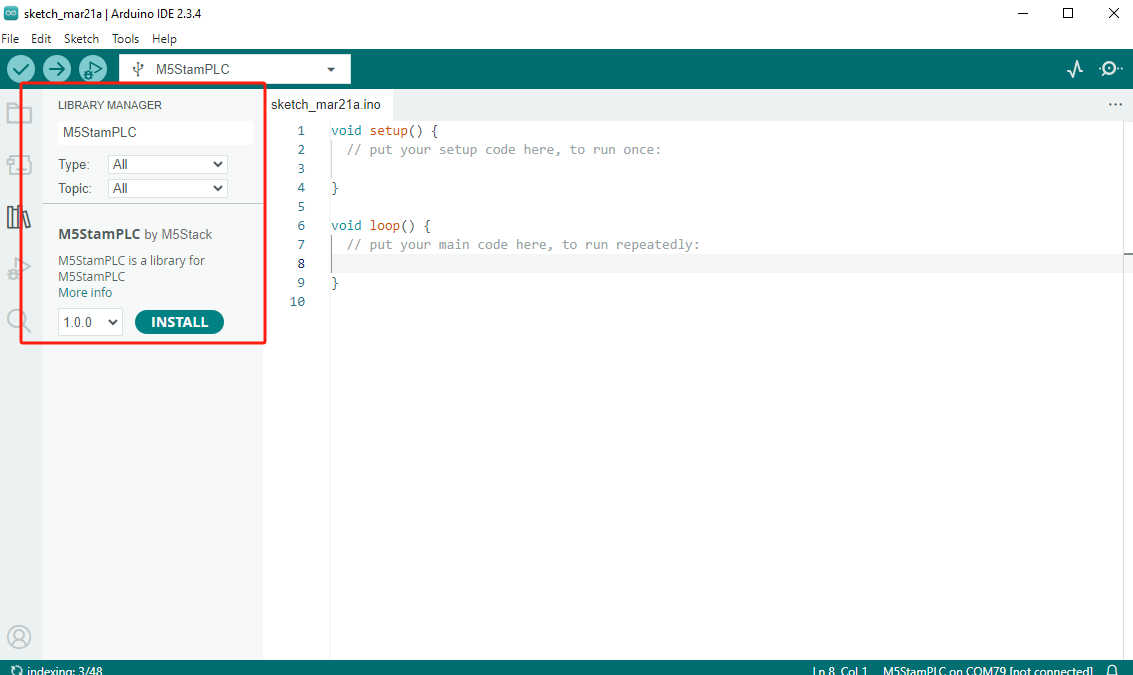
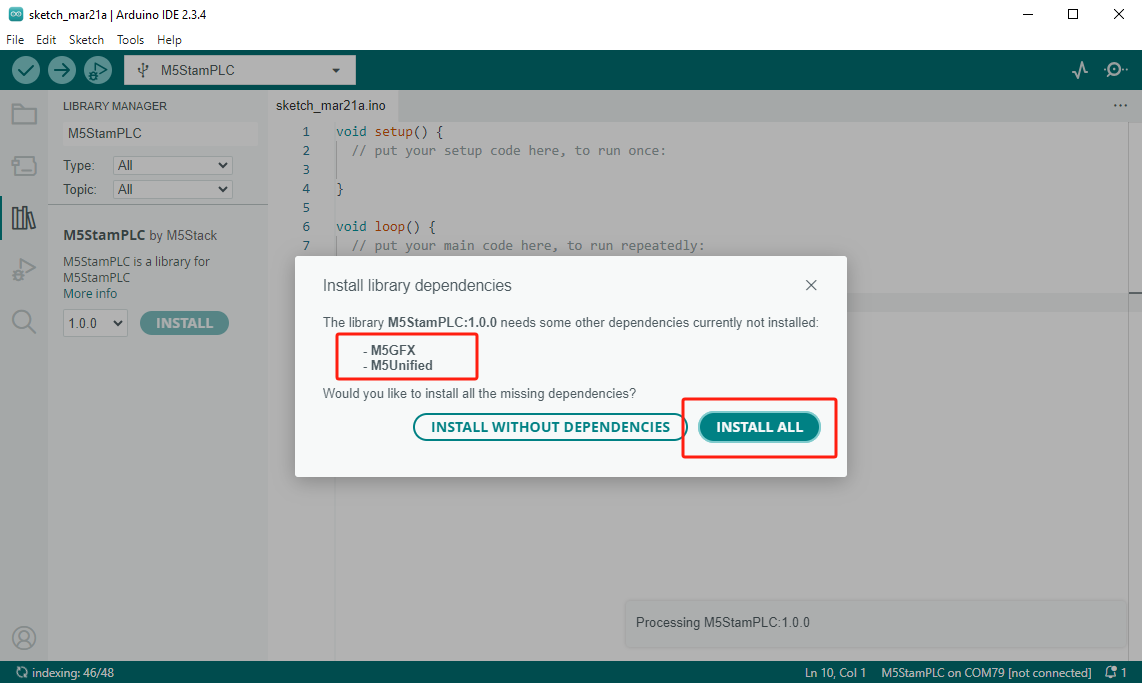
- Library Installation: Refer to the Library Manager Installation Tutorial to complete the installation of the
M5StamPLC,M5Unified, andM5GFXdriver libraries.
- Library Installation: Refer to the Library Manager Installation Tutorial to complete the installation of the
2. Download Mode
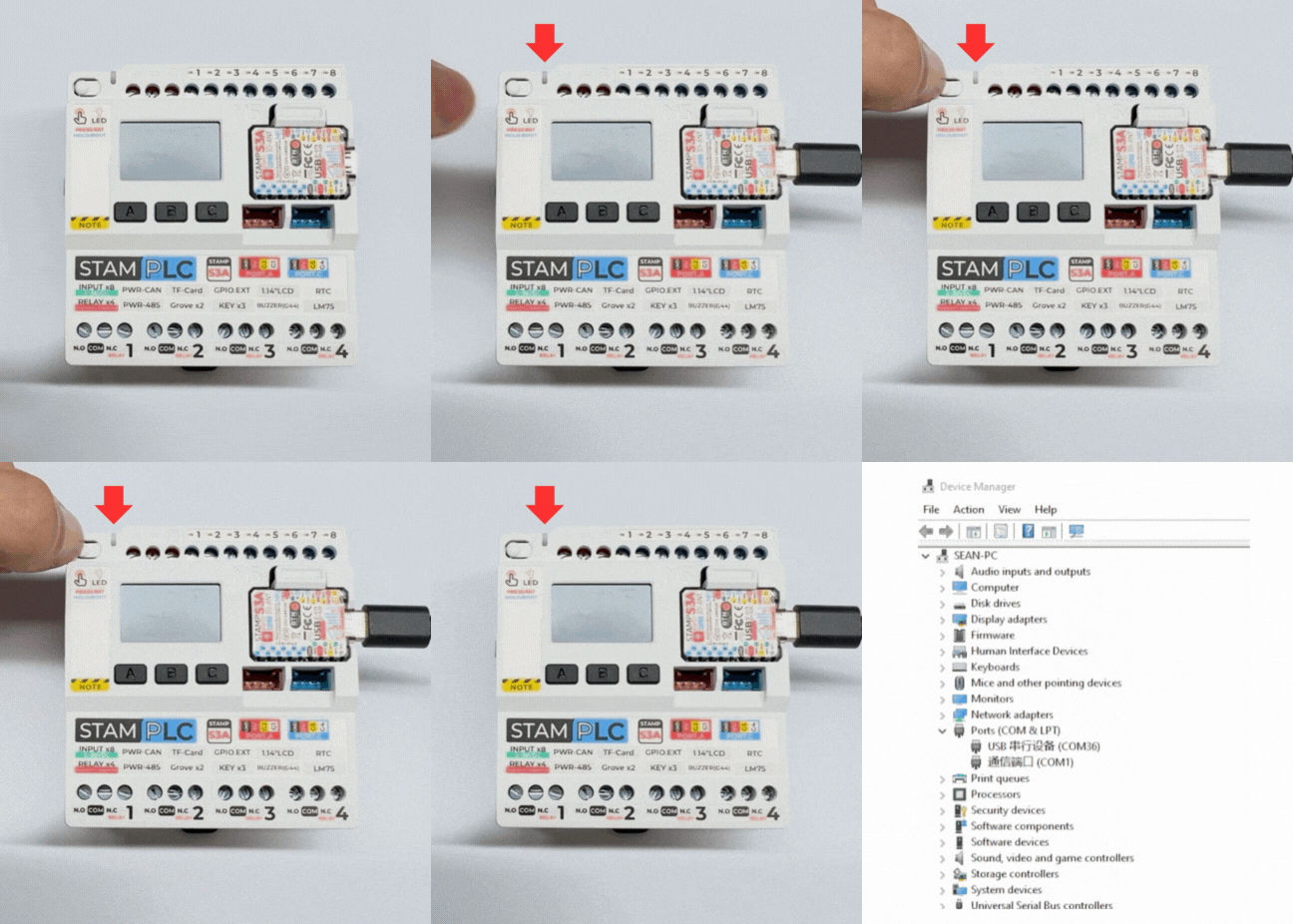
- Press and hold the Boot button on the StamPLC. Once the red light turns on, release it. The red light turns off after the button is released, confirming that the device is in download mode.
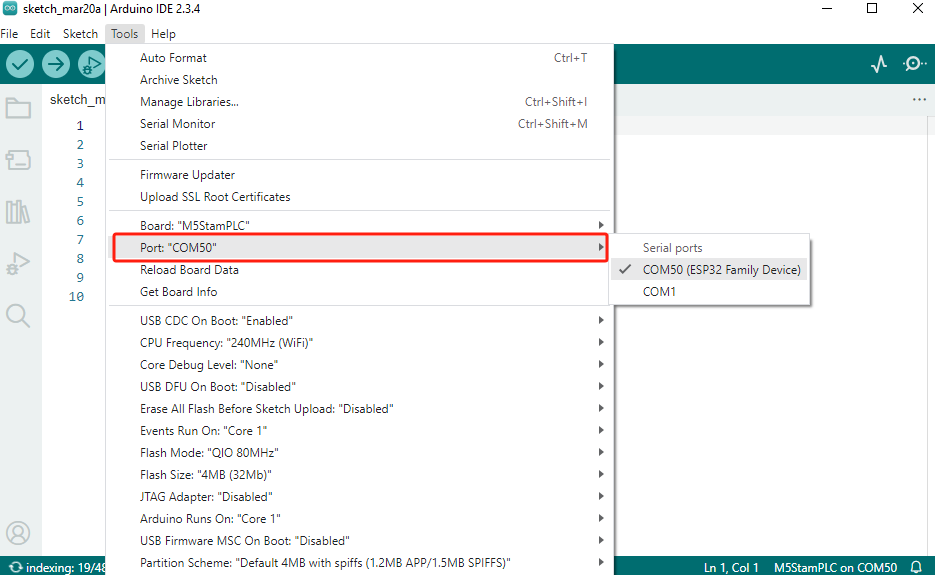
3. Port Selection
- Connect the device to your computer via a USB cable. After the device enters download mode, you can select the corresponding device port in the Arduino IDE.
4. プログラムのコンパイルと書き込み
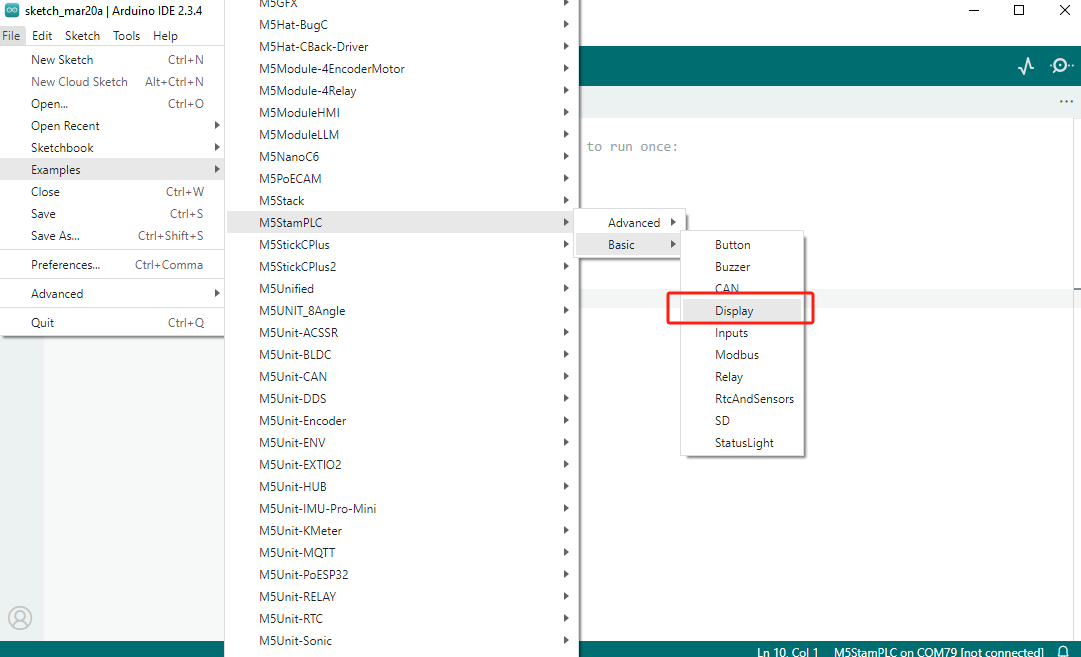
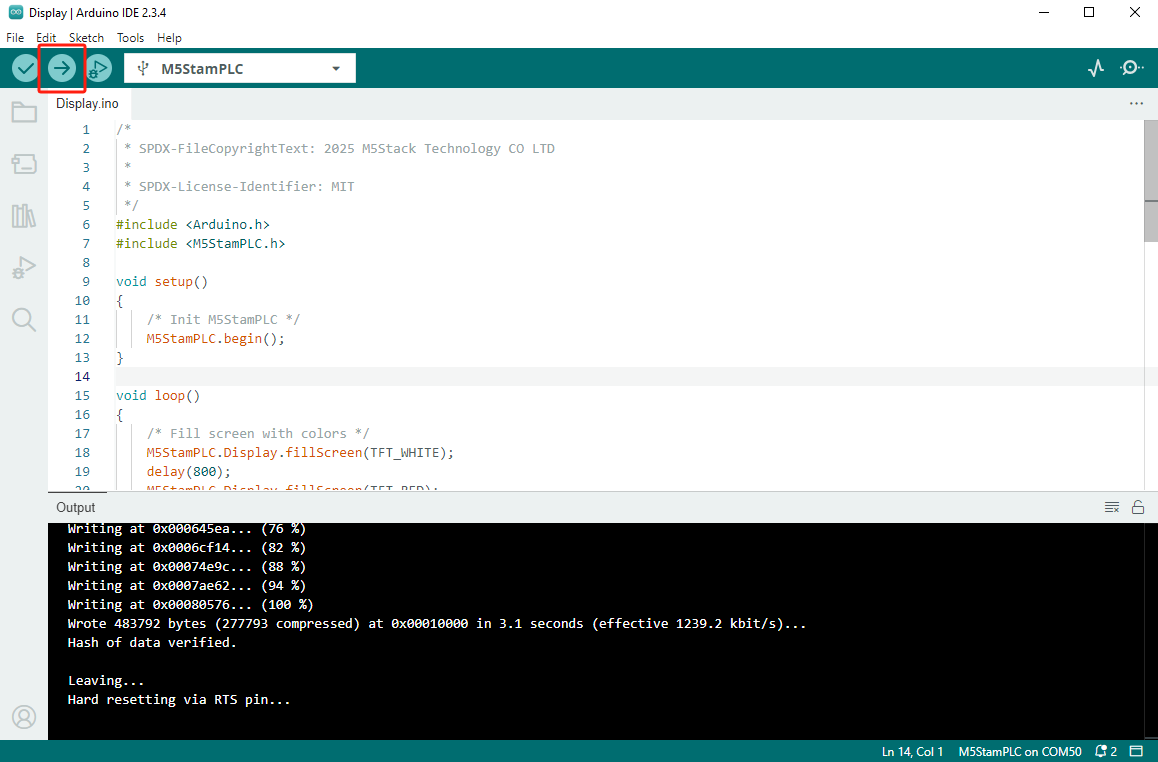
- Open the "display" example program from the driver library, click the upload button, and the program will be automatically compiled and flashed.
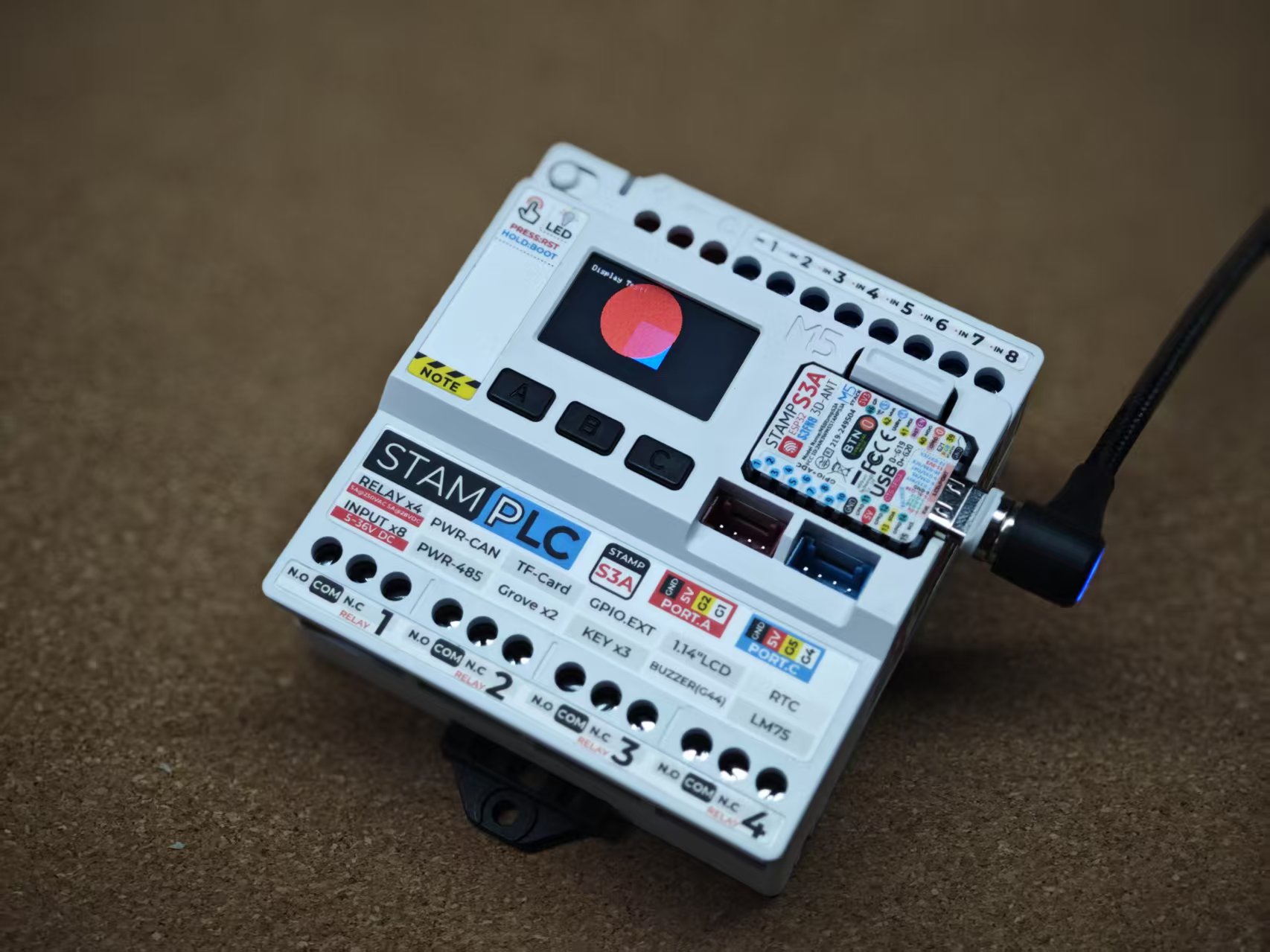
The result is as shown below:
5. Related Resources
Page Tools