

Arduino 上手教程
2. 设备开发 & 案例程序
Demo Board-SHT30
3. M5Unified
4. M5GFX
5. 扩展模块
Unit
Module
Atomic
Tab5
IoT
Chain Captain Battery 电池状态
Chain Captain 电池与充电状态相关 API 与案例程序。
案例程序
编译要求
- M5Stack 板管理版本 >=
3.3.10-a - 开发板选项 =
M5ChainCaptain - M5Unified 库版本 >=
0.3.0 - M5GFX 库版本 >=
0.3.0
Chain Captain 内置锂电池,由 M5PM1 采集电池与 VBUS 电压;充电状态由 M5IOE1 IO3 (CHG_STA) 读取,低电平表示正在充电。
cpp
1 2 3 4 5 6 7 8 9 10 11 12 13 14 15 16 17 18 19 20 21 22 23 24 25 26 27 28 29 30 31 32 33 34 35 36 37 38 39 40 41 42 43 44 45 46 47 48 49 50 51 52 53 54 55 56 57 58 59 60 61 62 63 64 65 66 67 68 69 70 71 72 73 74 75 76 77 78 79 80 81 82 83
#include <M5Unified.h>

static const char* chargeStateText(int state)
{
  // 0: not charging, 1: charging, 2: unknown
  switch (state) {
    case 0: return "Not charging";
    case 1: return "Charging";
    default: return "Unknown";
  }
}

static void drawBattery(int level, bool charging)
{
  M5.Display.startWrite();
  M5.Display.fillScreen(TFT_BLACK);
  M5.Display.setTextDatum(middle_center);
  M5.Display.setFont(&fonts::FreeSansBold12pt7b);
  M5.Display.setTextColor(TFT_WHITE, TFT_BLACK);
  M5.Display.drawString("Battery Status", 120, 34);

  M5.Display.drawRect(70, 72, 90, 38, TFT_WHITE);
  M5.Display.fillRect(160, 82, 8, 18, TFT_WHITE);

  const int width = constrain(level, 0, 100) * 84 / 100;
  if (width > 0) {
    M5.Display.fillRect(73, 75, width, 32, charging ? TFT_GREEN : TFT_WHITE);
  }

  if (charging && (millis() / 400) % 2 == 0) {
    M5.Display.drawRect(66, 68, 98, 46, TFT_GREEN);
  }

  char line[48];
  M5.Display.setFont(&fonts::FreeSans9pt7b);
  M5.Display.setTextDatum(top_left);
  M5.Display.drawString("Battery", 12, 138);
  snprintf(line, sizeof(line), "Level: %d%%", level);
  M5.Display.drawString(line, 12, 160);
  snprintf(line, sizeof(line), "Voltage: %d mV", M5.Power.getBatteryVoltage());
  M5.Display.drawString(line, 12, 184);
  snprintf(line, sizeof(line), "State: %s",
           chargeStateText(static_cast<int>(M5.Power.isCharging())));
  M5.Display.drawString(line, 12, 208);
  M5.Display.endWrite();
}

void setup()
{
  delay(500);
  auto cfg = M5.config();
  cfg.serial_baudrate = 115200;
  M5.begin(cfg);

  M5.Display.setRotation(0);
  M5.Display.setBrightness(128);
  drawBattery(M5.Power.getBatteryLevel(), false);
}

void loop()
{
  M5.update();

  static uint32_t lastRefresh = 0;
  const uint32_t now = millis();
  if (now - lastRefresh >= 1000) {
    lastRefresh = now;

    const int level = M5.Power.getBatteryLevel();
    const int voltageMv = M5.Power.getBatteryVoltage();
    const int vbusMv = M5.Power.getVBUSVoltage();
    // Charge status is read from M5IOE1 IO3.
    const int state = static_cast<int>(M5.Power.isCharging());
    const bool charging = state == 1;

    drawBattery(level, charging);
    Serial.printf("Battery: %d mV, level: %d%%, state: %s\n",
                  voltageMv, level, chargeStateText(state));
    Serial.printf("VBUS: %d mV\n", vbusMv);
  }

  delay(20);
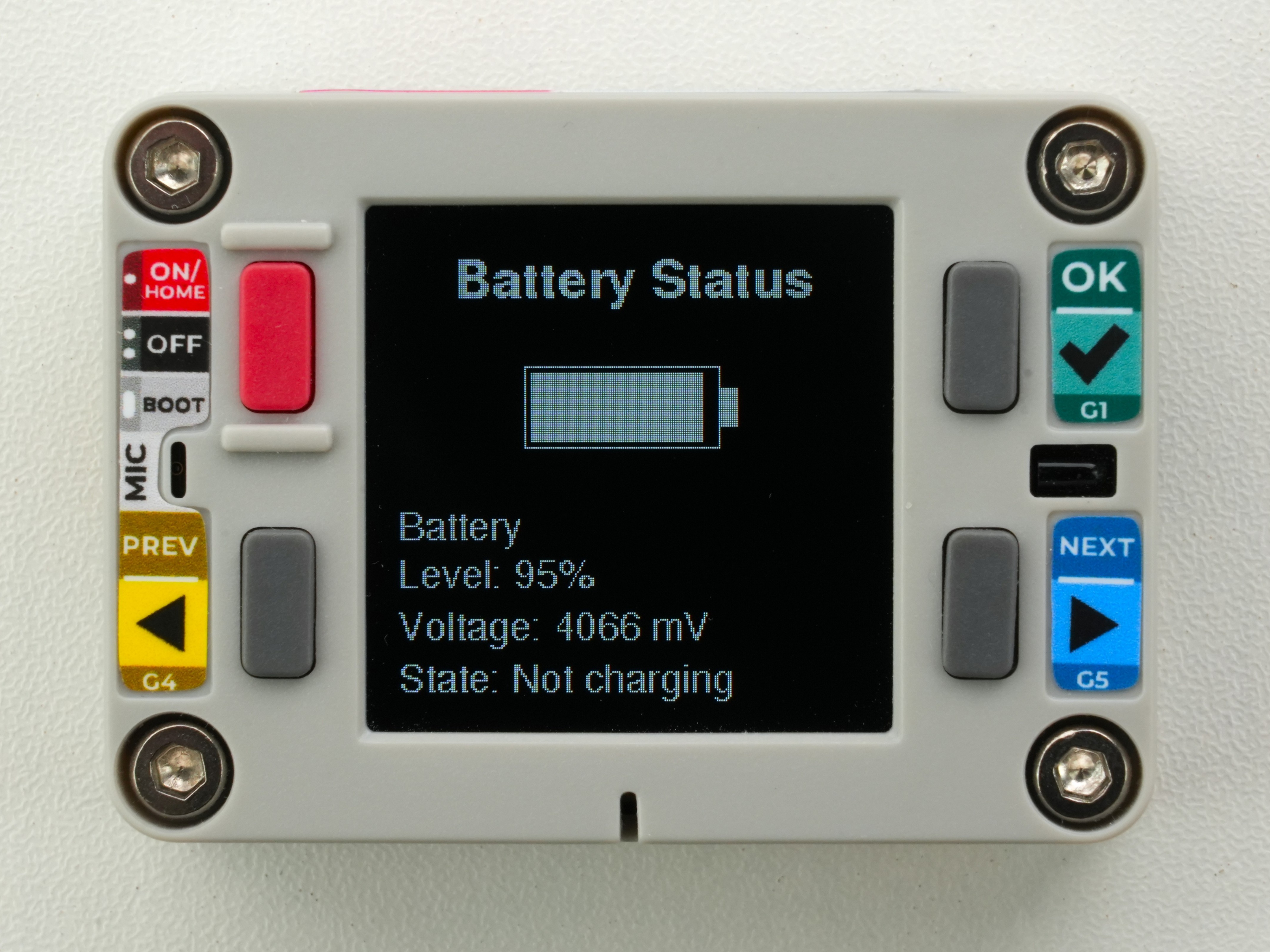
}屏幕显示电池图标、剩余电量和电池电压,充电时外框闪烁并显示绿色电量条。串口监视器同时输出电池电压、电量、充电状态和 VBUS 电压。
API
Chain Captain 电池状态部分使用 M5Unified 库中的 Power_Class,更多相关 API 可以参考下方文档:
Page Tools