Arduino Quick Start
2. Devices & Examples
Demo Board-SHT30
3. M5Unified
4. M5GFX
5. Extensions
Unit
Module
Atomic
Tab5
IoT
Accessories
Chain DLight Tutorial
1. Preparation
Environment Setup: Refer to the Arduino IDE Getting Started Guide to complete the IDE installation, then install the corresponding board package and required driver libraries for the development board you are using.
Required Driver Library:
Required Hardware Products:
- Chain Captain
- Chain series connectors such as Chain Bridge
- Chain DLight
2. Example Program
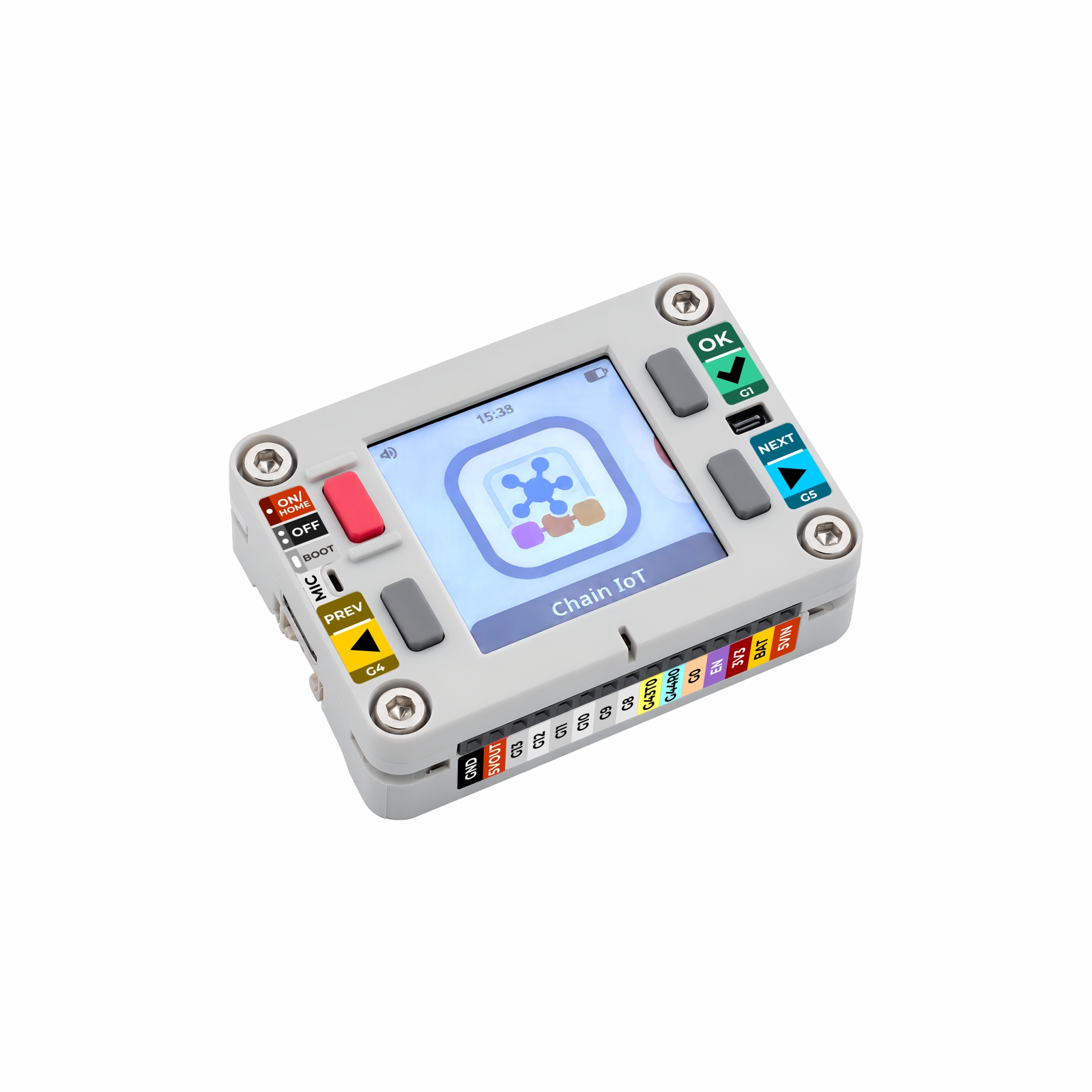
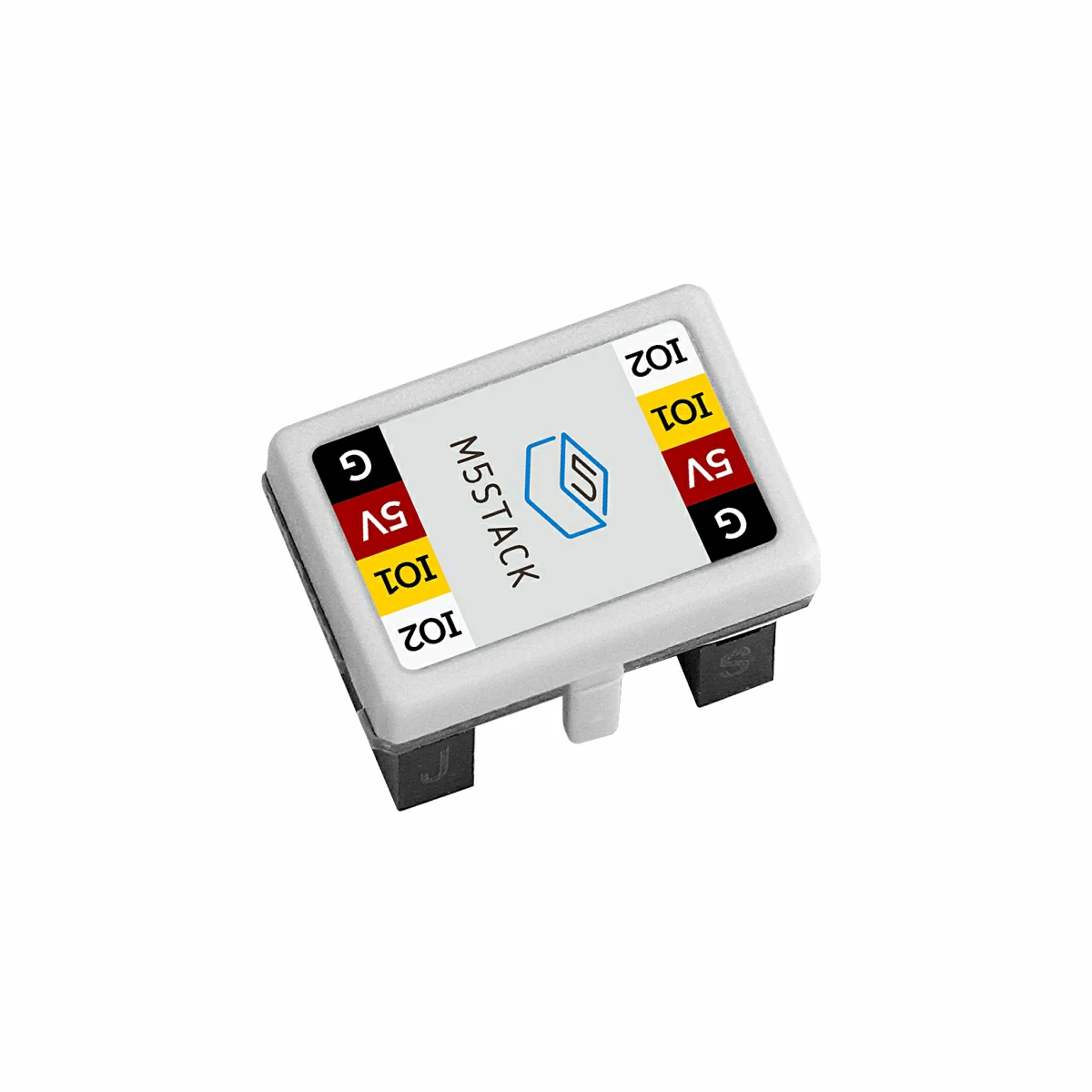
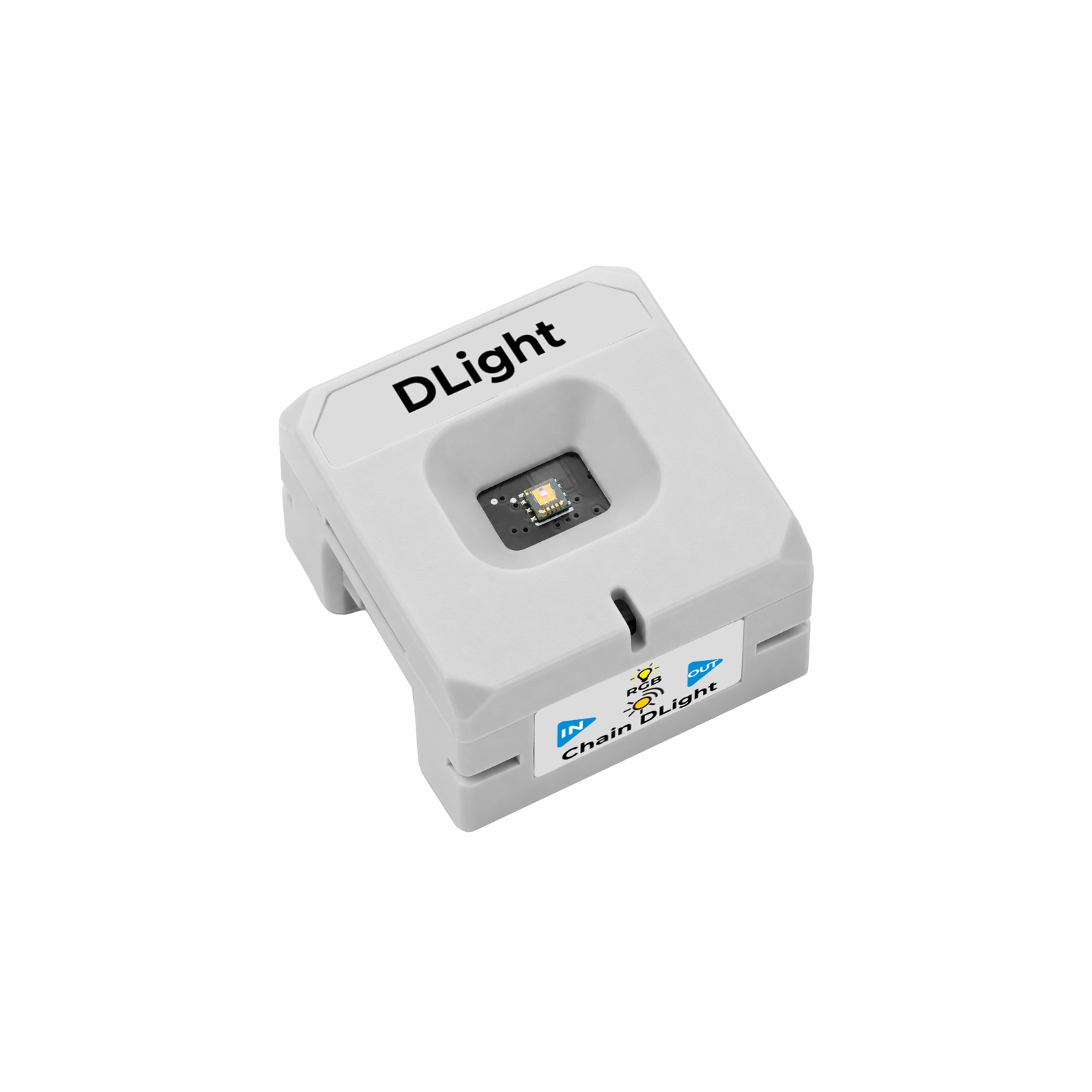
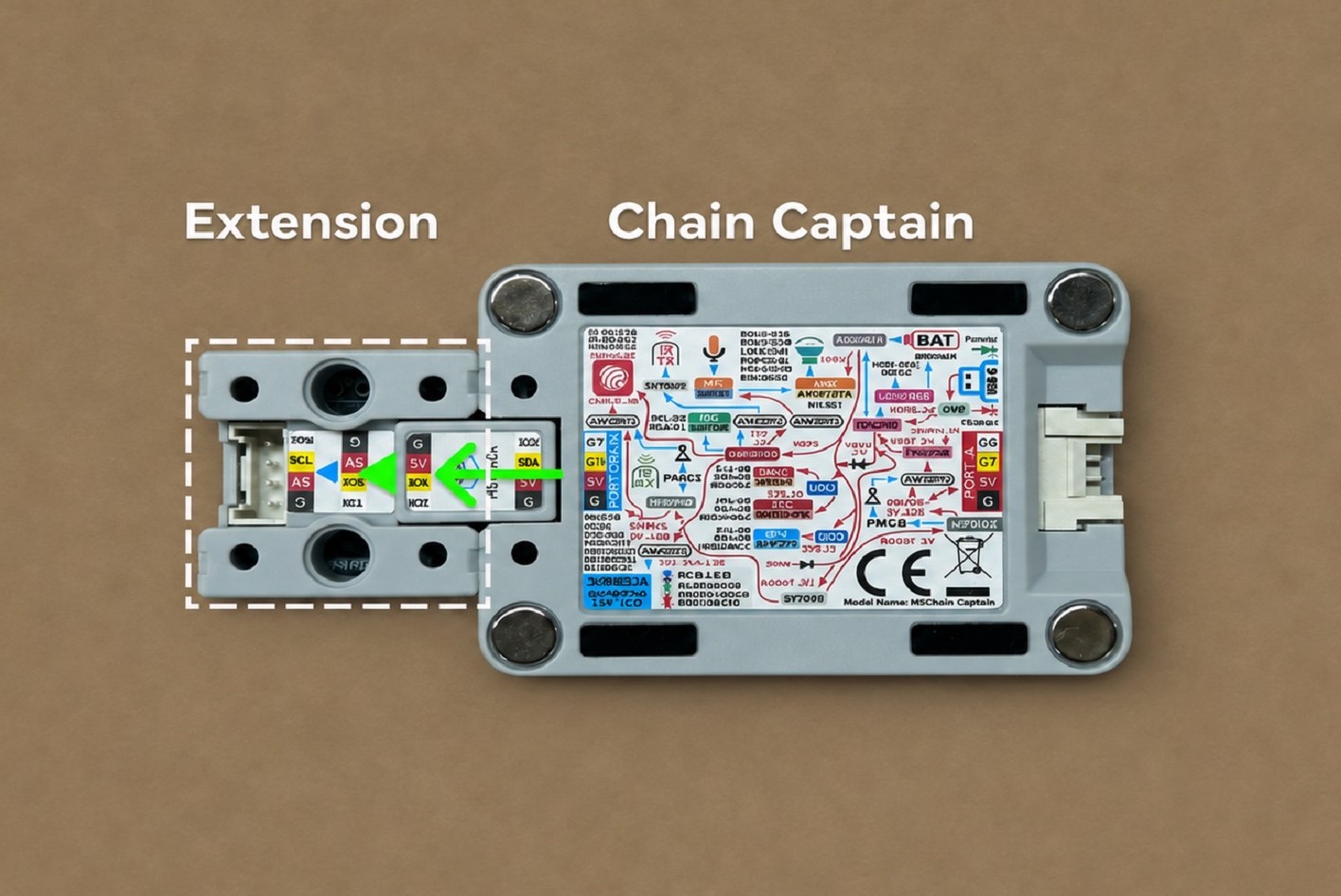
Use the Chain Bridge connector to connect Chain Captain and Chain DLight. Pay attention to the connector orientation: the triangular arrow should point outward from the main controller, as shown below:
Illuminance Reading
#include "M5Chain.h"
#include "M5Unified.h"

#define TXD_PIN GPIO_NUM_18
#define RXD_PIN GPIO_NUM_17

Chain M5Chain;
M5Canvas canvas(&M5.Display);
uint8_t dlight_id = 0;
uint8_t op_status = 0;

// Find the first DLight node on the Chain bus.
bool findDLight()
{
    uint16_t count = 0;
    if (M5Chain.getDeviceNum(&count) != CHAIN_OK) {
        Serial.println("Failed to get Chain device count");
        return false;
    }
    Serial.printf("Chain device count: %u\r\n", count);
    if (count == 0) {
        Serial.println("No Chain devices found");
        return false;
    }

    device_info_t infos[8];
    device_list_t list = {count < 8 ? count : 8, infos};
    if (!M5Chain.getDeviceList(&list)) {
        Serial.println("Failed to get Chain device list");
        return false;
    }

    for (uint16_t i = 0; i < list.count; i++) {
        if (list.devices[i].device_type == CHAIN_DLIGHT_TYPE_CODE) {
            dlight_id = list.devices[i].id;
            Serial.printf("DLight found, id=%u\r\n", dlight_id);
            return true;
        }
    }
    Serial.println("DLight not found");
    return false;
}

void showMessage(const char *text)
{
    canvas.fillSprite(TFT_BLACK);
    canvas.setTextDatum(middle_center);
    canvas.setTextColor(TFT_WHITE, TFT_BLACK);
    canvas.setFont(&fonts::FreeSansBold12pt7b);
    canvas.drawString(text, 120, 120);
    canvas.pushSprite(0, 0);
}

void setup()
{
    delay(520);
    // Initialize Chain Captain; Chain 5V is enabled by default.
    M5.begin();
    M5.Display.setBrightness(255);
    canvas.createSprite(M5.Display.width(), M5.Display.height());
    Serial.begin(115200);
    Serial.println("Chain DLight data demo start");
    Serial.printf("Chain UART: RX=GPIO%d, TX=GPIO%d\r\n", RXD_PIN, TXD_PIN);

    // Start the Chain bus on UART1.
    M5Chain.begin(&Serial1, 115200, RXD_PIN, TXD_PIN);

    if (!findDLight()) {
        Serial.println("DLight init failed: device not found");
        showMessage("DLight not found");
        while (1) {
            delay(100);
        }
    }

    // Set gain, resolution, and measurement period.
    bool config_ok =
        M5Chain.setDLightSensorGain(dlight_id, CHAIN_DLIGHT_GAIN_6X, &op_status) == CHAIN_OK &&
        op_status == 1 &&
        M5Chain.setDLightSensorResolution(dlight_id, CHAIN_DLIGHT_RESOLUTION_17BIT_50MS,
                                          &op_status) == CHAIN_OK &&
        op_status == 1 &&
        M5Chain.setDLightSensorRate(dlight_id, CHAIN_DLIGHT_RATE_100MS, &op_status) == CHAIN_OK &&
        op_status == 1;

    if (!config_ok) {
        Serial.printf("DLight config failed, operation status=%u\r\n", op_status);
        showMessage("Config failed");
        while (1) {
            delay(100);
        }
    }

    Serial.println("DLight config: gain=6x, resolution=17bit/50ms, period=100ms");
    Serial.println("DLight ready");
    showMessage("DLight ready");
}

void loop()
{
    uint32_t lux = 0;
    if (M5Chain.getDLightLux(dlight_id, &lux) == CHAIN_OK) {
        Serial.printf("DLight lux: %lu lx\r\n", (unsigned long)lux);

        // Draw a compact dashboard with a large lux value.
        canvas.fillSprite(TFT_BLACK);
        canvas.setTextDatum(middle_center);
        canvas.setFont(&fonts::FreeSansBold12pt7b);
        canvas.setTextColor(TFT_CYAN, TFT_BLACK);
        canvas.drawString("Chain DLight", 120, 24);
        canvas.setFont(&fonts::FreeSans9pt7b);
        canvas.setTextColor(TFT_LIGHTGREY, TFT_BLACK);
        canvas.drawString("ILLUMINANCE", 120, 62);
        canvas.setFont(&fonts::FreeSansBold24pt7b);
        canvas.setTextColor(TFT_GREEN, TFT_BLACK);
        canvas.drawString(String((unsigned long)lux) + " lx", 120, 112);
        canvas.setFont(&fonts::FreeSans9pt7b);
        canvas.setTextColor(TFT_WHITE, TFT_BLACK);
        canvas.drawString("GAIN 6x   RES 17-bit", 120, 168);
        canvas.drawString("PERIOD 100 ms", 120, 198);
        canvas.pushSprite(0, 0);
    } else {
        Serial.println("DLight read failed");
        showMessage("Read failed");
    }

    delay(50);
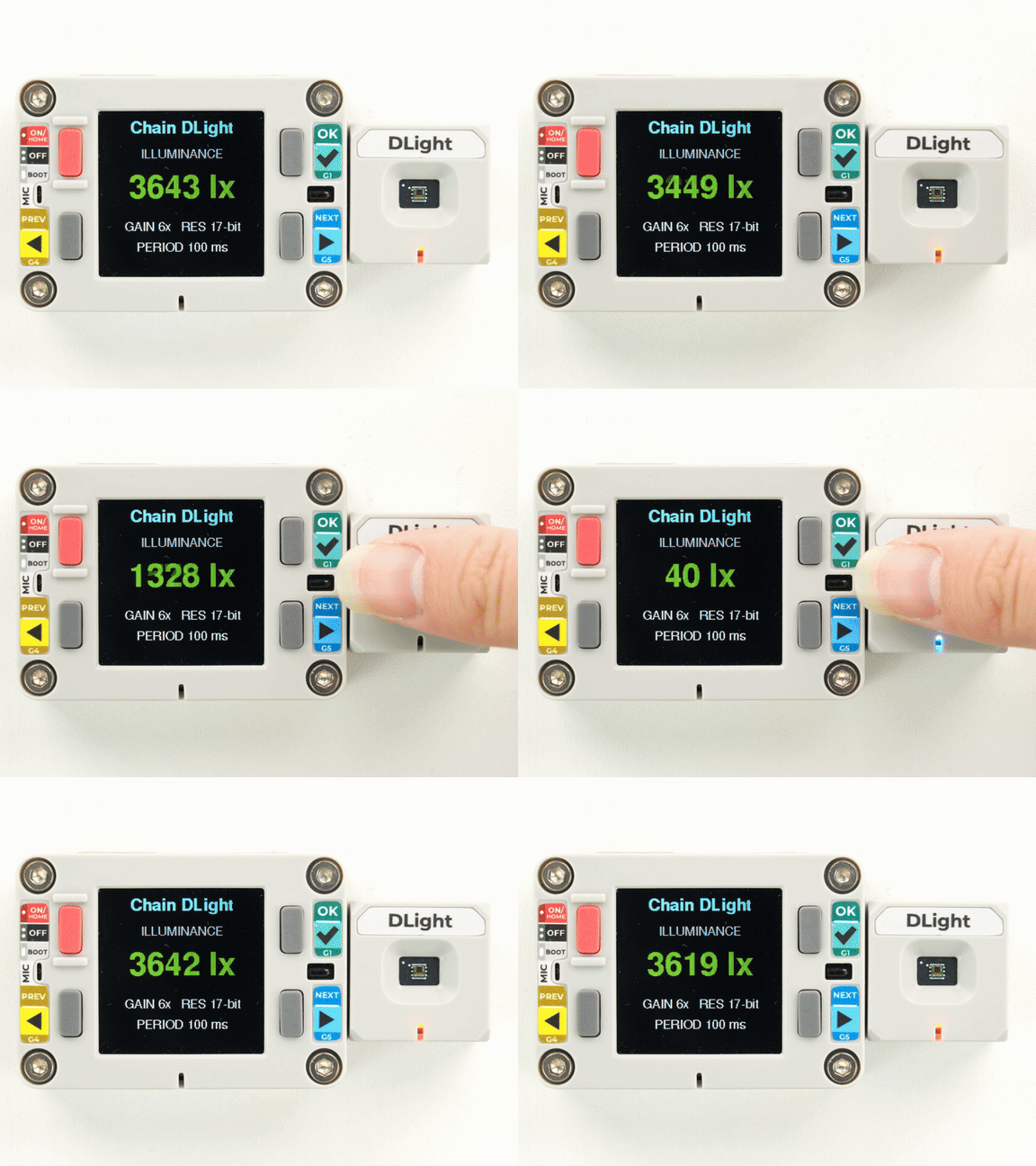
}The screen displays the current illuminance, gain, resolution, and measurement period, while the serial monitor outputs device information, configuration results, and illuminance values. The example uses a 17-bit resolution (50 ms conversion time) and a 100 ms measurement period.
Threshold Events
#include "M5Chain.h"
#include "M5Unified.h"

#define TXD_PIN GPIO_NUM_18
#define RXD_PIN GPIO_NUM_17

Chain M5Chain;
M5Canvas canvas(&M5.Display);
uint8_t dlight_id = 0;
uint8_t op_status = 0;

// Find the first DLight node on the Chain bus.
bool findDLight()
{
    uint16_t count = 0;
    if (M5Chain.getDeviceNum(&count) != CHAIN_OK) {
        Serial.println("Failed to get Chain device count");
        return false;
    }
    Serial.printf("Chain device count: %u\r\n", count);
    if (count == 0) {
        Serial.println("No Chain devices found");
        return false;
    }

    device_info_t infos[8];
    device_list_t list = {count < 8 ? count : 8, infos};
    if (!M5Chain.getDeviceList(&list)) {
        Serial.println("Failed to get Chain device list");
        return false;
    }

    for (uint16_t i = 0; i < list.count; i++) {
        if (list.devices[i].device_type == CHAIN_DLIGHT_TYPE_CODE) {
            dlight_id = list.devices[i].id;
            Serial.printf("DLight found, id=%u\r\n", dlight_id);
            return true;
        }
    }
    Serial.println("DLight not found");
    return false;
}

void showMessage(const char *text)
{
    canvas.fillSprite(TFT_BLACK);
    canvas.setTextDatum(middle_center);
    canvas.setTextColor(TFT_WHITE, TFT_BLACK);
    canvas.setFont(&fonts::FreeSansBold12pt7b);
    canvas.drawString(text, 120, 120);
    canvas.pushSprite(0, 0);
}

void setup()
{
    delay(520);
    // Initialize Chain Captain; Chain 5V is enabled by default.
    M5.begin();
    M5.Display.setBrightness(255);
    canvas.createSprite(M5.Display.width(), M5.Display.height());
    Serial.begin(115200);
    Serial.println("Chain DLight event demo start");
    Serial.printf("Chain UART: RX=GPIO%d, TX=GPIO%d\r\n", RXD_PIN, TXD_PIN);

    // Start the Chain bus on UART1.
    M5Chain.begin(&Serial1, 115200, RXD_PIN, TXD_PIN);

    if (!findDLight()) {
        Serial.println("DLight event init failed: device not found");
        showMessage("DLight not found");
        while (1) {
            delay(100);
        }
    }

    // Set high/low lux thresholds and enable event reporting.
    bool config_ok =
        M5Chain.setDLightSensorResolution(dlight_id, CHAIN_DLIGHT_RESOLUTION_17BIT_50MS,
                                          &op_status) == CHAIN_OK &&
        op_status == 1 &&
        M5Chain.setDLightSensorRate(dlight_id, CHAIN_DLIGHT_RATE_100MS, &op_status) == CHAIN_OK &&
        op_status == 1 &&
        M5Chain.setDLightLuxInterruptThreshold(dlight_id, 2047, 120, &op_status) == CHAIN_OK &&
        op_status == 1 &&
        M5Chain.setDLightLuxInterruptEnable(dlight_id, CHAIN_DLIGHT_ENABLE, &op_status) == CHAIN_OK &&
        op_status == 1 &&
        M5Chain.setDLightLuxInterruptEventTriggerMode(dlight_id, CHAIN_DLIGHT_ENABLE,
                                                      &op_status) == CHAIN_OK &&
        op_status == 1;

    if (!config_ok) {
        Serial.printf("DLight event config failed, operation status=%u\r\n", op_status);
        showMessage("Config failed");
        while (1) {
            delay(100);
        }
    }

    Serial.println("DLight event config: resolution=17bit/50ms, period=100ms, low=120 lx, high=2047 lx");
    Serial.println("DLight event ready");
    showMessage("Event ready");
}

void loop()
{
    chain_dlight_event_trigger_t event;
    // Process all pending DLight event records.
    while (M5Chain.getDLightLuxTrigger(dlight_id, &event)) {
        // Decode the event type and status byte.
        uint16_t record = (uint16_t)event;
        if ((record >> 8) != CHAIN_DLIGHT_TYPE_CODE) {
            Serial.printf("Unknown DLight event record: 0x%04X\r\n", record);
            continue;
        }

        const char *text    = "Unknown";
        uint16_t event_color = TFT_WHITE;
        switch ((uint8_t)record) {
            case CHAIN_DLIGHT_REPORT_LUX_LOW:
                text        = "Low threshold";
                event_color = TFT_BLUE;
                break;
            case CHAIN_DLIGHT_REPORT_LUX_HIGH:
                text        = "High threshold";
                event_color = TFT_RED;
                break;

        }
        Serial.printf("DLight event: %s, record=0x%04X\r\n", text, record);

        // Highlight the latest threshold event.
        canvas.fillSprite(TFT_BLACK);
        canvas.setTextDatum(middle_center);
        canvas.setFont(&fonts::FreeSansBold12pt7b);
        canvas.setTextColor(TFT_CYAN, TFT_BLACK);
        canvas.drawString("Chain DLight Event", 120, 24);
        canvas.setFont(&fonts::FreeSans9pt7b);
        canvas.setTextColor(TFT_LIGHTGREY, TFT_BLACK);
        canvas.drawString("EVENT", 120, 62);
        canvas.setFont(&fonts::FreeSansBold18pt7b);
        canvas.setTextColor(event_color, TFT_BLACK);
        canvas.drawString(text, 120, 112);
        canvas.setFont(&fonts::FreeSans9pt7b);
        canvas.setTextColor(TFT_WHITE, TFT_BLACK);
        canvas.drawString("HIGH 2047 lx", 120, 168);
        canvas.drawString("LOW 120 lx", 120, 198);
        canvas.pushSprite(0, 0);
    }

    delay(20);
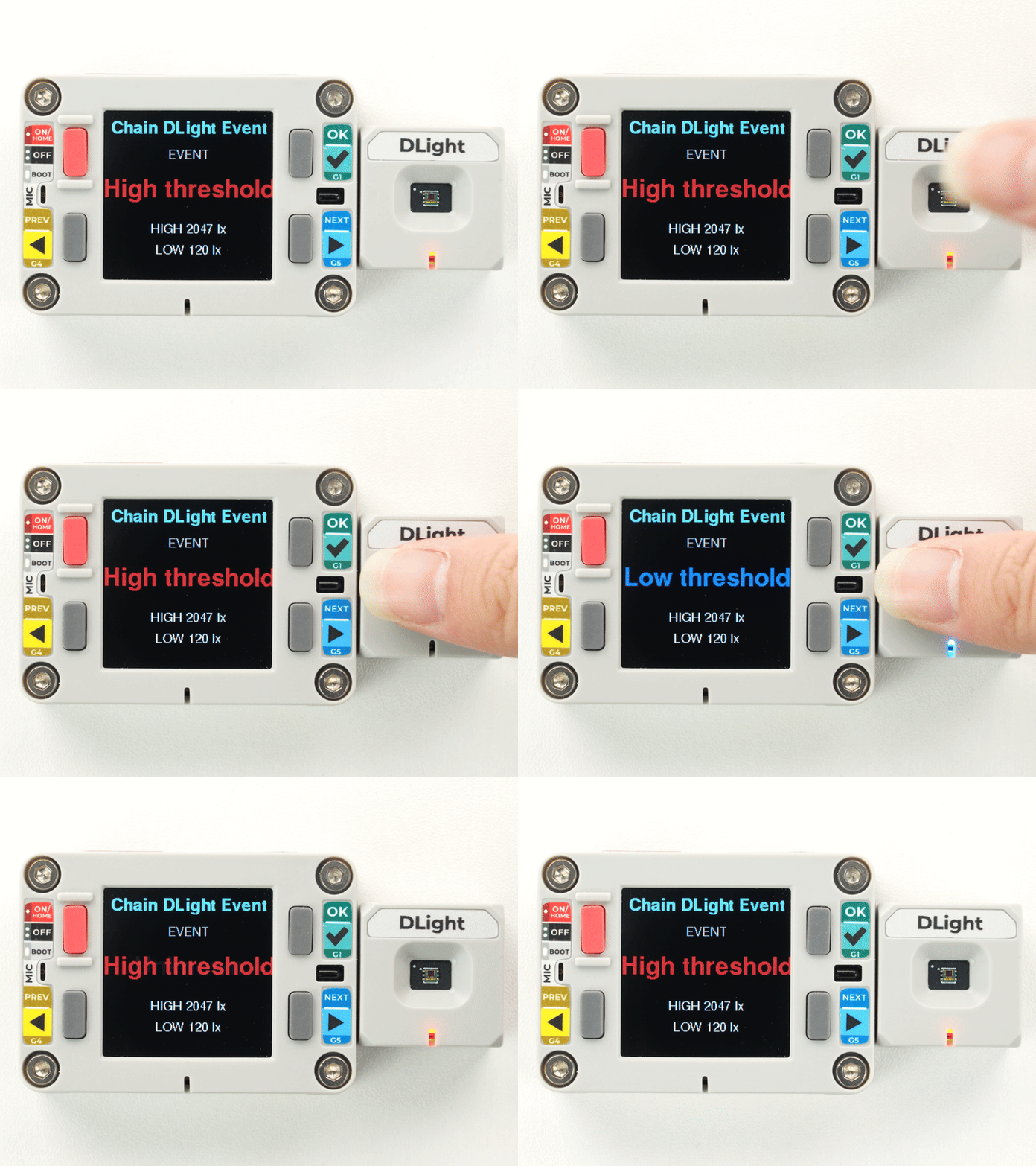
}The screen displays the most recent illuminance threshold event: High threshold indicates that the illuminance has risen above the high illuminance threshold, while Low threshold indicates that it has fallen below the low illuminance threshold. The high and low illuminance thresholds are 2047 lx and 120 lx, respectively. The serial monitor also outputs the event name and raw event record. The event example uses a 17-bit resolution (50 ms conversion time) and a 100 ms measurement period.