

Arduino Quick Start
2. Devices & Examples
Demo Board-SHT30
3. M5Unified
4. M5GFX
5. Extensions
Unit
Module
Atomic
Tab5
IoT
Accessories
Unit Watering Arduino Tutorial
1. Preparations
- Environment Setup: Refer to Arduino IDE Getting Started Guide to complete IDE installation, and install the corresponding board manager and driver libraries based on the development board used.
- Required Driver Libraries:
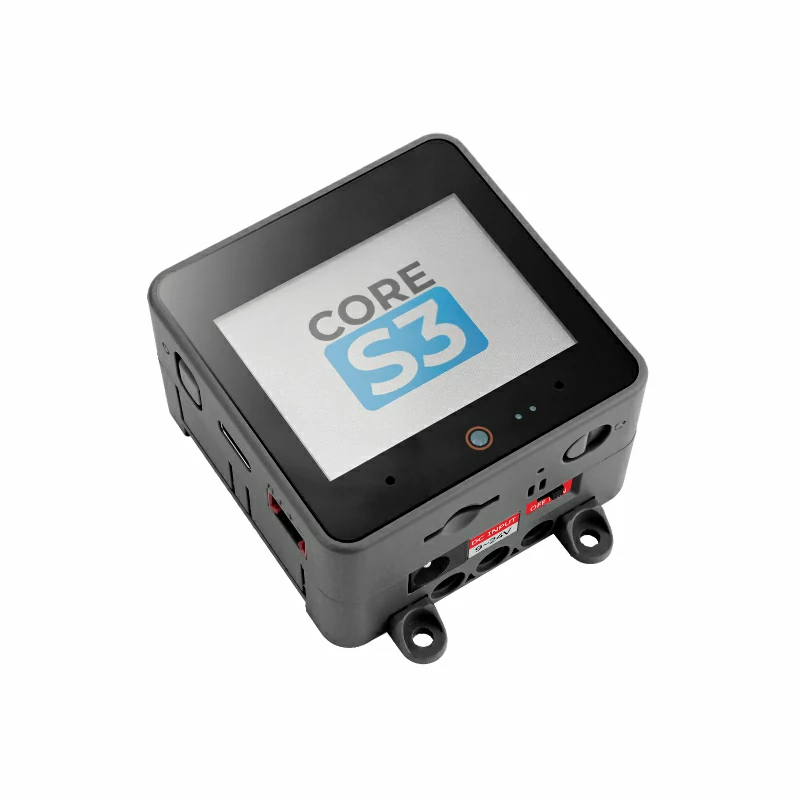
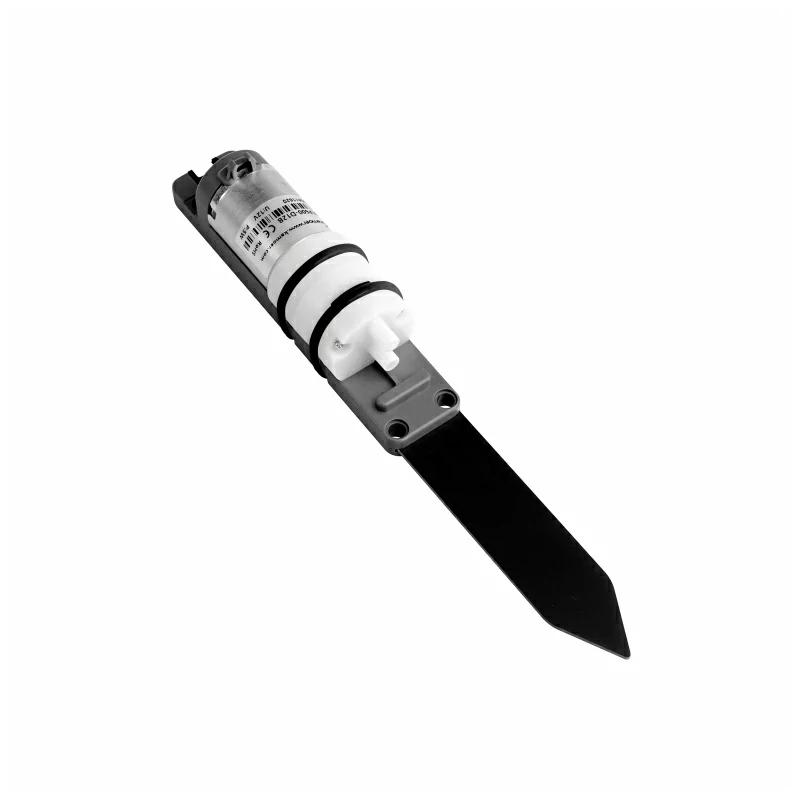
- Required Hardware Products:
2. Precautions
Water Safety
The pump must be stopped manually; dry running is prohibited. For the first test, make sure the inlet hose is fully submerged, and do not let water enter the Unit circuit board or Grove connector.
Pin Compatibility
Since each host has a different pin configuration, M5Stack officially provides a pin compatibility table for easy reference. Please modify the example program according to the actual pin connections.
3. Sample Program
- This tutorial uses CoreS3 with Unit Watering connected to PORT.B. The white wire is the ADC input
G8, and the yellow wire is the pump controlPUMP_EN, corresponding toG9. - The program reads the analog voltage with
analogReadMilliVolts()and determines the soil state using two thresholds,1550 mVand1450 mV: when the voltage is at or above1550 mVthe state isDRY; when it is below1550 mVbut not below1450 mVthe state isWET; when it is below1450 mVthe state isSATURATED.
cpp
1 2 3 4 5 6 7 8 9 10 11 12 13 14 15 16 17 18 19 20 21 22 23 24 25 26 27 28 29 30 31 32 33 34 35 36 37 38 39 40 41 42 43 44 45 46 47 48 49 50 51 52 53 54 55 56 57 58 59 60 61 62 63 64 65 66 67 68 69 70 71 72 73 74 75 76 77 78 79 80 81 82 83 84 85 86 87 88 89 90 91 92 93 94 95 96 97 98 99 100 101 102 103 104 105 106 107 108 109 110 111 112 113 114 115 116 117 118 119 120 121 122 123 124 125 126 127 128 129 130 131 132 133 134 135 136 137 138 139 140 141 142 143 144
#include <M5Unified.h>

M5Canvas canvas(&M5.Display);

constexpr int kDryMv = 1550;
constexpr int kWetMv = 1450;
constexpr int kBtnX = 188, kBtnY = 168, kBtnW = 106, kBtnH = 48;
constexpr int kTouchPad = 12;  // Expand the hit area for finger touches.
constexpr uint16_t kBg = 0x0883, kSurface = 0x10E5, kAlt = 0x1948;
constexpr uint16_t kLine = 0x29EB, kText = 0xF7BF, kMuted = 0x8CD6;
constexpr uint16_t kGreen = 0x4ED4, kOrange = 0xFDAA, kBlue = 0x6D5F;
constexpr uint16_t kStartGreen = 0x1BCB, kStopRed = 0xF800;

const char* const kStateName[] = {"SATURATED", "WET", "DRY"};
const uint16_t kStateColor[] = {kBlue, kGreen, kOrange};

int sensorPin = -1, pumpPin = -1;
int rawAdc = 0, milliVolts = 0;
bool pumpOn = false;
uint32_t lastUpdateMs = 0, lastLogMs = 0;

void readSensor() {
  uint32_t raw = 0, mv = 0;
  for (int i = 0; i < 8; ++i) {
    raw += analogRead(sensorPin);
    mv += analogReadMilliVolts(sensorPin);
    delay(1);
  }
  rawAdc = raw / 8;
  milliVolts = mv / 8;
}

void setPump(bool on) {
  pumpOn = on;
  digitalWrite(pumpPin, on);
  lastUpdateMs = millis() - 250;
  Serial.println(on ? "PUMP=ON" : "PUMP=OFF");
}

bool hit(int x, int y, int rx, int ry, int rw, int rh) {
  return x >= rx && x < rx + rw && y >= ry && y < ry + rh;
}

void drawText(const char* text, int x, int y, textdatum_t datum,
              const lgfx::v1::IFont* font, uint16_t color, uint16_t bg) {
  canvas.setTextDatum(datum);
  canvas.setFont(font);
  canvas.setTextColor(color, bg);
  canvas.drawString(text, x, y);
}

void drawDrop(int x, int y, int r, uint16_t color) {
  canvas.fillTriangle(x, y - r, x - r * 3 / 5, y + 2, x + r * 3 / 5, y + 2, color);
  canvas.fillCircle(x, y + 3, r * 3 / 5, color);
}

void drawPower(int x, int y, int r, uint16_t color) {
  canvas.fillCircle(x, y, r, kAlt);
  canvas.drawCircle(x, y, r, kLine);
  canvas.drawCircle(x, y, r / 2, color);
  canvas.fillRect(x - 1, y - r / 2 - 3, 2, r / 2 + 3, color);
}

void drawScreen() {
  const int state = milliVolts >= kDryMv ? 2 : (milliVolts >= kWetMv ? 1 : 0);
  const uint16_t stateColor = kStateColor[state];
  const auto small = &fonts::FreeSans9pt7b;
  const auto medium = &fonts::FreeSansBold12pt7b;
  const auto large = &fonts::FreeSansBold18pt7b;
  char adcText[16], voltText[16];
  snprintf(adcText, sizeof(adcText), "ADC %d", rawAdc);
  snprintf(voltText, sizeof(voltText), "%d mV", milliVolts);

  canvas.fillSprite(kBg);
  canvas.fillRoundRect(14, 9, 4, 18, 2, kGreen);
  drawText("Unit Watering", 26, 9, textdatum_t::top_left, medium, kText, kBg);

  canvas.fillRoundRect(12, 46, 296, 94, 14, kSurface);
  canvas.drawRoundRect(12, 46, 296, 94, 14, kLine);
  drawDrop(36, 65, 7, stateColor);
  drawText("SOIL STATE", 50, 57, textdatum_t::top_left, small, kMuted, kSurface);
  drawText(adcText, 294, 57, textdatum_t::top_right, small, kMuted, kSurface);
  // SATURATED uses the smaller font so it fits beside the voltage.
  drawText(kStateName[state], 26, 105, textdatum_t::middle_left,
           state == 0 ? medium : large, stateColor, kSurface);
  drawText(voltText, 294, 105, textdatum_t::middle_right, medium, kText, kSurface);

  canvas.fillRoundRect(12, 146, 296, 86, 14, kSurface);
  canvas.drawRoundRect(12, 146, 296, 86, 14, kLine);
  drawPower(40, 192, 18, pumpOn ? kGreen : kMuted);
  drawText("PUMP", 68, 158, textdatum_t::top_left, small, kMuted, kSurface);
  drawText(pumpOn ? "ON" : "OFF", 88, 198, textdatum_t::middle_left, large,
           pumpOn ? kGreen : kMuted, kSurface);

  const uint16_t buttonColor = pumpOn ? kStopRed : kStartGreen;
  canvas.fillRoundRect(kBtnX, kBtnY, kBtnW, kBtnH, 12, buttonColor);
  drawText(pumpOn ? "STOP" : "START", 241, 192, textdatum_t::middle_center,
           medium, TFT_WHITE, buttonColor);
  canvas.pushSprite(0, 0);
}

void setup() {
  M5.begin();
  Serial.begin(115200);
  canvas.setColorDepth(16);
  canvas.createSprite(M5.Display.width(), M5.Display.height());
  canvas.setTextWrap(false);

  // CoreS3 PORT.B: G8 ADC, G9 PUMP_EN.
  sensorPin = M5.getPin(m5::pin_name_t::port_b_pin1);
  pumpPin = M5.getPin(m5::pin_name_t::port_b_pin2);
  pinMode(sensorPin, INPUT);
  pinMode(pumpPin, OUTPUT);
  digitalWrite(pumpPin, LOW);
  analogReadResolution(12);
  analogSetPinAttenuation(sensorPin, ADC_11db);

  readSensor();
  drawScreen();
  lastUpdateMs = lastLogMs = millis();
}

void loop() {
  M5.update();
  auto touch = M5.Touch.getDetail();
  if (touch.wasPressed() &&
      hit(touch.x, touch.y, kBtnX - kTouchPad, kBtnY - kTouchPad,
          kBtnW + kTouchPad * 2, kBtnH + kTouchPad * 2)) {
    setPump(!pumpOn);
  }

  if (millis() - lastUpdateMs >= 250) {
    lastUpdateMs = millis();
    readSensor();
    drawScreen();
  }
  if (millis() - lastLogMs >= 1000) {
    lastLogMs = millis();
    const int state = milliVolts >= kDryMv ? 2 : (milliVolts >= kWetMv ? 1 : 0);
    Serial.printf("ADC=%d, SOIL=%s, MV=%d, PUMP=%s\n", rawAdc,
                  kStateName[state], milliVolts, pumpOn ? "ON" : "OFF");
  }
  delay(5);
}4. Compile and Upload
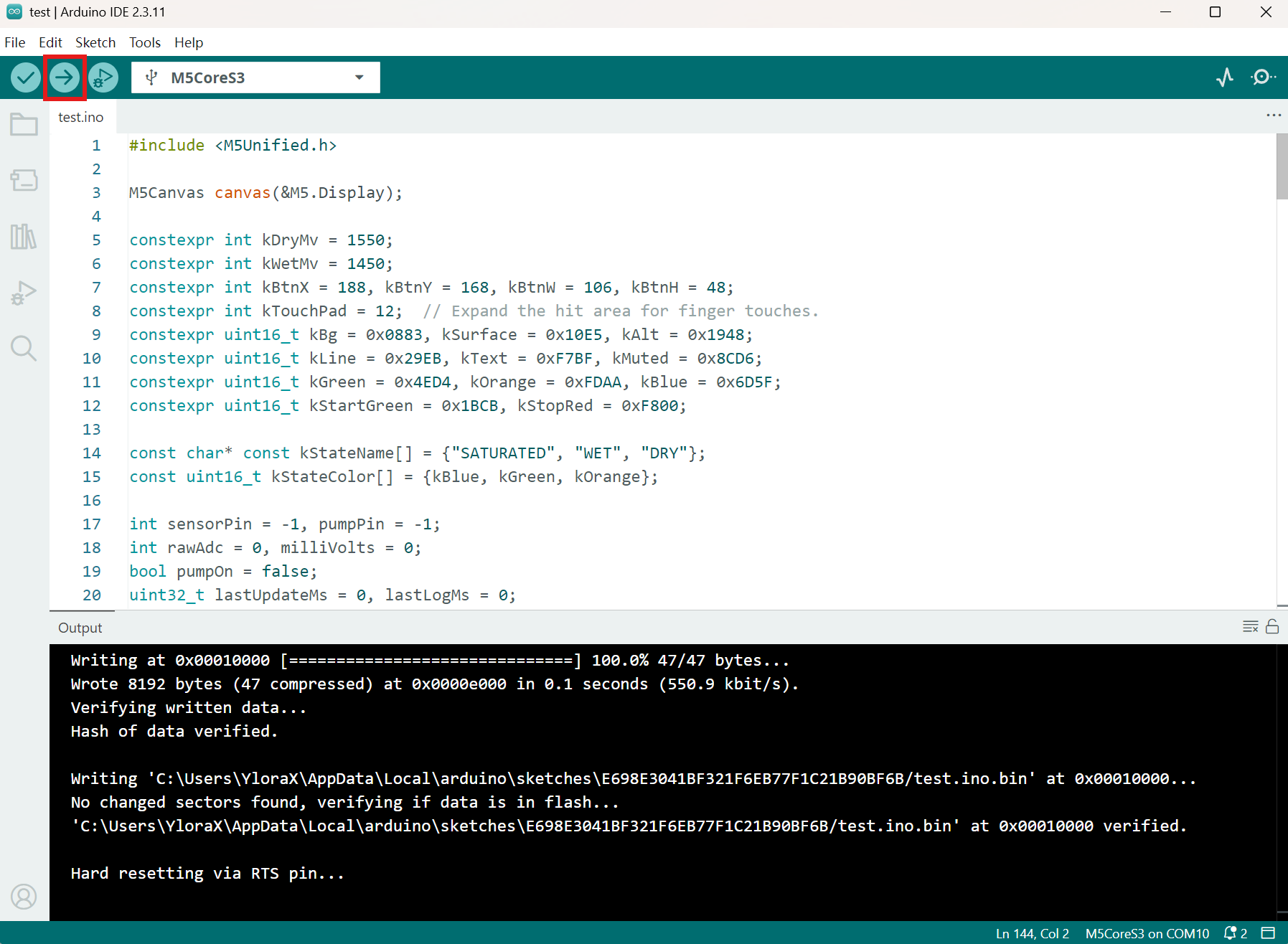
- Copy and paste the example code above into the project code area, select the device port (for details, refer to Program Compile & Upload), click the compile and upload button in the upper-left corner of Arduino IDE, and wait for the program to compile and upload to the device.
5. Running Result
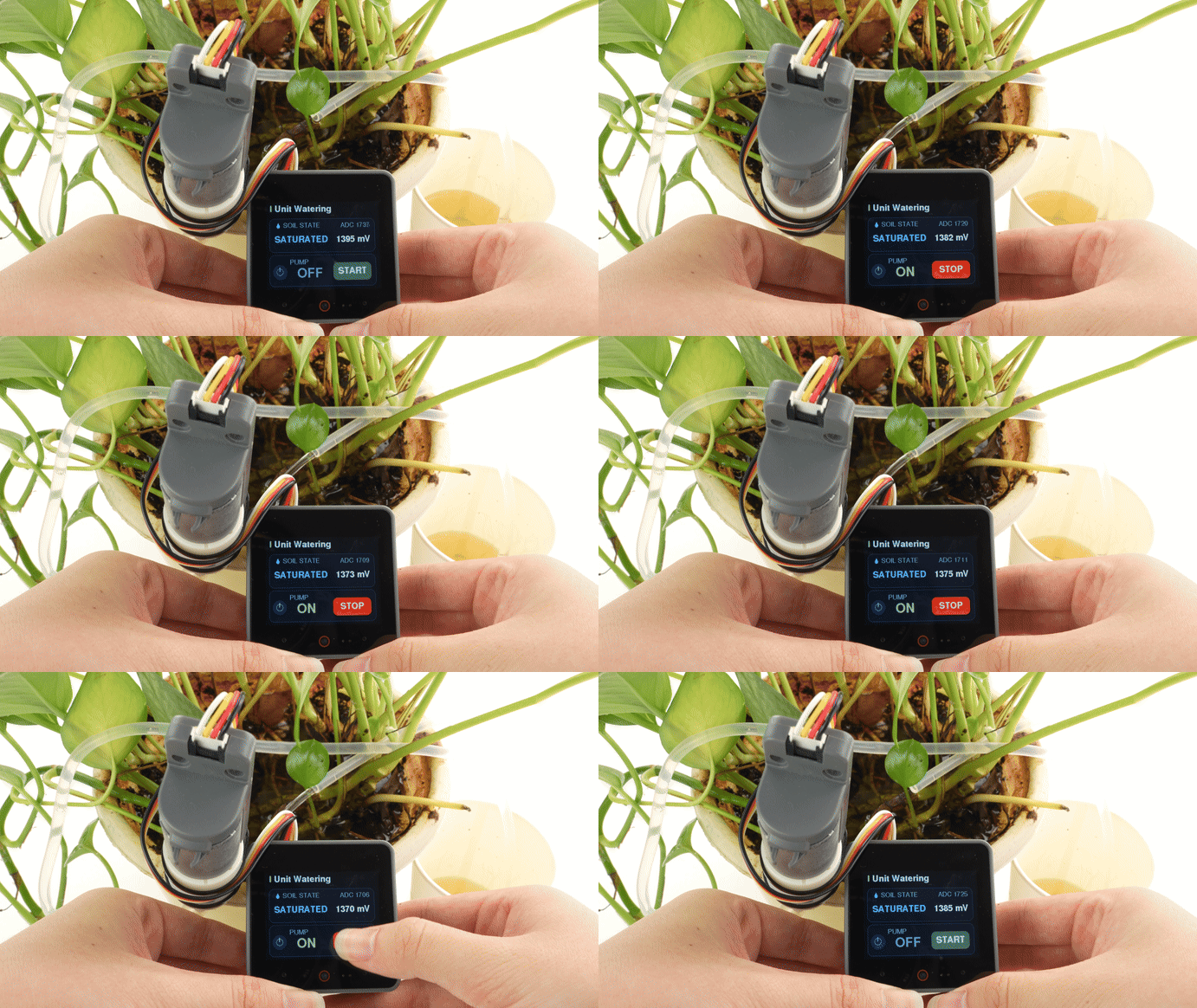
- The screen continuously displays the ADC value, the current soil state, the voltage value, and the pump state. Touch
STARTto start the pump, and the button changes to solid redSTOP; touch it again to stop the pump.
Page Tools