

Arduino 上手教程
2. 设备开发 & 案例程序
Demo Board-SHT30
3. M5Unified
4. M5GFX
5. 扩展模块
Unit
Module
Atomic
Tab5
IoT
Chain DLight 使用教程
1.准备工作
环境配置:参考 Arduino IDE 上手教程 完成 IDE 安装,并根据实际使用的开发板安装对应的板管理与需要的驱动库。
使用到的驱动库:
使用到的硬件产品:
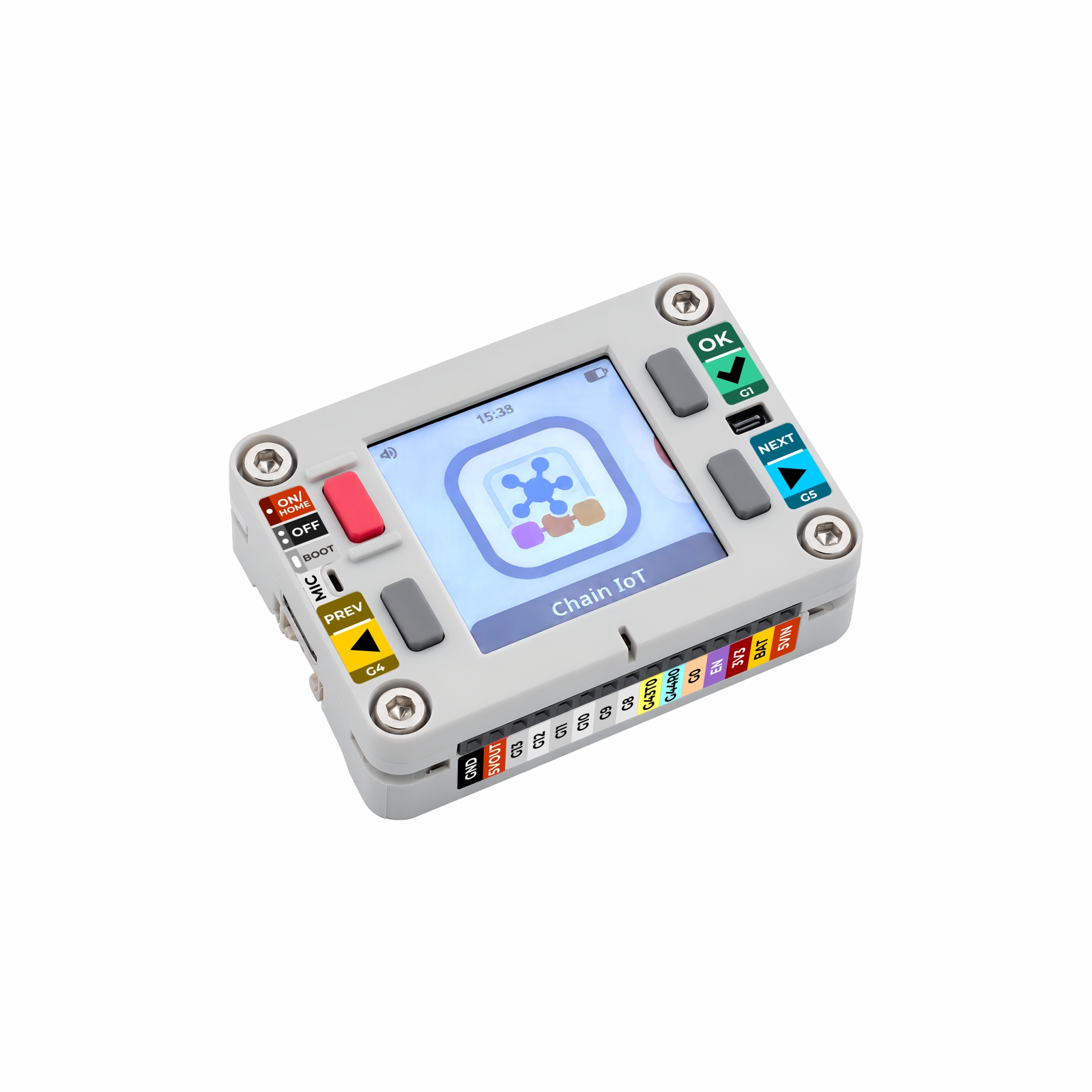
- Chain Captain
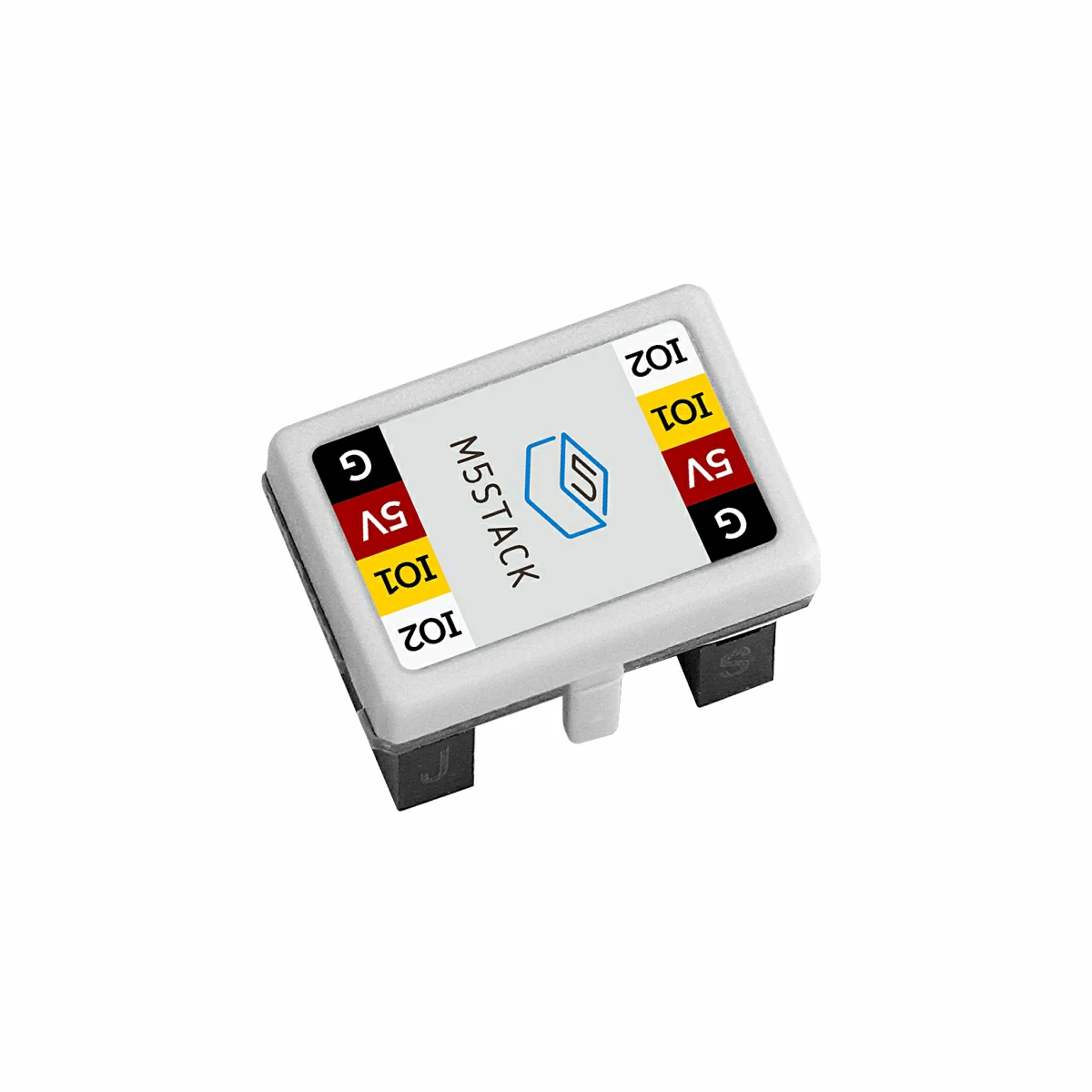
- Chain 系列连接器,如 Chain Bridge
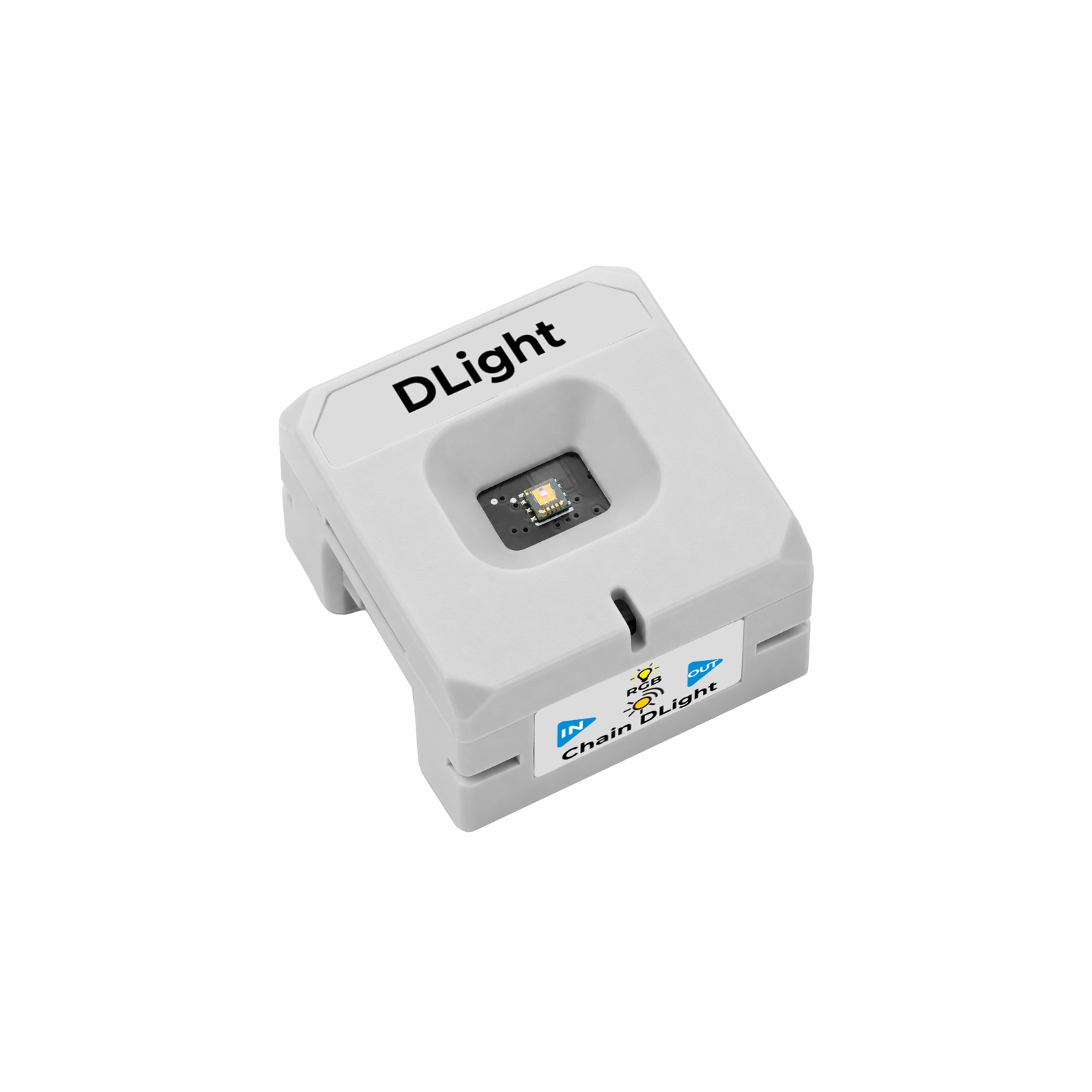
- Chain DLight
2.示例程序
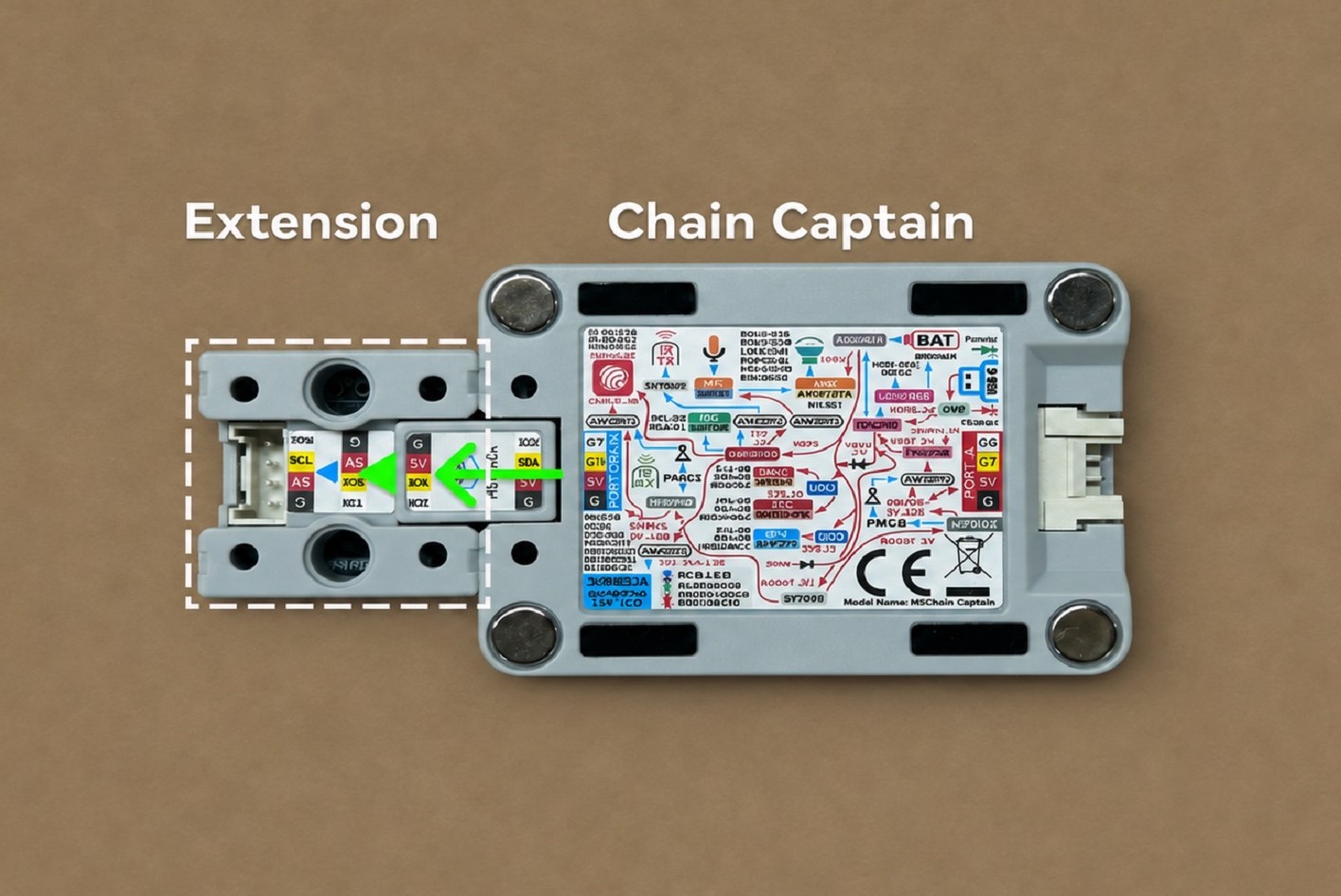
使用 Chain Bridge 连接器连接 Chain Captain 和 Chain DLight。连接时需要注意方向,三角箭头从主控指向外侧,主控侧接法如下:
照度读取
cpp
1 2 3 4 5 6 7 8 9 10 11 12 13 14 15 16 17 18 19 20 21 22 23 24 25 26 27 28 29 30 31 32 33 34 35 36 37 38 39 40 41 42 43 44 45 46 47 48 49 50 51 52 53 54 55 56 57 58 59 60 61 62 63 64 65 66 67 68 69 70 71 72 73 74 75 76 77 78 79 80 81 82 83 84 85 86 87 88 89 90 91 92 93 94 95 96 97 98 99 100 101 102 103 104 105 106 107 108 109 110 111 112 113 114 115 116 117 118 119 120 121 122 123 124 125 126 127 128
#include "M5Chain.h"
#include "M5Unified.h"

#define TXD_PIN GPIO_NUM_18
#define RXD_PIN GPIO_NUM_17

Chain M5Chain;
M5Canvas canvas(&M5.Display);
uint8_t dlight_id = 0;
uint8_t op_status = 0;

// Find the first DLight node on the Chain bus.
bool findDLight()
{
    uint16_t count = 0;
    if (M5Chain.getDeviceNum(&count) != CHAIN_OK) {
        Serial.println("Failed to get Chain device count");
        return false;
    }
    Serial.printf("Chain device count: %u\r\n", count);
    if (count == 0) {
        Serial.println("No Chain devices found");
        return false;
    }

    device_info_t infos[8];
    device_list_t list = {count < 8 ? count : 8, infos};
    if (!M5Chain.getDeviceList(&list)) {
        Serial.println("Failed to get Chain device list");
        return false;
    }

    for (uint16_t i = 0; i < list.count; i++) {
        if (list.devices[i].device_type == CHAIN_DLIGHT_TYPE_CODE) {
            dlight_id = list.devices[i].id;
            Serial.printf("DLight found, id=%u\r\n", dlight_id);
            return true;
        }
    }
    Serial.println("DLight not found");
    return false;
}

void showMessage(const char *text)
{
    canvas.fillSprite(TFT_BLACK);
    canvas.setTextDatum(middle_center);
    canvas.setTextColor(TFT_WHITE, TFT_BLACK);
    canvas.setFont(&fonts::FreeSansBold12pt7b);
    canvas.drawString(text, 120, 120);
    canvas.pushSprite(0, 0);
}

void setup()
{
    delay(520);
    // Initialize Chain Captain; Chain 5V is enabled by default.
    M5.begin();
    M5.Display.setBrightness(255);
    canvas.createSprite(M5.Display.width(), M5.Display.height());
    Serial.begin(115200);
    Serial.println("Chain DLight data demo start");
    Serial.printf("Chain UART: RX=GPIO%d, TX=GPIO%d\r\n", RXD_PIN, TXD_PIN);

    // Start the Chain bus on UART1.
    M5Chain.begin(&Serial1, 115200, RXD_PIN, TXD_PIN);

    if (!findDLight()) {
        Serial.println("DLight init failed: device not found");
        showMessage("DLight not found");
        while (1) {
            delay(100);
        }
    }

    // Set gain, resolution, and measurement period.
    bool config_ok =
        M5Chain.setDLightSensorGain(dlight_id, CHAIN_DLIGHT_GAIN_6X, &op_status) == CHAIN_OK &&
        op_status == 1 &&
        M5Chain.setDLightSensorResolution(dlight_id, CHAIN_DLIGHT_RESOLUTION_17BIT_50MS,
                                          &op_status) == CHAIN_OK &&
        op_status == 1 &&
        M5Chain.setDLightSensorRate(dlight_id, CHAIN_DLIGHT_RATE_100MS, &op_status) == CHAIN_OK &&
        op_status == 1;

    if (!config_ok) {
        Serial.printf("DLight config failed, operation status=%u\r\n", op_status);
        showMessage("Config failed");
        while (1) {
            delay(100);
        }
    }

    Serial.println("DLight config: gain=6x, resolution=17bit/50ms, period=100ms");
    Serial.println("DLight ready");
    showMessage("DLight ready");
}

void loop()
{
    uint32_t lux = 0;
    if (M5Chain.getDLightLux(dlight_id, &lux) == CHAIN_OK) {
        Serial.printf("DLight lux: %lu lx\r\n", (unsigned long)lux);

        // Draw a compact dashboard with a large lux value.
        canvas.fillSprite(TFT_BLACK);
        canvas.setTextDatum(middle_center);
        canvas.setFont(&fonts::FreeSansBold12pt7b);
        canvas.setTextColor(TFT_CYAN, TFT_BLACK);
        canvas.drawString("Chain DLight", 120, 24);
        canvas.setFont(&fonts::FreeSans9pt7b);
        canvas.setTextColor(TFT_LIGHTGREY, TFT_BLACK);
        canvas.drawString("ILLUMINANCE", 120, 62);
        canvas.setFont(&fonts::FreeSansBold24pt7b);
        canvas.setTextColor(TFT_GREEN, TFT_BLACK);
        canvas.drawString(String((unsigned long)lux) + " lx", 120, 112);
        canvas.setFont(&fonts::FreeSans9pt7b);
        canvas.setTextColor(TFT_WHITE, TFT_BLACK);
        canvas.drawString("GAIN 6x   RES 17-bit", 120, 168);
        canvas.drawString("PERIOD 100 ms", 120, 198);
        canvas.pushSprite(0, 0);
    } else {
        Serial.println("DLight read failed");
        showMessage("Read failed");
    }

    delay(50);
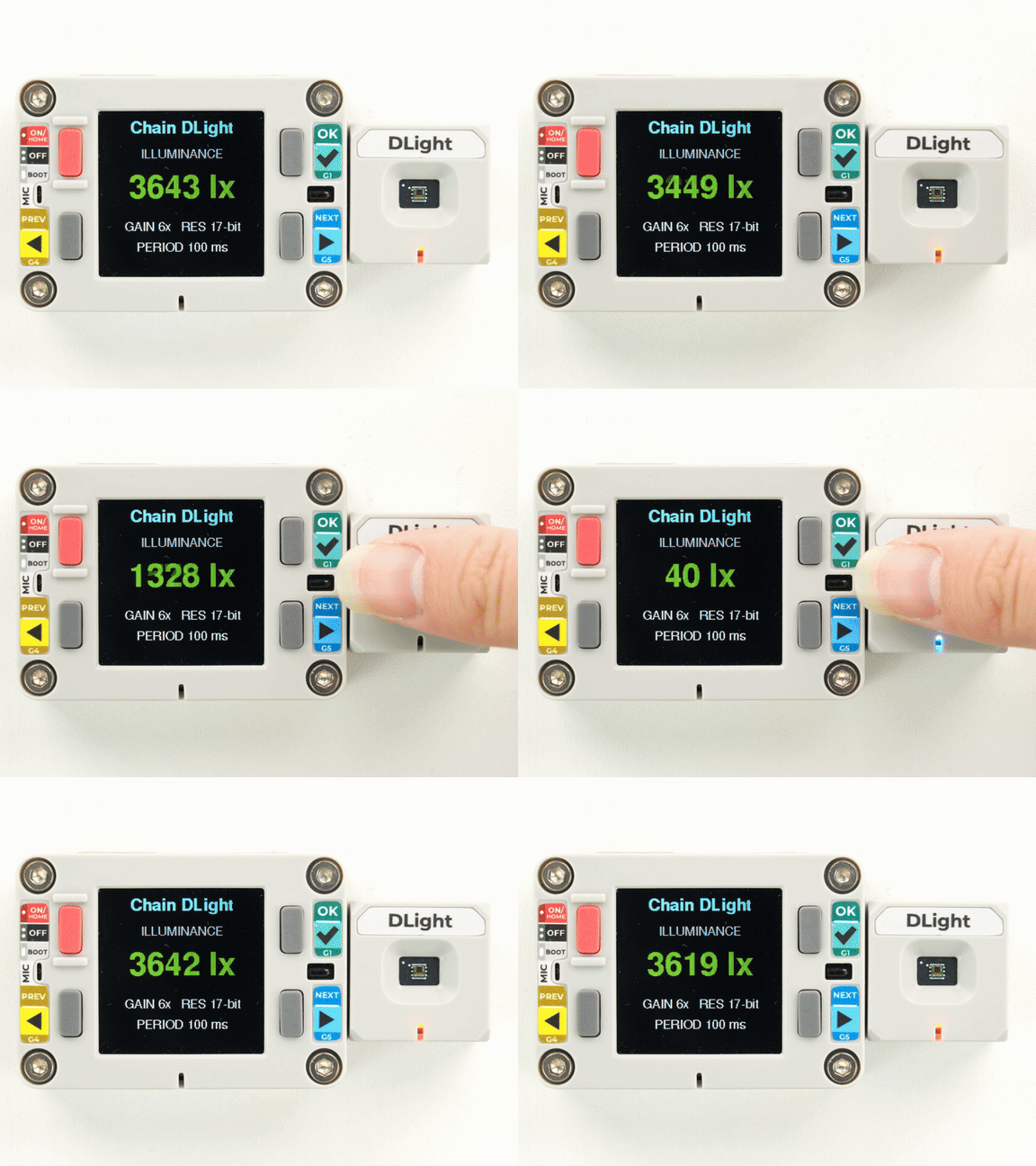
}屏幕显示当前照度、增益、分辨率和测量周期;串口同步输出设备信息、配置结果和照度值。示例使用 17-bit 分辨率(转换时间 50 ms)和 100 ms 测量周期。
阈值事件
cpp
1 2 3 4 5 6 7 8 9 10 11 12 13 14 15 16 17 18 19 20 21 22 23 24 25 26 27 28 29 30 31 32 33 34 35 36 37 38 39 40 41 42 43 44 45 46 47 48 49 50 51 52 53 54 55 56 57 58 59 60 61 62 63 64 65 66 67 68 69 70 71 72 73 74 75 76 77 78 79 80 81 82 83 84 85 86 87 88 89 90 91 92 93 94 95 96 97 98 99 100 101 102 103 104 105 106 107 108 109 110 111 112 113 114 115 116 117 118 119 120 121 122 123 124 125 126 127 128 129 130 131 132 133 134 135 136 137 138 139 140 141 142 143 144 145 146 147 148 149 150 151
#include "M5Chain.h"
#include "M5Unified.h"

#define TXD_PIN GPIO_NUM_18
#define RXD_PIN GPIO_NUM_17

Chain M5Chain;
M5Canvas canvas(&M5.Display);
uint8_t dlight_id = 0;
uint8_t op_status = 0;

// Find the first DLight node on the Chain bus.
bool findDLight()
{
    uint16_t count = 0;
    if (M5Chain.getDeviceNum(&count) != CHAIN_OK) {
        Serial.println("Failed to get Chain device count");
        return false;
    }
    Serial.printf("Chain device count: %u\r\n", count);
    if (count == 0) {
        Serial.println("No Chain devices found");
        return false;
    }

    device_info_t infos[8];
    device_list_t list = {count < 8 ? count : 8, infos};
    if (!M5Chain.getDeviceList(&list)) {
        Serial.println("Failed to get Chain device list");
        return false;
    }

    for (uint16_t i = 0; i < list.count; i++) {
        if (list.devices[i].device_type == CHAIN_DLIGHT_TYPE_CODE) {
            dlight_id = list.devices[i].id;
            Serial.printf("DLight found, id=%u\r\n", dlight_id);
            return true;
        }
    }
    Serial.println("DLight not found");
    return false;
}

void showMessage(const char *text)
{
    canvas.fillSprite(TFT_BLACK);
    canvas.setTextDatum(middle_center);
    canvas.setTextColor(TFT_WHITE, TFT_BLACK);
    canvas.setFont(&fonts::FreeSansBold12pt7b);
    canvas.drawString(text, 120, 120);
    canvas.pushSprite(0, 0);
}

void setup()
{
    delay(520);
    // Initialize Chain Captain; Chain 5V is enabled by default.
    M5.begin();
    M5.Display.setBrightness(255);
    canvas.createSprite(M5.Display.width(), M5.Display.height());
    Serial.begin(115200);
    Serial.println("Chain DLight event demo start");
    Serial.printf("Chain UART: RX=GPIO%d, TX=GPIO%d\r\n", RXD_PIN, TXD_PIN);

    // Start the Chain bus on UART1.
    M5Chain.begin(&Serial1, 115200, RXD_PIN, TXD_PIN);

    if (!findDLight()) {
        Serial.println("DLight event init failed: device not found");
        showMessage("DLight not found");
        while (1) {
            delay(100);
        }
    }

    // Set high/low lux thresholds and enable event reporting.
    bool config_ok =
        M5Chain.setDLightSensorResolution(dlight_id, CHAIN_DLIGHT_RESOLUTION_17BIT_50MS,
                                          &op_status) == CHAIN_OK &&
        op_status == 1 &&
        M5Chain.setDLightSensorRate(dlight_id, CHAIN_DLIGHT_RATE_100MS, &op_status) == CHAIN_OK &&
        op_status == 1 &&
        M5Chain.setDLightLuxInterruptThreshold(dlight_id, 2047, 120, &op_status) == CHAIN_OK &&
        op_status == 1 &&
        M5Chain.setDLightLuxInterruptEnable(dlight_id, CHAIN_DLIGHT_ENABLE, &op_status) == CHAIN_OK &&
        op_status == 1 &&
        M5Chain.setDLightLuxInterruptEventTriggerMode(dlight_id, CHAIN_DLIGHT_ENABLE,
                                                      &op_status) == CHAIN_OK &&
        op_status == 1;

    if (!config_ok) {
        Serial.printf("DLight event config failed, operation status=%u\r\n", op_status);
        showMessage("Config failed");
        while (1) {
            delay(100);
        }
    }

    Serial.println("DLight event config: resolution=17bit/50ms, period=100ms, low=120 lx, high=2047 lx");
    Serial.println("DLight event ready");
    showMessage("Event ready");
}

void loop()
{
    chain_dlight_event_trigger_t event;
    // Process all pending DLight event records.
    while (M5Chain.getDLightLuxTrigger(dlight_id, &event)) {
        // Decode the event type and status byte.
        uint16_t record = (uint16_t)event;
        if ((record >> 8) != CHAIN_DLIGHT_TYPE_CODE) {
            Serial.printf("Unknown DLight event record: 0x%04X\r\n", record);
            continue;
        }

        const char *text    = "Unknown";
        uint16_t event_color = TFT_WHITE;
        switch ((uint8_t)record) {
            case CHAIN_DLIGHT_REPORT_LUX_LOW:
                text        = "Low threshold";
                event_color = TFT_BLUE;
                break;
            case CHAIN_DLIGHT_REPORT_LUX_HIGH:
                text        = "High threshold";
                event_color = TFT_RED;
                break;

        }
        Serial.printf("DLight event: %s, record=0x%04X\r\n", text, record);

        // Highlight the latest threshold event.
        canvas.fillSprite(TFT_BLACK);
        canvas.setTextDatum(middle_center);
        canvas.setFont(&fonts::FreeSansBold12pt7b);
        canvas.setTextColor(TFT_CYAN, TFT_BLACK);
        canvas.drawString("Chain DLight Event", 120, 24);
        canvas.setFont(&fonts::FreeSans9pt7b);
        canvas.setTextColor(TFT_LIGHTGREY, TFT_BLACK);
        canvas.drawString("EVENT", 120, 62);
        canvas.setFont(&fonts::FreeSansBold18pt7b);
        canvas.setTextColor(event_color, TFT_BLACK);
        canvas.drawString(text, 120, 112);
        canvas.setFont(&fonts::FreeSans9pt7b);
        canvas.setTextColor(TFT_WHITE, TFT_BLACK);
        canvas.drawString("HIGH 2047 lx", 120, 168);
        canvas.drawString("LOW 120 lx", 120, 198);
        canvas.pushSprite(0, 0);
    }

    delay(20);
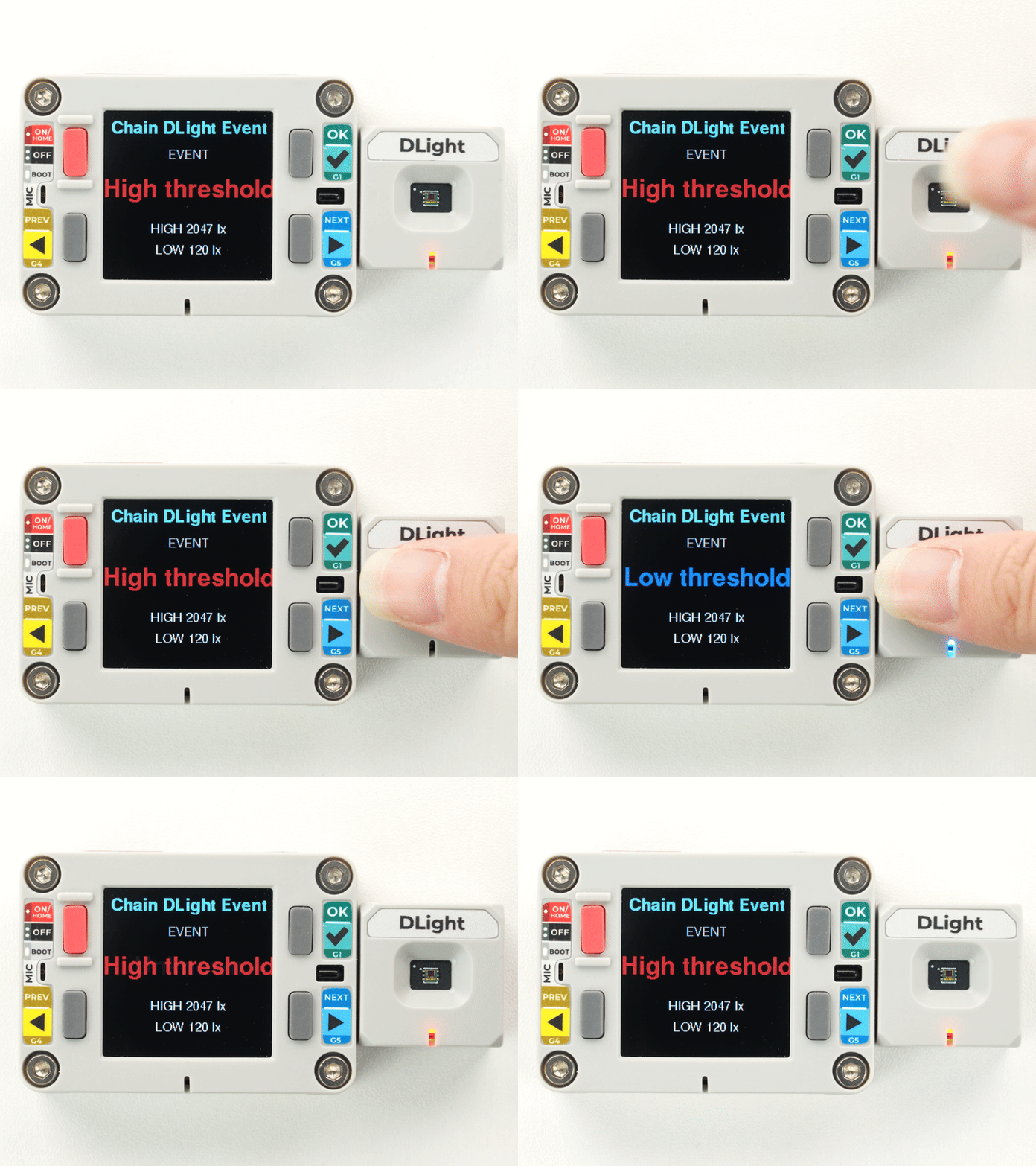
}屏幕显示最近一次照度阈值触发结果:High threshold 表示照度向上越过高阈值,Low threshold 表示向下越过低阈值,高低阈值分别设置为的 2047 lx 和 120 lx;串口同步输出事件名称和原始记录。事件示例使用 17-bit 分辨率(转换时间 50 ms)和 100 ms 测量周期。
Page Tools