

Arduino入門
2. デバイス&サンプル
Demo Board-SHT30
3. M5Unified
4. M5GFX
5. 拡張モジュール&サンプル
Unit
Module
Atomic
Tab5
IoT
アクセサリー
Chain Captain Display 画面表示
Chain Captain の表示に関する API とサンプルプログラム。
説明
Chain Captain は画面ドライバーとして M5GFX ライブラリを使用します。簡単な表示は以下の API とサンプルを参照してください。その他の表示 API については、M5GFX ドキュメントを参照してください。
サンプルプログラム
コンパイル要件
- M5Stack ボードマネージャーバージョン >=
3.3.10-a - ボードオプション =
M5ChainCaptain - M5Unified ライブラリバージョン >=
0.3.0 - M5GFX ライブラリバージョン >=
0.3.0
LCD のリセットは M5IOE1 の IO1、バックライトは M5IOE1 の IO11、表示電源は M5IOE1 の IO12 で制御されます。電源投入後、M5Unified がパネルの初期化と電源の有効化を自動的に行います。
cpp
1 2 3 4 5 6 7 8 9 10 11 12 13 14 15 16 17 18 19 20 21 22 23 24 25 26 27 28 29 30 31 32 33 34 35 36 37 38 39 40 41 42 43 44 45 46 47 48 49
#include <M5Unified.h>

static int ballX = 28;
static int ballY = 100;
static int dirX = 5;
static int dirY = 4;

void setup()
{
  delay(500);
  auto cfg = M5.config();
  cfg.serial_baudrate = 115200;
  M5.begin(cfg);

  M5.Display.setRotation(0);
  M5.Display.setBrightness(128);
  M5.Display.fillScreen(TFT_BLACK);
  M5.Display.setTextDatum(middle_center);
  M5.Display.setFont(&fonts::FreeSansBold12pt7b);
  M5.Display.setTextColor(TFT_WHITE, TFT_BLACK);
  M5.Display.drawString("Chain Captain", 120, 20);
}

void loop()
{
  // Bounce inside the drawing area.
  ballX += dirX;
  ballY += dirY;

  if (ballX < 12 || ballX > 228) {
    dirX = -dirX;
    ballX += dirX * 2;
  }
  if (ballY < 52 || ballY > 228) {
    dirY = -dirY;
    ballY += dirY * 2;
  }

  const uint16_t color = M5.Display.color565(ballX, 255 - ballY, 180);

  // Batch drawing to avoid flicker.
  M5.Display.startWrite();
  M5.Display.fillRect(8, 48, 224, 184, TFT_BLACK);
  M5.Display.drawRect(8, 48, 224, 184, TFT_DARKGREY);
  M5.Display.fillCircle(ballX, ballY, 10, color);
  M5.Display.endWrite();

  delay(20);
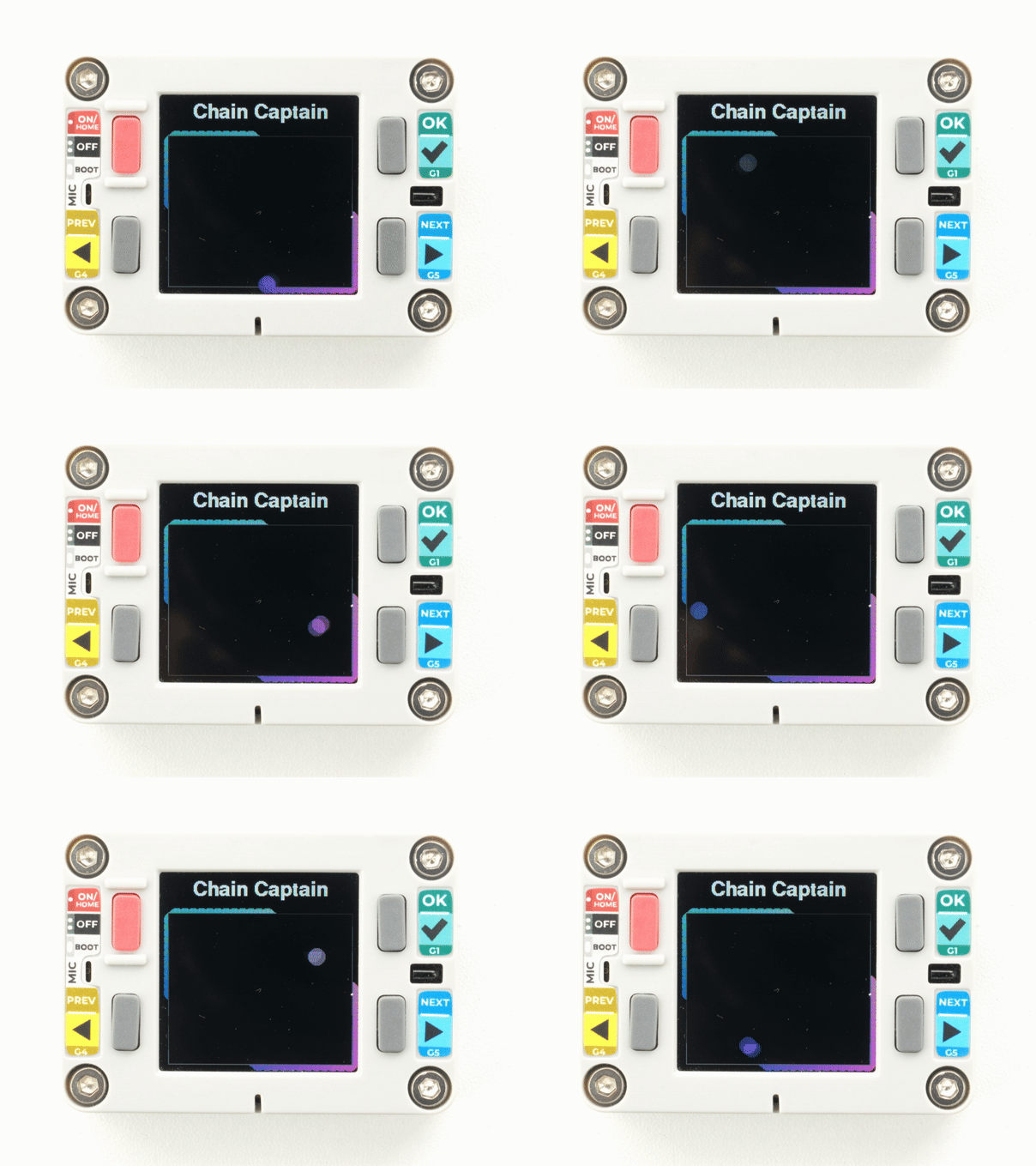
}アップロード後、画面の上部にデバイス名が表示され、その下に跳ね返るカラーボールが表示されます。
Page Tools