

Arduino入門
2. デバイス&サンプル
3. M5Unified
4. M5GFX
5. 拡張モジュール&サンプル
Unit
Module
Atomic
Tab5
IoT
アクセサリー
CoreMatrix microSD カード
CoreMatrix の microSD カード関連 API とサンプルプログラムです。
サンプルプログラム
コンパイル要件
- M5Stack ボードマネージャーのバージョン >=
3.3.10-a - 開発ボードの選択 =
M5CoreMatrix - M5Unified ライブラリのバージョン >=
0.2.29 - M5GFX ライブラリのバージョン >=
0.2.36
CoreMatrix の microSD カードは SPI の G25(SCK)、G26(MISO)、G27(MOSI)、G28(CS)を使用します。カードスロットの電源は M5IOE1 IO1 / PYB_TF_EN で制御し、カード検出は IO10 / PYB_TFCARD_DET から読み取ります。Low はカードが挿入されていることを示します。M5Unified の初期化時にカードスロットの電源がデフォルトでオンになるため、FAT32 でフォーマットした microSD カードを用意してください。
cpp
1 2 3 4 5 6 7 8 9 10 11 12 13 14 15 16 17 18 19 20 21 22 23 24 25 26 27 28 29 30 31 32 33 34 35 36 37 38 39 40 41 42 43 44 45 46 47 48 49 50 51 52 53 54 55 56 57 58 59 60 61 62 63 64 65 66 67 68 69 70 71 72 73 74 75 76 77 78 79 80 81 82 83 84 85 86 87 88 89 90 91 92 93 94 95 96 97 98 99 100 101
#include <Arduino.h>
#include <SPI.h>
#include <SD.h>
#include <M5Unified.h>
#include <utility/M5IOE1_Class.hpp>

static constexpr uint8_t SD_CS_PIN = 28;
static constexpr uint8_t SD_SCK_PIN = 25;
static constexpr uint8_t SD_MISO_PIN = 26;
static constexpr uint8_t SD_MOSI_PIN = 27;

static constexpr auto TF_DET = m5::M5IOE1_Class::gpio10;

static void drawResult(bool ok)
{
  M5.Display.startWrite();
  M5.Display.fillScreen(TFT_BLACK);
  M5.Display.drawRect(0, 0, 16, 16, TFT_WHITE);

  if (ok) {
    M5.Display.drawLine(2, 7, 6, 11, TFT_WHITE);
    M5.Display.drawLine(7, 10, 13, 4, TFT_WHITE);
  } else {
    M5.Display.drawLine(3, 3, 12, 12, TFT_WHITE);
    M5.Display.drawLine(12, 3, 3, 12, TFT_WHITE);
  }

  M5.Display.endWrite();
  M5.Display.display();
}

static bool prepareTfCard()
{
  auto& ioe = M5.getIOExpander(0);

  // Card detect is active low: M5IOE1 IO10 -> PYB_TFCARD_DET
  ioe.setDirection(TF_DET, false);
  ioe.setPullMode(TF_DET, m5::IOExpander_Base::pull_up);
  delay(50);

  bool level = true;
  if (!ioe.getInputLevel(TF_DET, &level)) {
    Serial.println("TF card detect read failed");
    return false;
  }

  Serial.printf("TF card detect level: %s\n", level ? "HIGH" : "LOW");
  return !level;
}

void setup()
{
  auto cfg = M5.config();
  cfg.serial_baudrate = 115200;
  M5.begin(cfg);

  M5.Display.setColorDepth(8);
  M5.Display.setRotation(1);
  M5.Display.setBrightness(128);

  if (!prepareTfCard()) {
    Serial.println("TF card not inserted");
    drawResult(false);
    return;
  }

  SPI.begin(SD_SCK_PIN, SD_MISO_PIN, SD_MOSI_PIN, SD_CS_PIN);
  if (!SD.begin(SD_CS_PIN, SPI, 25000000)) {
    Serial.println("SD mount failed");
    drawResult(false);
    return;
  }

  File file = SD.open("/corematrix.txt", FILE_WRITE);
  if (!file) {
    Serial.println("File open for write failed");
    drawResult(false);
    return;
  }

  file.println("Hello CoreMatrix");
  file.close();

  file = SD.open("/corematrix.txt", FILE_READ);
  if (!file) {
    Serial.println("File open for read failed");
    drawResult(false);
    return;
  }

  const String line = file.readStringUntil('\n');
  file.close();

  Serial.printf("Read back: %s\n", line.c_str());
  drawResult(true);
}

void loop()
{
  delay(1000);
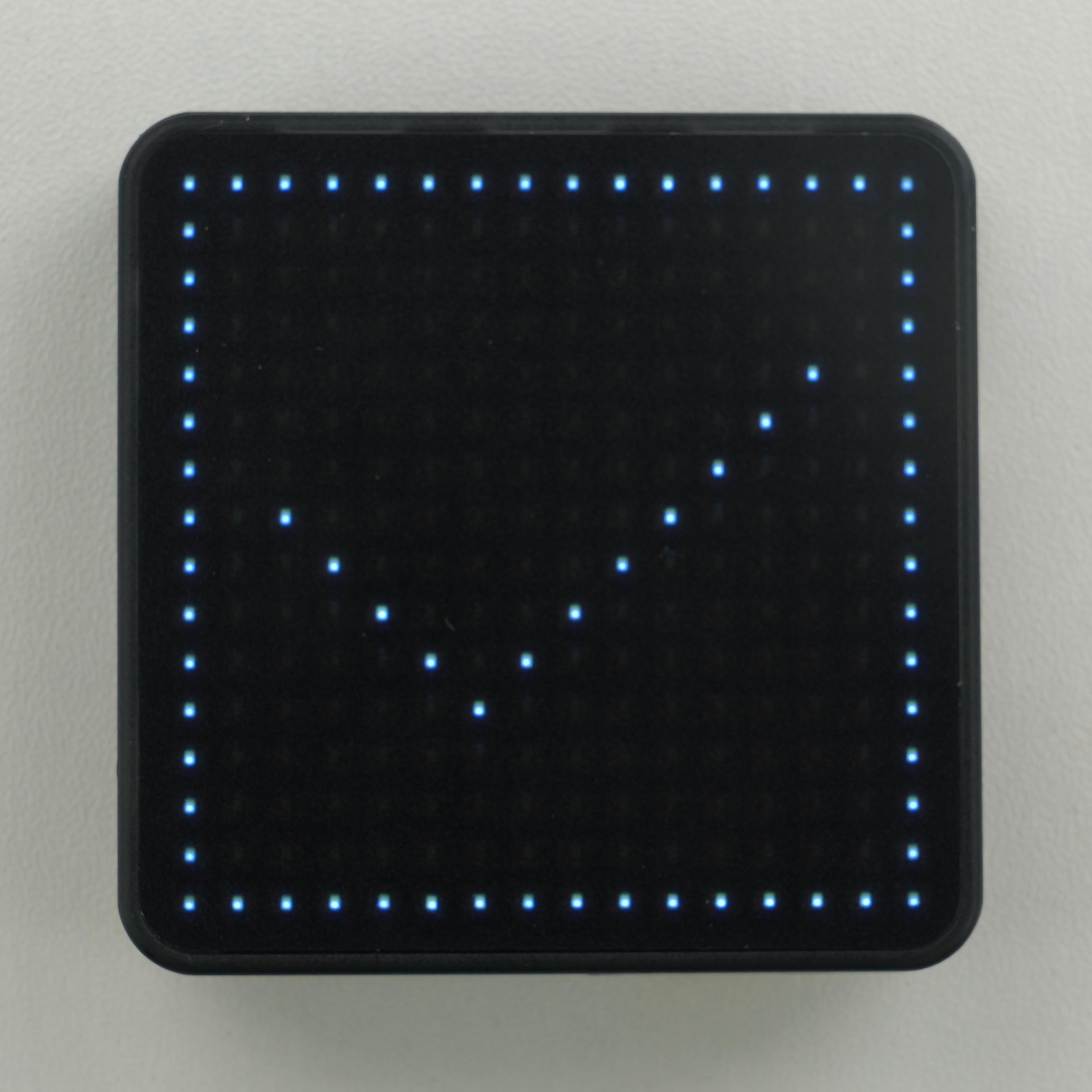
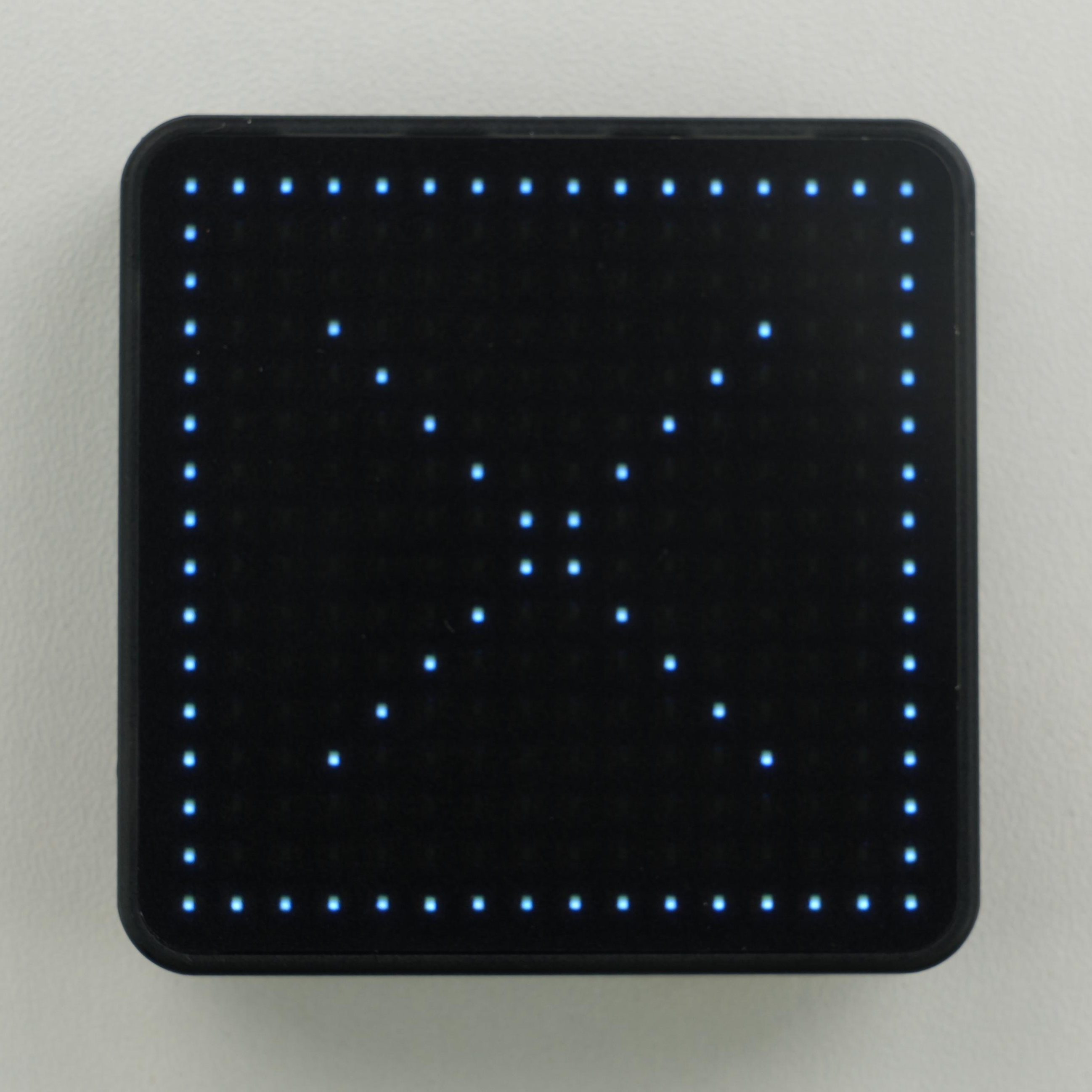
} プログラムはカードの検出、ファイルシステムのマウント、/corematrix.txt の作成と再読み取りを行います。成功時はマトリクスにチェックマークを、失敗時はバツ印を表示し、詳細な結果は 115200 baud のシリアルポートに出力されます。起動時にカードが挿入されていない場合は、カードを挿入してデバイスをリセットすると再検出されます。
API
CoreMatrix の microSD カード部分では、Arduino 標準の SD ライブラリを使用しています。関連 API の詳細は以下のドキュメントを参照してください。
Page Tools