

Arduino入門
2. デバイス&サンプル
3. M5Unified
4. M5GFX
5. 拡張モジュール&サンプル
Unit
Module
Atomic
Tab5
IoT
アクセサリー
PaperColor Arduino プログラムのコンパイルと書き込み
1. 準備作業
- Arduino IDE のインストール:Arduino IDE インストールチュートリアルを参照し、IDE のインストールを完了してください。
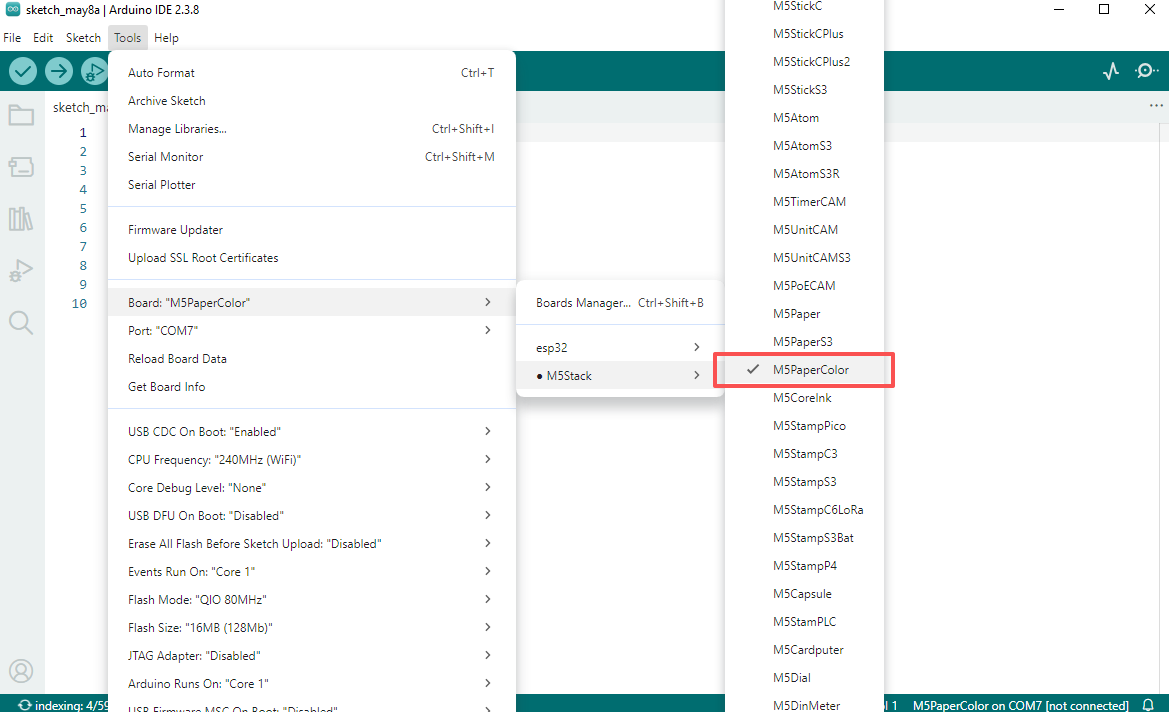
- ボードマネージャのインストール:基本環境構築チュートリアルを参照し、M5Stack ボードマネージャのインストールを完了し、開発ボード
M5PaperColorを選択してください。
- ボードマネージャのインストール:基本環境構築チュートリアルを参照し、M5Stack ボードマネージャのインストールを完了し、開発ボード
- ドライバライブラリのインストール:ライブラリ管理インストールチュートリアルを参照し、
M5UnifiedおよびM5GFXドライバライブラリのインストールを完了し、表示されるプロンプトに従ってすべての依存ライブラリをインストールしてください。
- ドライバライブラリのインストール:ライブラリ管理インストールチュートリアルを参照し、
2.ポートの選択
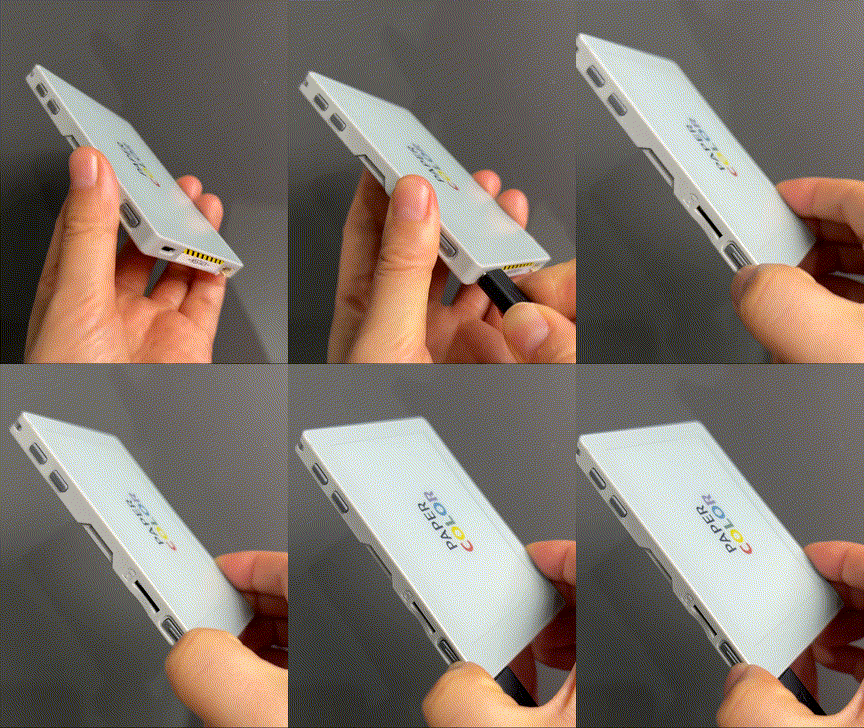
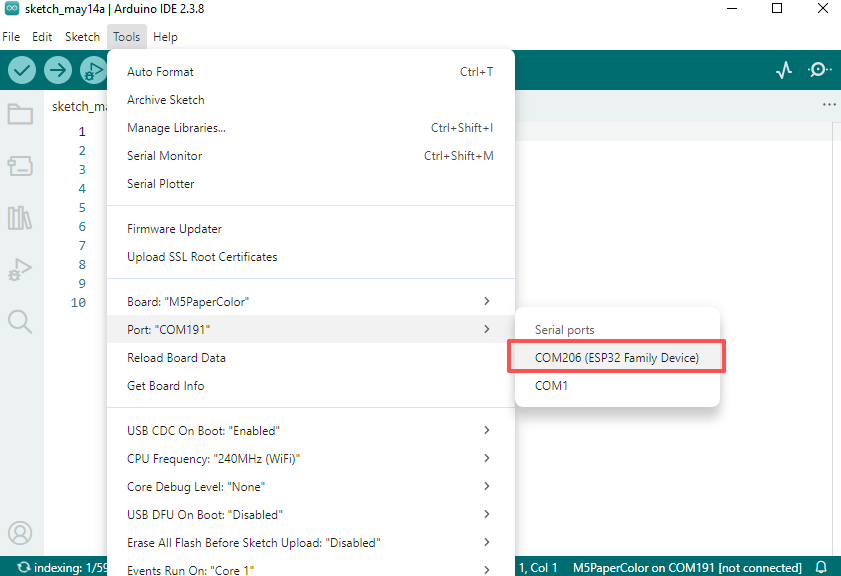
USB-C ケーブルでデバイスを PC に接続し、側面の電源ボタンを長押ししてデバイスがダウンロードモードに入ったら、Arduino IDE で対応するコントローラとデバイスポートを選択できます。
3.プログラムのコンパイル&書き込み
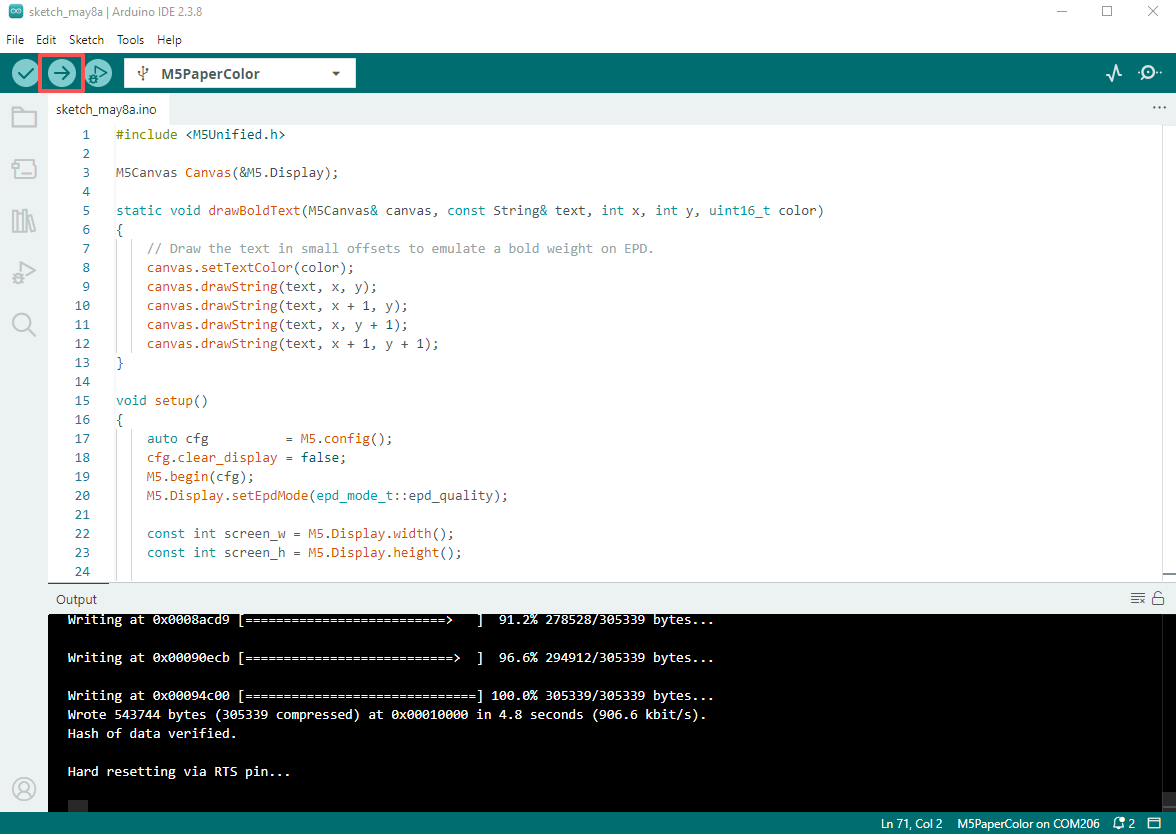
以下のサンプルプログラムを Arduino IDE にコピーし、アップロードボタンをクリックすると、プログラムがコンパイルされ PaperColor にアップロードされます。
cpp
1 2 3 4 5 6 7 8 9 10 11 12 13 14 15 16 17 18 19 20 21 22 23 24 25 26 27 28 29 30 31 32 33 34 35 36 37 38 39 40 41 42 43 44 45 46 47 48 49 50 51 52 53 54 55 56 57 58 59 60 61 62 63 64 65 66 67 68 69 70 71
#include <M5Unified.h>

M5Canvas Canvas(&M5.Display);

static void drawBoldText(M5Canvas& canvas, const String& text, int x, int y, uint16_t color)
{
    // Draw the text in small offsets to emulate a bold weight on EPD.
    canvas.setTextColor(color);
    canvas.drawString(text, x, y);
    canvas.drawString(text, x + 1, y);
    canvas.drawString(text, x, y + 1);
    canvas.drawString(text, x + 1, y + 1);
}

void setup()
{
    auto cfg          = M5.config();
    cfg.clear_display = false;
    M5.begin(cfg);
    M5.Display.setEpdMode(epd_mode_t::epd_quality);

    const int screen_w = M5.Display.width();
    const int screen_h = M5.Display.height();

    Canvas.createSprite(screen_w, screen_h);
    Canvas.fillSprite(WHITE);

    const uint16_t band_colors[6] = {YELLOW, RED, GREEN, BLUE, BLACK, WHITE};
    const int band_h             = screen_h / 6;

    for (int i = 0; i < 6; ++i)
    {
        const int y = i * band_h;
        const int h = (i == 5) ? (screen_h - y) : band_h;
        Canvas.fillRect(0, y, screen_w, h, band_colors[i]);
    }

    const int white_band_y = 5 * band_h;
    const int white_band_h = screen_h - white_band_y;

    Canvas.setTextFont(4);
    Canvas.setTextSize(2);
    Canvas.setTextDatum(middle_left);
    Canvas.setTextColor(BLACK);

    const String text_paper = "PAPER";
    const String text_color = "COLOR";
    const int gap_w         = Canvas.textWidth("   ");
    const int total_w       = Canvas.textWidth(text_paper) + gap_w + Canvas.textWidth(text_color);
    const int start_x       = (screen_w - total_w) / 2;
    const int text_y        = white_band_y + (white_band_h / 2);

    drawBoldText(Canvas, text_paper, start_x, text_y, BLACK);

    int x = start_x + Canvas.textWidth(text_paper) + gap_w;
    const uint16_t color_text_colors[5] = {RED, YELLOW, GREEN, YELLOW, BLUE};
    for (int i = 0; i < text_color.length(); ++i)
    {
        const String ch = text_color.substring(i, i + 1);
        drawBoldText(Canvas, ch, x, text_y, color_text_colors[i]);
        x += Canvas.textWidth(ch);
    }

    Canvas.pushSprite(0, 0);
}

void loop()
{
    M5.update();
    delay(100);
}
実行結果:
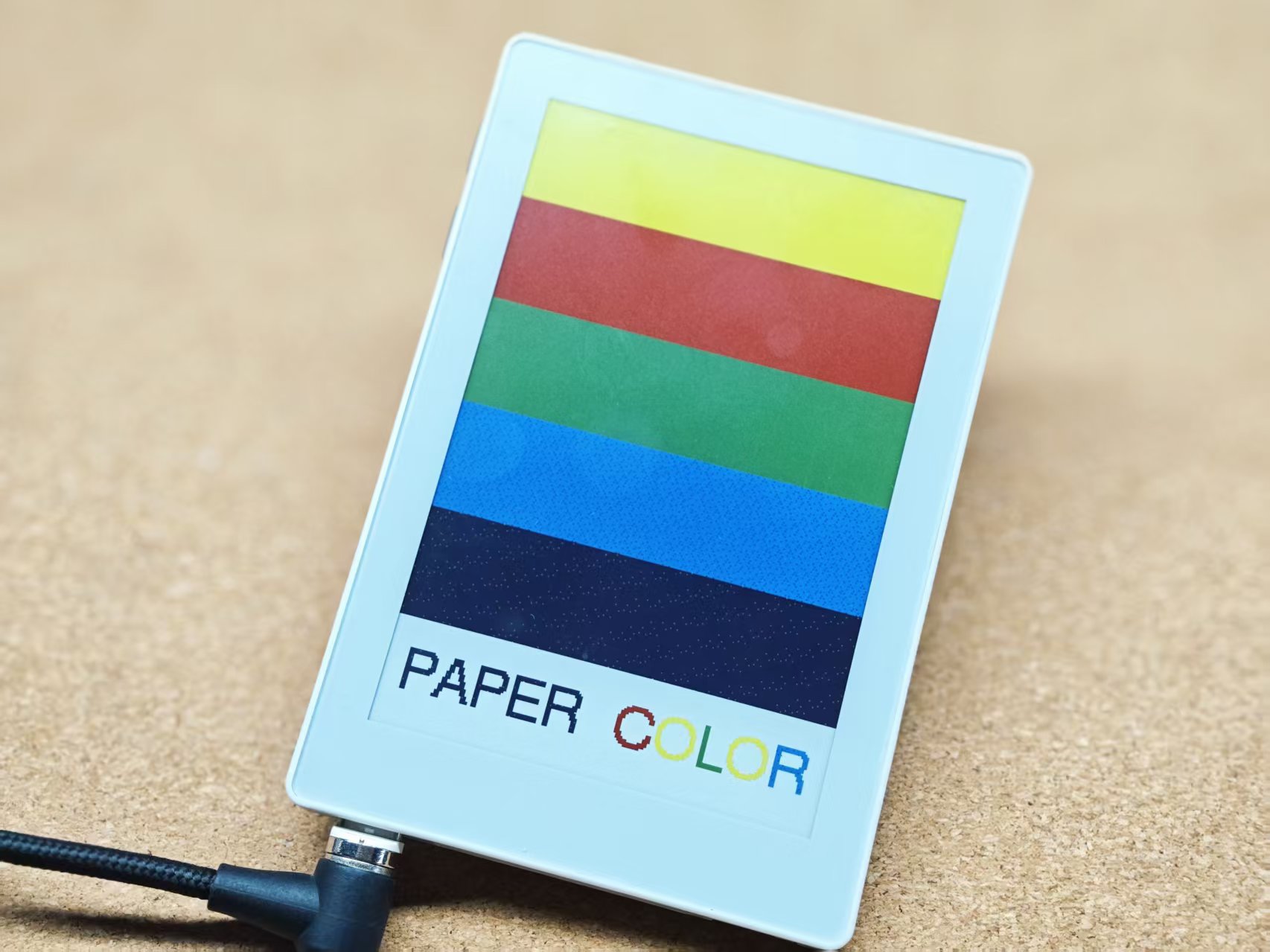
4.関連リソース
Page Tools